---
updatedAt: 2026-07-21T09:21:38.000Z
agentTools:
projectIndex: https://docs.customgpt.ai/llms.txt
---
# Add a custom MCP connector
This step-by-step guide explains how to add a new Custom connector to your AI agent. With Custom connector, your agent can go beyond answering questions and perform real-world tasks using connected MCP servers.s
## What is a custom connectors?
A **Custom connector** connects your agent to an external system through an MCP (Model Context Protocol) server. This enables the agent to:
* Fetch live information (e.g., check order status).
* Trigger actions (e.g., create a support ticket).
* Integrate with third-party apps and workflows.
👉 Learn more about [Custom connector](https://docs.customgpt.ai/docs/how-custom-actions-work)
***
## How to add a custom connector
1. On your CustomGPT.ai dashboard, click the **three dots menu**.
2. Click **Actions**.
3. On the Actions page, click **Custom connectors **tab.
5. Click **Add MCP**.
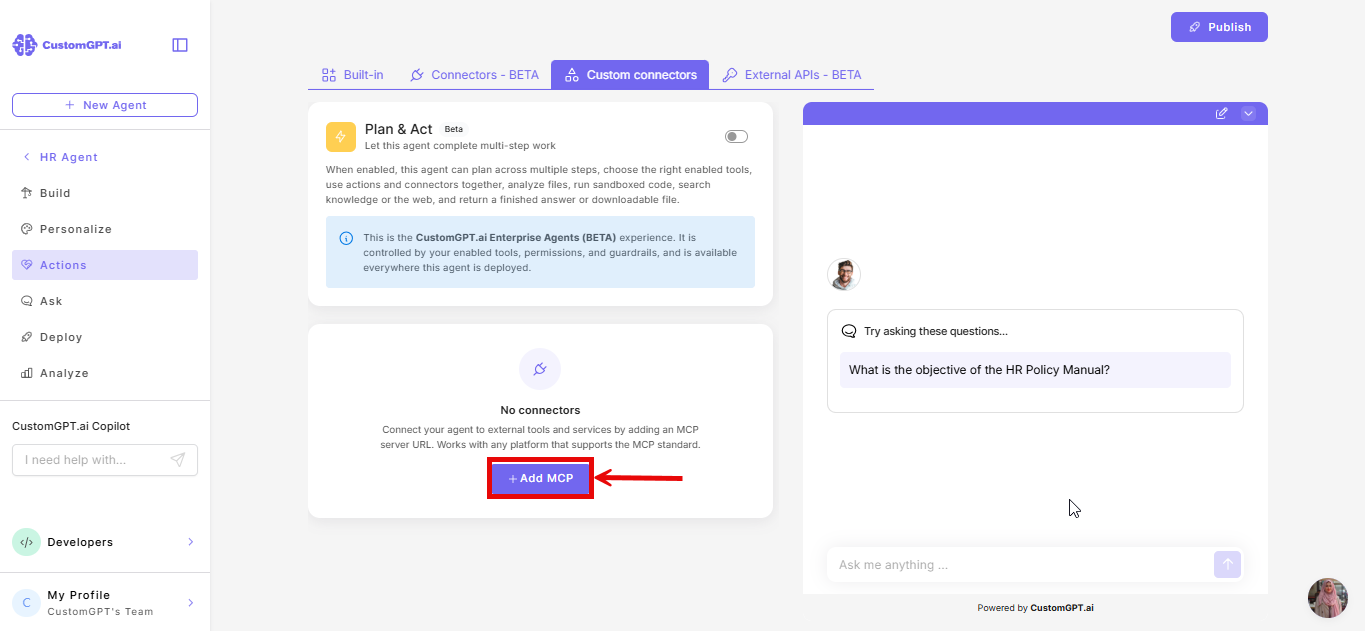
6. Enter the name of custom connector and MCP server URL.
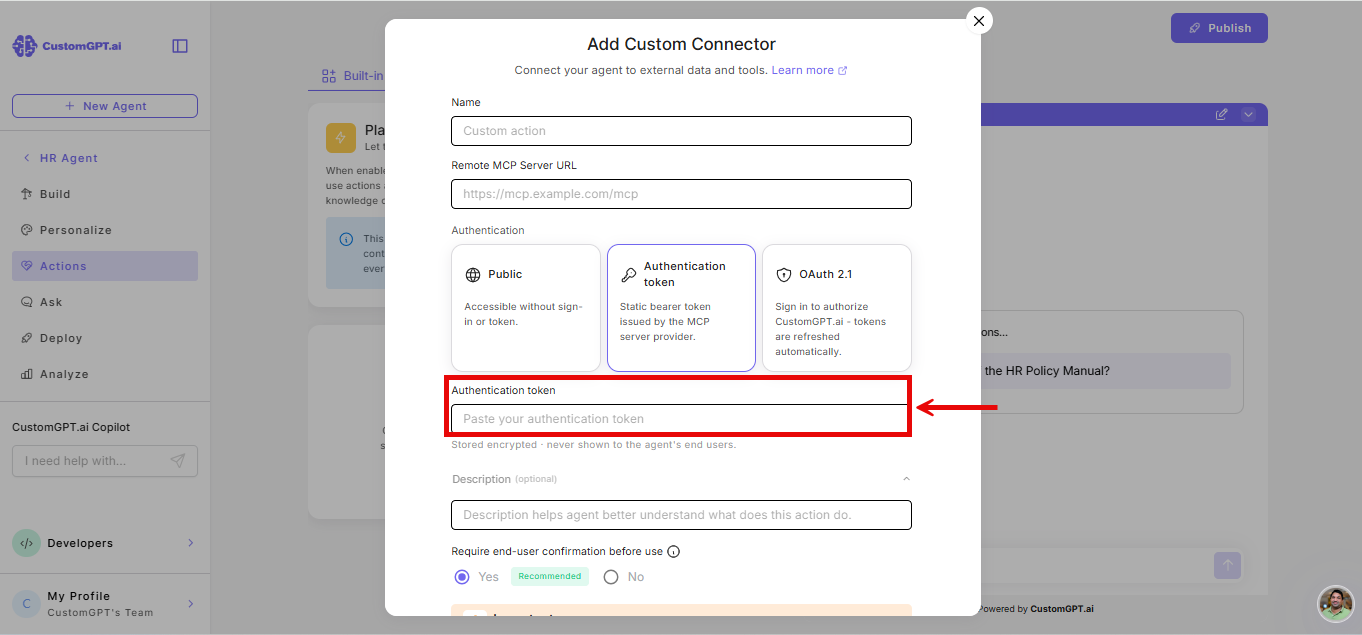
8. Under **Authentication**, select the **Authentication Token** card. If the server requires OAuth 2.1 instead, see [Add a Custom Connector with OAuth 2.1](https://docs.customgpt.ai/docs/add-a-custom-connector-with-oauth-21).
9. Enter your authentication token.
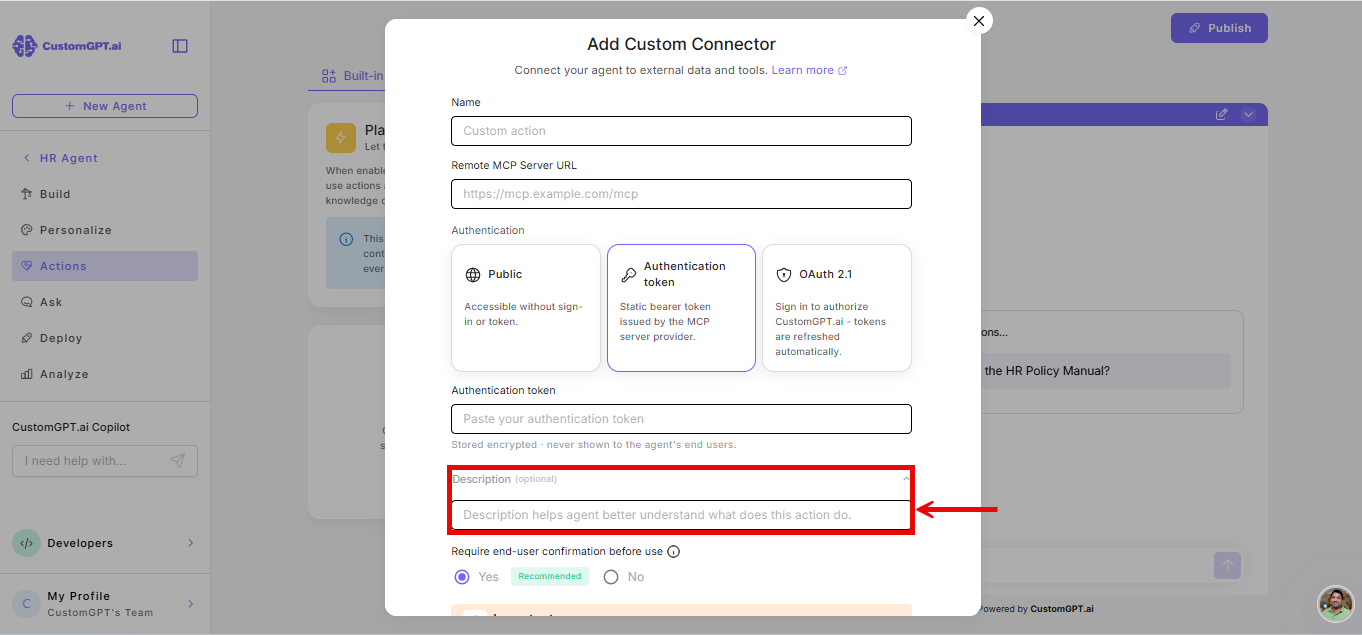
10. Enter a **Description** for the connector.
### Note:
There's no limit on how many connectors you can add. See [Limits and cost](https://docs.customgpt.ai/docs/limits-and-cost) for how many you can enable at once.
Explore publicly available MCP servers here: [Awesome Remote MCP Servers](https://github.com/jaw9c/awesome-remote-mcp-servers?tab=readme-ov-file)
11. Choose whether to **Require end user confirmation before use**:
* **Yes:** The agent will check if the action is suitable for a query and ask the user for confirmation before executing it. This happens every time and uses an additional query.
* **No:** The agent will execute the action automatically whenever it decides it is suitable.
12. Click **Create Custom Connector** to apply changes.
13. Once added, your agent will automatically decide when to use the action, based on the conversation context.
***
## Related articles
* [How custom connectors work](https://docs.customgpt.ai/docs/how-custom-actions-work)
* [Add a Custom Connector with OAuth 2.1](https://docs.customgpt.ai/update/docs/add-a-custom-action-with-oauth-21)
* [Limits and cost](https://docs.customgpt.ai/docs/limits-and-cost)