---
updatedAt: 2026-09-07T11:41:28.000Z
agentTools:
projectIndex: https://docs.customgpt.ai/llms.txt
---
# Send a recurring dashboard report to Slack with scheduled tasks
This guide walks you through a worked example of Scheduled Tasks. Connect an agent to Slack, then schedule a recurring dashboard report that delivers itself.
Connect your agent to Slack, write a prompt that tells it where to send the result, and schedule it to run on a cadence. This guide walks through one example end to end: a weekly dashboard summary that lands in Slack on its own.
***
## Connect your agent to Slack
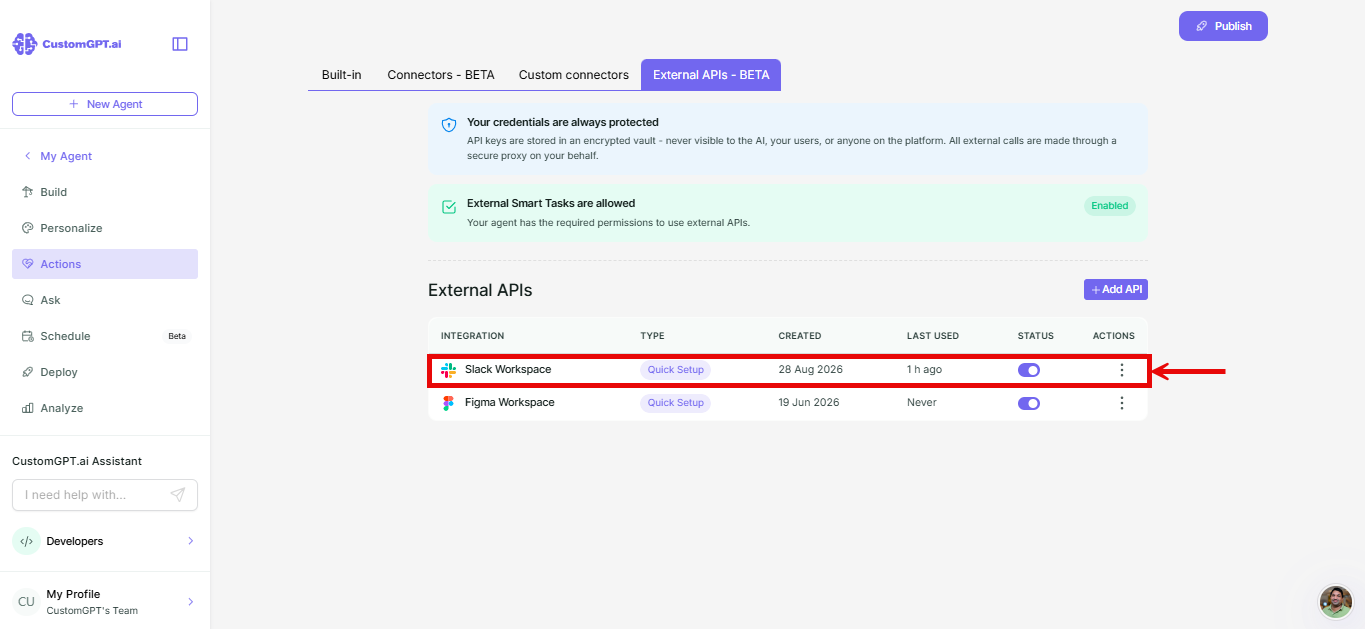
Scheduled Tasks can only deliver to a platform your agent is already connected to. Connect Slack first, using an API key. Refer to [Connect a platform using Quick Setup](https://docs.customgpt.ai/docs/connect-platform-quick-setup-external-apis) for the steps.
***
## Write a prompt that delivers to Slack
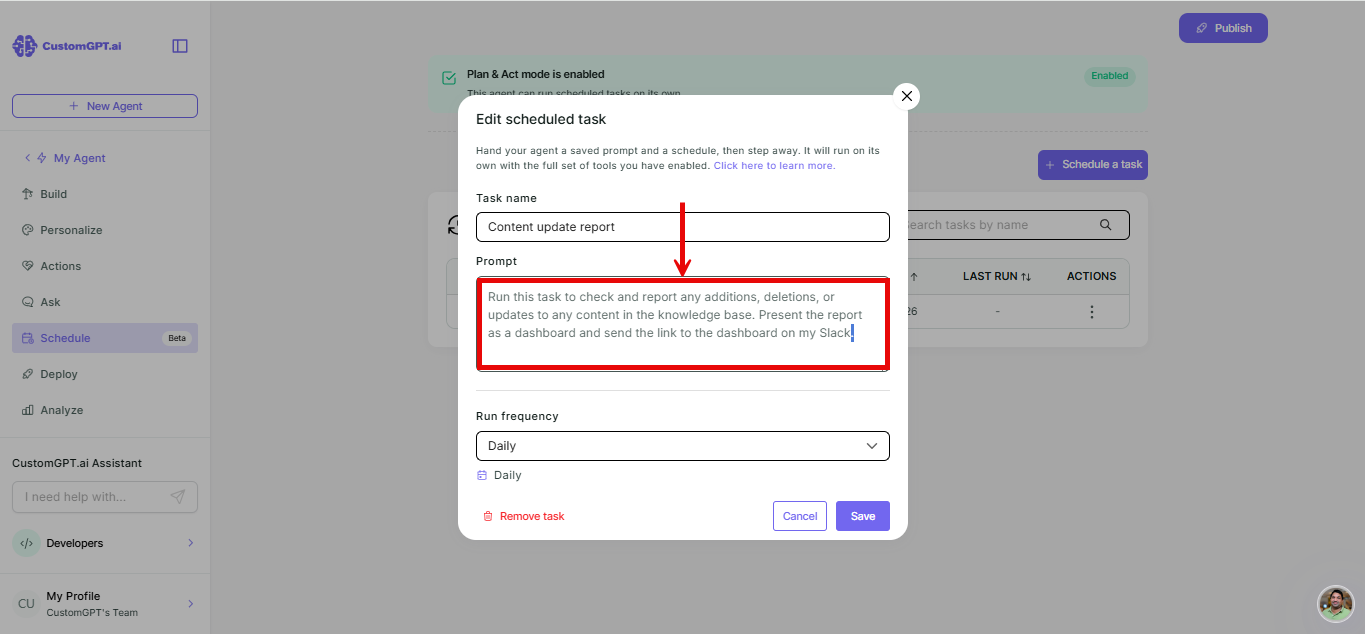
The prompt is what tells the agent where the result should go. Nothing about scheduling changes this - it works exactly like any other instruction to the agent.
For a weekly dashboard summary, a prompt like this covers both what to do and where to send it:
```
Summarize this week's dashboard numbers in plain English, then post the summary to #dashboard-reports on Slack.
```
**Note:** This is just an example. Write your own prompt to say exactly what you want the agent to do and exactly where you want the result sent.
***
## Schedule it
Refer to [Schedule a task for your agent](https://docs.customgpt.ai/docs/schedule-a-task-for-your-agent) for the full steps. For this example, set **Run frequency** to Daily, on whichever day you want the report to land.
***
## See it work
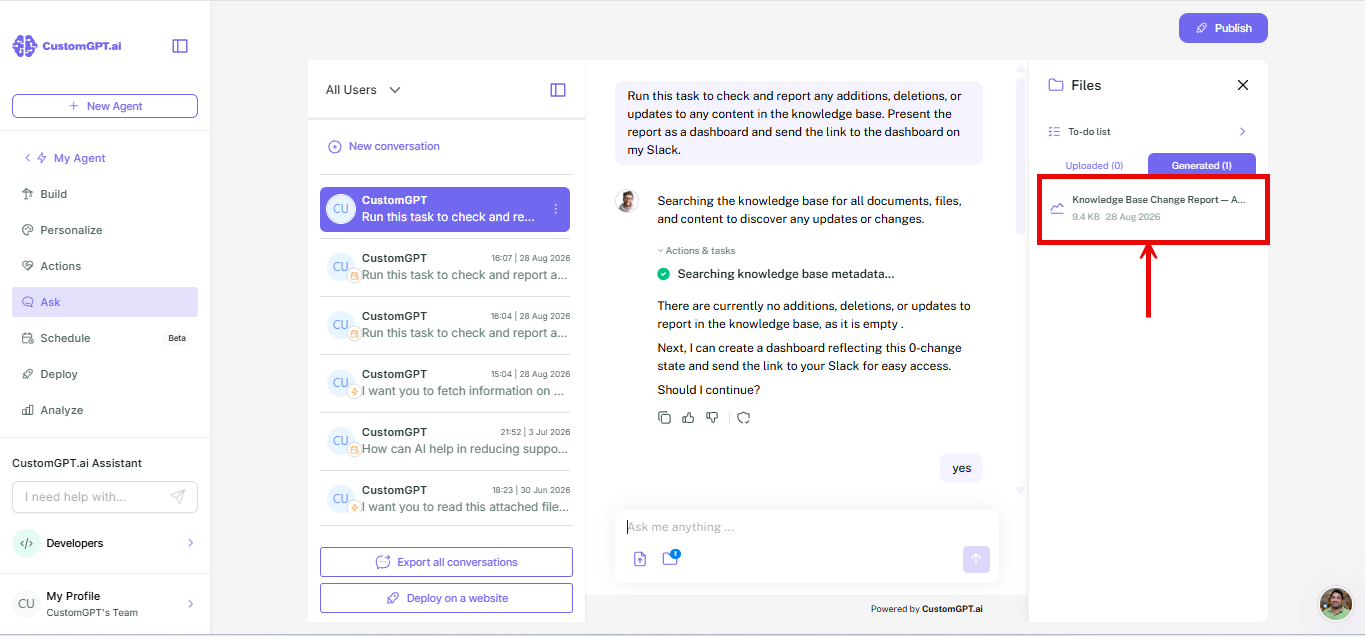
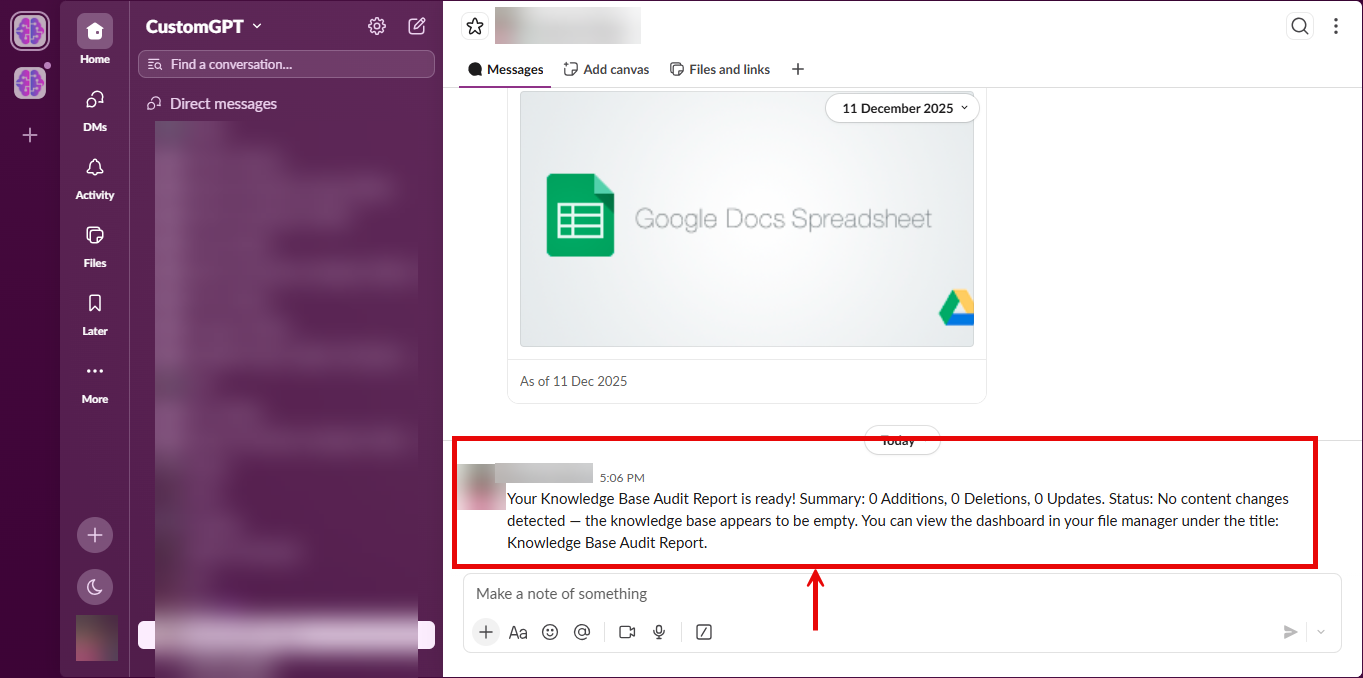
Once the task runs, the result shows up in two places.
On the Ask page, the run appears as its own conversation, marked with a calendar icon.
In Slack, the summary posts to the channel named in the prompt.
***
## Related articles
* [Schedule a task for your agent](https://docs.customgpt.ai/docs/schedule-a-task-for-your-agent)
* [Manage your scheduled tasks](https://docs.customgpt.ai/docs/manage-your-scheduled-tasks)
* [How Scheduled Tasks works](https://docs.customgpt.ai/docs/how-scheduled-tasks-works)
- [Connect a platform using Quick Setup](https://docs.customgpt.ai/docs/connect-platform-quick-setup-external-apis)