
Change team name
This step-by-step guide explains how to update your team’s name in CustomGPT.ai.
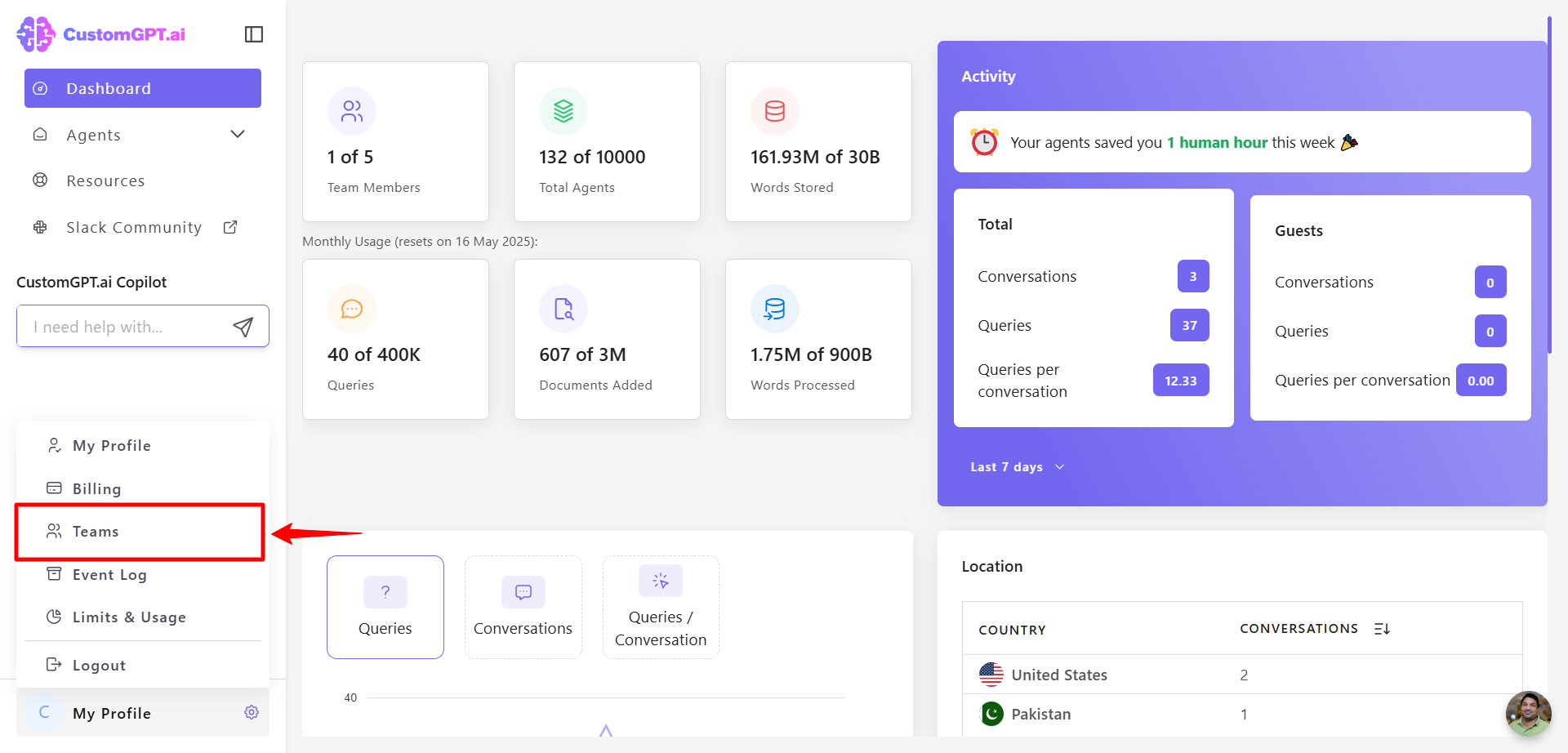
- Click your profile icon (or initial) in the bottom-left corner, then click Teams
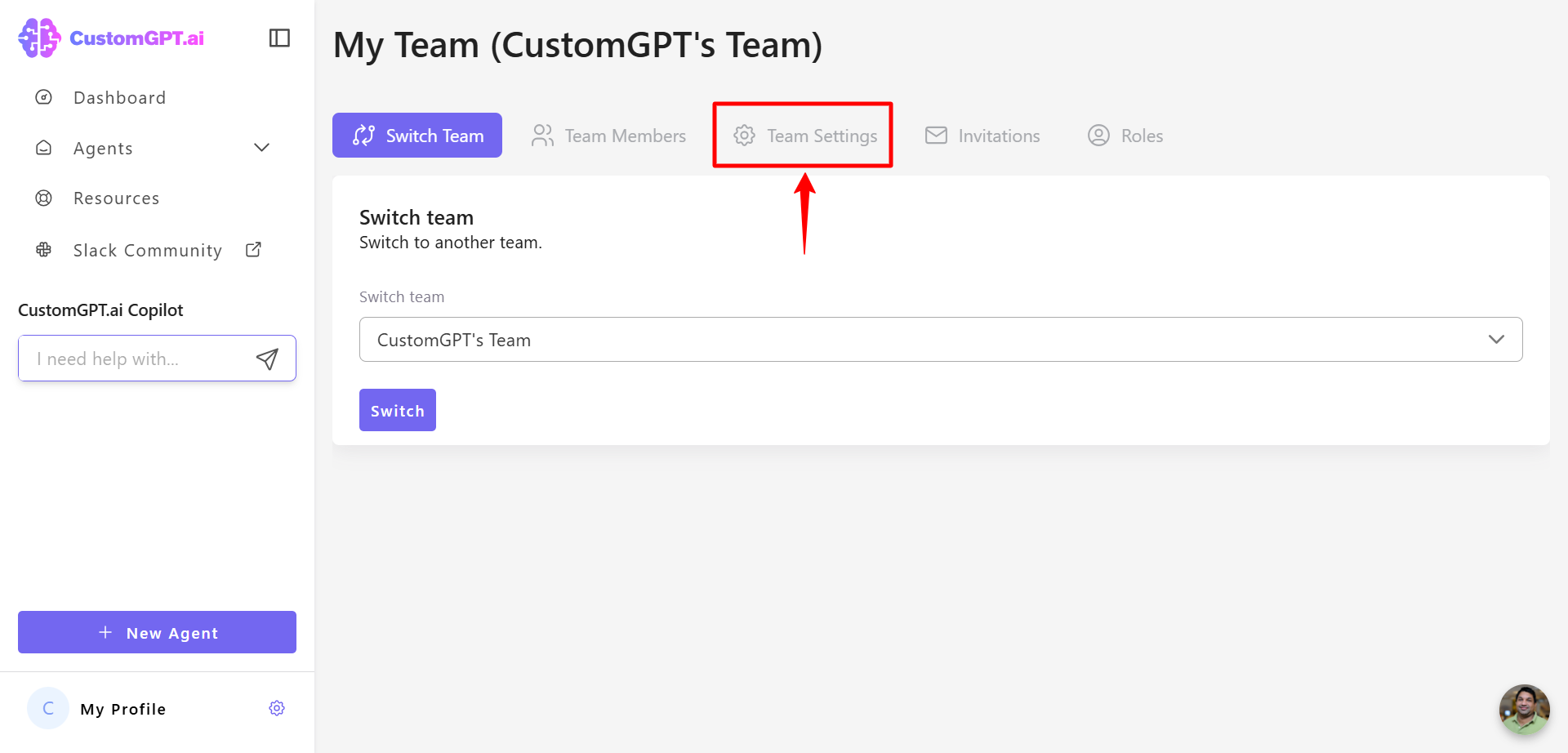
- Go to the Team Settings tab.
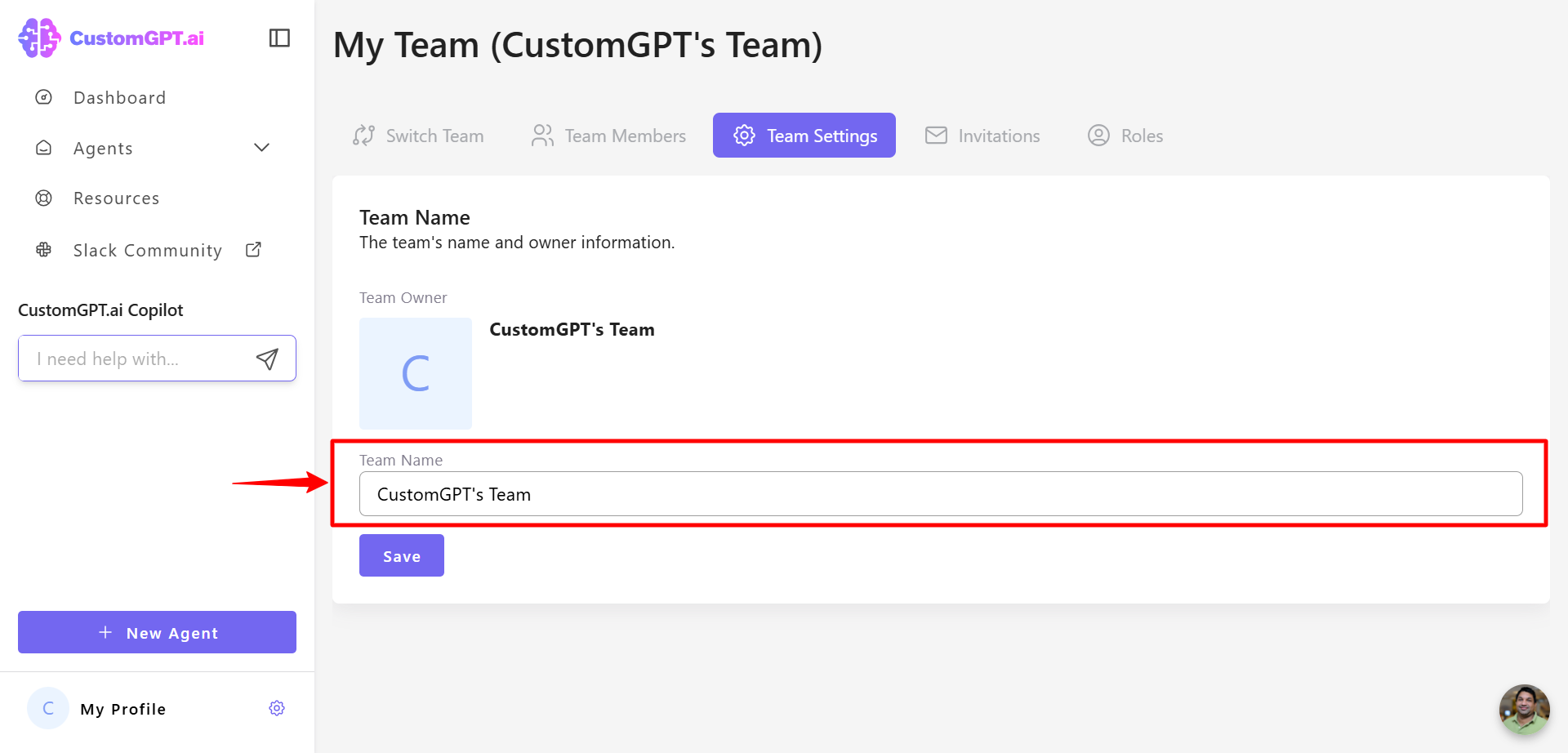
- In the Team name field, enter your new team name.
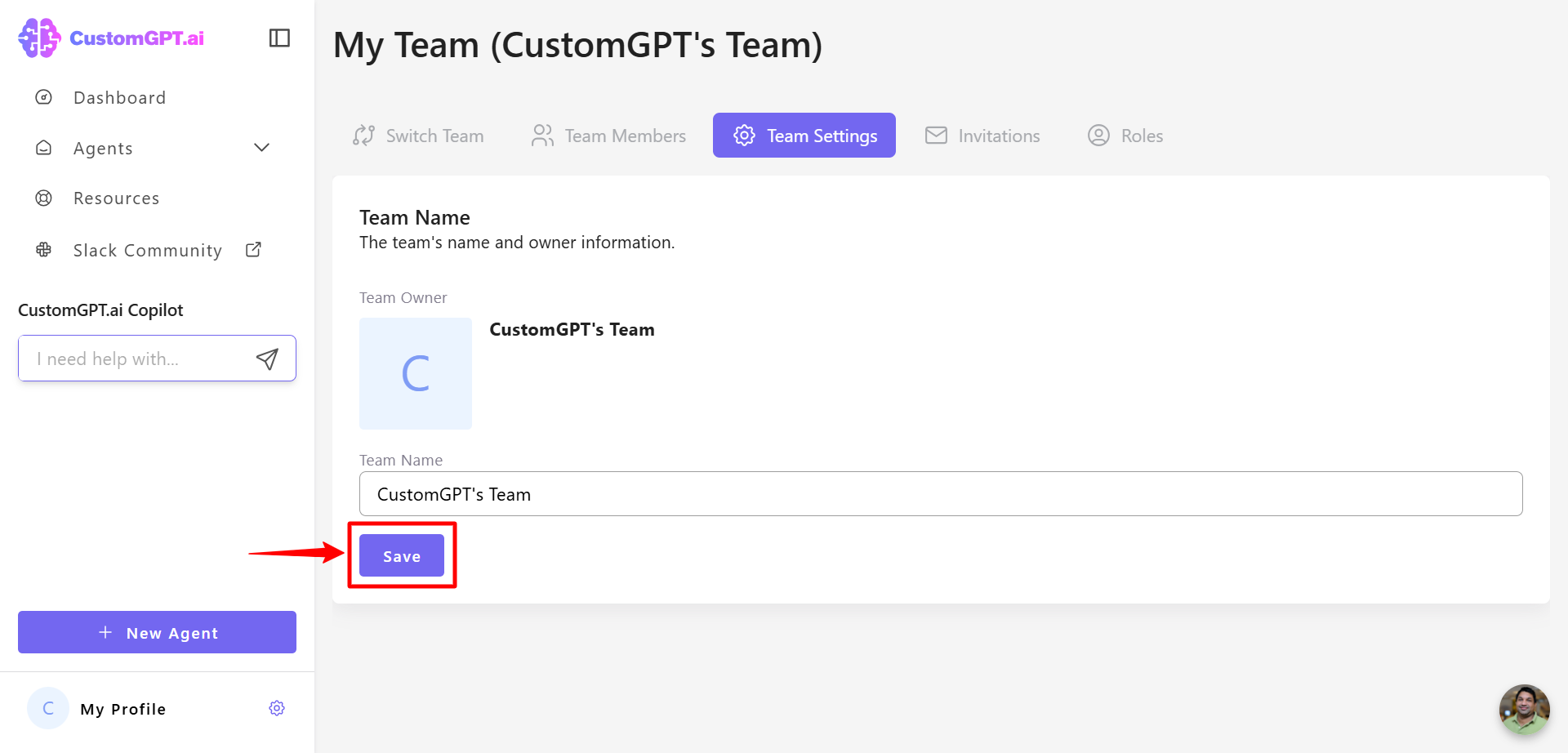
- Click Save to apply the changes.
Updated about 1 year ago
Did this page help you?