
How custom MCP connectors work
This guide introduces Custom connectors, an advanced capability that allows your agent to go beyond answering questions and perform real-world tasks by connecting to external systems.
Note: Looking to connect a popular platform like Stripe, Notion, or Zapier? Use Connect a platform using Connectors instead - it's a one-click setup for platforms we've already curated. Custom Connectors are for any MCP server not on that list.
What are custom connectors?
Custom connectors transform your agent from a passive Q&A tool into a proactive assistant capable of executing tasks. With a single URL to an MCP (Model Context Protocol) server, your agent can:
- Search the Internet.
- Book meetings.
- Check order or delivery status.
- Open support tickets.
- Trigger marketing campaigns.
- Access APIs.
This turns conversations into actions — saving time and enabling true end-to-end resolution.
Why are custom connectors important?
Modern users expect more than answers — they expect solutions. By using Custom connectors, your agent can:
- Deliver instant outcomes like scheduling, approvals, or ticket creation.
- Provide additional value by connecting directly with your business systems.
- Reduce user effort by handling tasks inside the conversation.
This shifts your agent from an information layer to an execution layer, fully integrated into your workflows.
How custom connectors work
-
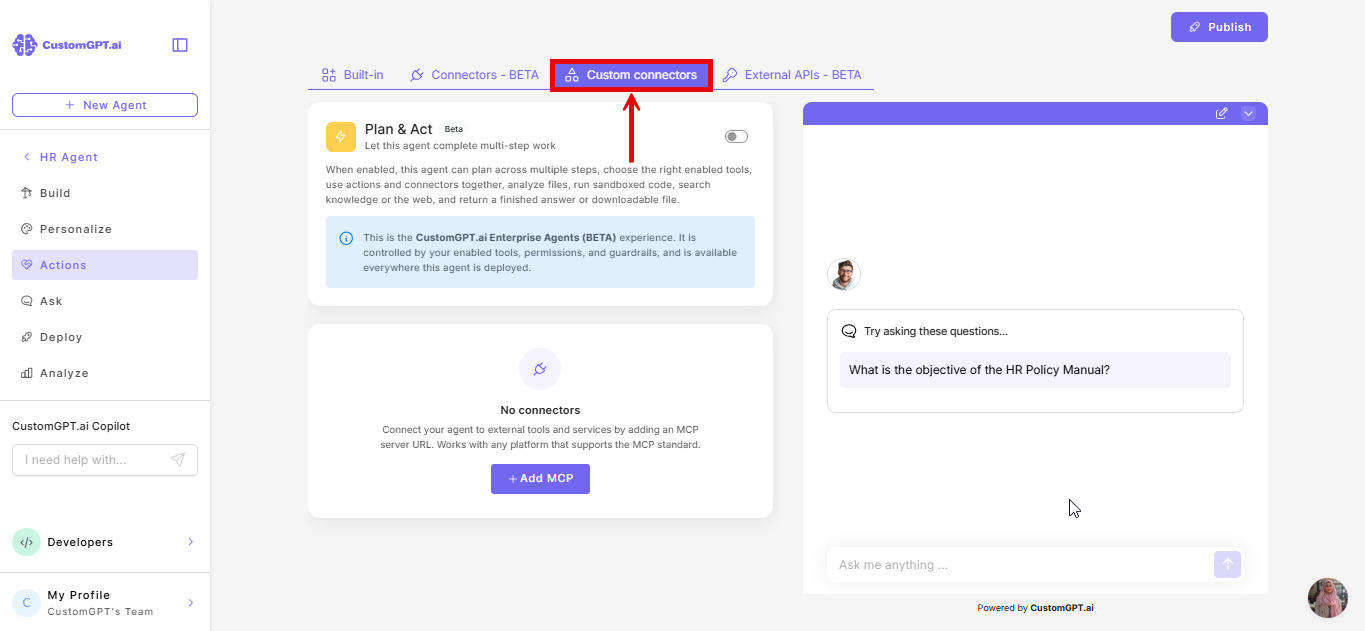
Add a Custom connector: You connect an MCP server to your agent from the Custom Connectors tab on the Actions page. This server defines the external tools that the agent can use. Learn how to add a custom connector.
-
Agent detects available tools: The MCP server provides a set of tools (e.g., API calls, queries). Your agent automatically knows how to use them.
-
Agent decides when to act: During a conversation, the agent determines if a user request requires one of these tools. For example, if a user asks “What’s my order status?” the agent may decide to invoke an ERP tool.
-
Confirmation and execution: Before executing, you can now configure how confirmation works with the Require end user confirmation before use option:
Yes: The agent checks if the action is suitable, then asks the user for confirmation before running it. This happens every time the action is considered, which adds additional query credit based on your plan.
No: The agent runs the action automatically whenever it decides it is suitable.
In both cases, the agent provides a summary so users understand what is about to happen.
-
Action call and response: The MCP server executes the task and returns results. The agent integrates these results naturally into its reply.
What makes CustomGPT.ai different?
Other platforms provide a fixed catalog of integrations. CustomGPT.ai offers an open framework:
- You decide which MCP server to connect.
- You can integrate public or private systems.
- There are no limits on what your agent can do.
This flexibility makes Custom connectors future-proof and tailored to your exact workflows.
👉 Explore publicly available MCP servers: Awesome Remote MCP Servers
Custom connectors unlock new opportunities
Instead of acting like a passive Q&A machine, your agent can:
- Booking calls directly into your scheduling system.
- Opening support tickets in Jira, Zendesk, or ServiceNow.
- Checking delivery or order status in your ERP.
- Triggering marketing campaigns from your CRM.
- Fetch live data from external APIs or databases.
This allows your users to get things done instantly, without leaving the conversation.
Important:CustomGPT.ai is not responsible or liable for any issues, damages, or misuse resulting from connecting to external or untrusted MCP servers. Actions triggered through these connections may involve automated AI decision-making. Please ensure you only connect to secure and trusted endpoints.
Related articles
Updated about 1 month ago