
Limits and cost
This guide explains the limits and cost structure of using MCP connectors with your AI agent - both connectors from the curated Connectors tab and Custom connectors you add yourself.
What is an MCP connector?
An MCP connector connects your agent to an external system through an MCP (Model Context Protocol) server. This enables the agent to:
- Fetch live information (e.g., check order status).
- Trigger actions (e.g., create a support ticket).
- Integrate with third-party apps and workflows.
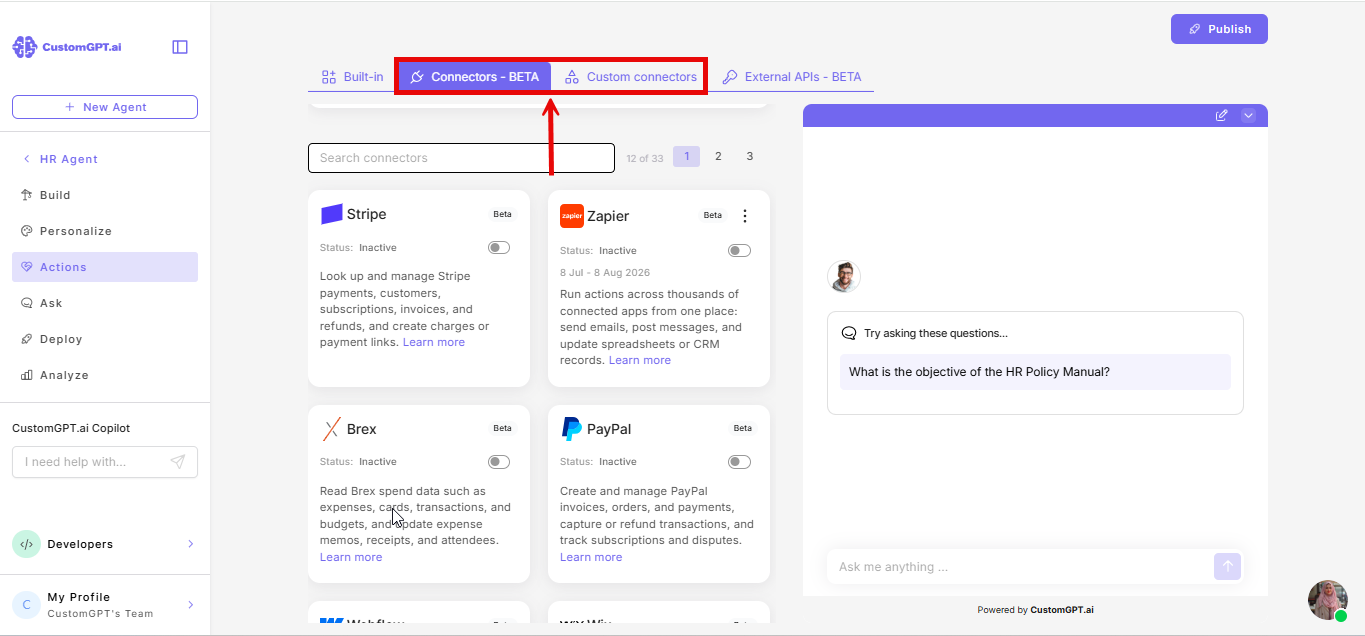
👉 You can connect one from the curated list (see Connect a platform using Connectors) or bring your own MCP server as a Custom Connector (see How custom MCP connectors work).
Limits
- Maximum number of actions per agent
There's no limit on how many connectors you can add to an agent, whether from the curated Connectors tab or as Custom Connectors.
- Number of connectors enabled at a time
This limit applies across all your connectors - both Custom Connectors and connectors from the curated Connectors tab.
- If your agent doesn't have Plan & Act mode enabled, only one connector can be enabled at a time.
- If Plan & Act mode is enabled, how many you can enable depends on your plan: Standard (3), Premium (5), Enterprise (10).
If you try to enable another connector after reaching your limit, you'll see a tooltip explaining you need to disable one first.
If your account already has more connectors enabled than your plan now allows, they'll stay enabled - but you won't be able to enable any more until you disable enough to get back under your limit. You'll see an alert about this in the top right of the page.
- Number of action calls per query
This limit applies the same way whether the agent is calling a Custom connector or a connector from the curated Connectors tab.
On the Premium plan, your agent can use up to three action calls in a single query.
On the Standard plan, your agent can use up to one action call in a single query.
Example: On the Premium plan, if a user asks for order status, booking a call, and opening a support ticket, the agent can handle those requests in one conversation turn — but will stop after three. On the Standard plan, the agent can handle only one action call per query.
- Fallback behavior
If the agent reaches its plan limit for action calls per query or if an inactive action is requested, it will respond gracefully by explaining that the action cannot be performed.
Query credit cost
Every connector has a cost associated with its usage - whether it's a Custom connector or one from the curated Connectors tab:
1. Per-action usage
Each action usage consumes 1 additional query on the Premium plan and 2 additional queries on the Standard plan.
Example: If the agent uses two connectors in one query, that counts as two extra queries.
2. No unused overhead
If no Custom Actions are executed while generating the response, no additional query credit is added. The query will be charged at the regular rate.
3. Comparison with normal queries
Standard chat messages = 1 query each
Custom Action-enabled queries = 1 query per message + 1 query per action used on the Premium plan, or 2 additional queries per action used on the Standard plan.
Note:If Require end user confirmation before use is enabled, each confirmation step also counts as an additional query.
Example:
- User sends one message → agent replies without any actions → cost = 1 query credit on the Premium plan or 2 query credits on the Standard plan
- On the Premium plan: User sends one message → agent replies with two Custom Actions → cost = 2 query credits (1 base + 2 actions).
- On the Standard plan: User sends one message → agent replies with one Custom Action → cost = 3 query credits (1 base + 2 additional queries for the action).
Related articles
- How a custom MCP connector work
- Add a custom MCP connector
- Connect a platform using connectors
- How to view limits and usage
Updated 3 months ago