
Add extra AI Vision images
This guide explains how to use the add extra AI Vision images add-on to process more images with AI Vision each month.
What is the add AI Vision capacity add-on?
The add extra AI Vision images add-on increases the number of images your agents can process with AI Vision each month. This is useful when you need to analyze more visual content such as diagrams, charts, product images, or documents beyond your plan's base limit.
Availability
Note: Add-ons are available only on self-service Standard and Premium plans. They are not available on Enterprise plans.
How it works
What you get
Each add-on provides:
1,000 extra images processed with AI Vision each month
Flexible capacity
You can purchase this add-on multiple times (up to 10) to scale your image processing capacity based on your needs.
Examples:
1 add-on = 1,000 extra images/month
5 add-ons = 5,000 extra images/month
10 add-ons = 10,000 extra images/month
How credits are added**
Images are added to the total included in your base plan.
Examples:
Standard plan: 500 (base) + 1,000 (1 add-on) = 1,500 images/month
Standard plan: 500 (base) + 10,000 (10 add-ons) = 10,500 images/month
Premium plan: 2,500 (base) + 5,000 (5 add-ons) = 7,500 images/month
Pricing**
- $50 per month
- $45 per month (paid annually)
Billing details
Your first charge is prorated for the remainder of your current billing cycle, and future charges are combined with your main subscription renewal.
👉 To learn more about billing rules, see Activate add-ons for your plan.
How to activate this add-on
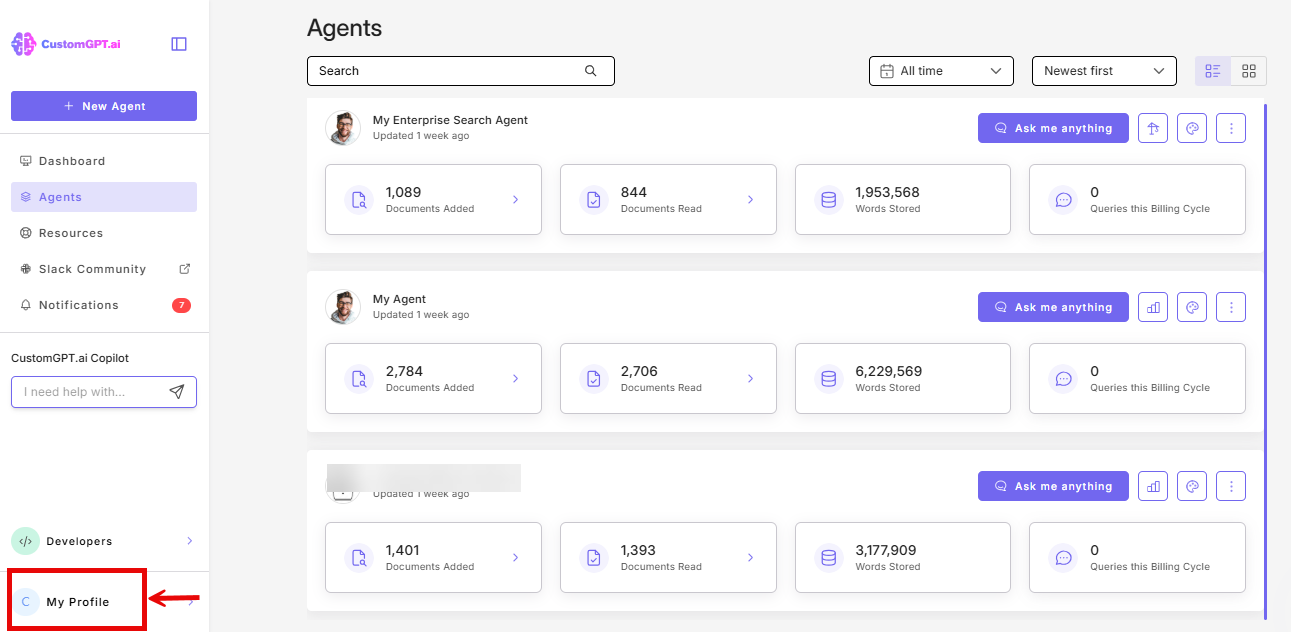
- On the bottom-left corner of the screen, click your profile icon or initials to access profile options.
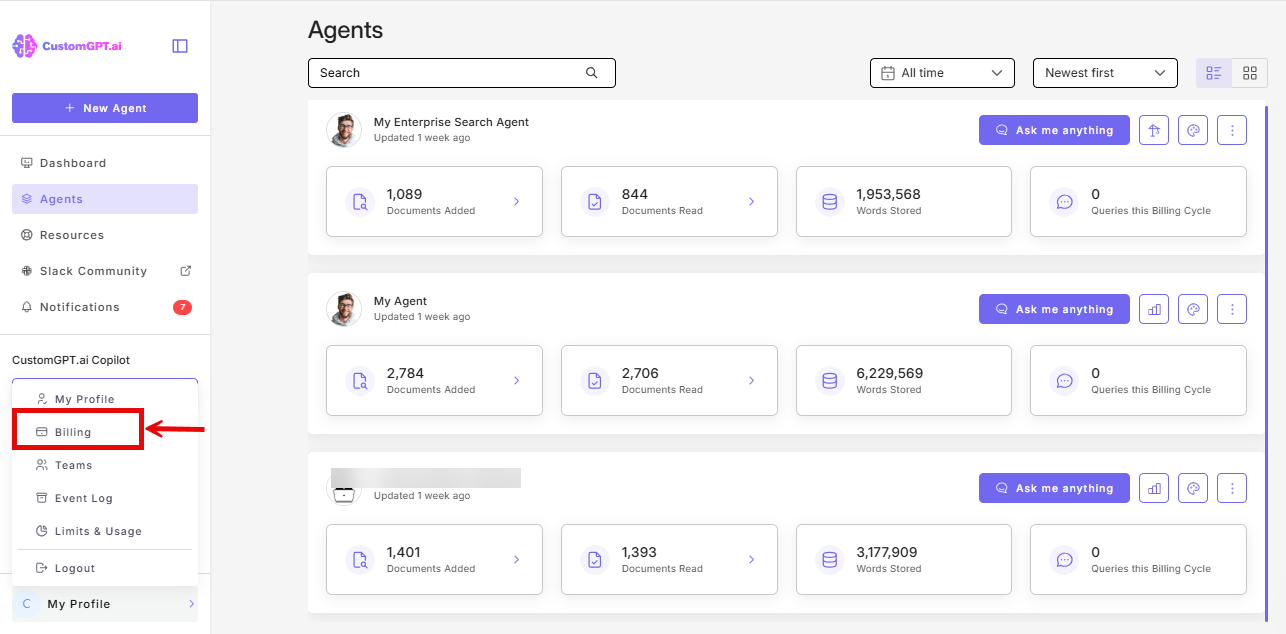
- Click Billing in the dropdown menu.
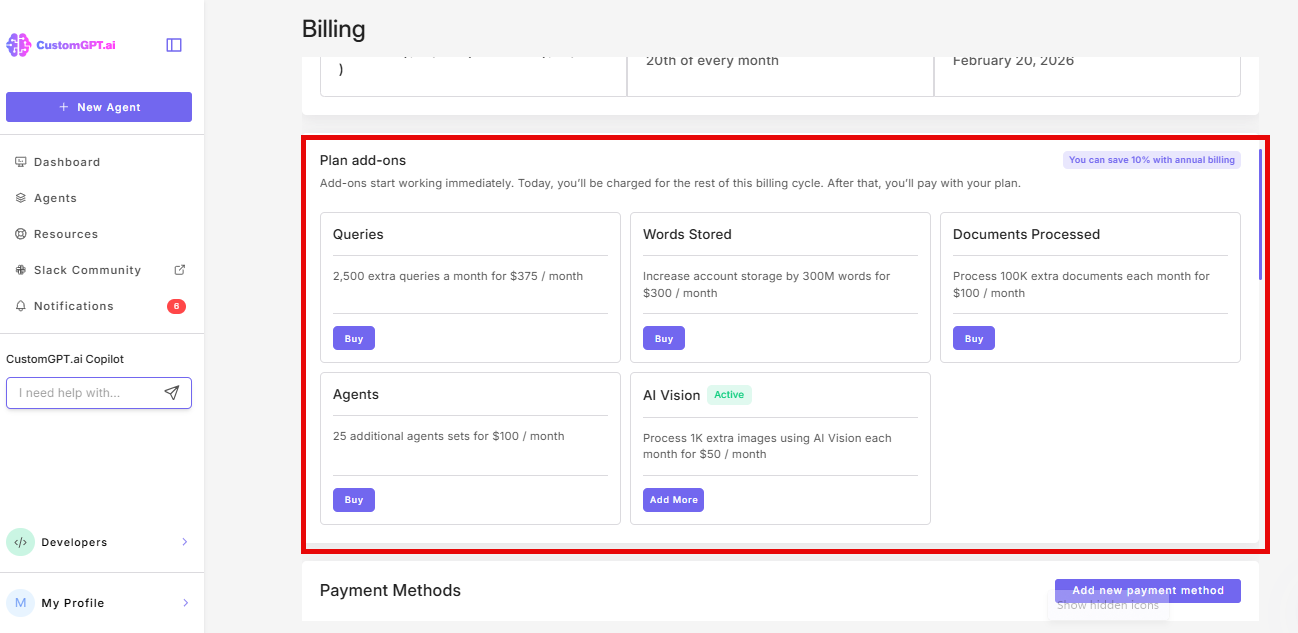
- Scroll down to the Plan add-ons section.
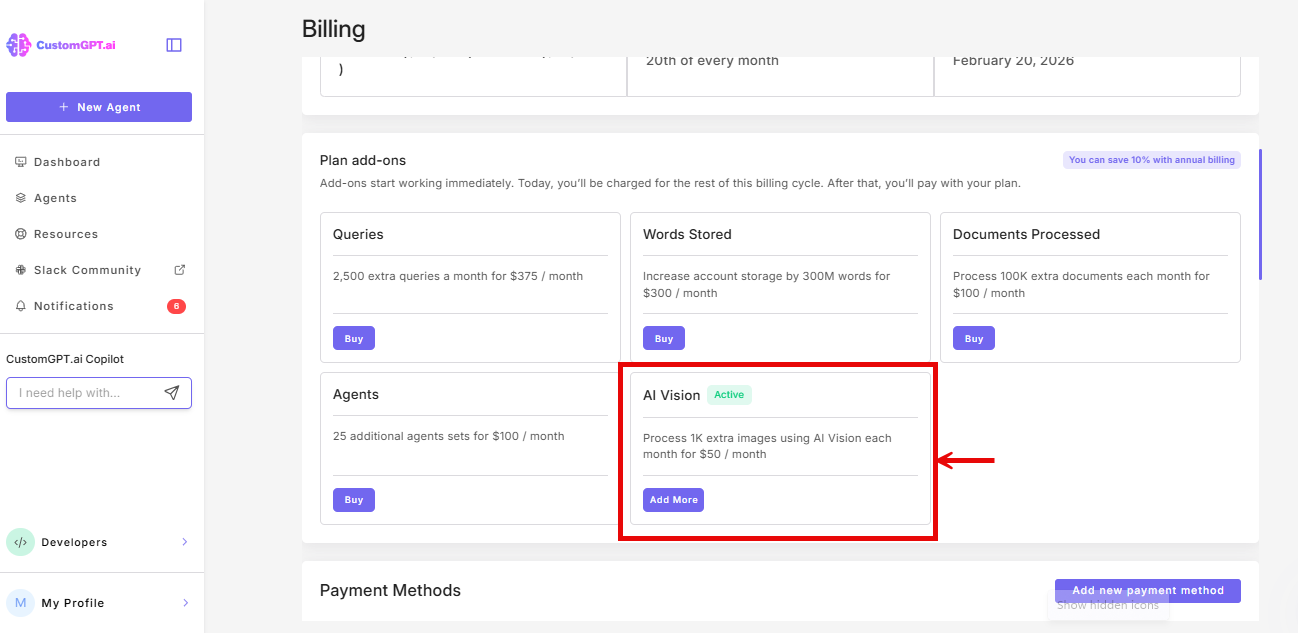
- Find AI Vision and click Add More.
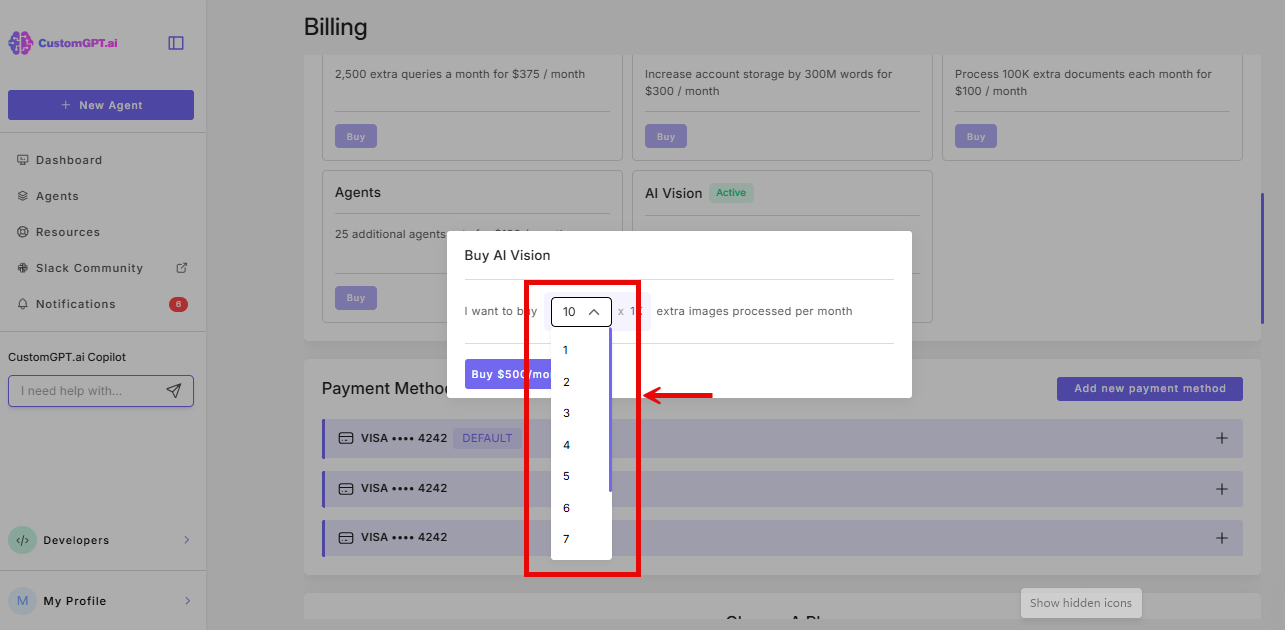
- Select the quantity you need (1-10)
- Confirm your selection
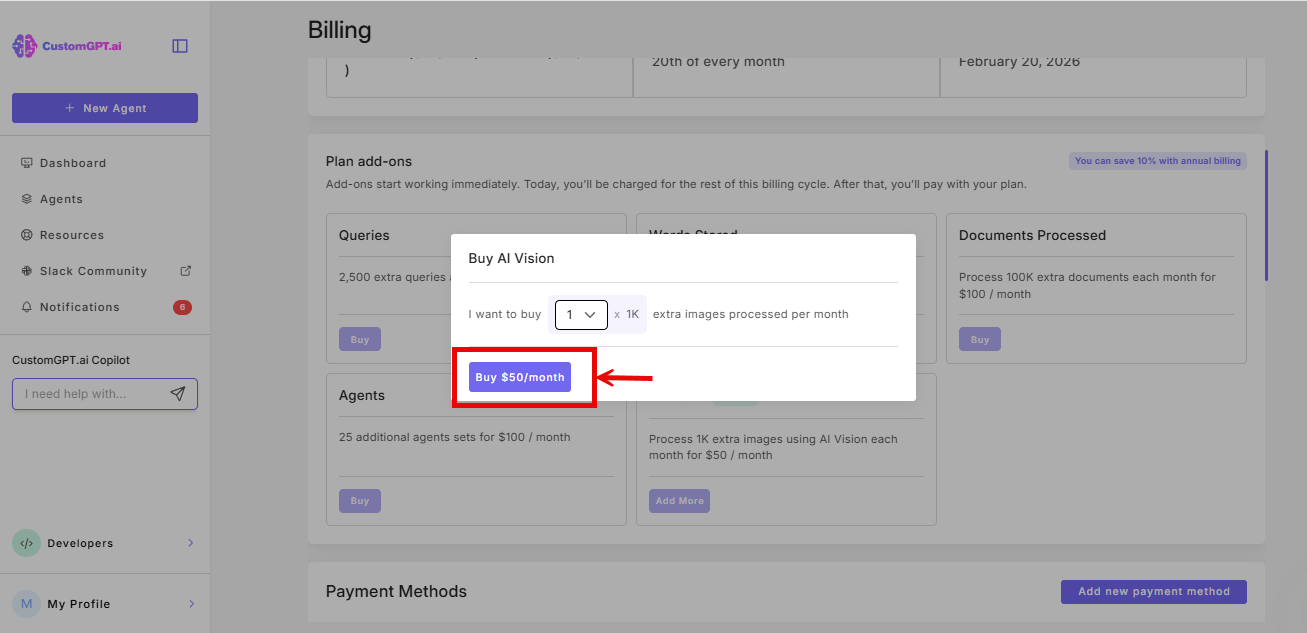
Your additional AI Vision capacity will be available immediately.
Related articles
Updated 8 months ago