
Product lookup
This guide explains what Product lookup is, how it works, and how it helps your agent answer product questions and find items in your inventory faster.
What is Product lookup?
Product lookup is a pre-defined agent role that helps your agent answer product questions and locate items across your inventory. It is designed for shopping and catalog-style use cases where users want to find specific products quickly.
In simple terms: Select Product lookup, and your agent helps customers find exactly what they need.
Why use Product lookup?
Product lookup helps you deliver a better shopping experience by:
- Helping customers find relevant products without manual searching.
- Reducing time spent answering repetitive product questions.
- Making product answers more consistent across customer conversations.
What it does
When you assign this role, your agent will:
- Come with the persona optimized for product questions and inventory lookup.
- Be aware of webpage where it's deployed to offer better quality service.
- Use context-aware prompts to engage users.
- Use image and OpenGraph citations to enrich responses whenever possible.
- Welcome user with a vibrant spotlight avatar (Premium plan only).
- Display rich starter questions to steer conversation (context-rich variant requires Premium plan).
- Present a bold live-chat experience optimized for sales (Agent Initiative settings require Premium plan).
- Utilize numeric search to help your users find the right products.
How to enable Product lookup
For a new agent:
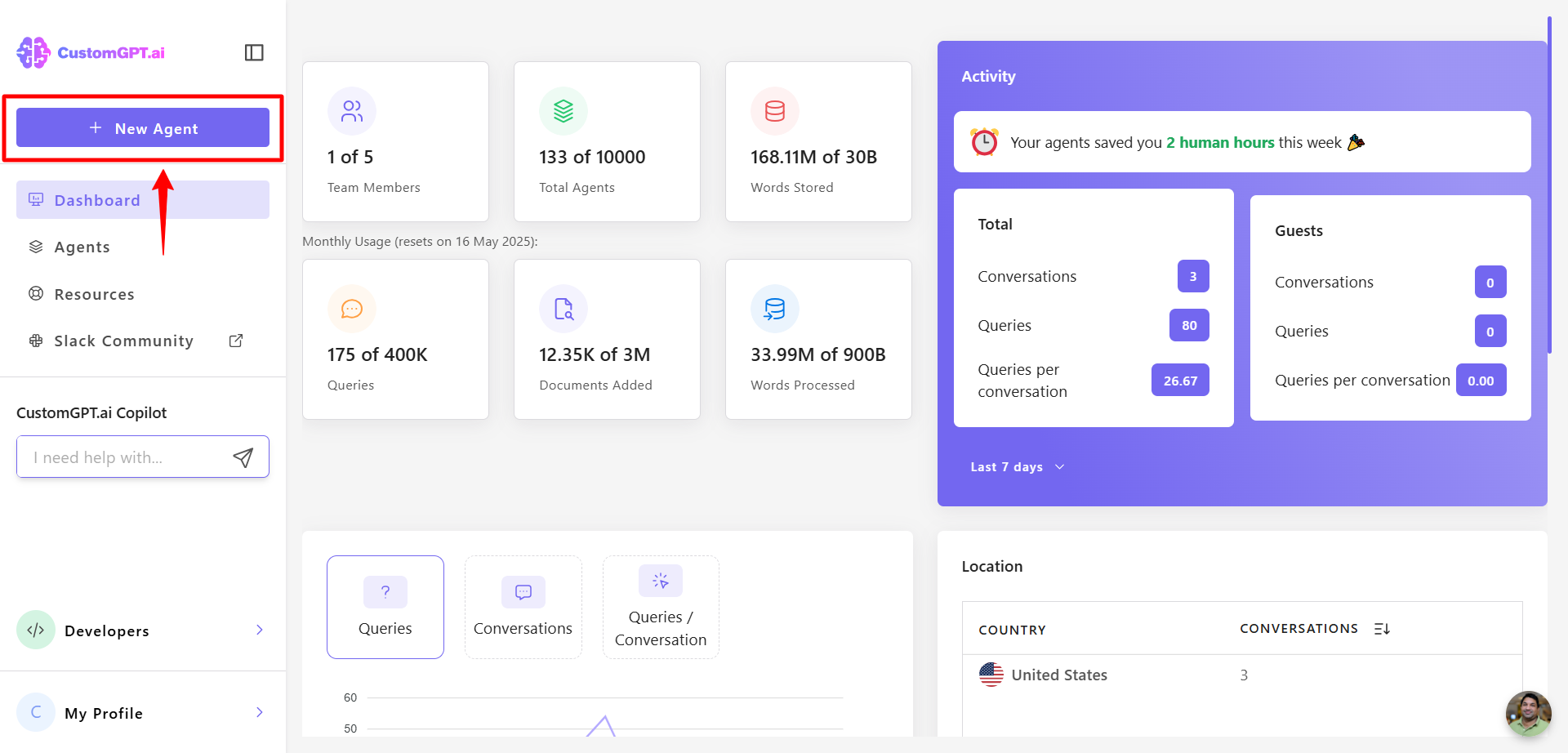
- From your dashboard, click New Agent.
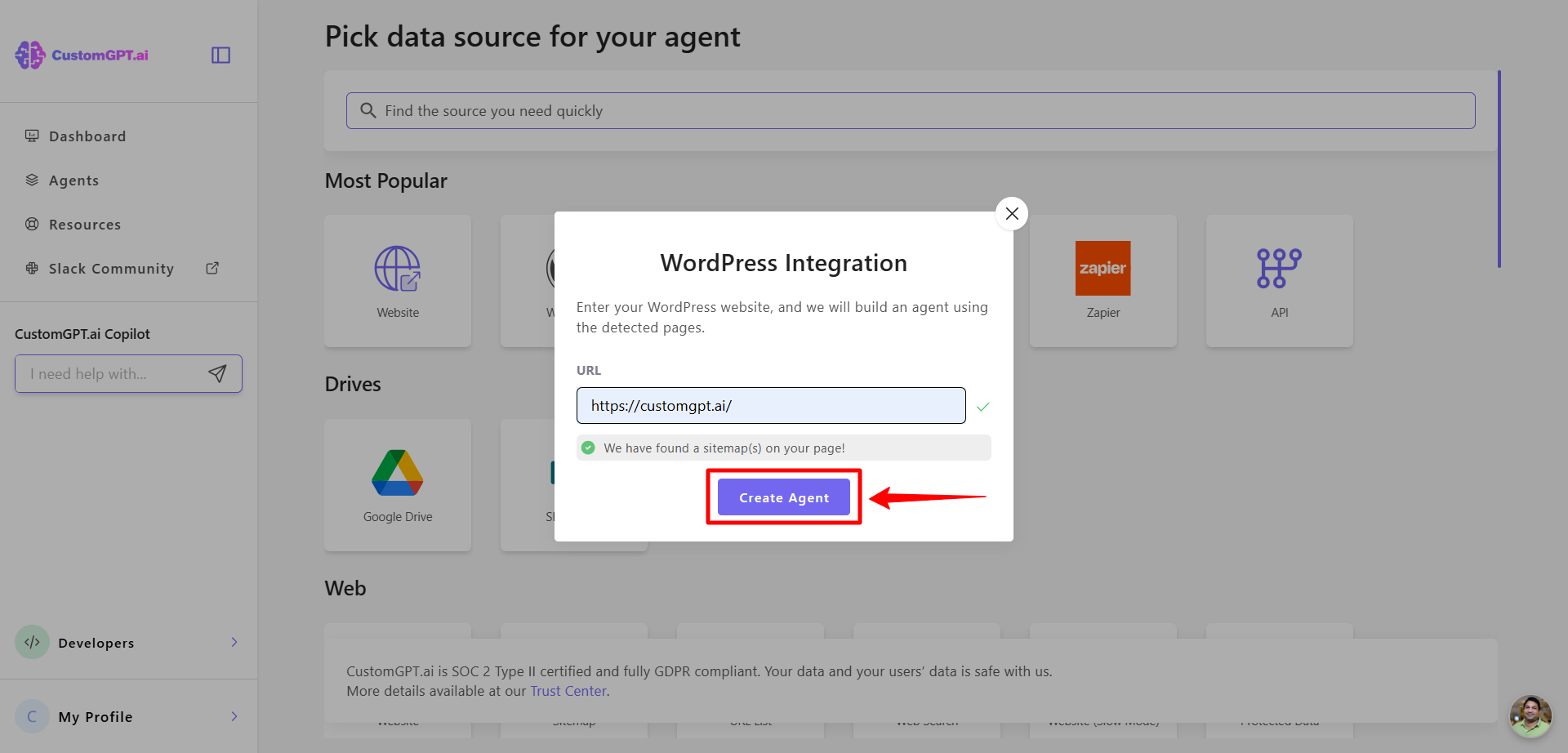
- Select your data source (e.g., WordPress), add your site’s URL, and click Create Agent.
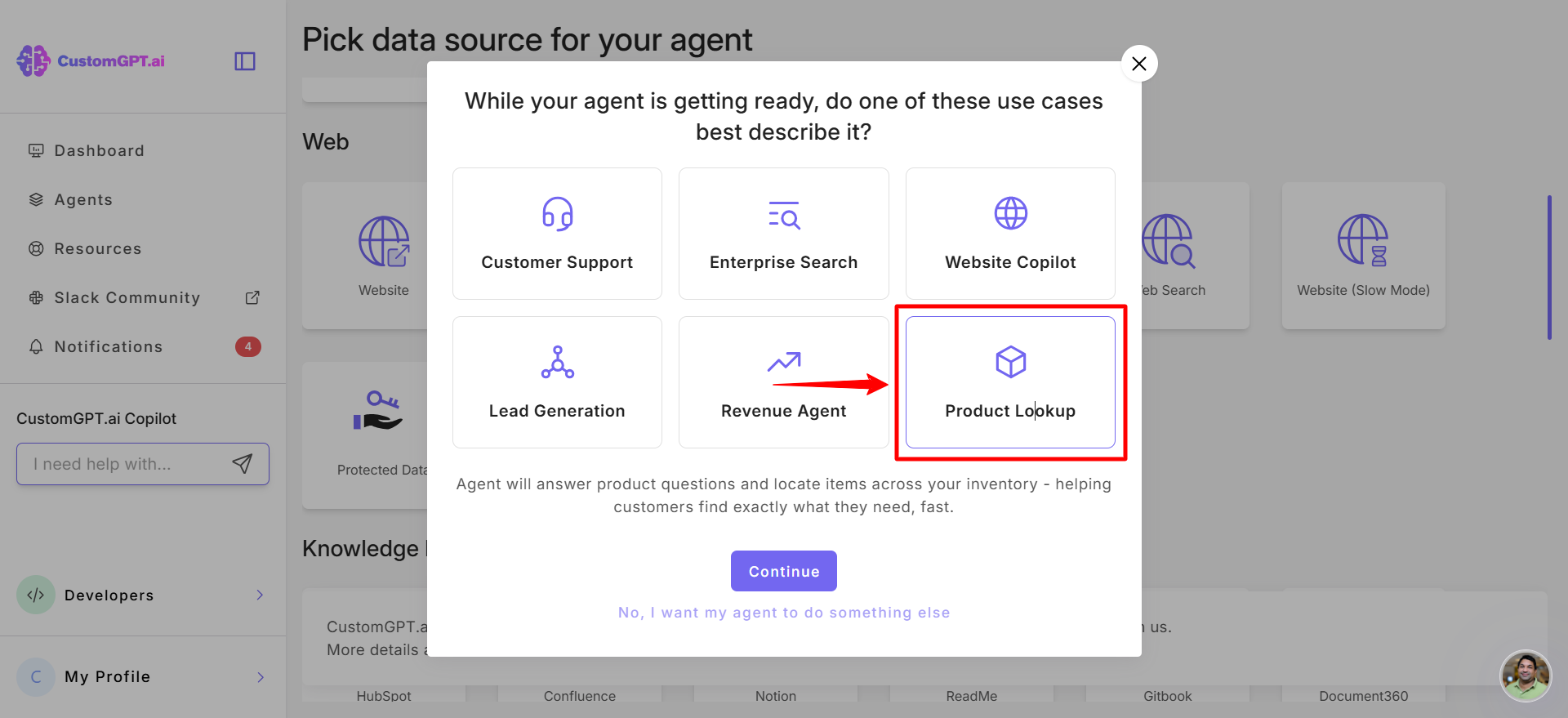
- You’ll be prompted to select an Agent Role. Select Product lookup.
When editing an existing agent
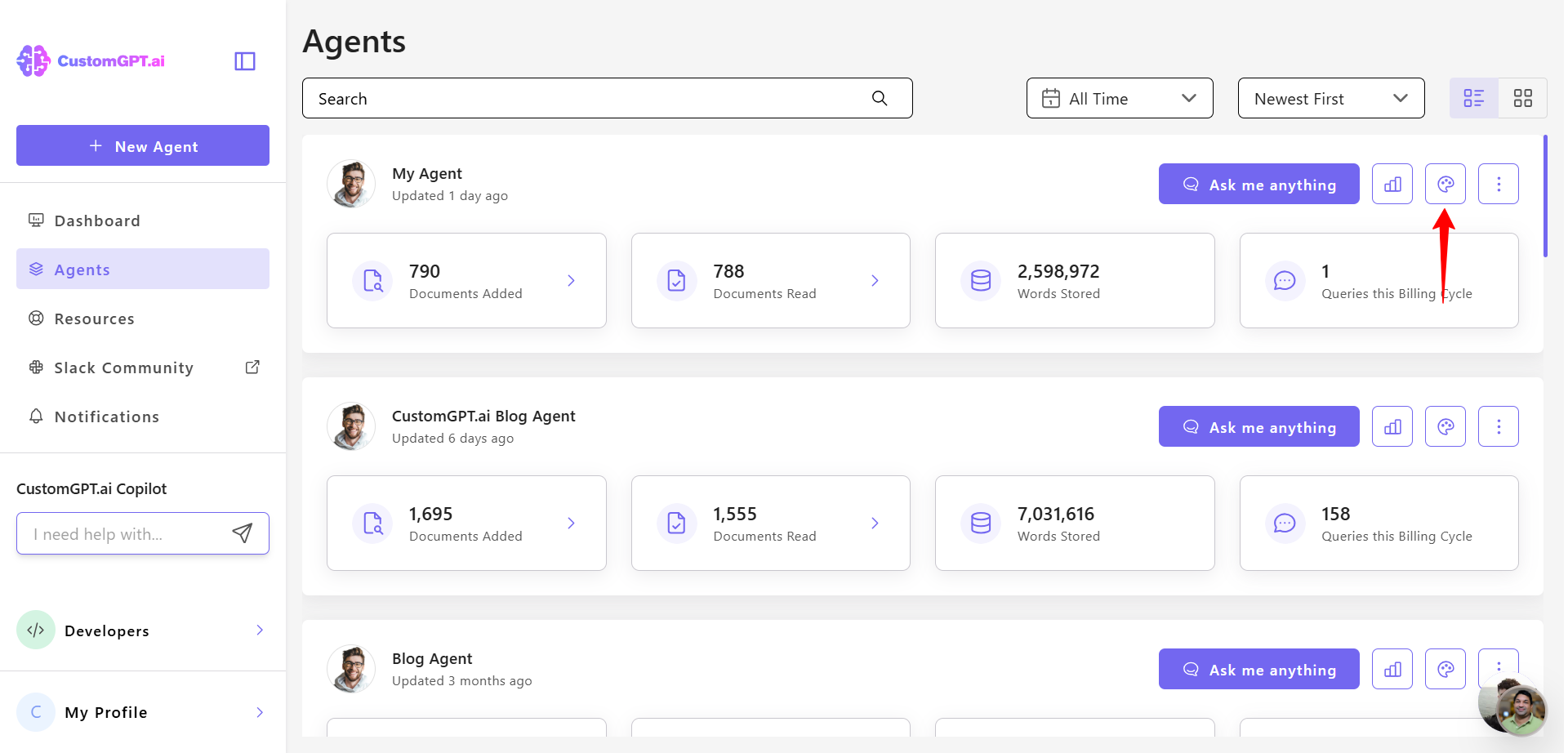
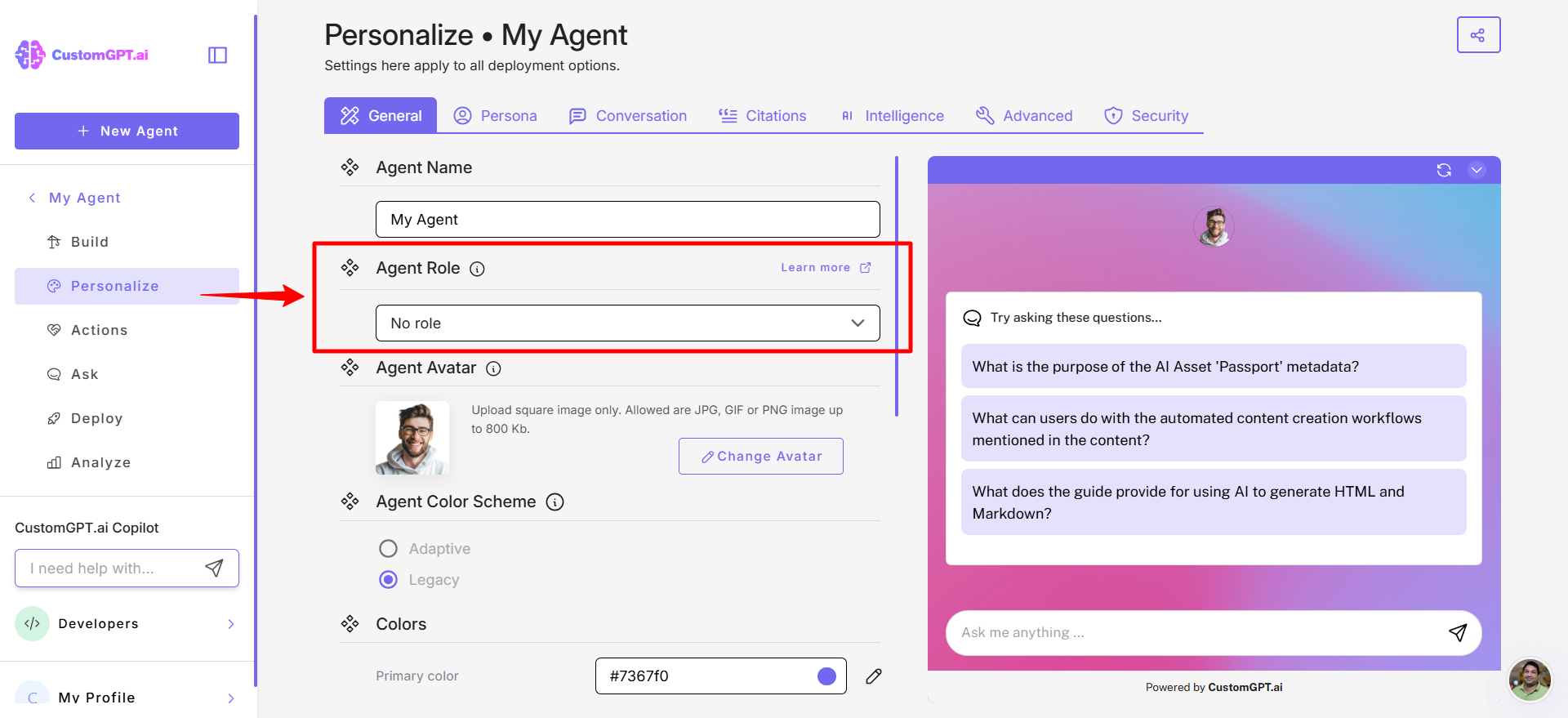
- Open the agent you want to update and click Personalize.
- In the General tab, locate Agent Role.
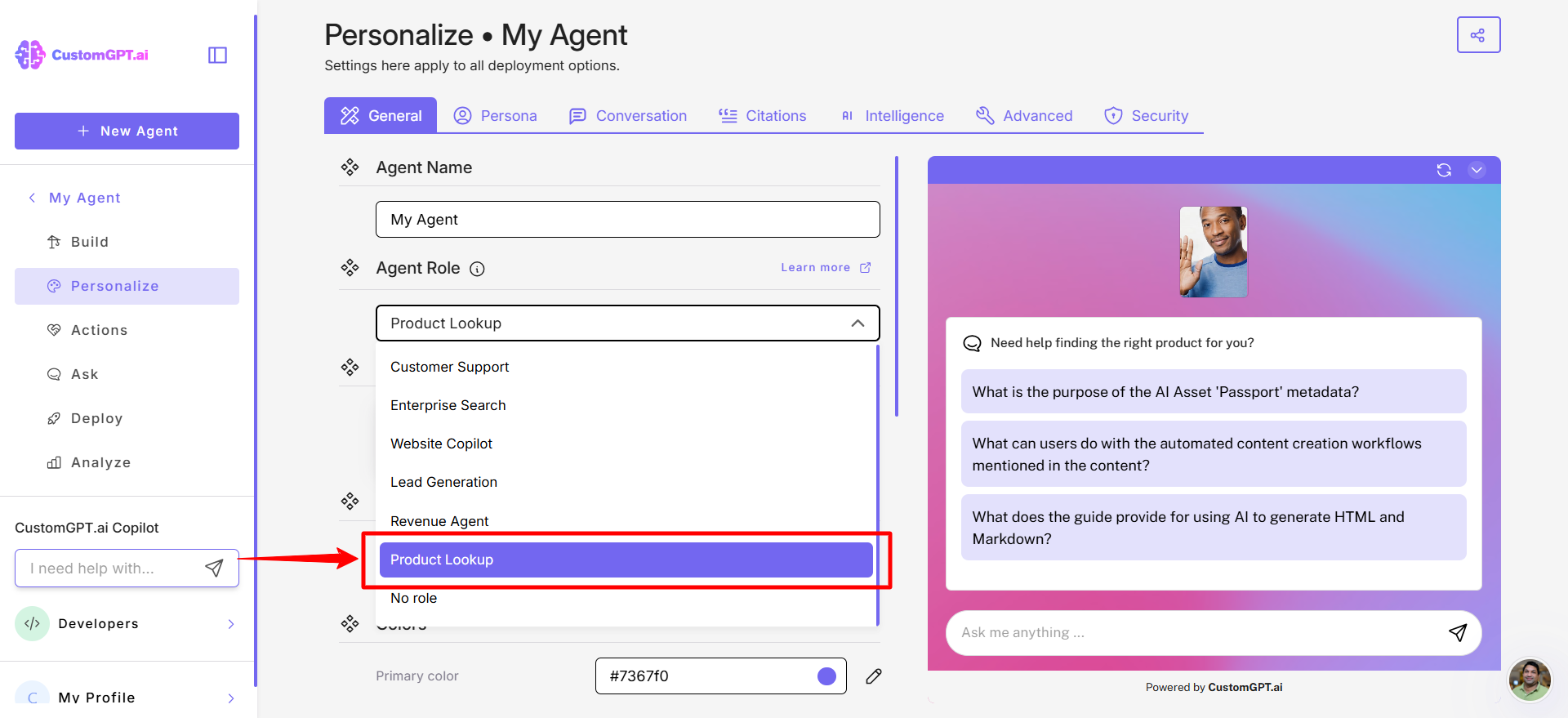
- Select the Product lookup from the dropdown.
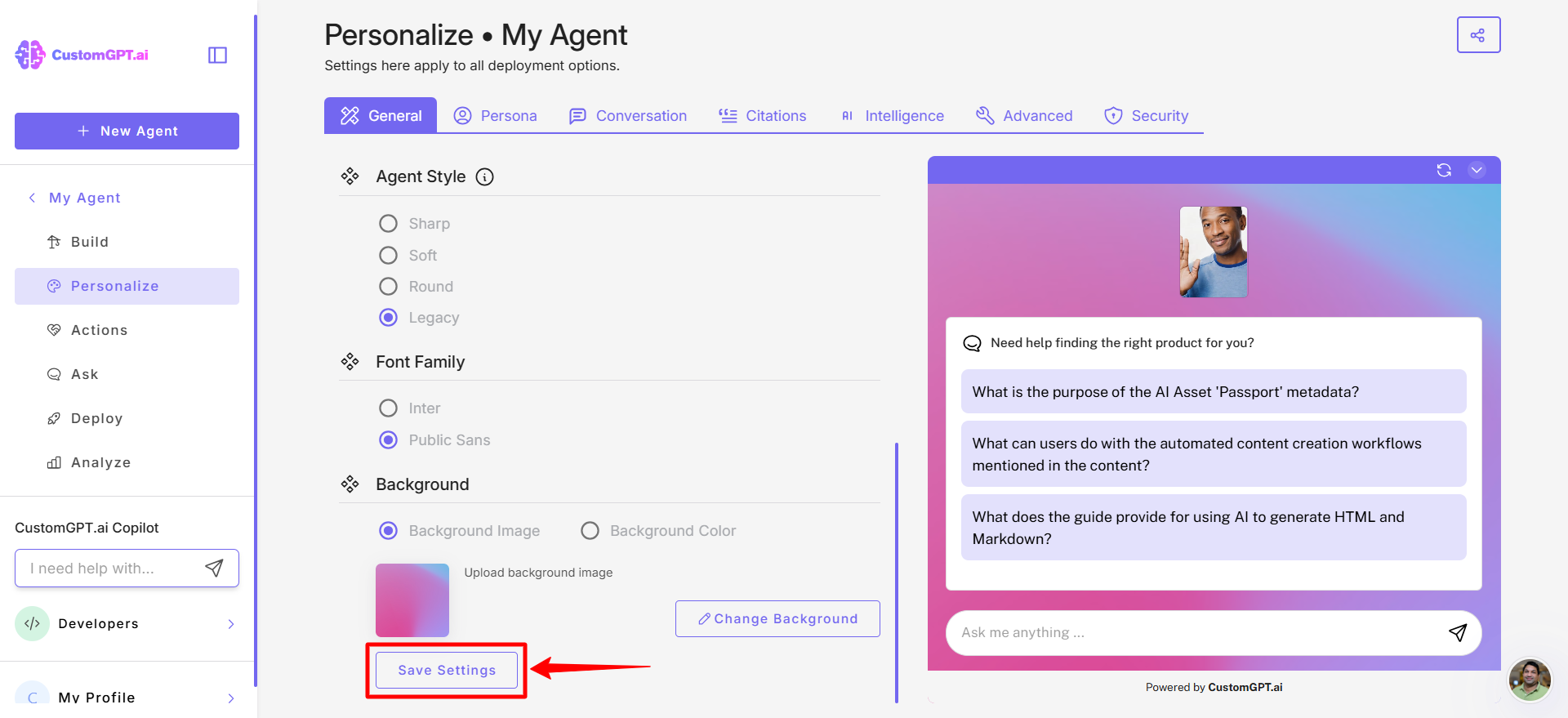
- Click Save Settings to apply the role’s settings.
Updated 7 months ago
Did this page help you?