
Configure MCP server permissions
This step-by-step guide explains how to configure MCP server permissions for your CustomGPT agent and what each permission allows external AI systems to access or perform.
What MCP permissions are
MCP permissions control what external AI systems—such as Claude, ChatGPT, or any MCP-compatible client—are allowed to do when connected to your agent through its MCP server. Each permission unlocks a specific capability, and some permissions include additional related actions.
To learn more about what specific permissions do, check this article: MCP server permissions
How to configure MCP permissions
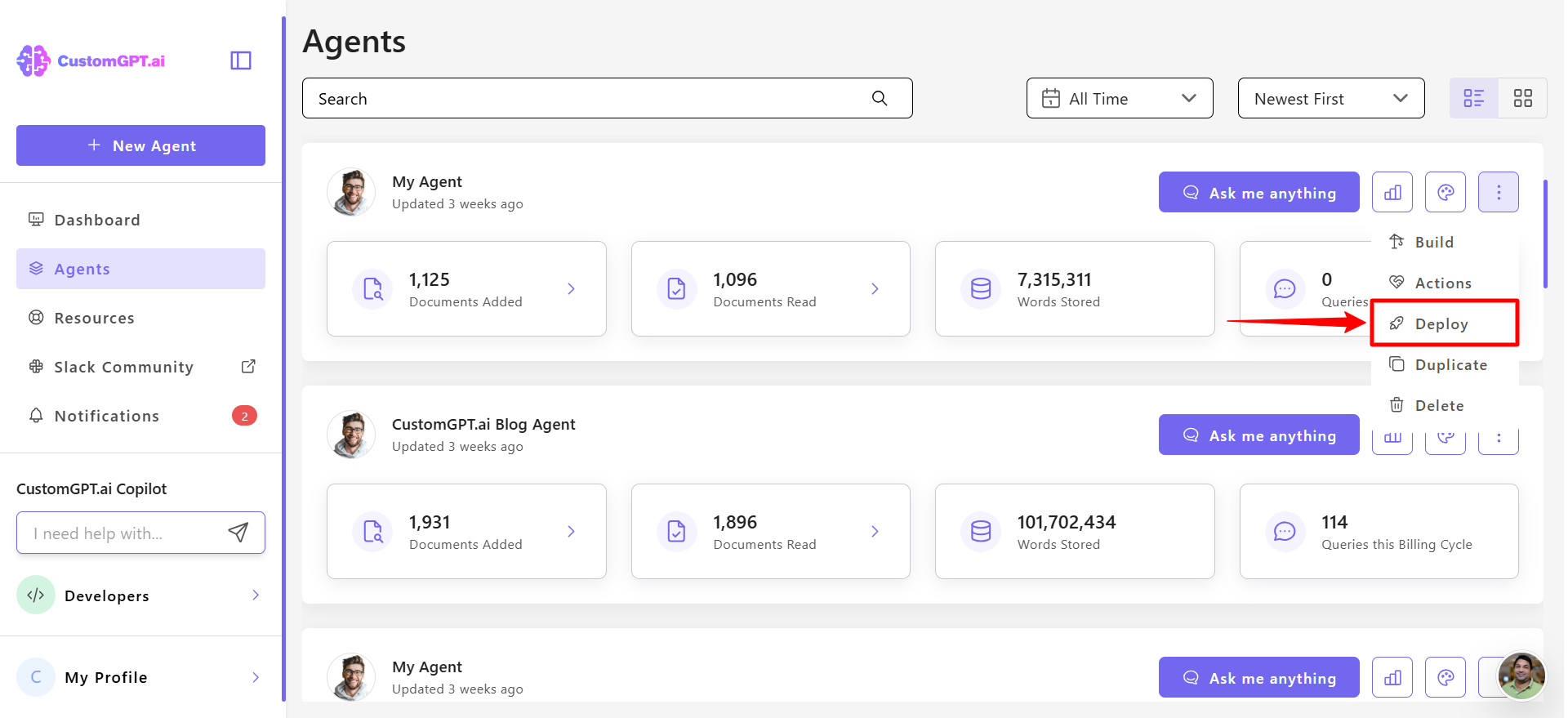
- Open your CustomGPT project and click the three-dot menu in the top-right corner and select Deploy from the menu
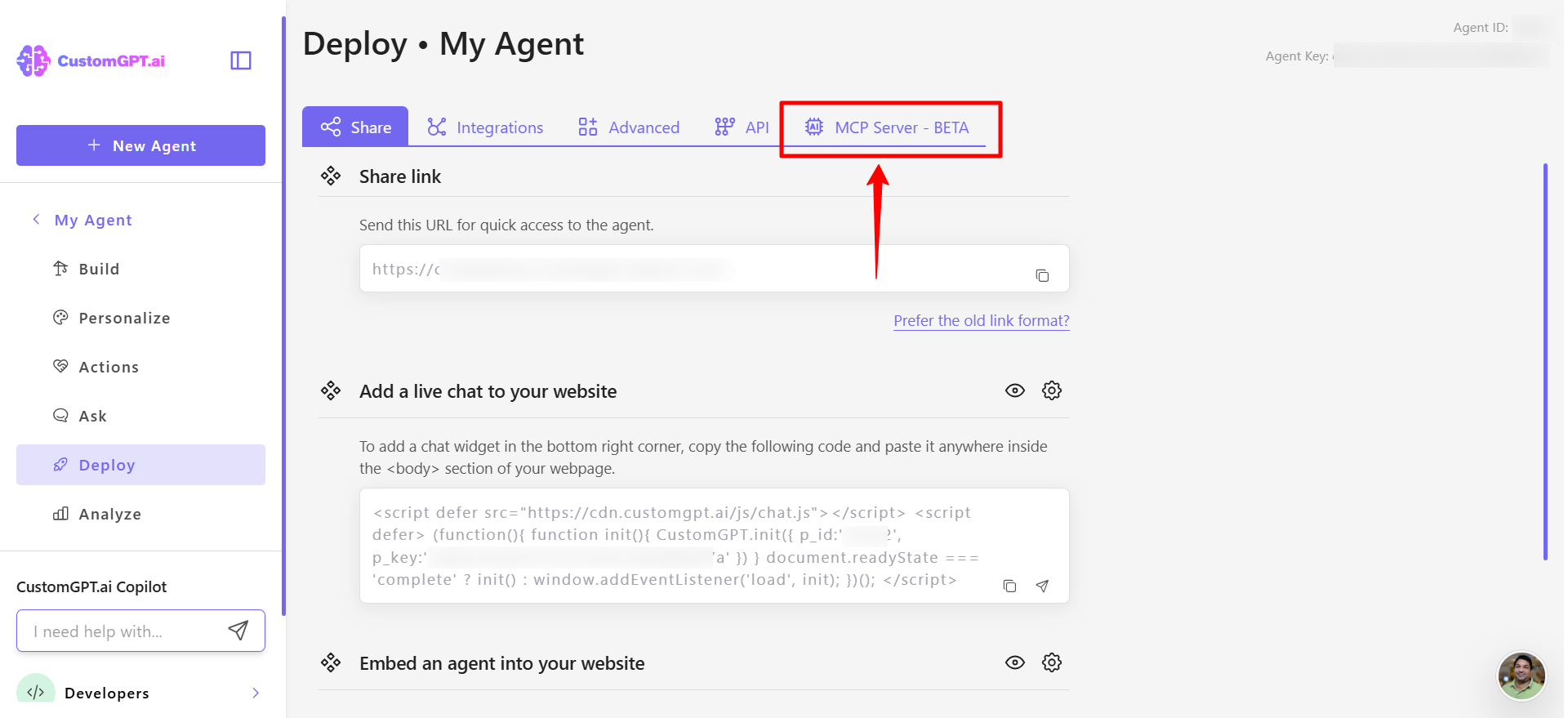
- Open the MCP Server tab.
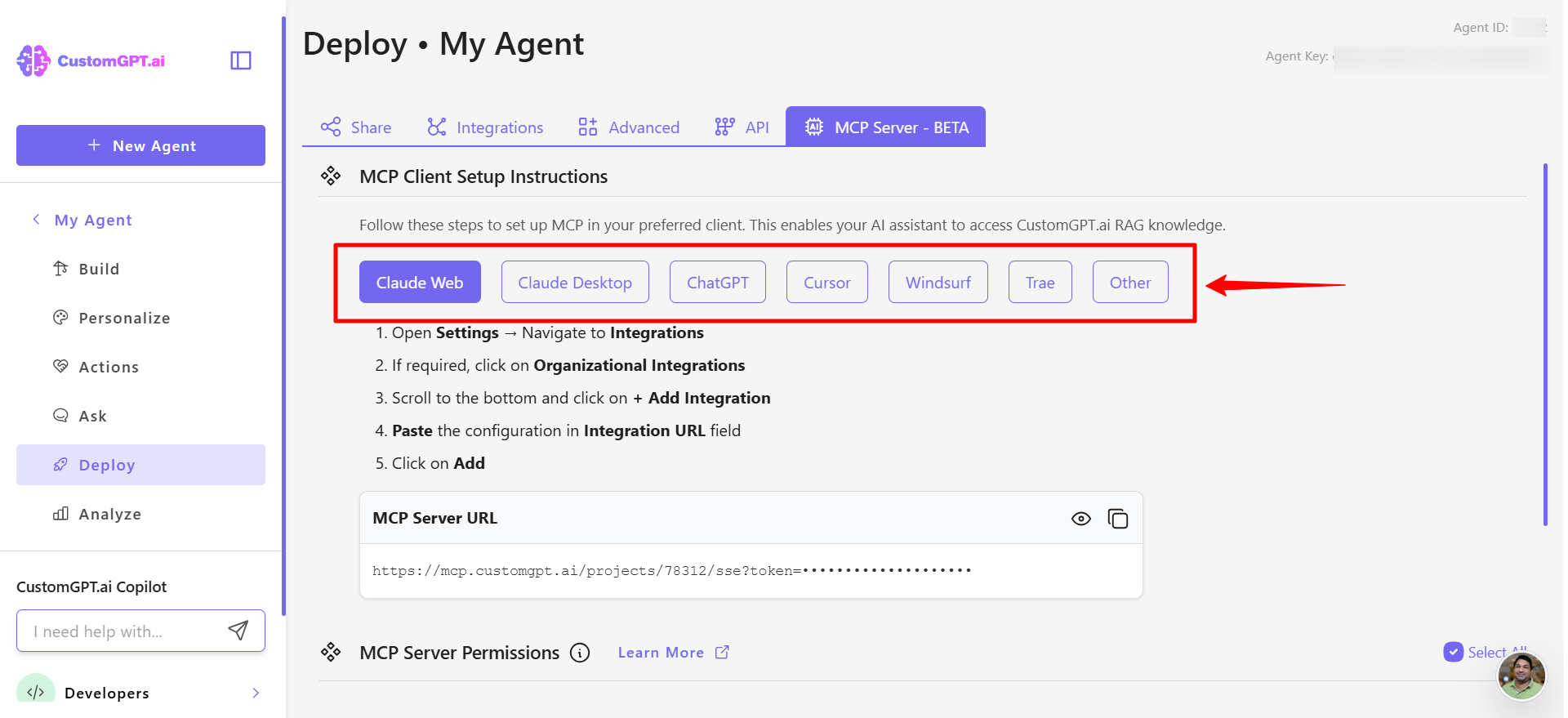
- Choose MCP server as your deployment type..
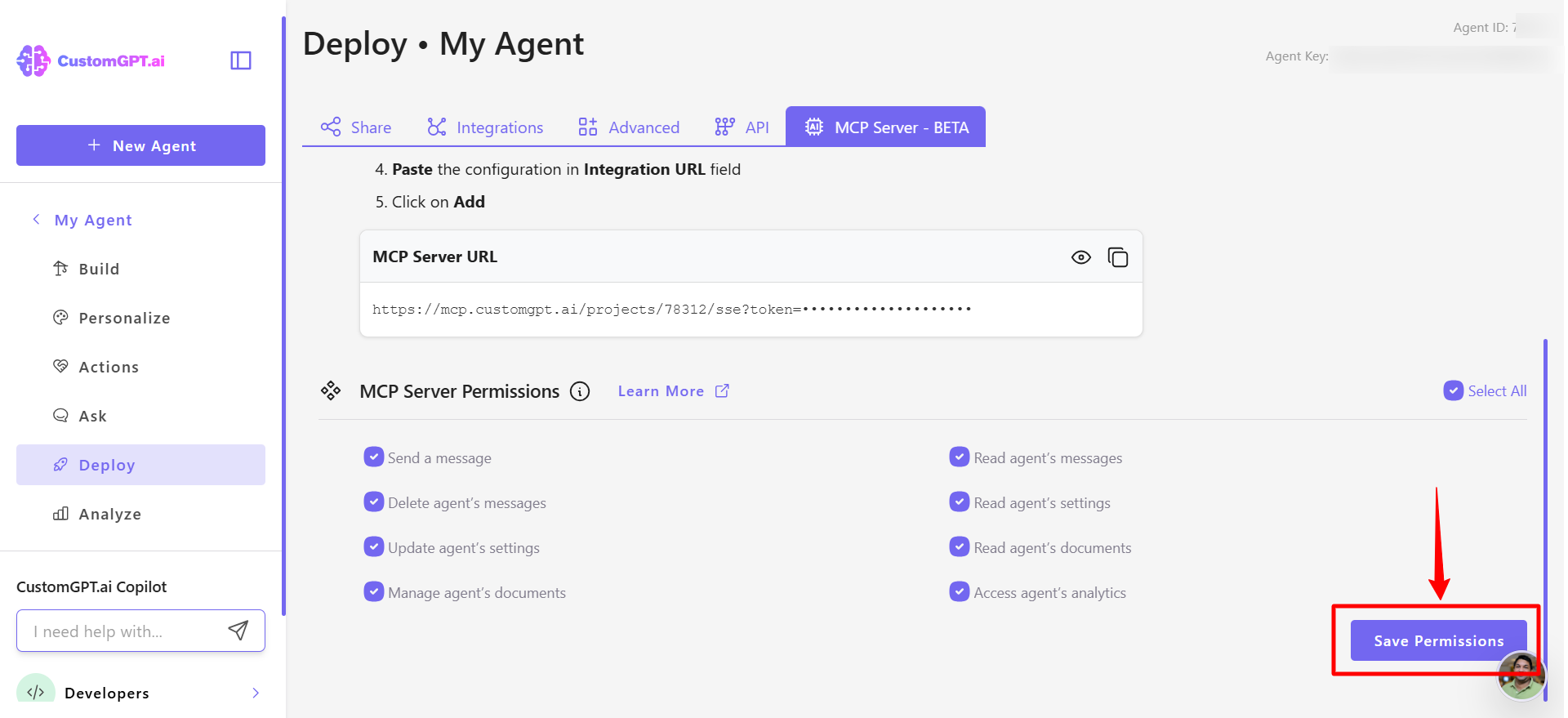
- Review the list of permissions and enable or disable the permissions you want external AI systems to use. All permissions are displayed and ready by default.
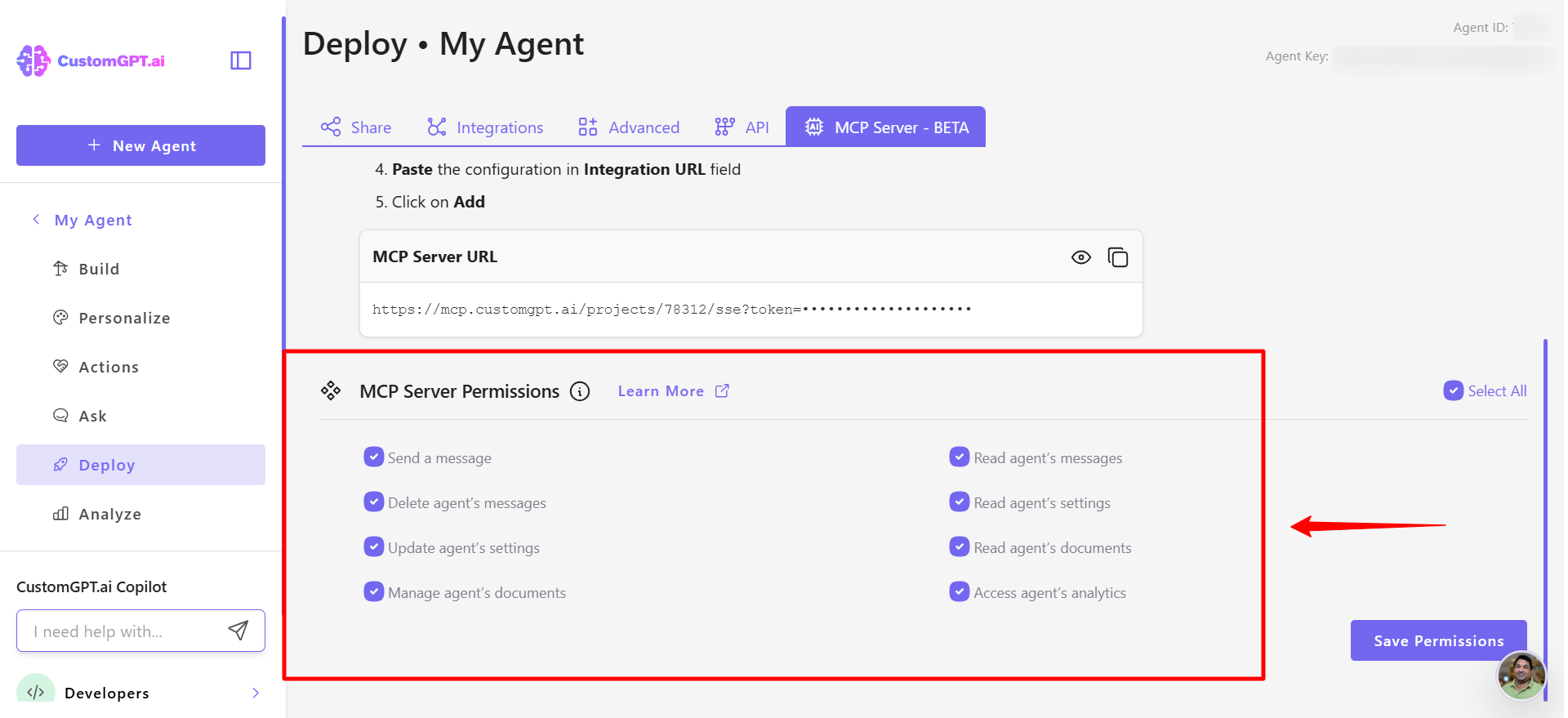
- Click Save permissions to apply your permissions and complete the setup.
Related guides:
Updated 11 months ago
Did this page help you?