
Understanding your Verify Responses results
This guide explains how to read and interpret the Verify Claims and Trust Building results in the Verify Responses panel.
How it works
When you click the shield icon, all queries are analyzed in depth:
- Claims the agent made are extracted from the response.
- Your knowledge base is searched to find sources for each claim.
- Claims are flagged if no source is found.
- Claims and their status are reviewed from the perspective of six stakeholders.
- Each stakeholder provides an assessment and a final status is calculated.
Claims
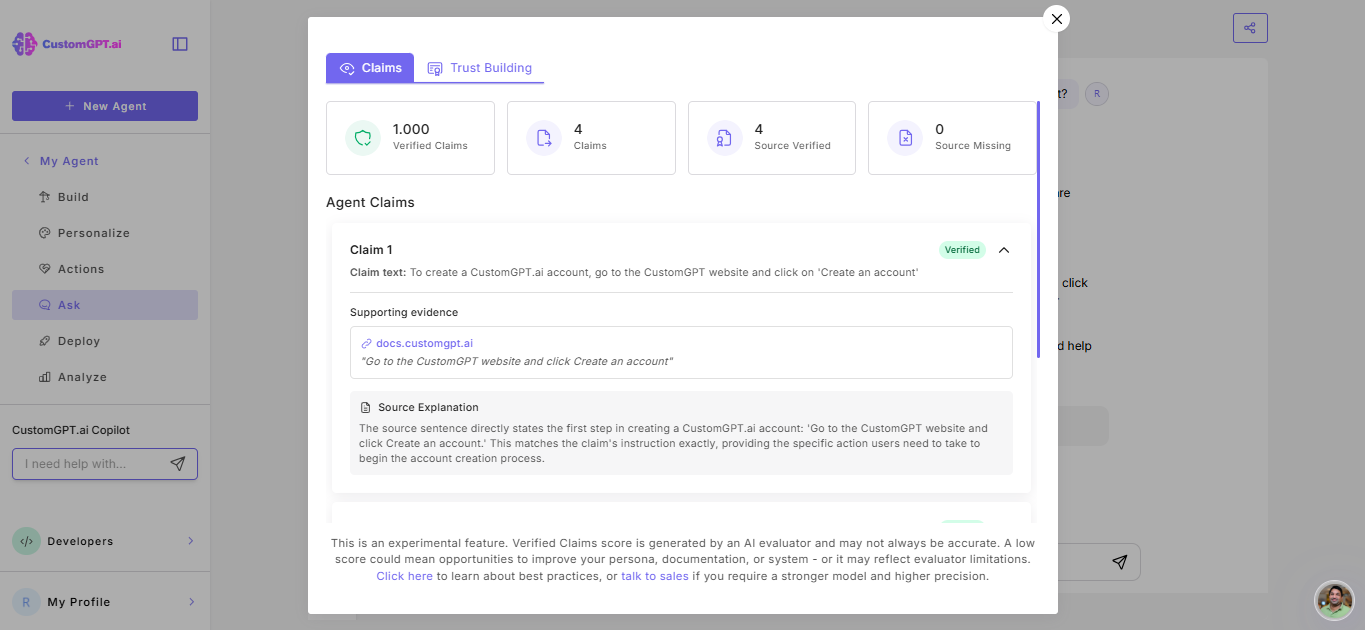
Claims extracts every factual claim from the AI response and checks it against your source documents.
Agent claims
Each factual claim from the response is listed with:
Claim text: The exact statement extracted from the AI response.
Support evidence: The exact text from your source document that supports (or contradicts) the claim, including file name, page number or url.
Source explanation: A plain language explanation of of how the source supports the claim
Verification status: Either Verified (source found) or Non-verified (no source found).
Verified claims score: The percentage of claims backed by your sources, calculated as verified claims divided by the total claims. For example, if 6 out of 8 claims are verified, the score is 75%.
Trust Building results
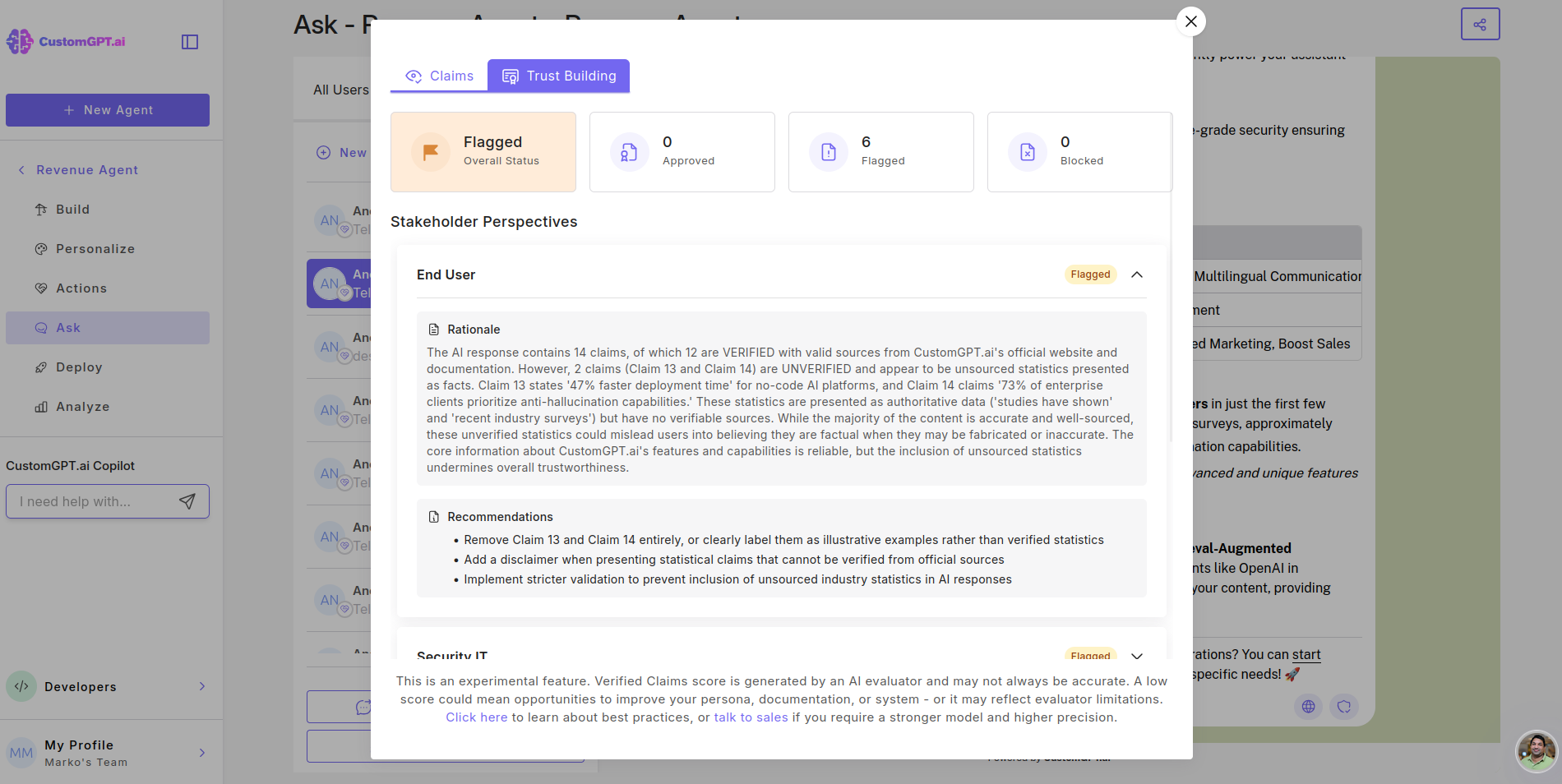
The Trust Building score evaluates the response from 6 different stakeholder perspectives and calculates a final status.
Overall status: The combined score from all stakeholders results in one of three statuses
Approved: The response meets all stakeholder requirements. Safe to use.
Flagged: One or more stakeholders have concerns. Review the recommendations before use.
Blocked: Significant issues identified. Do not use without addressing the concerns.
The six stakeholders
Each stakeholder reviews the response from their unique perspective:
- End User: Is the response helpful, clear, and safe for the person asking the question?
- Security IT: Does the response expose sensitive information or create security risks?
- Risk Compliance: Does the response comply with risk management policies and standards?
- Legal Compliance: Are there any legal risks, liability concerns, or missing disclaimers?
- Public Relations: Could the response cause reputational damage if shared publicly?
- Executive Leadership: Does the response align with organizational goals and standards?
Individual stakeholder assessment
For each stakeholder, you'll see:
Rationale: Why this stakeholder approves, flags, or blocks the response.
Recommendation: Specific actions to address any concerns before using the response.
What to do with your results
If Approved: The response is ready to use as-is.
If Flagged: Read the rationale and recommendations from each stakeholder. Make adjustments or add context before sharing.
If Blocked: Do not use the response externally. Review the specific concerns and either revise the response or update your knowledge base.
If claims are non-verified: Consider adding more source documents to your knowledge base to improve verification coverage.
To track patterns across all conversations, use Customer Intelligence to filter by verified claims score and identify recurring issues.
Note: Verified claims scores are AI-generated and work best as a guide. Use low scores as a starting point to review your persona, docs, or settings. See our best practices guide to get the most out of this feature.
Related articles
Updated 8 months ago