
Customize the message for failed moderation
This step-by-step guide explains how to customize the message shown to end users when their prompt fails content moderation.
What is the failed moderation message?
Every user prompt goes through OpenAI moderation before your agent processes it. If a prompt includes NSFW or disallowed content, it will be blocked and not processed.
When a prompt is blocked, the end user sees a system message explaining that their request cannot be processed. You can customize this message to match your brand tone or provide clearer guidance to users.
Note:This feature is available to all users.
How to customize the failed moderation message
- Select the agent, then click Personalize in the right-side menu.
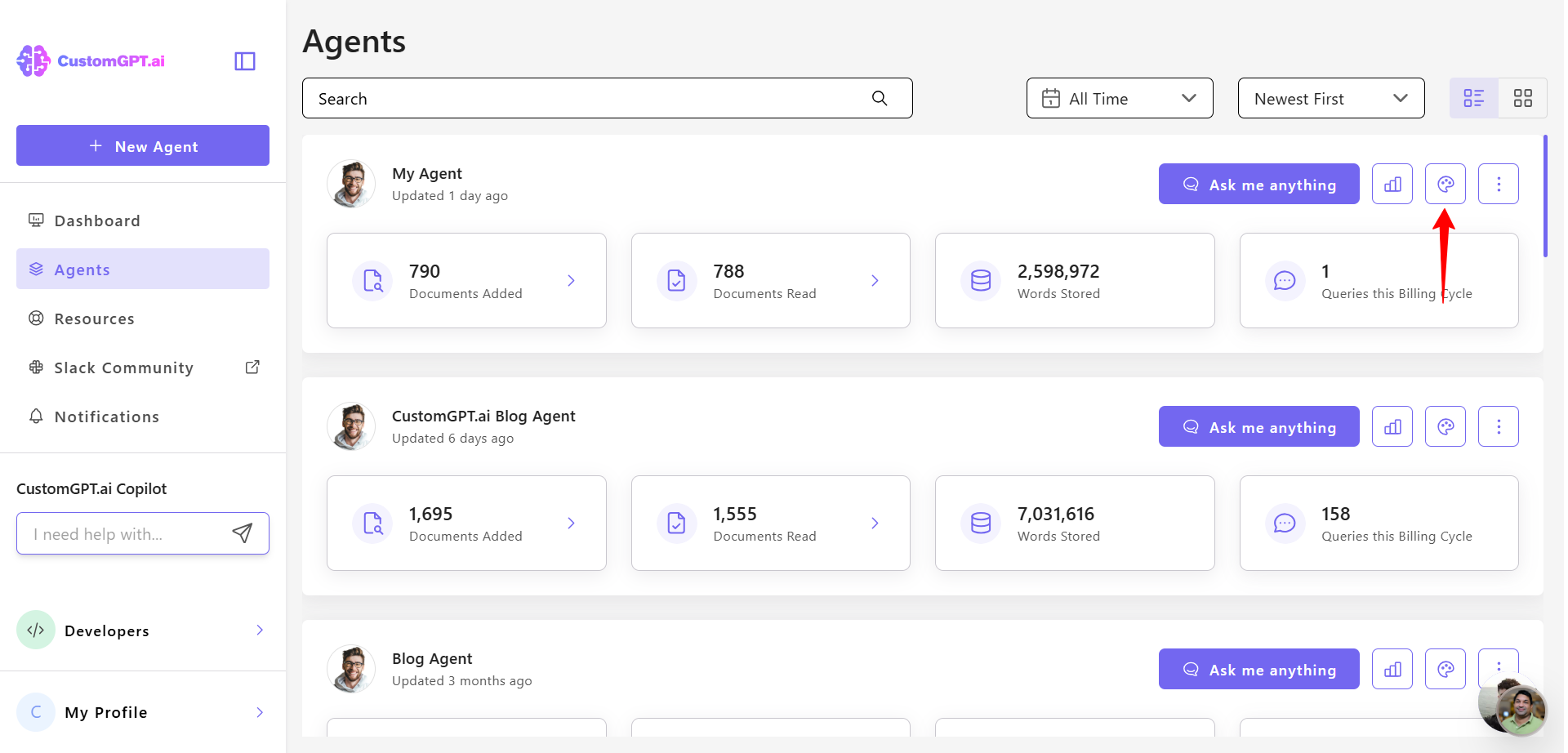
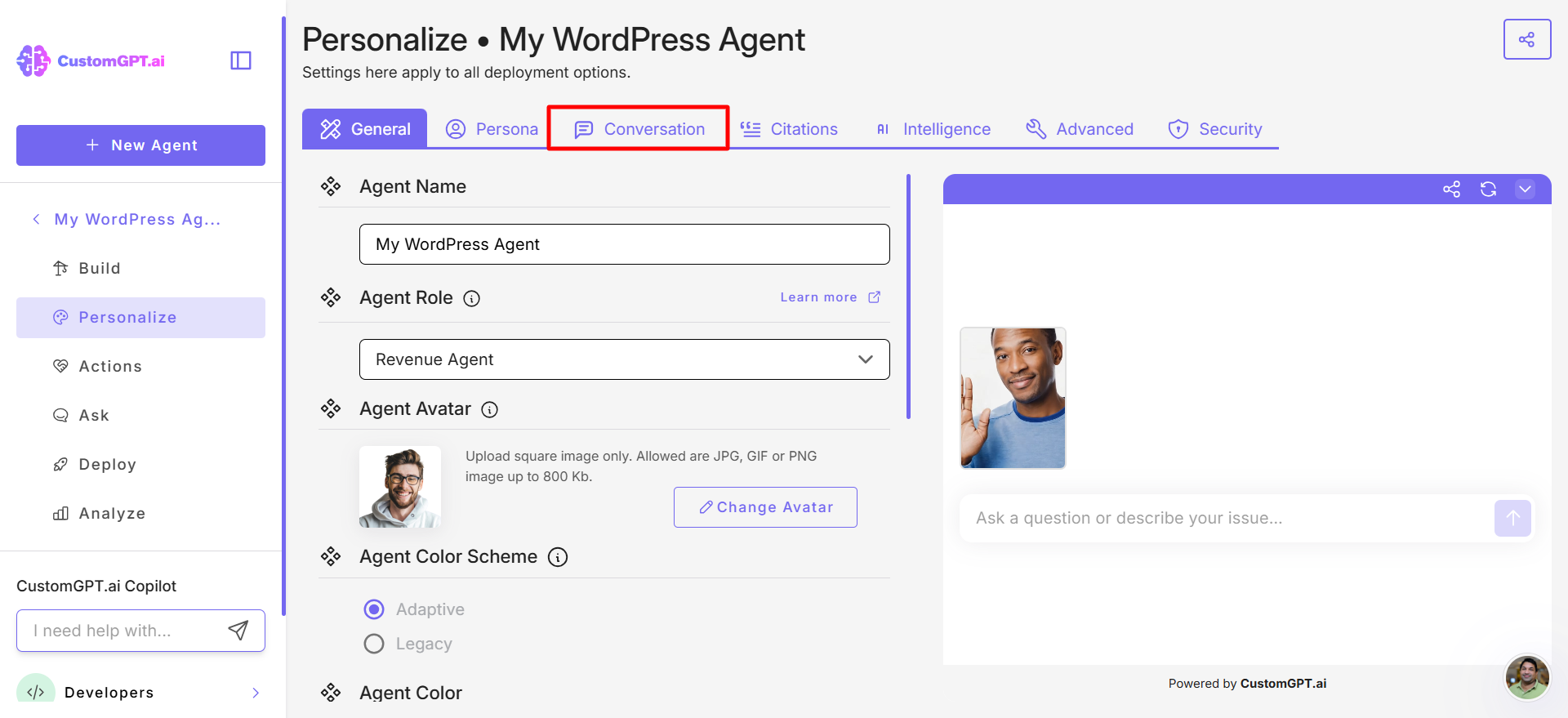
- Click Conversation tab.
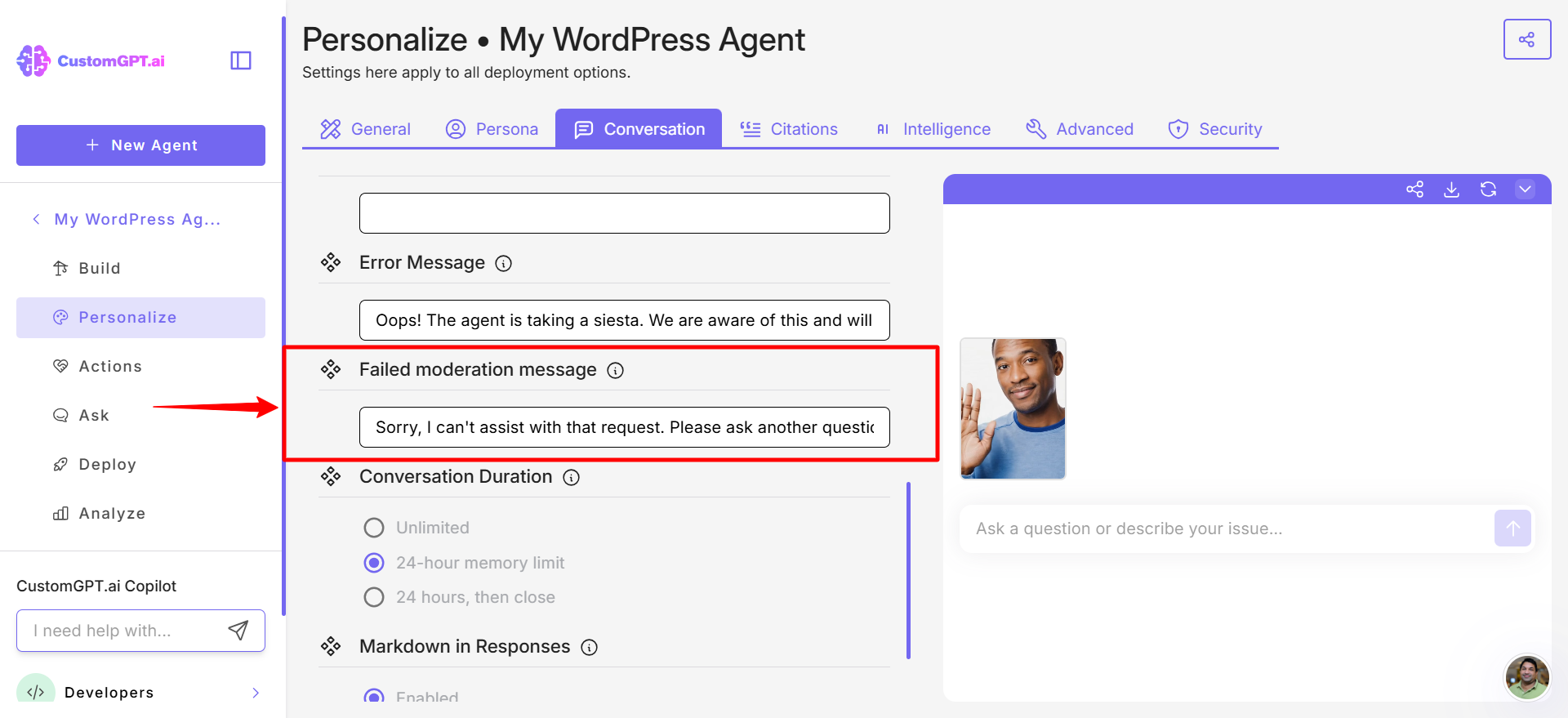
- Scroll down to locate Failed moderation message and enter the custom text you want displayed when a user prompt fails moderation.
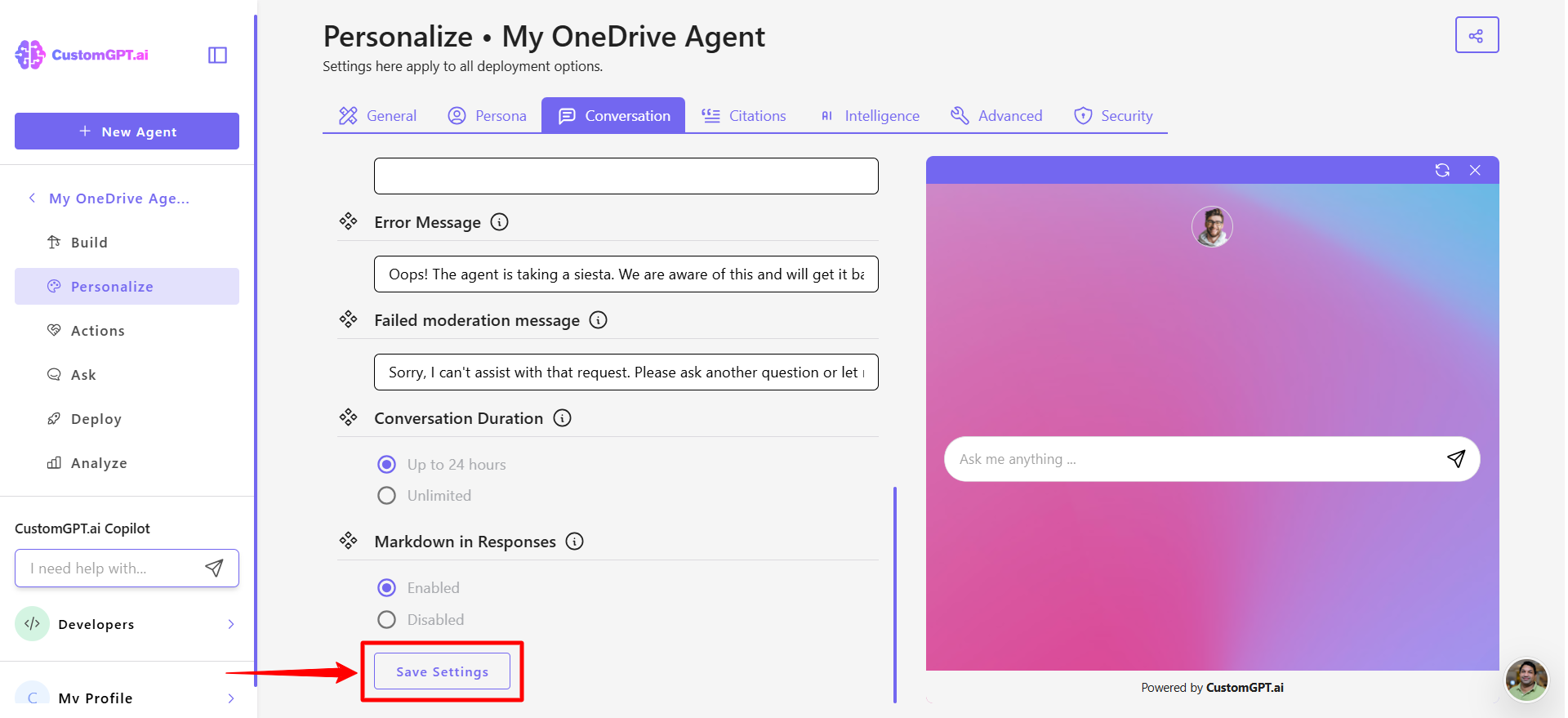
- Click Save setting to apply your changes.
Updated 9 months ago
Did this page help you?