
Track Verify Responses usage
This guide explains how to monitor your Verify Responses usage and understand its impact on your query usage.
Where to view usage
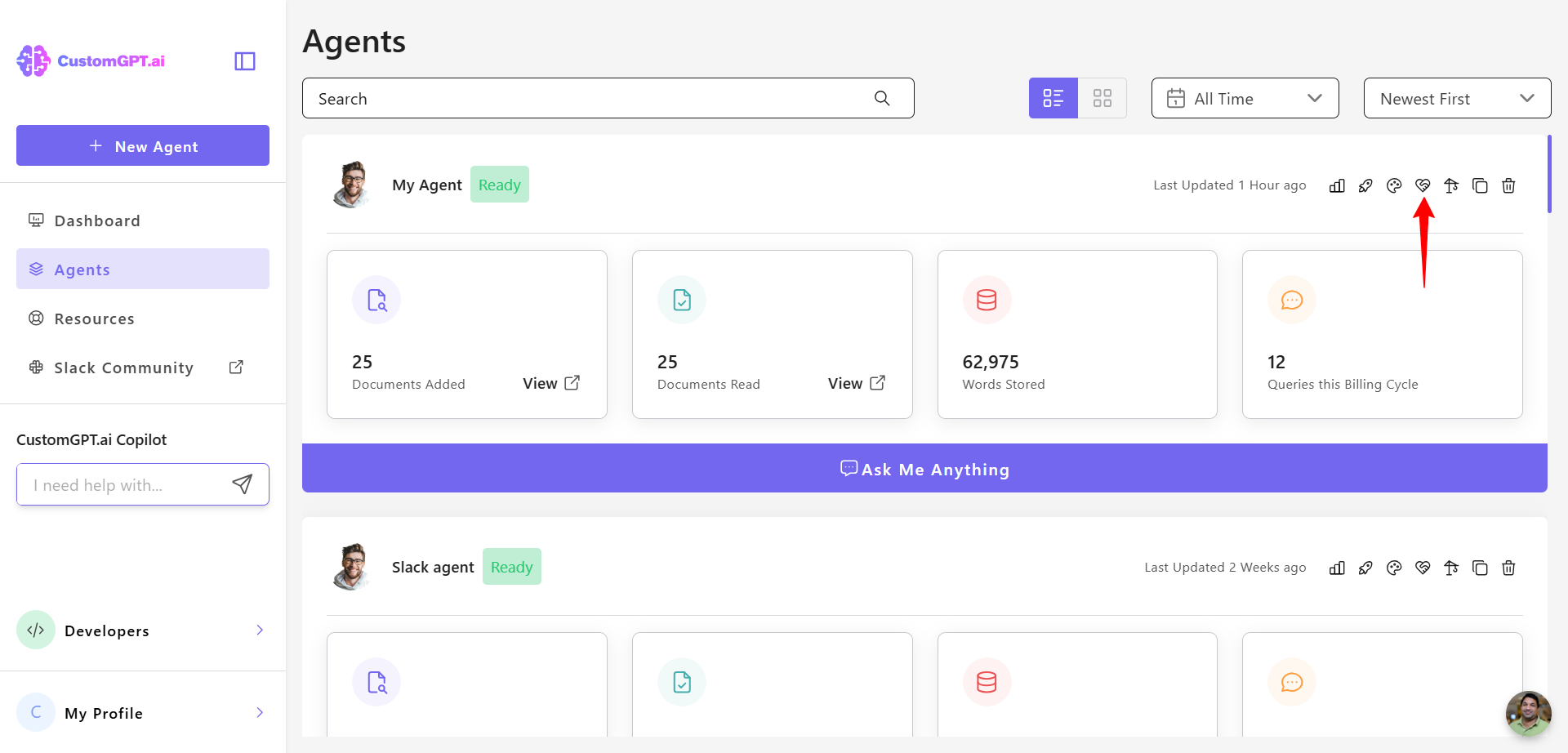
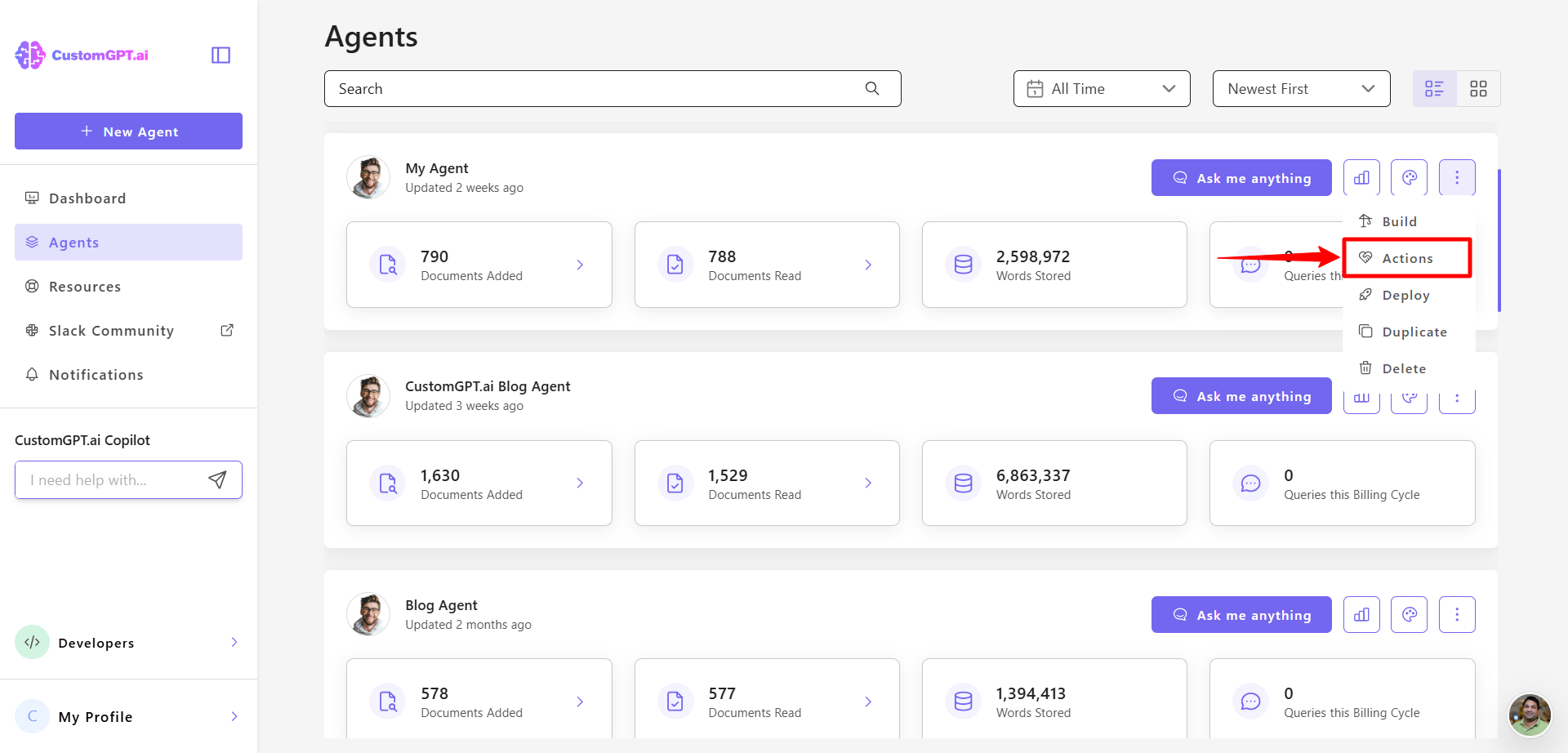
- On your CustomGPT.ai dashboard, click the three dots menu
- Click Actions.
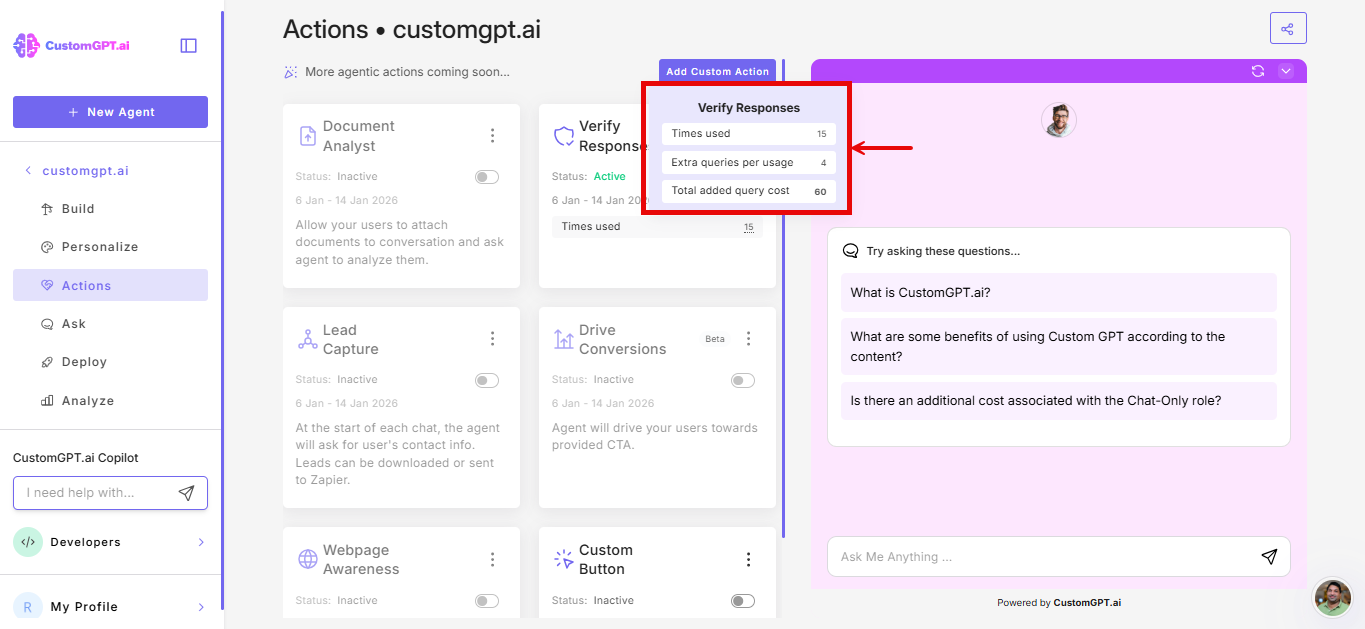
- If Verify responses is enabled, view these metrics for the current billing cycle:
- Times used (total verified responses): The total number of times you’ve invoked the Verify Responses feature.
Cost implications
The Verifier Responses action performs multiple reasoning steps, making it more resource-intensive. Each response verification will have an added cost of 4 standard queries against your usage on the Premium plan and 9 additional queries to your usage on the Standard plan.
👉 Learn more about action pricing in Actions cost.
Related article
Updated 8 months ago
Did this page help you?