
Build an AI agent from your website with images
This step-by-step guide explains how to build an AI agent from your website using the Website + images data source.
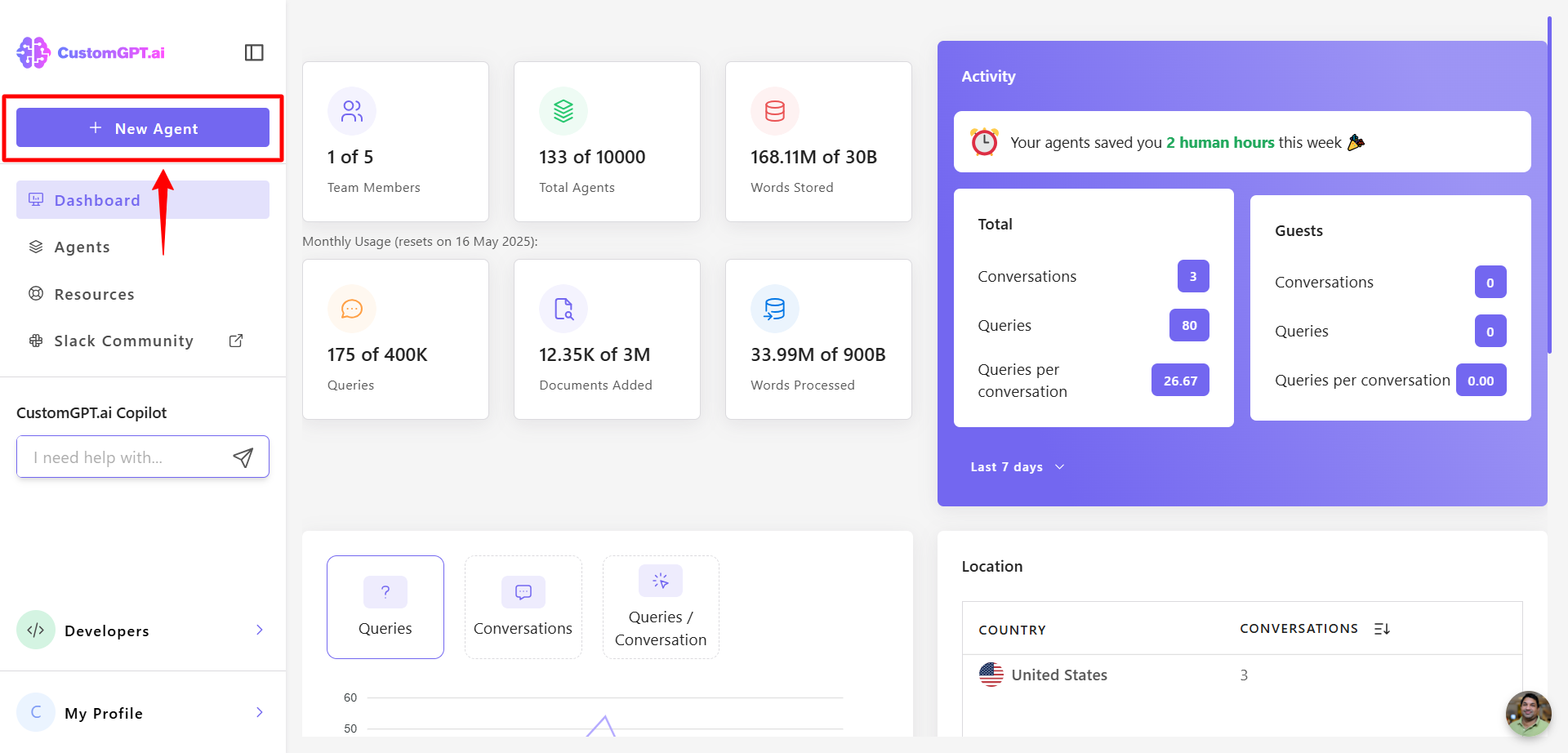
- From your dashboard, click the New Agent button.
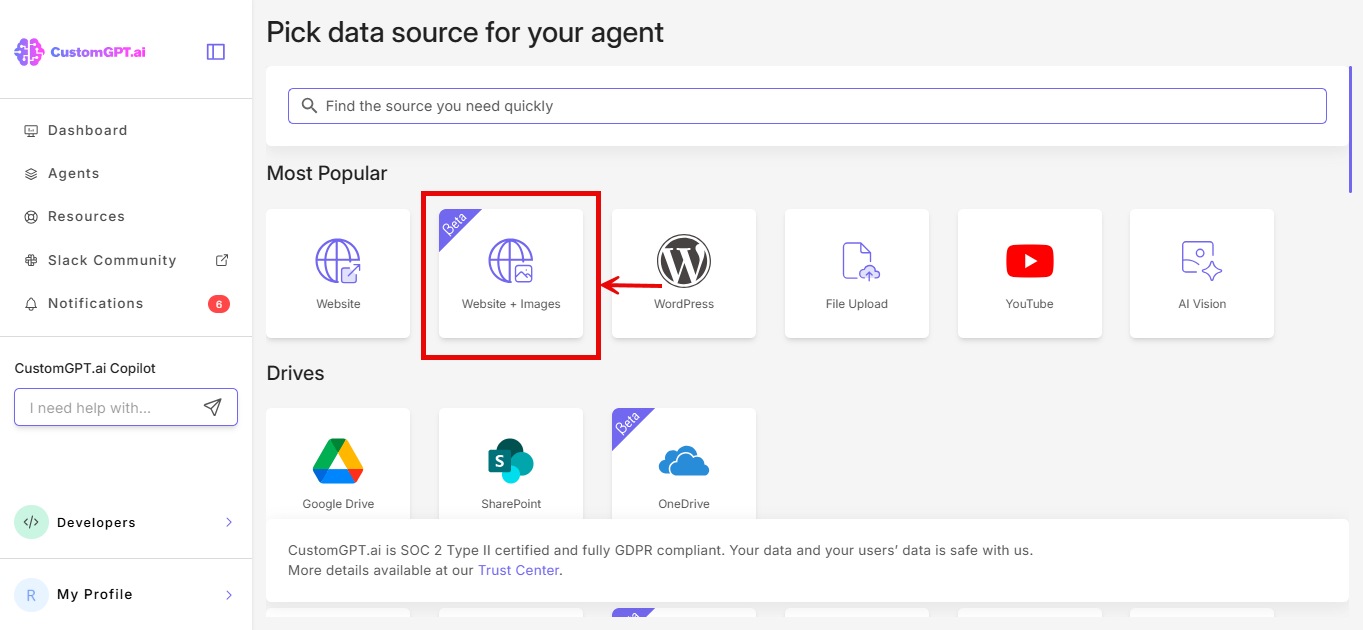
- Click Website + Images
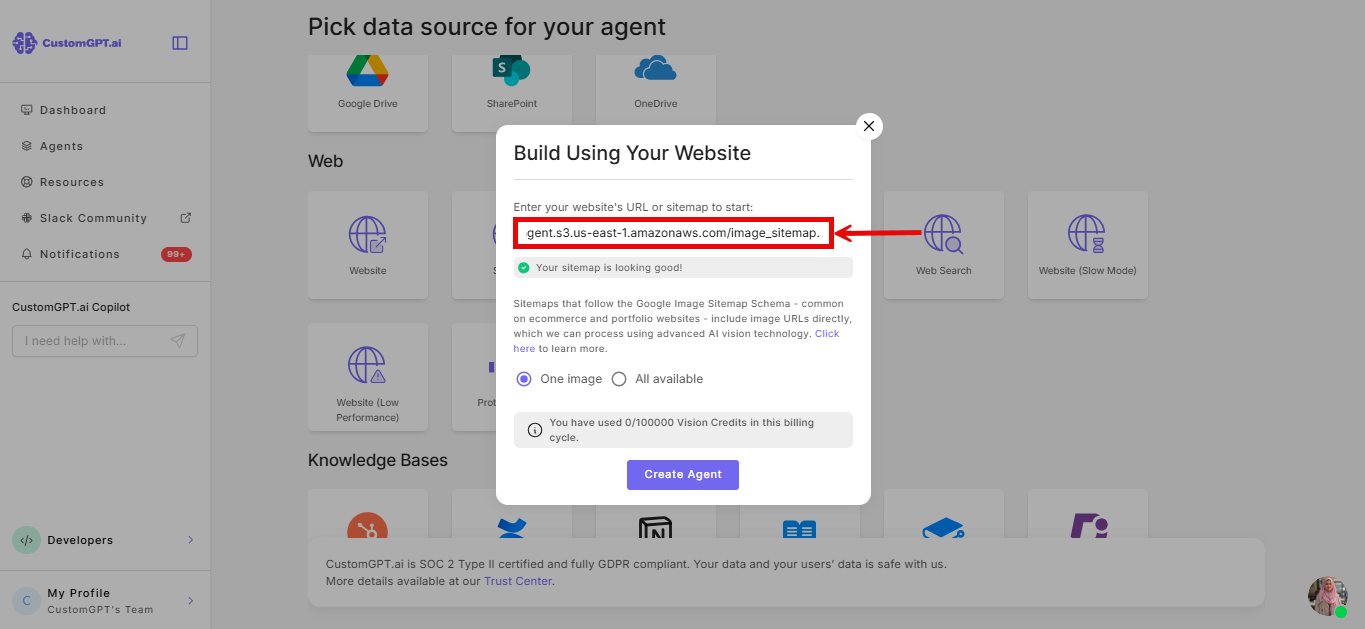
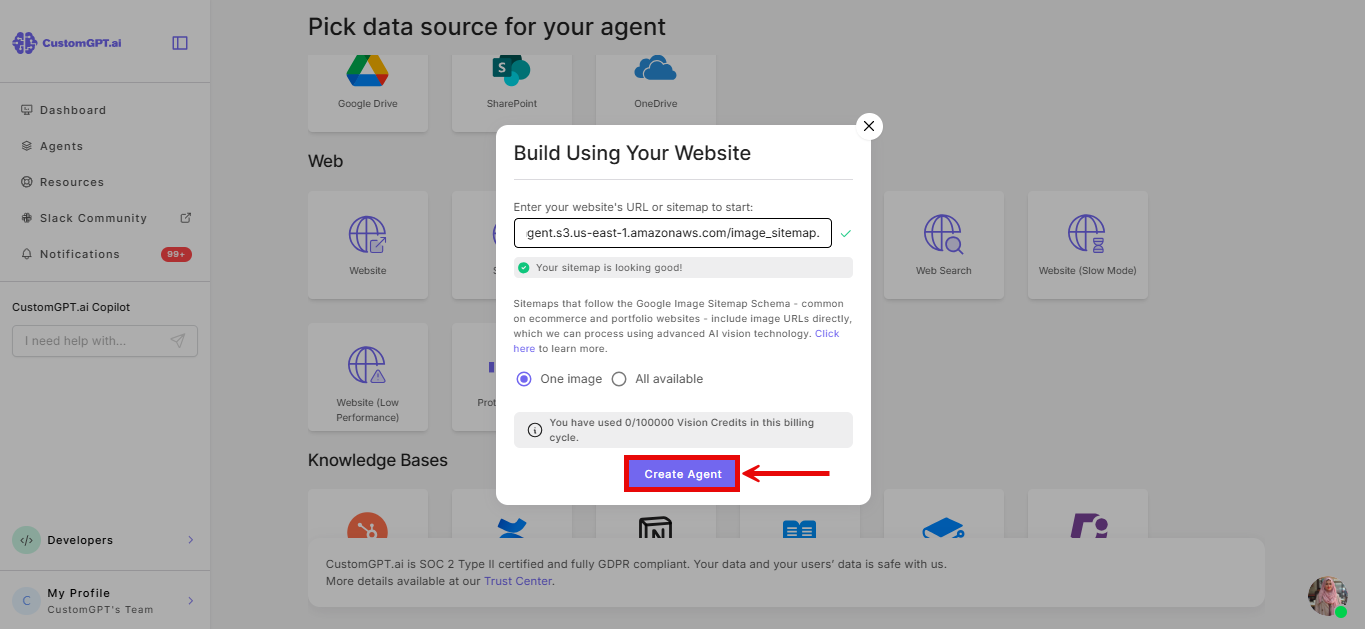
- Enter your website's URL or sitemap. Ensure the sitemap follows the Google Image Sitemap schema. For more information, check this user guide.
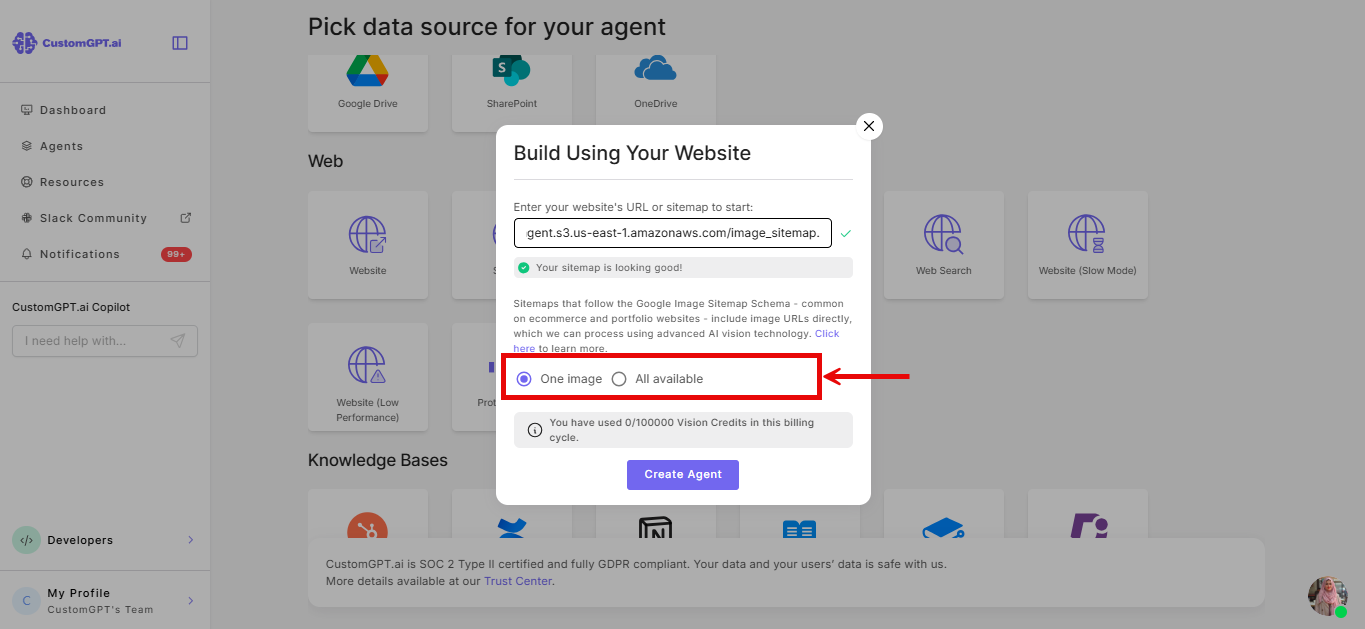
- Choose how many images per page to add:
- One image (default) - syncs a single image per page.
- All available - syncs every image listed for that page in your sitemap.
- Click Create Agent
Related articles
Updated 3 months ago
Did this page help you?