
Enable and configure KB Doc Analyst
Before you start
- KB Doc Analyst is available on Standard, Premium, and Enterprise plans.
- Your agent must have documents in its knowledge base before users can reference them.
Enable KB Doc Analyst
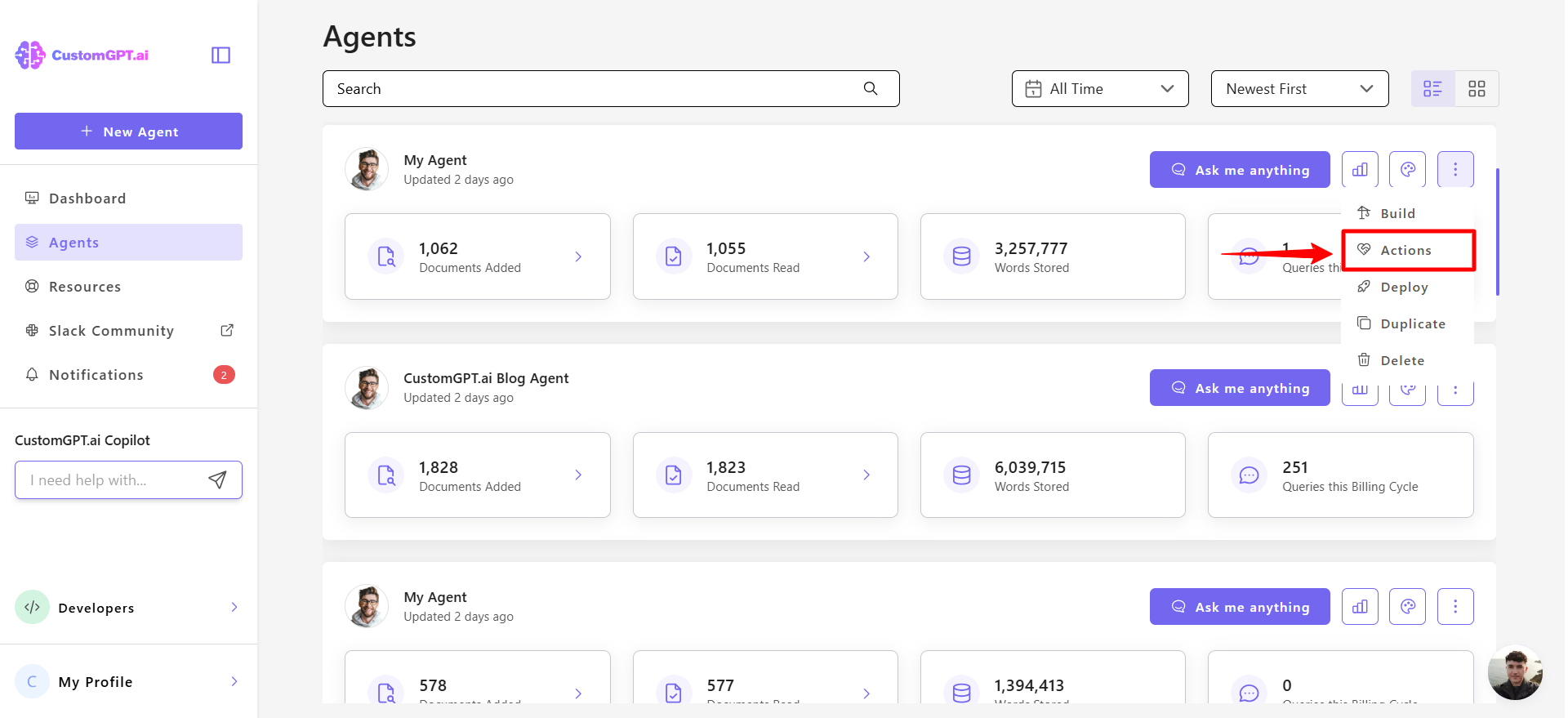
- Click the three-dot menu on your agent and select Actions.
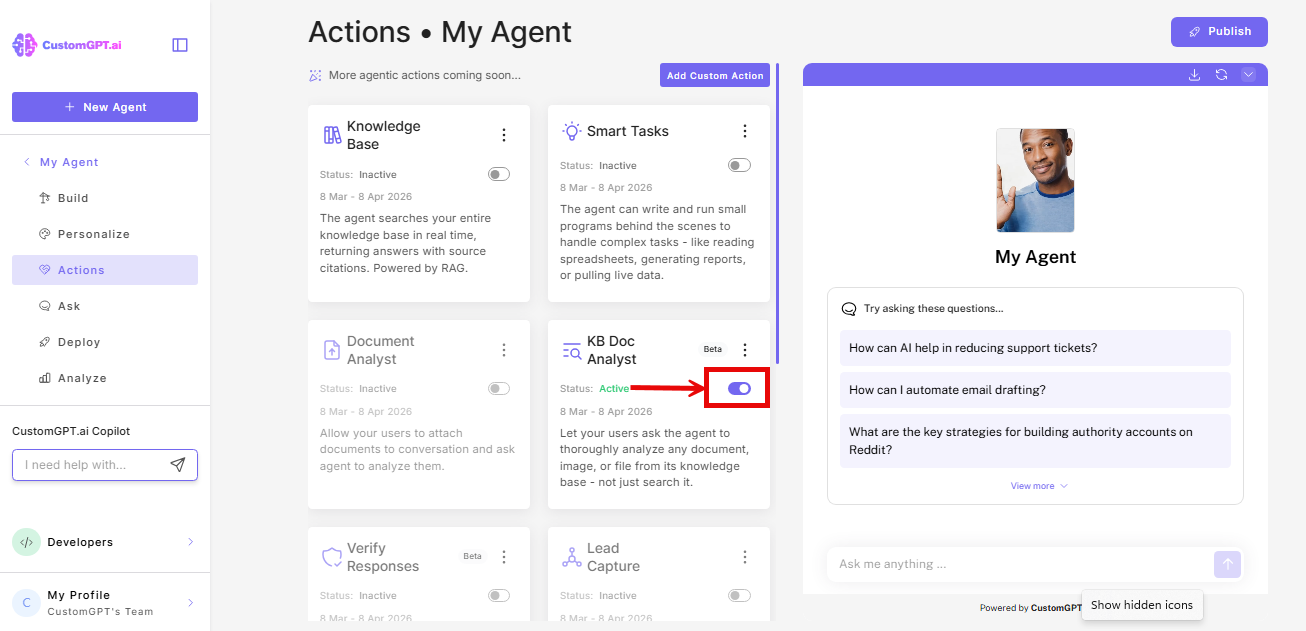
- Find KB Doc Analyst in the actions list and toggle it on.
Configure KB Doc Analyst
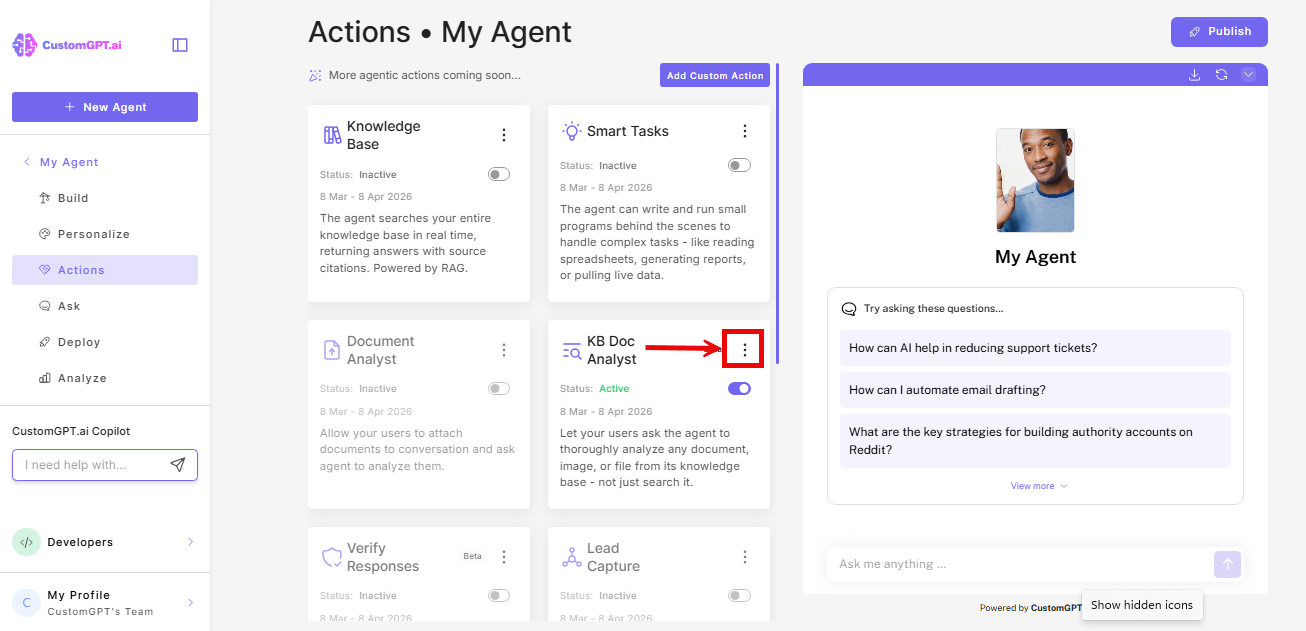
- Click the three-dot menu on the KB Doc Analyst card
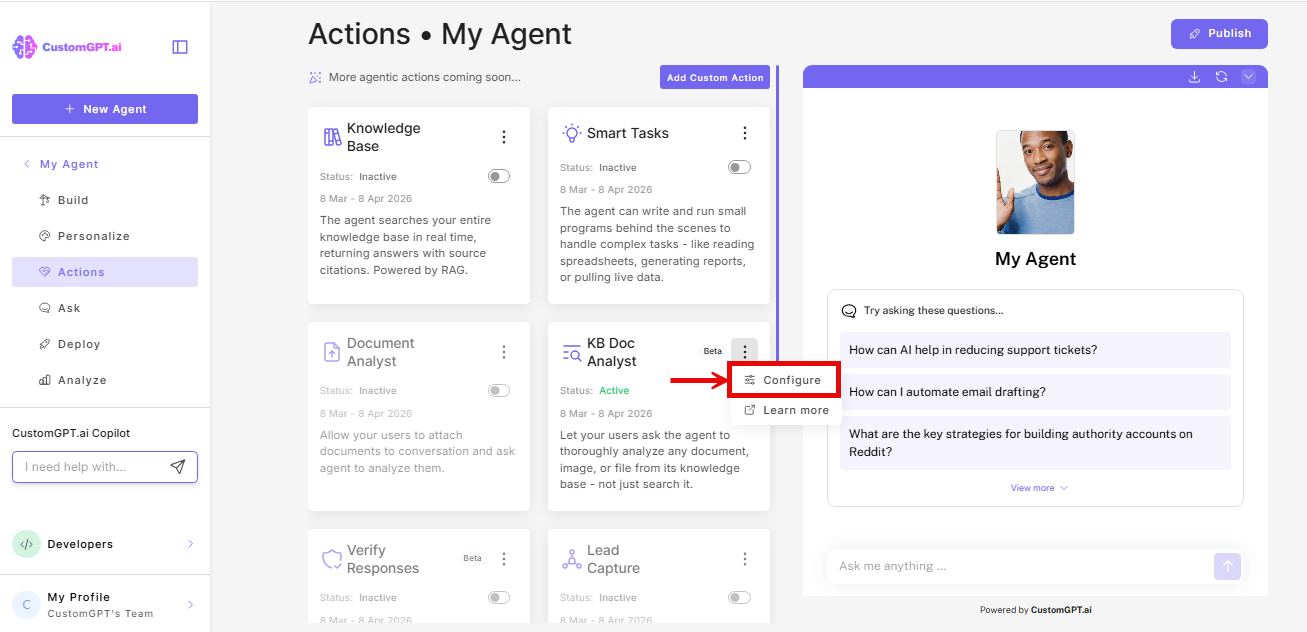
- Select Configure.
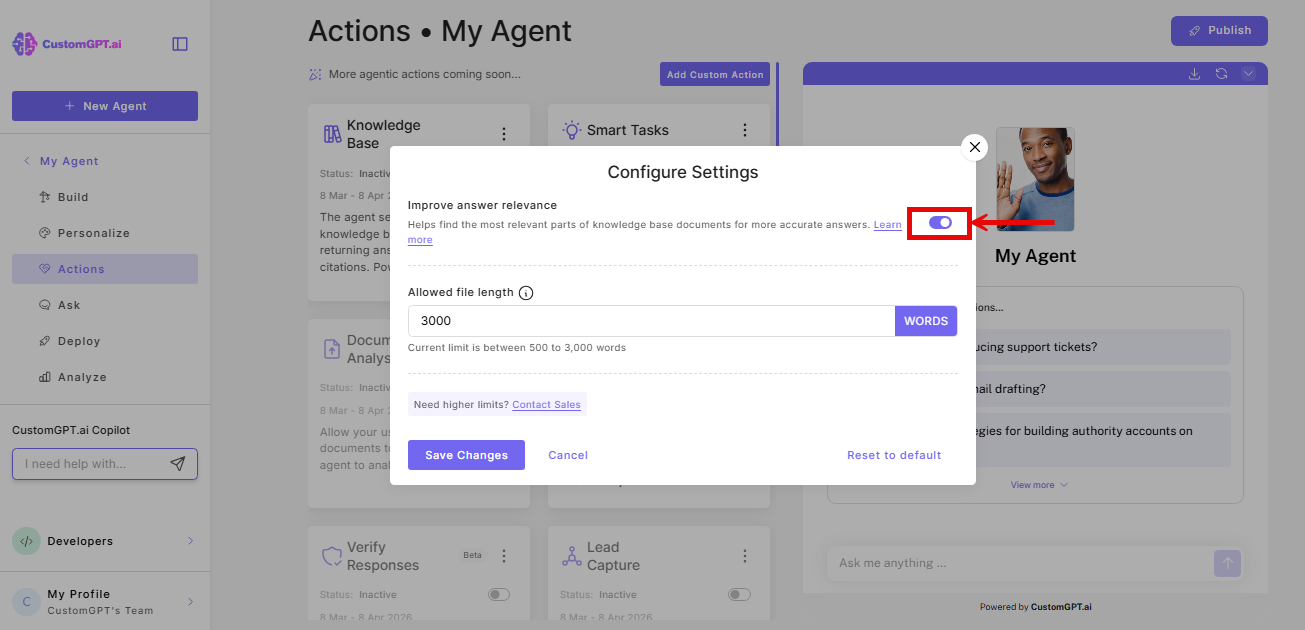
- Toggle Improve answer relevance on or off. It is on by default and prioritizes the most relevant sections of the document. Turn it off if users need the document read from beginning to end.
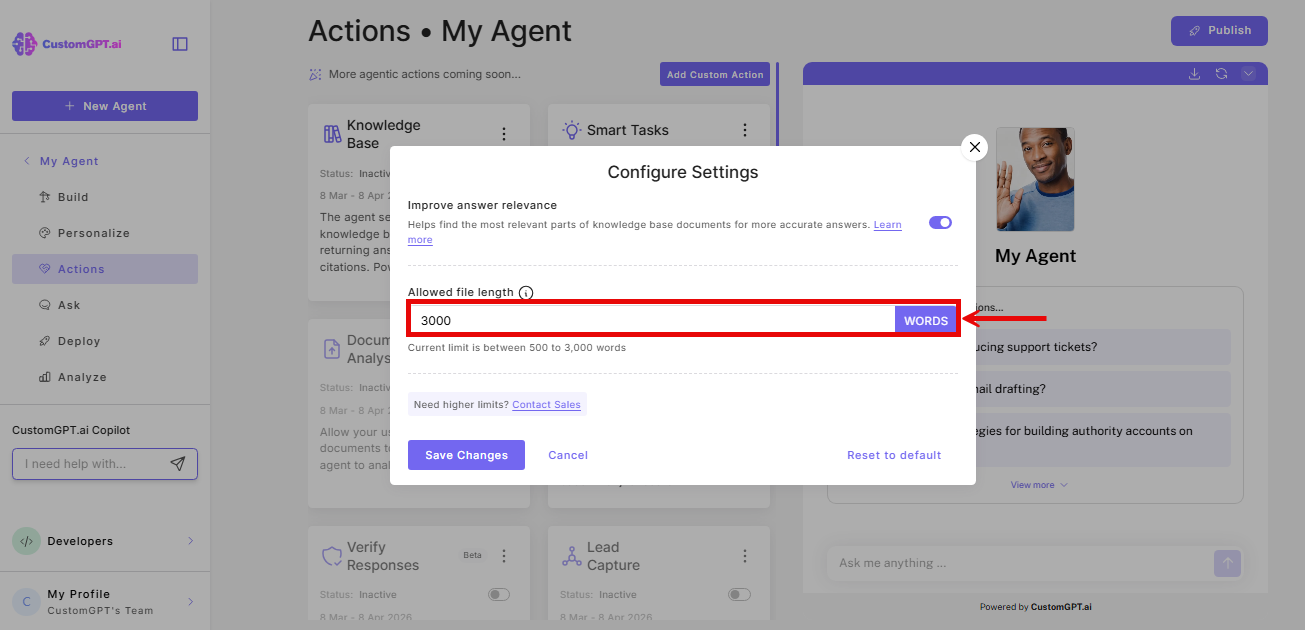
- Set Allowed file length to control how much of each document the agent reads. The default is your account maximum.
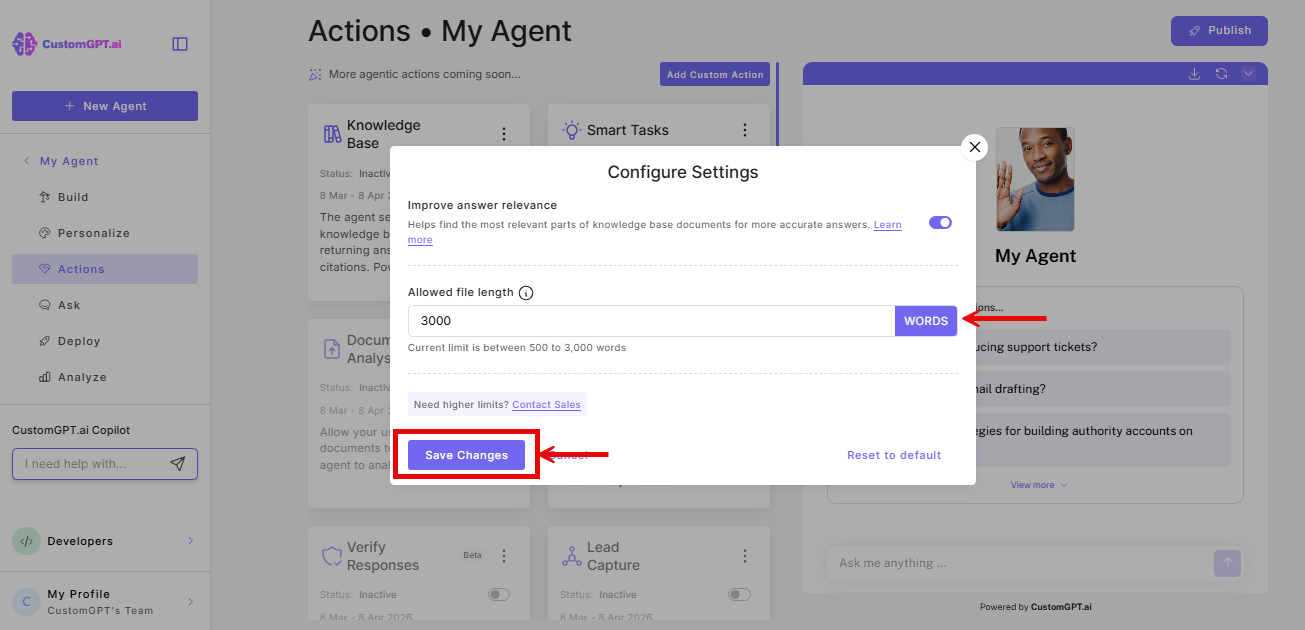
- Click Save Changes.
Query cost
Each KB Doc Analyst use adds additional queries to your usage:
- Premium plan: 9 additional queries per use
- Standard plan: 14 additional queries per use
Things to know
- Settings apply per agent. You can configure different limits on different agents.
Related articles
Updated 19 days ago