
Enable Plan & Act mode
You can enable the Plan & Act mode by following these steps:
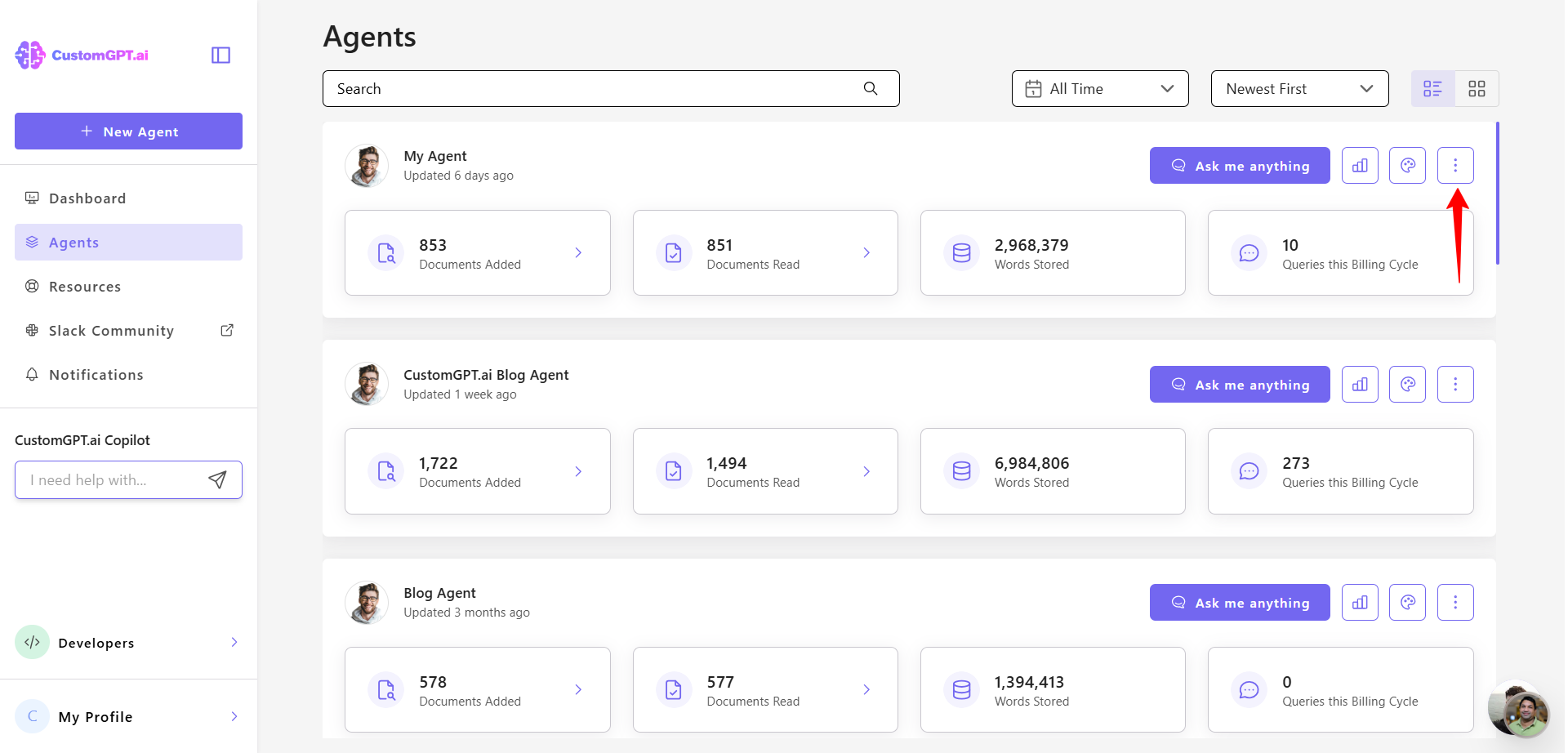
- Click the three dots next to the agent you want to configure.
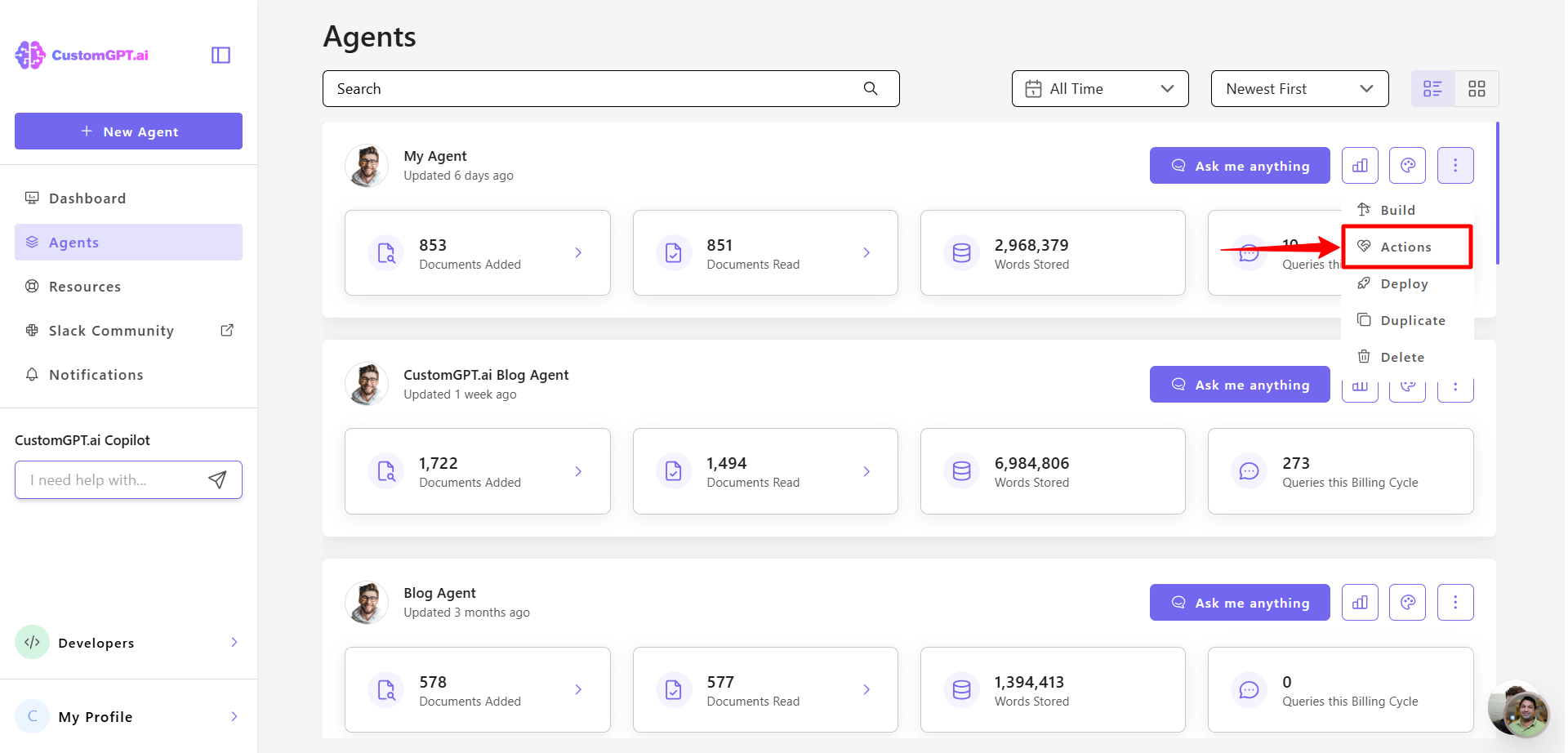
- Select Actions from the dropdown menu.
- Toggle on the Plan & Act feature.
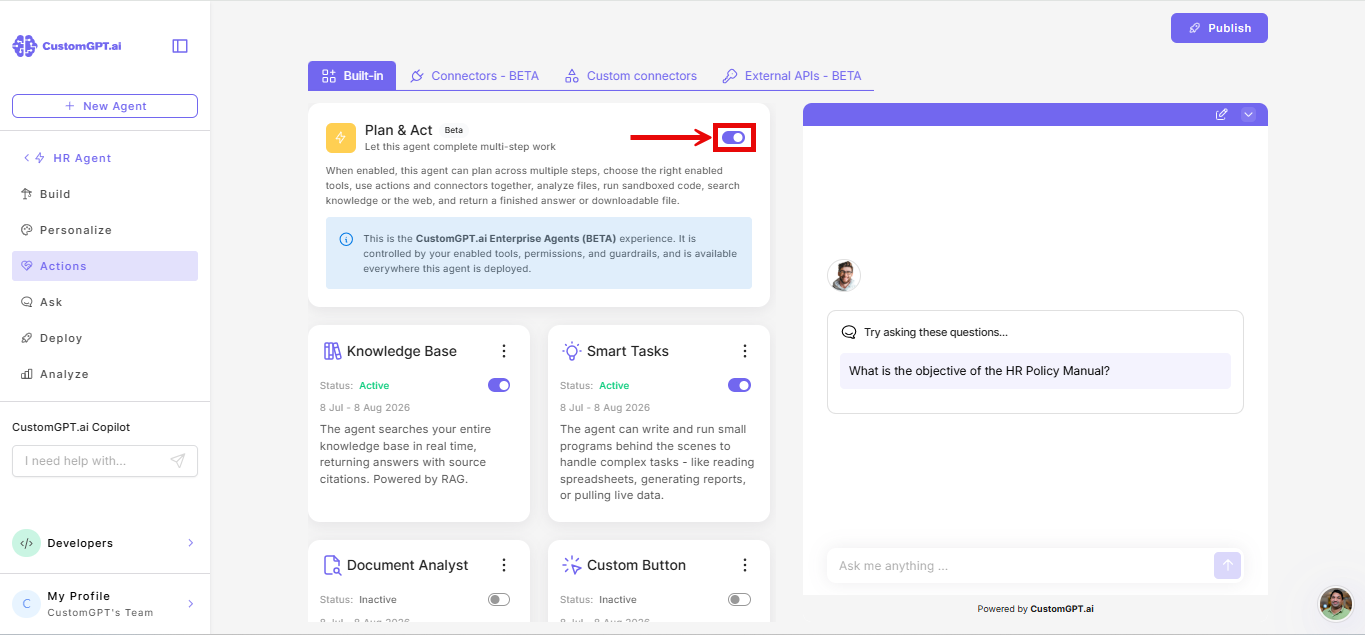
Alternate path for enabling Plan & Act modeYou can also enable Plan & Act via Personalize > Intelligence > Enable Plan & Act toggle
Related articles
- Plan & Act mode overview
- Smart Tasks
- Enable and configure Smart Tasks
- How API key security works in external APIs
- Action costs
Updated 3 months ago
Did this page help you?