
Try content tags in action
This guide walks through how content tag filtering behaves in practice. You will run embed code against a live test agent and see exactly which sources are served under each parameter combination.
You can run these examples against our live test agent to see which sources are served for each parameter combination.
Test agent
- Project ID: 95521
- Project key: 73a16f56b6109abb757403a524e4e6ca
Setup
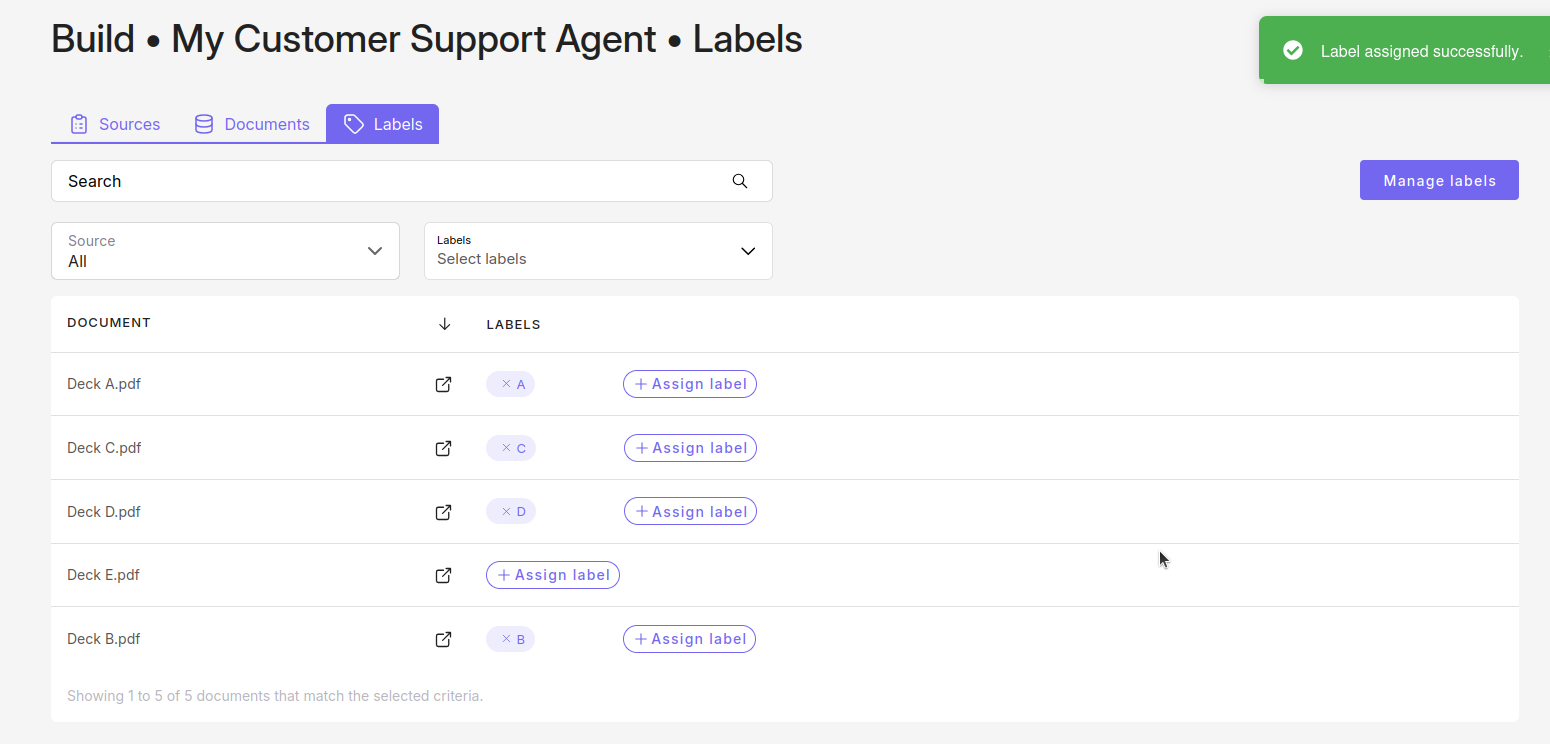
The test agent has five sources:
| Source | Label |
|---|---|
| Deck A | A |
| Deck B | B |
| Deck C | C |
| Deck D | D |
| Deck E | (none) |
All five sources have identical content. The Tag setting is on. This makes it easy to see exactly which sources get served for each combination.
The Documents tab in Build shows the initial setup:
The Labels toggle is enabled in deployment settings:

Part 1: No labels sent
labels_exclusive = false
<div id="customgpt_chat"></div>
<script src="https://cdn.customgpt.ai/js/embed.js" defer
  div_id="customgpt_chat"
  p_id="95521"
  p_key="73a16f56b6109abb757403a524e4e6ca">
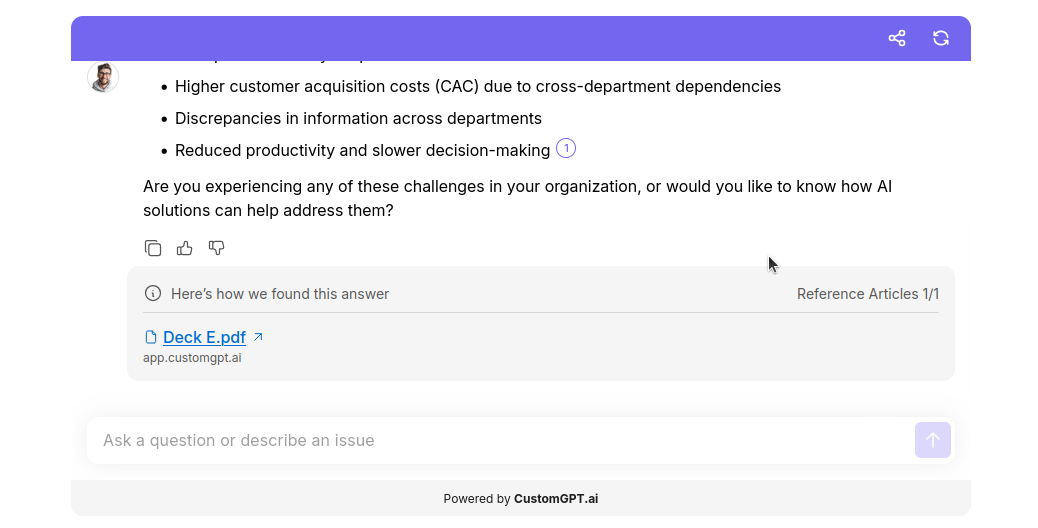
</script>Result: Only Deck E is served.
Why: No labels specified, so labeled sources are excluded. labels_exclusive defaults to false, so unlabeled sources are included.
labels_exclusive = true
<div id="customgpt_chat"></div>
<script src="https://cdn.customgpt.ai/js/embed.js" defer
  div_id="customgpt_chat"
  p_id="95521"
  p_key="73a16f56b6109abb757403a524e4e6ca"
  labels_exclusive="true">
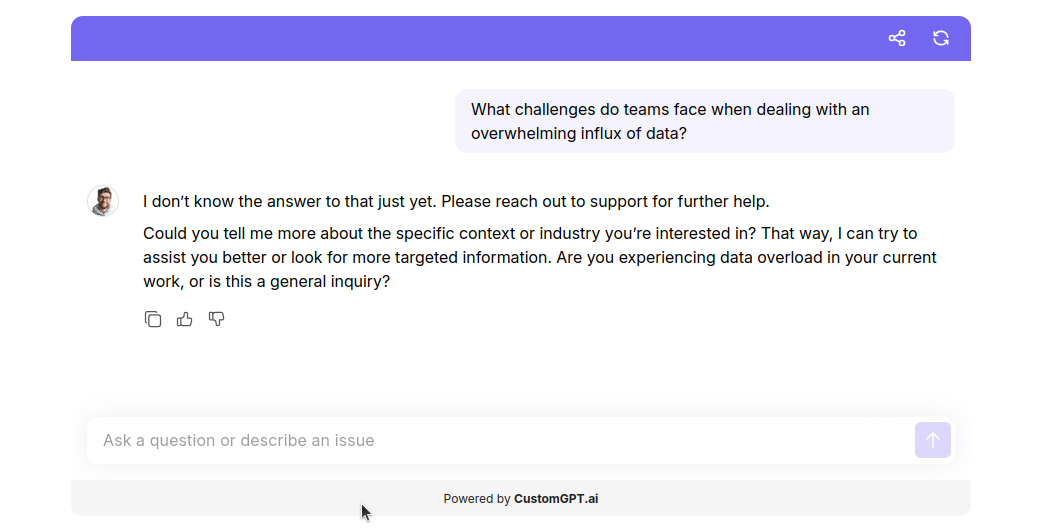
</script>Result: No sources served.
Why: No labels were specified, and labels_exclusive="true" blocked unlabeled sources too. Nothing matches.
Part 2: Simple list labels
labels_exclusive = false
<div id="customgpt_chat"></div>
<script src="https://cdn.customgpt.ai/js/embed.js" defer
  div_id="customgpt_chat"
  p_id="95521"
  p_key="73a16f56b6109abb757403a524e4e6ca"
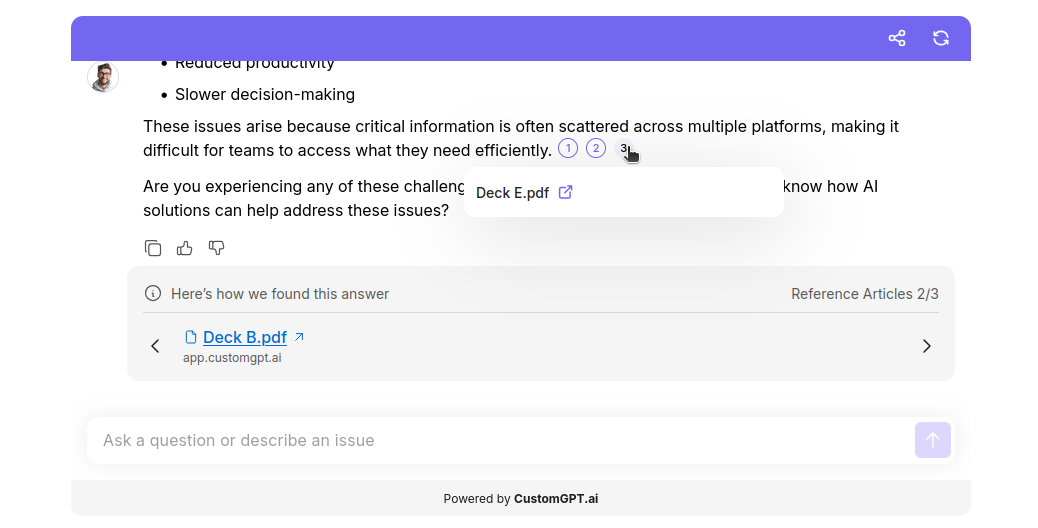
  labels="A,B"
  labels_exclusive="false">
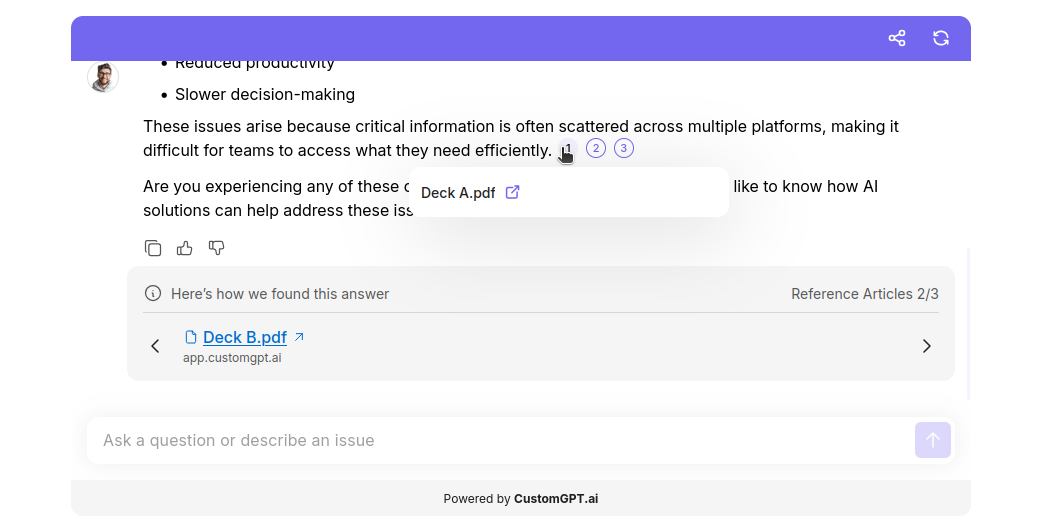
</script>Result: Decks A, B, and E are served.
Why: Labels A and B were requested, and labels_exclusive="false" allowed Deck E through as well.
labels_exclusive = true
<div id="customgpt_chat"></div>
<script src="https://cdn.customgpt.ai/js/embed.js" defer
  div_id="customgpt_chat"
  p_id="95521"
  p_key="73a16f56b6109abb757403a524e4e6ca"
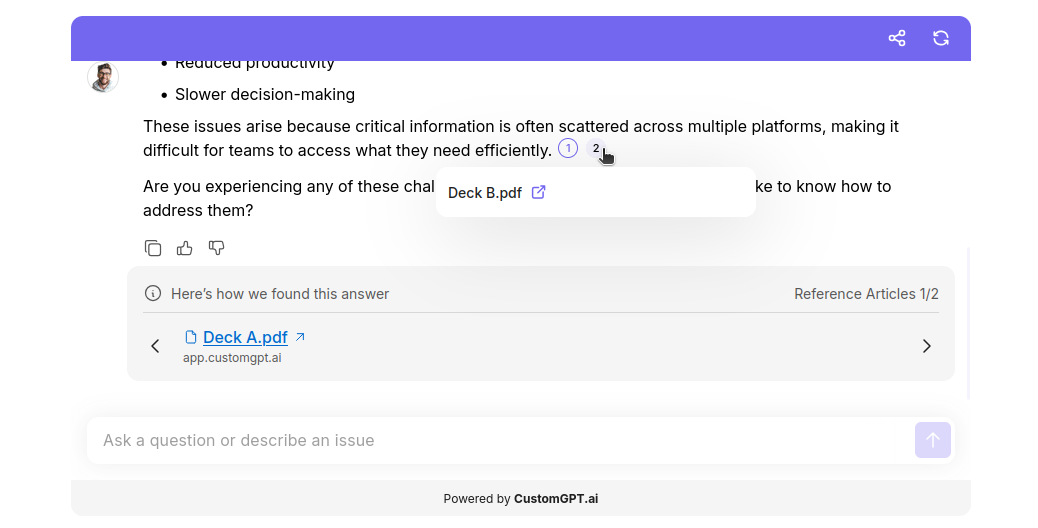
  labels="A,B"
  labels_exclusive="true">
</script>Result: Only Decks A and B are served. `
Why: labels_exclusive="true" excludes Deck E.
Part 3: AND/OR labels
The array format lets you combine label conditions. A source must match at least one label from every bracket to be included. This part shows what happens when no source can do that - and how to fix it.
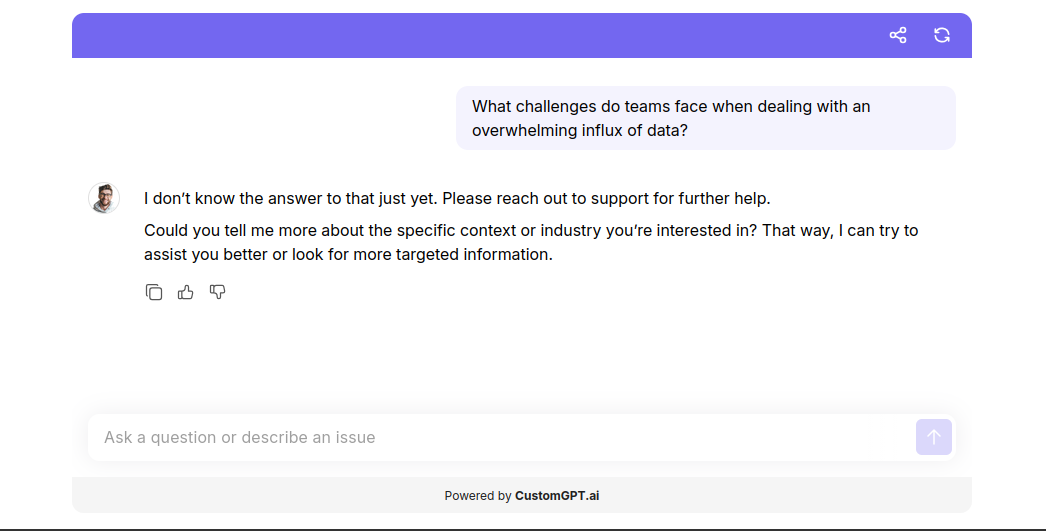
Example that returns no results
<div id="customgpt_chat"></div>
<script src="https://cdn.customgpt.ai/js/embed.js" defer
  div_id="customgpt_chat"
  p_id="95521"
  p_key="73a16f56b6109abb757403a524e4e6ca"
  labels='[["A","B"],["C","D"]]'
  labels_exclusive="true">
</script>
Resolving bracket by bracket:
- Bracket 1 (A or B): Decks A and B qualify.
- Bracket 2 (C or D): Decks C and D qualify.
- AND check: no deck appears in both lists- nothing matches.
Fix: add a bridge label
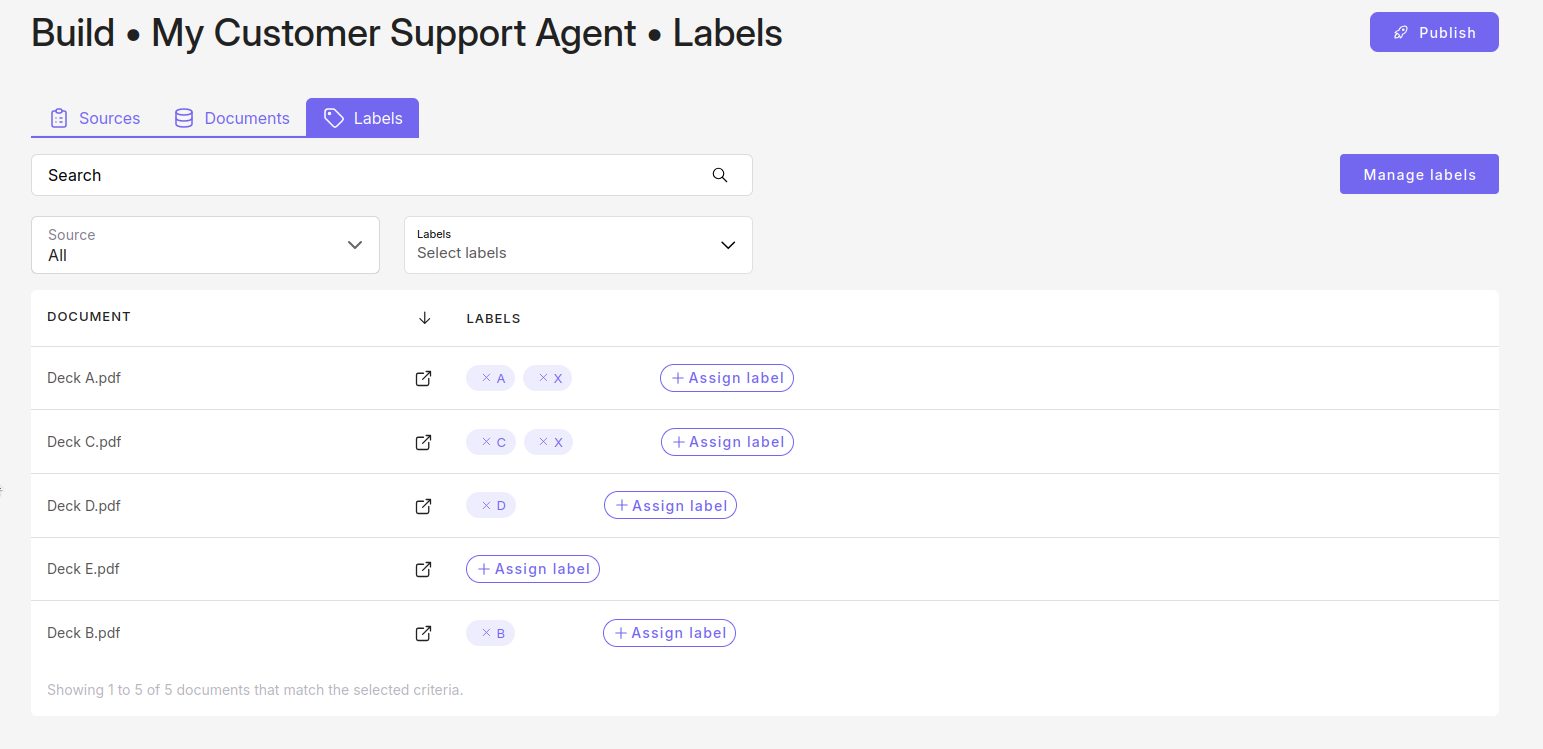
Assign label X to Decks A and C. Now each of those decks can satisfy both brackets at once.
<div id="customgpt_chat"></div>
<script src="https://cdn.customgpt.ai/js/embed.js" defer
  div_id="customgpt_chat"
  p_id="95521"
  p_key="73a16f56b6109abb757403a524e4e6ca"
  labels='[["A","B","X"],["C","D","X"]]'
  labels_exclusive="true">
</script>
Resolving bracket by bracket:
- Bracket 1 (A, B, or X): Decks A, B, and C qualify - A and C both carry label X.
- Bracket 2 (C, D, or X): Decks A, C, and D qualify - same reason.
- AND check: Decks A and C appear in both lists - they are served.
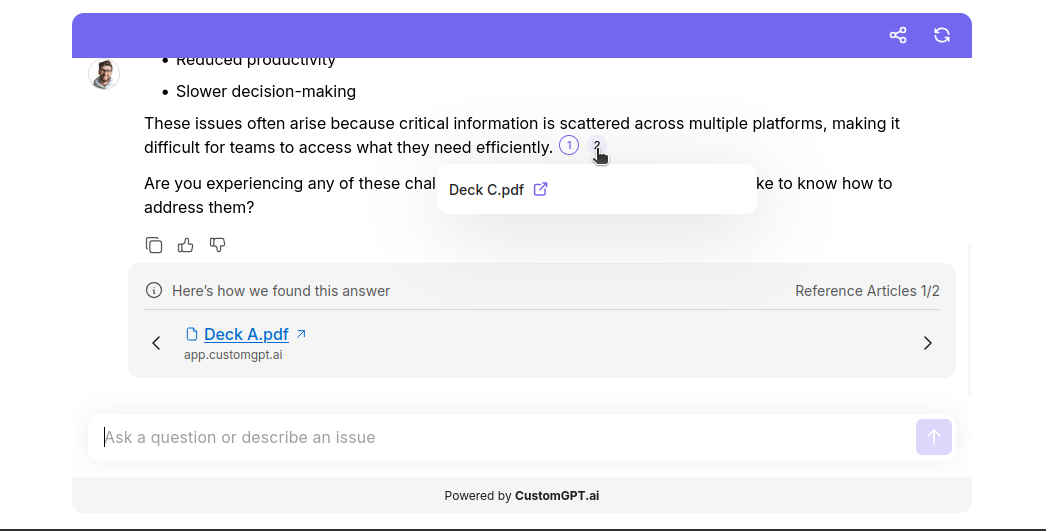
labels_exclusive = false (same setup)
Same result, except Deck E is also served because unlabeled sources are allowed.
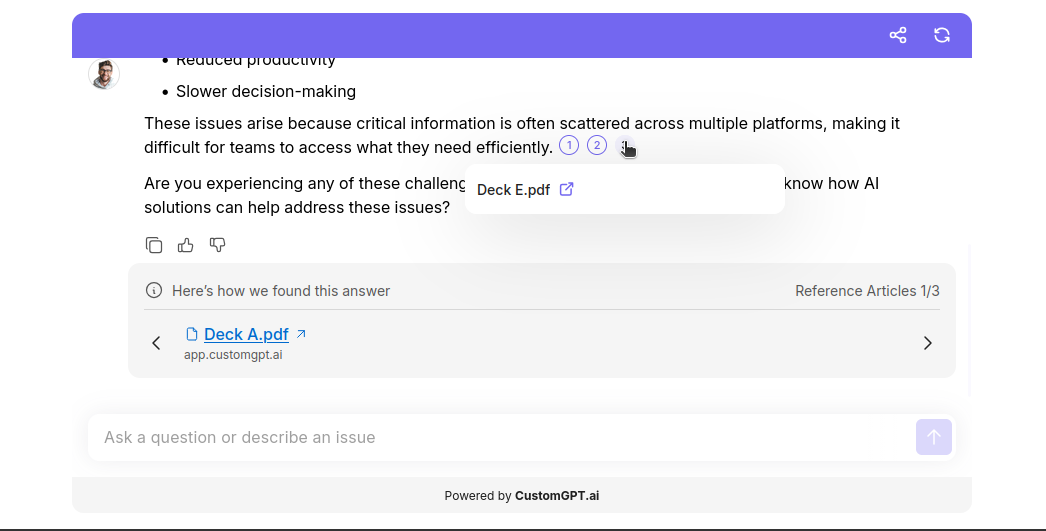
Part 4: Invalid label
If a label in your request does not exist, the system ignores it and resolves the remaining labels as usual.
Simple list
labels='A,Z' labels_exclusive="true"Z does not exist. Only Deck A is served.
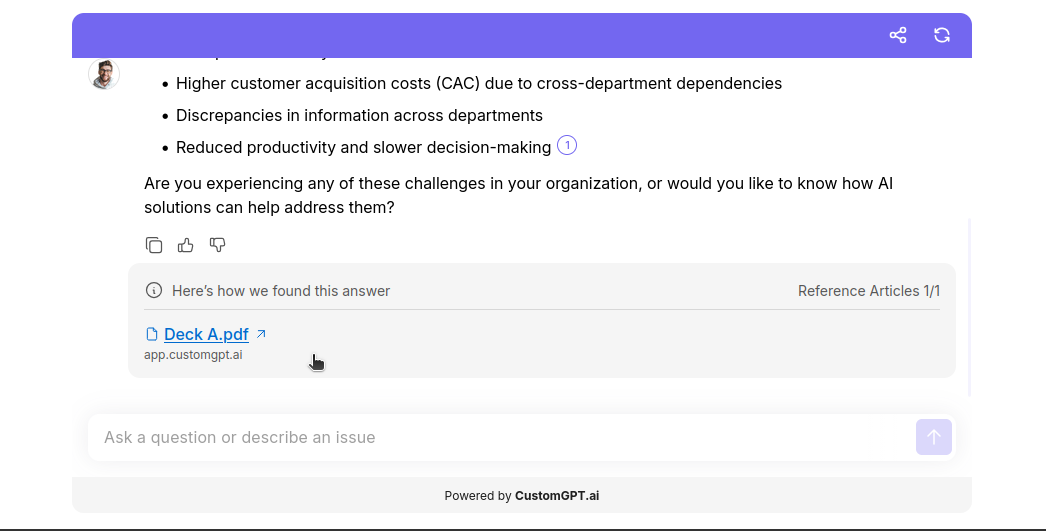
AND/OR list
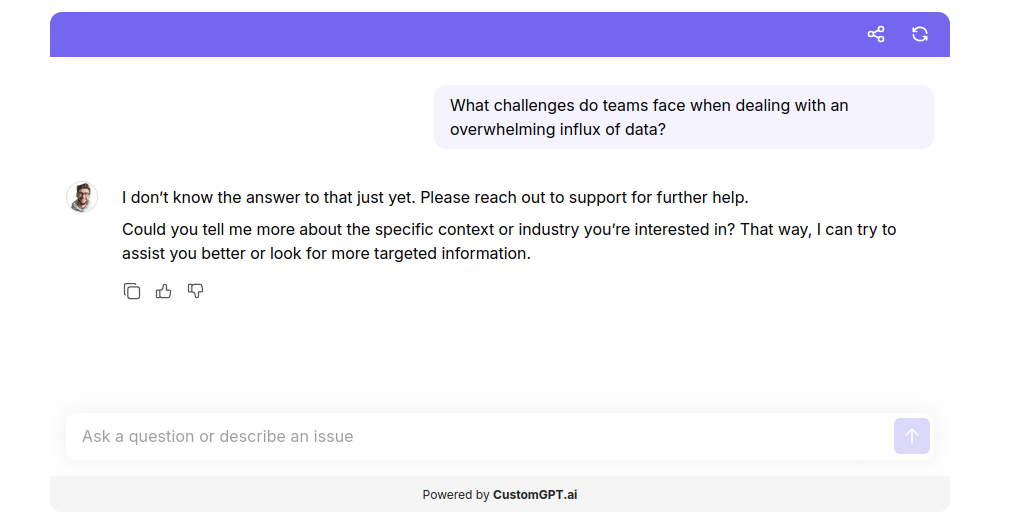
labels='[["A","B","Z"],["C","D","Z"]]' labels_exclusive="true"Z does not exist, so this resolves identically to [["A","B"],["C","D"]] - the empty-result example from Part 3. No sources are served.
Related articles
Updated about 6 hours ago