
Enable Vimeo auto-sync
Keep your agent's Vimeo content up to date by automatically syncing new, updated, or deleted videos on a set schedule.
Before you start
- Auto-sync requires a Premium or Enterprise plan.
- You must have a Vimeo source already connected to your agent. For more information, refer to 👉Connect to Vimeo.
Steps
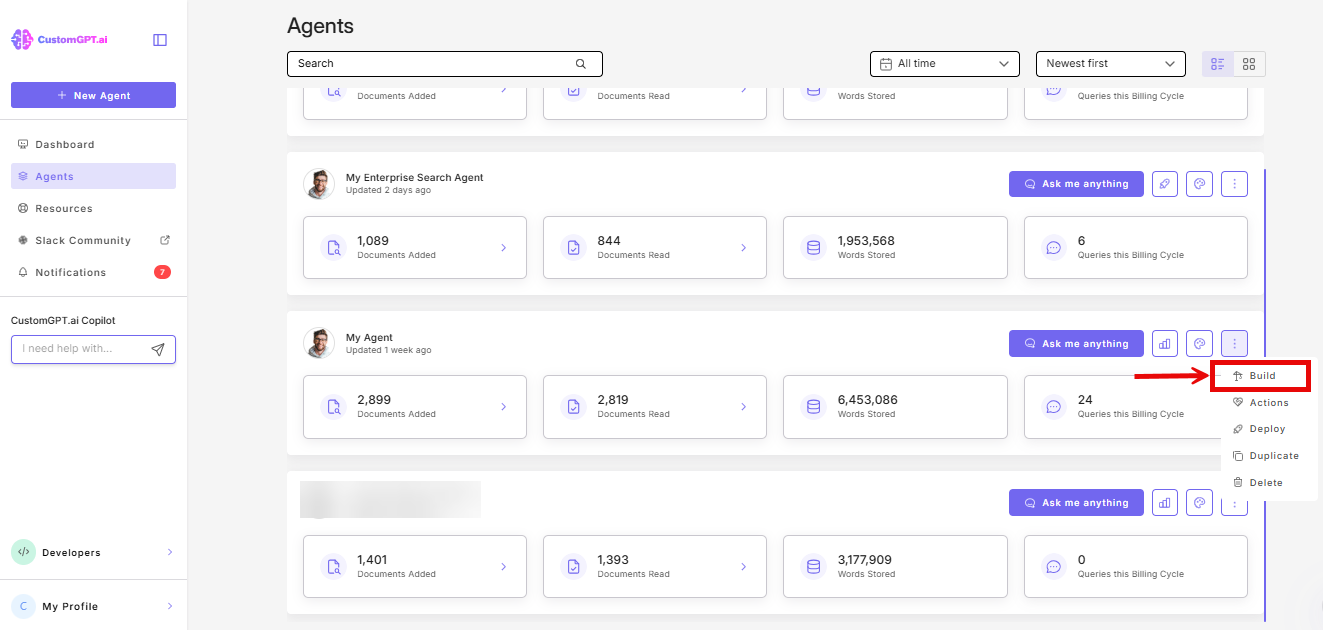
- From your dashboard, open your agent and select Build from the three-dot menu.
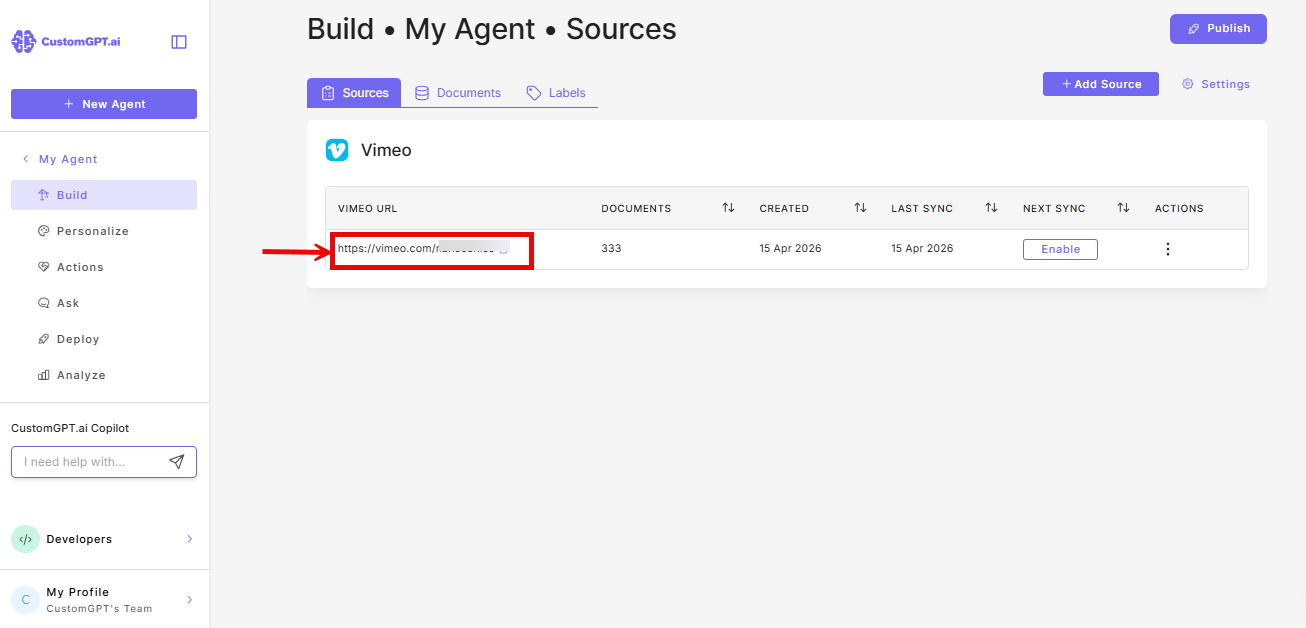
- On the Sources page and find your Vimeo source
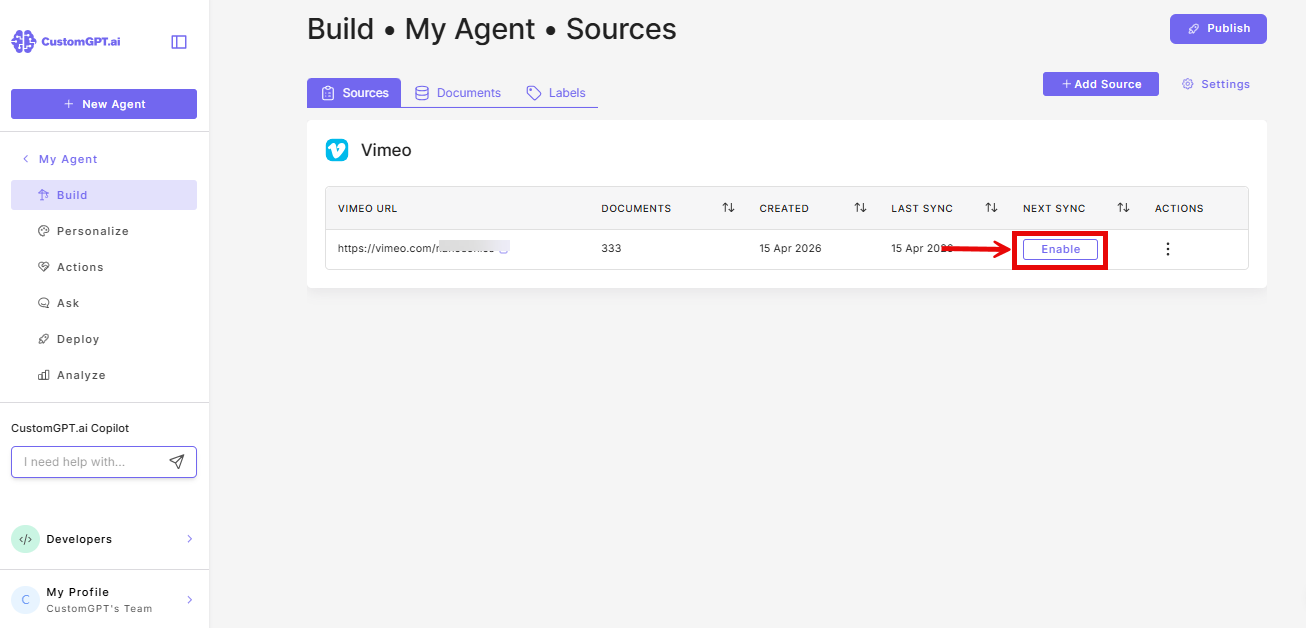
- Click Enable under the Next Sync column.
- Choose what to sync. Select which changes to apply on each sync:
- Auto-sync enabled
- Add new videos
- Remove deleted videos
- Update existing content
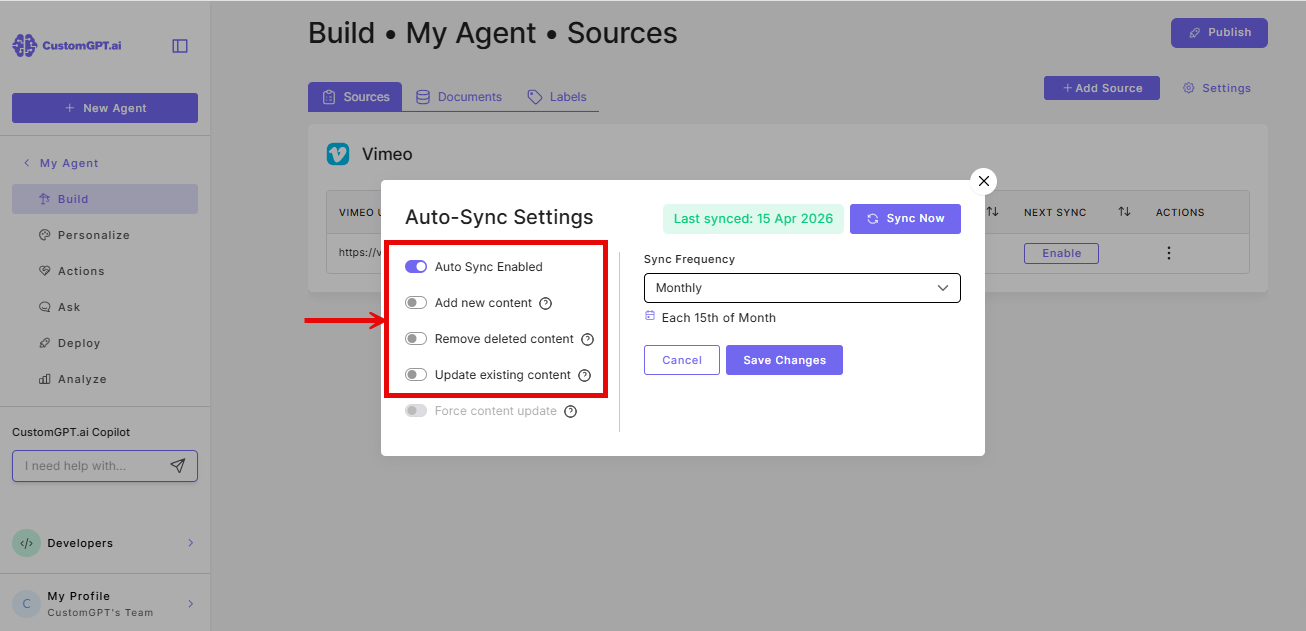
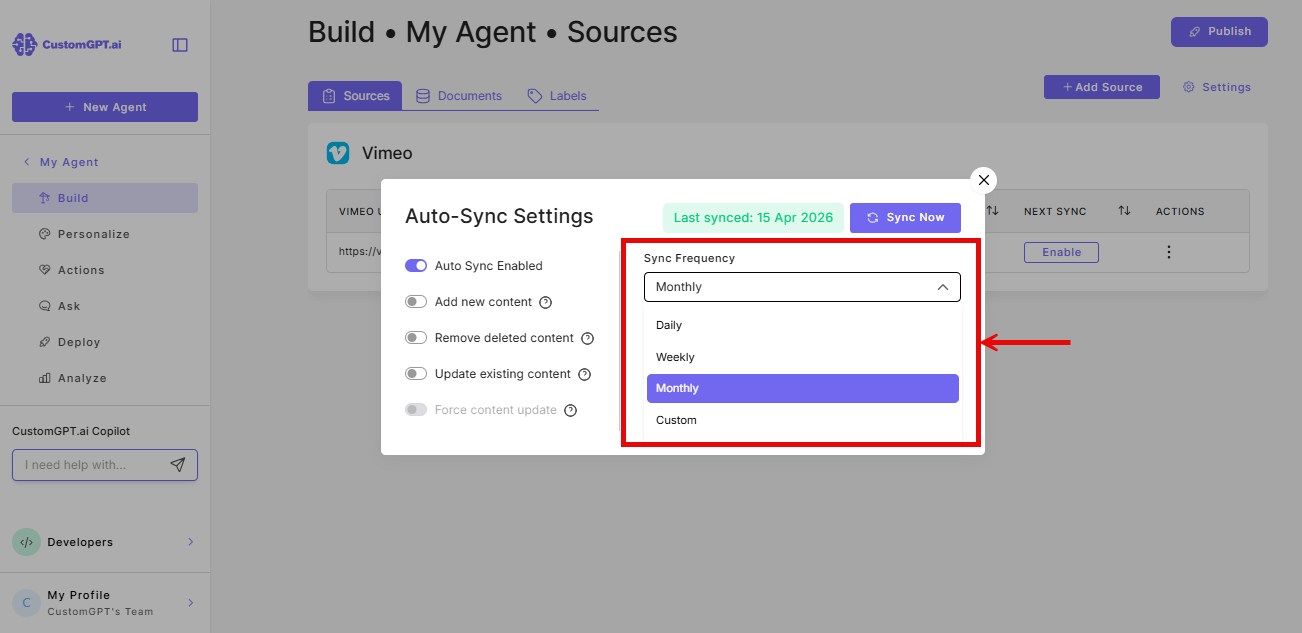
- Set your sync frequency
- Choose how often you want the sync to run: Daily, Weekly, Monthly, or Custom.
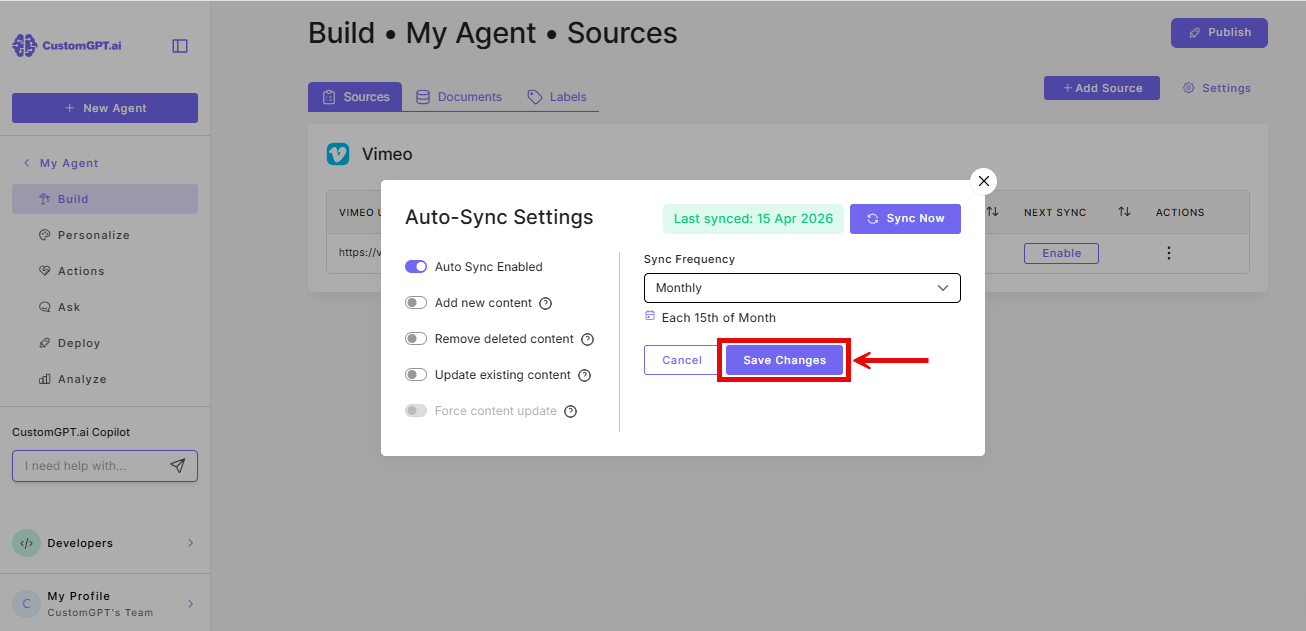
- Click Save Changes. Auto-sync is now active.
Things to know
- Only new, updated, or deleted videos are updated on each sync. Unchanged videos are not re-added.
- Videos without transcripts are re-synced for metadata updates only.
Related articles
Updated 6 months ago
Did this page help you?