
Enable Improved Numeric Search
This guide covers how to enable Improved Numeric Search on a new or existing agent.
For background on how the feature works, see [How Improved Numeric Search Works]
The setting must be enabled per agent. Once enabled, it cannot be reverted.
For new agents
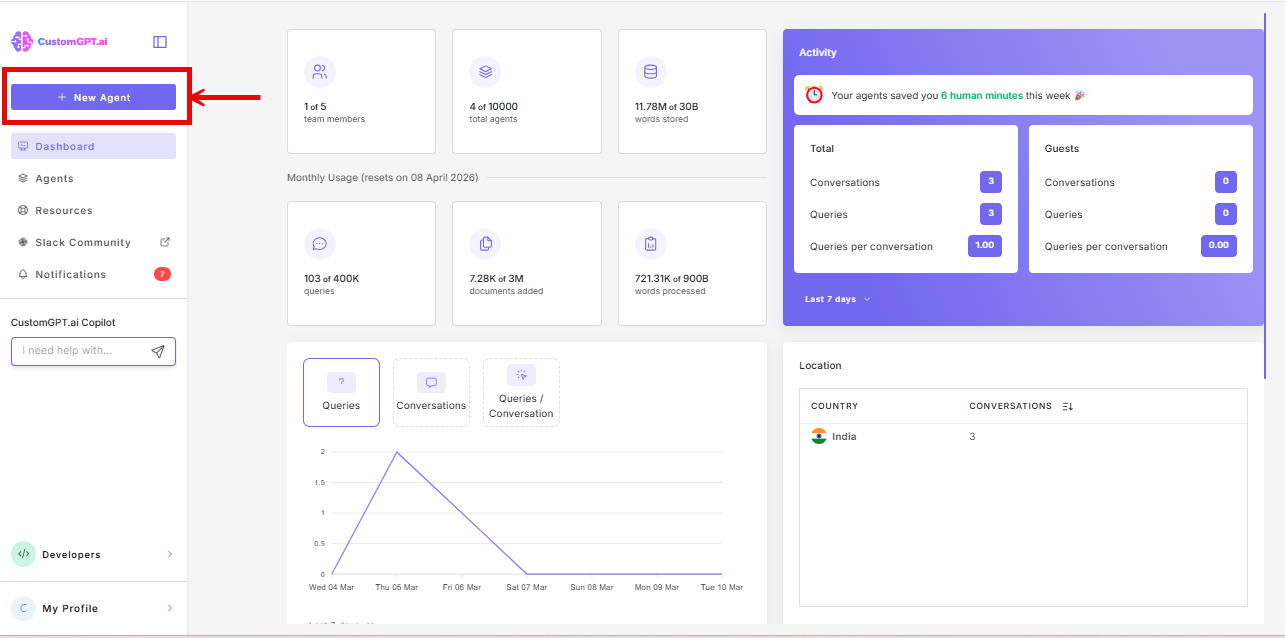
- Click New Agent.
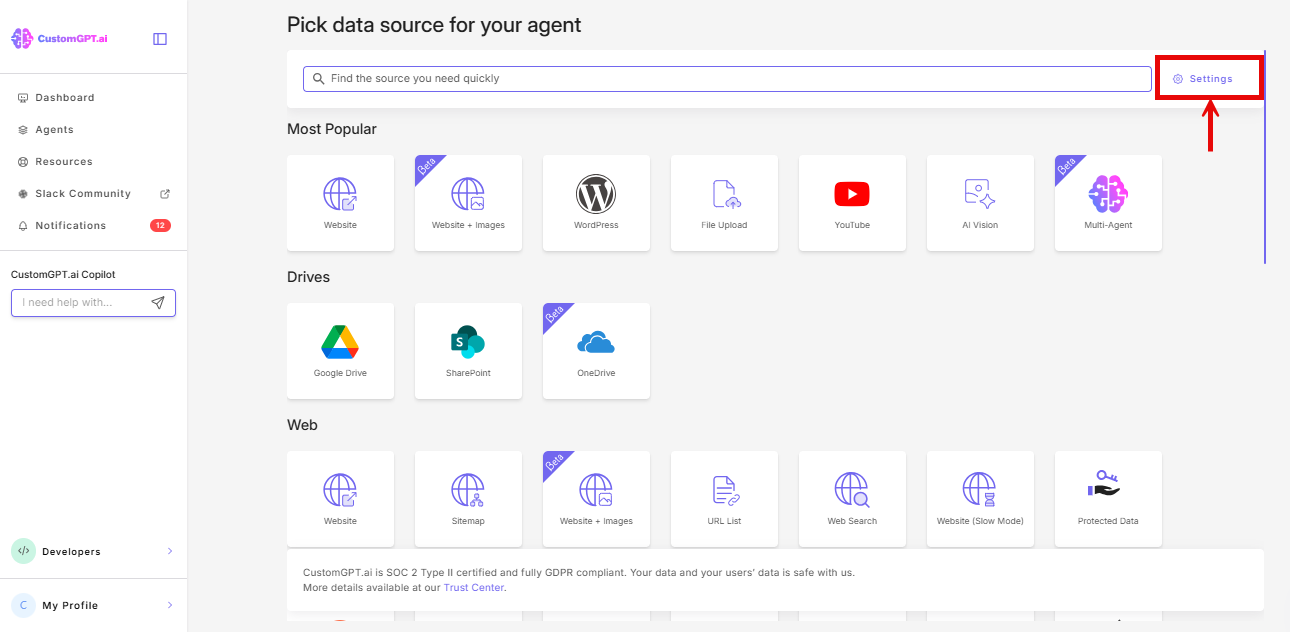
- On the Pick data source for your agent page, click the Settings icon beside the search bar.
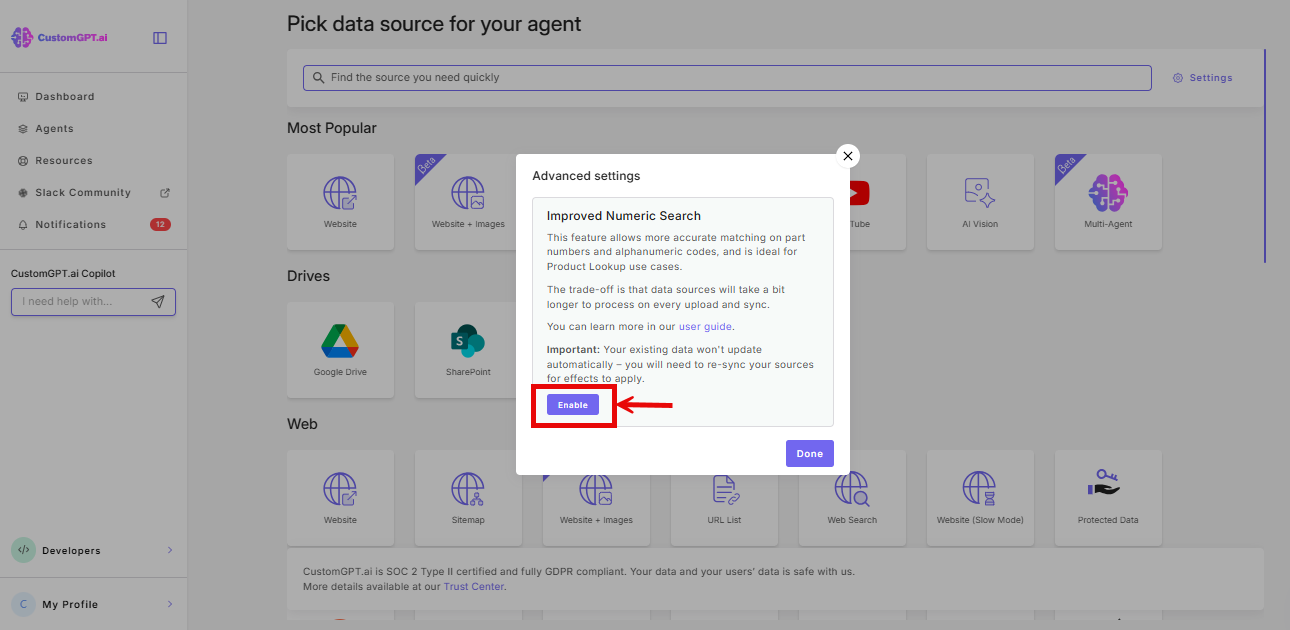
- Click Enable in the Improved Numeric Search panel.
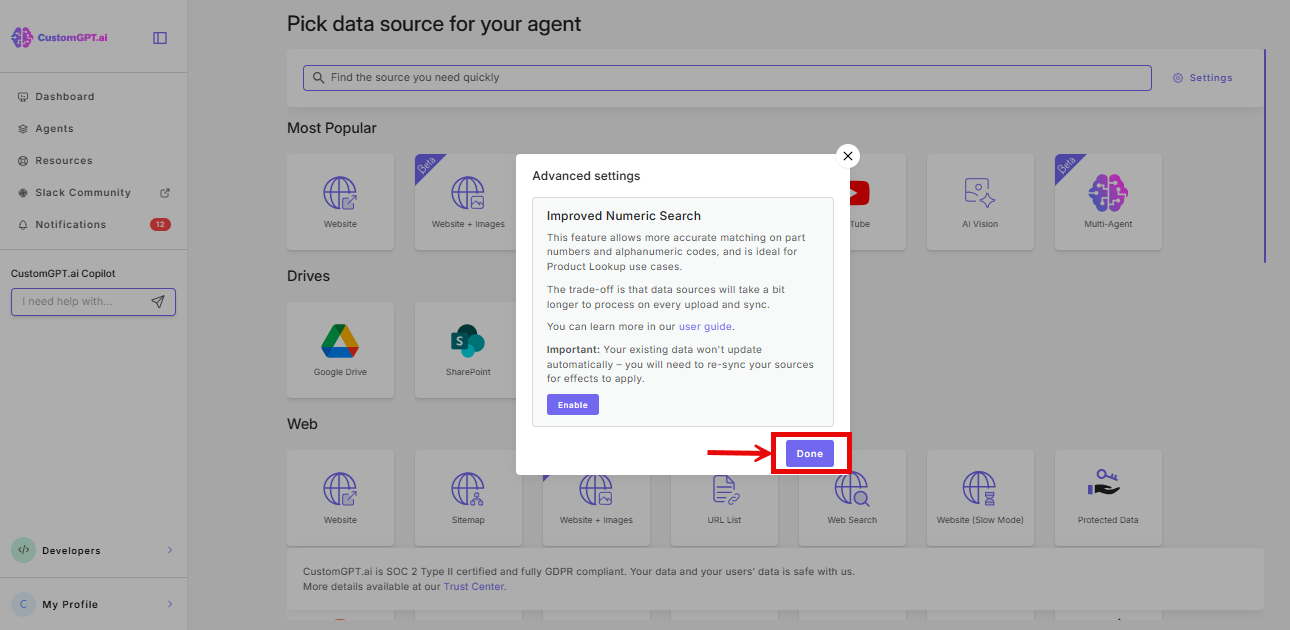
- Click Done.
For existing agents
You can enable the setting from either the Build page or the Citations section.
From the Build page:
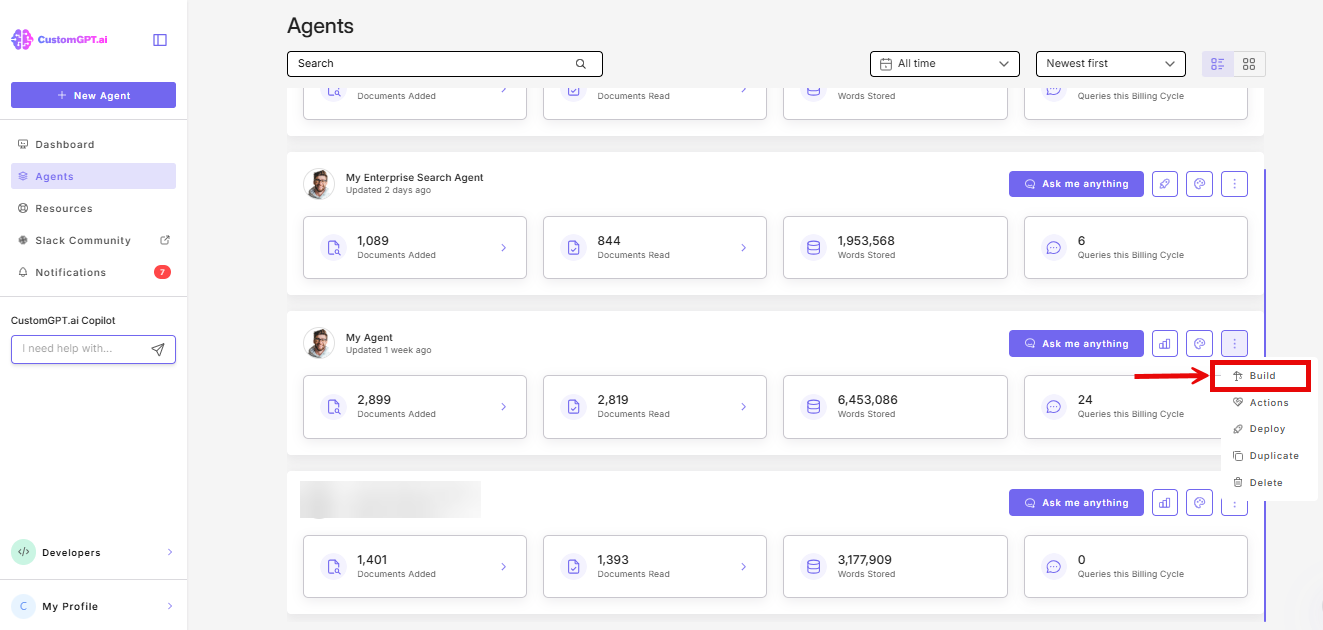
- Click the three dots next to your agent’s name, then select Build.
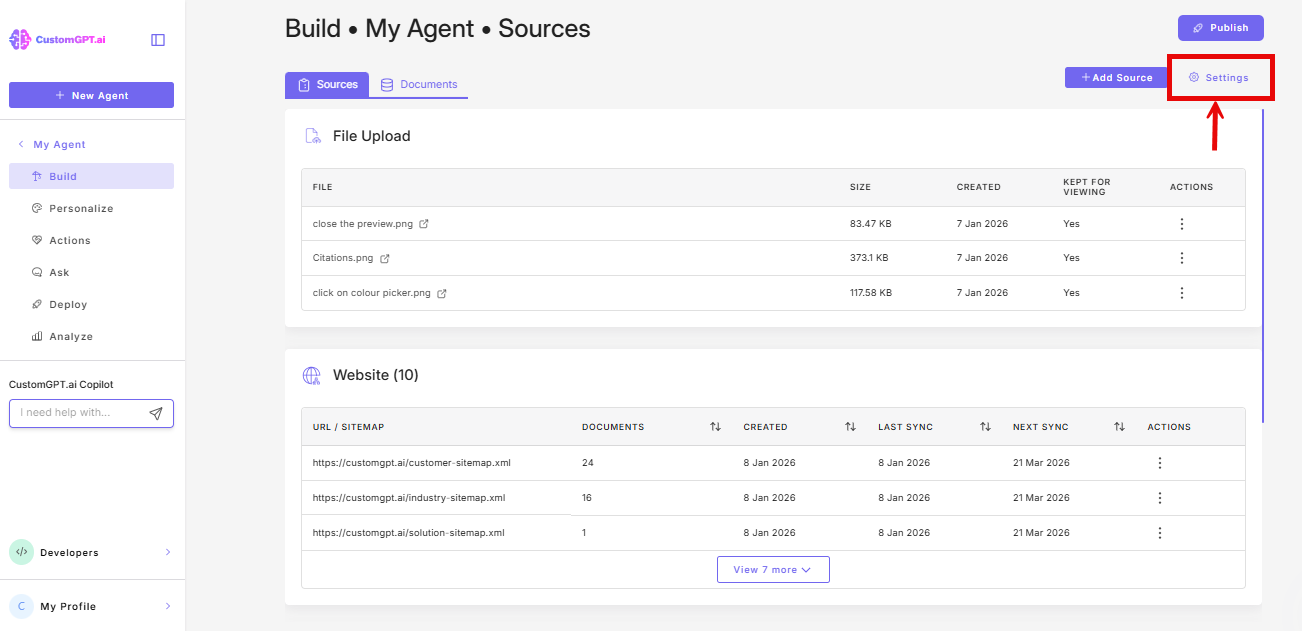
- Click Settings.
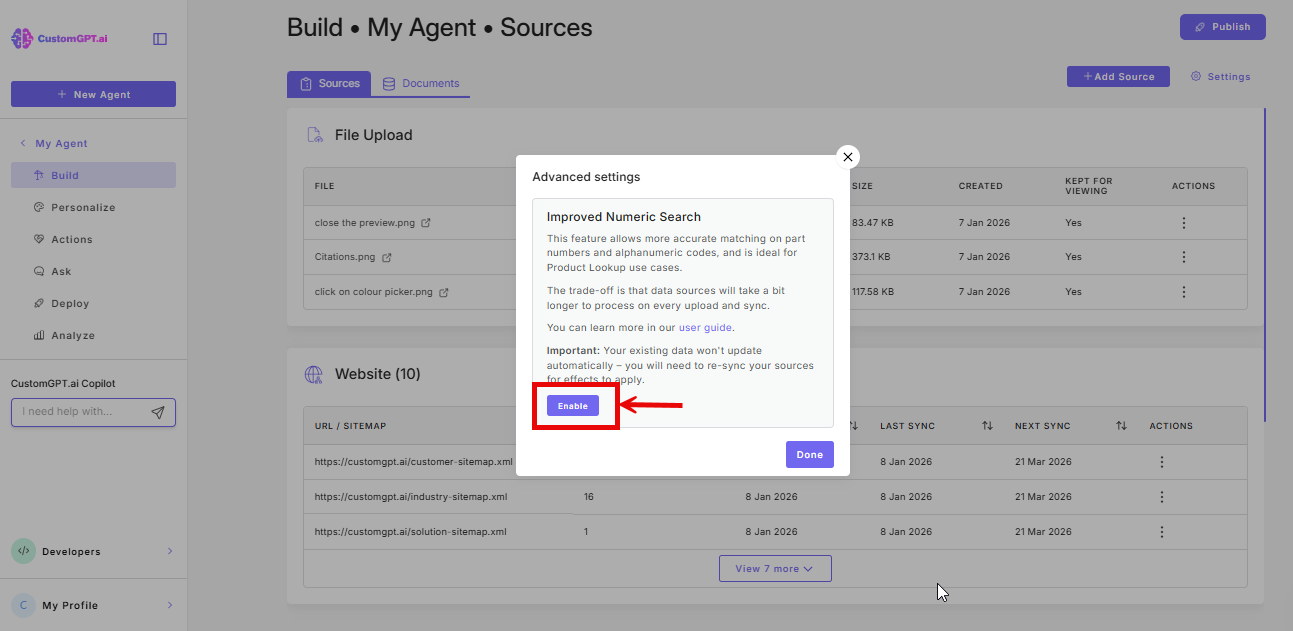
- Enable Improved Numeric Search.
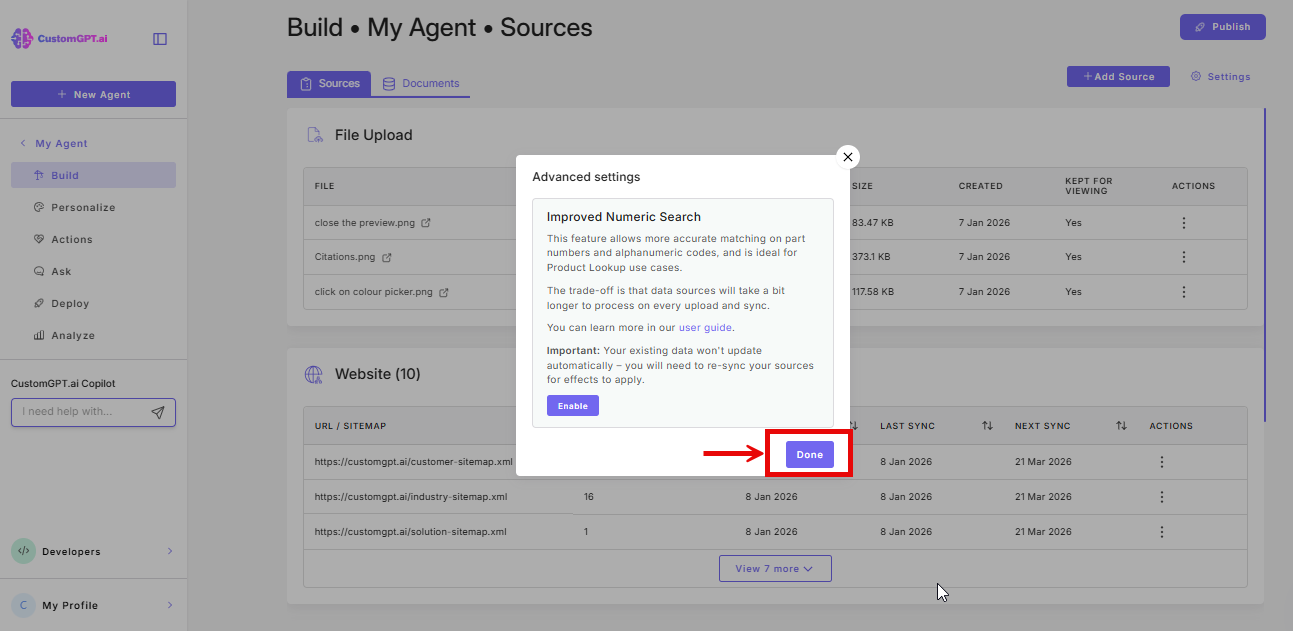
- Click Done.
From Citations:
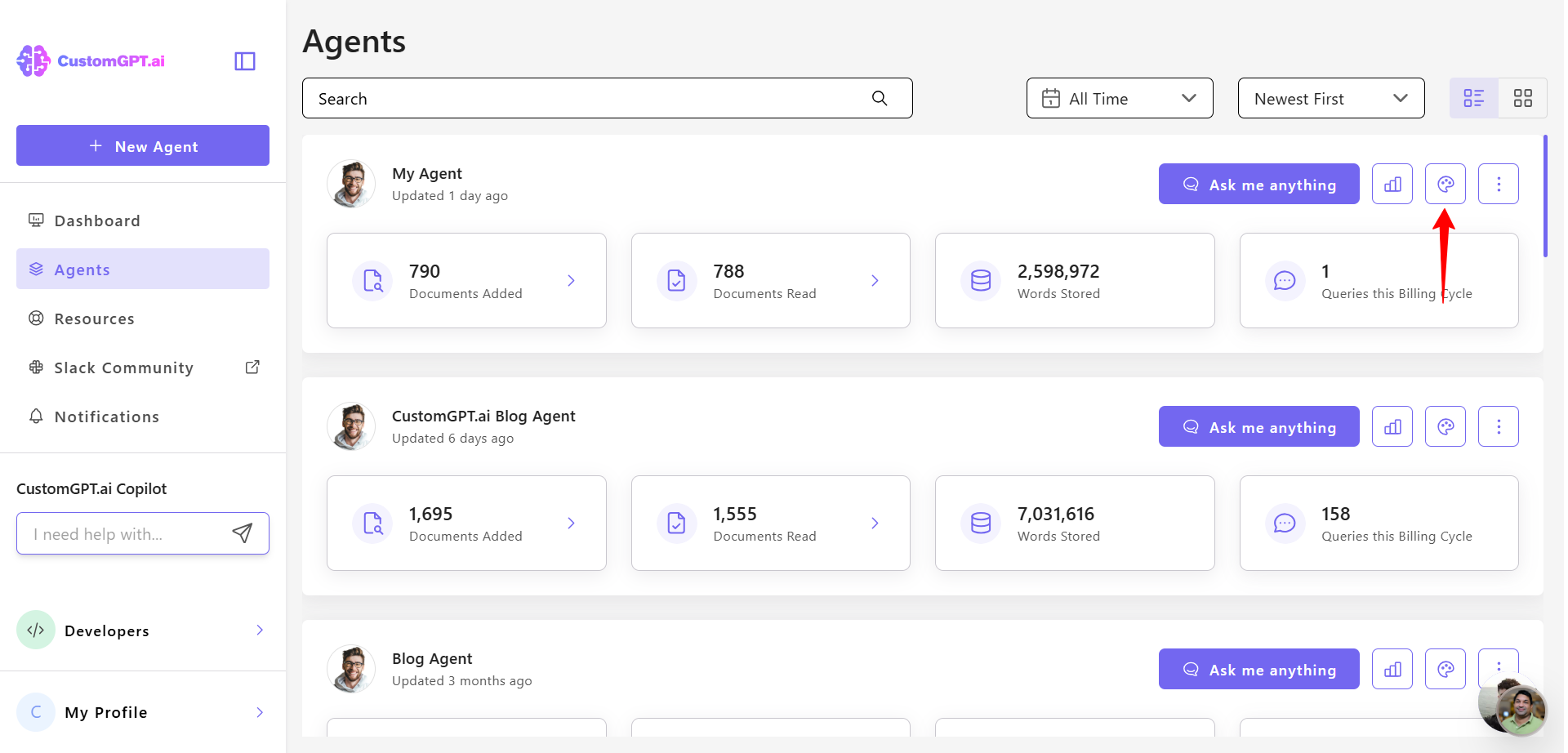
- On your dashboard, click Personalize.
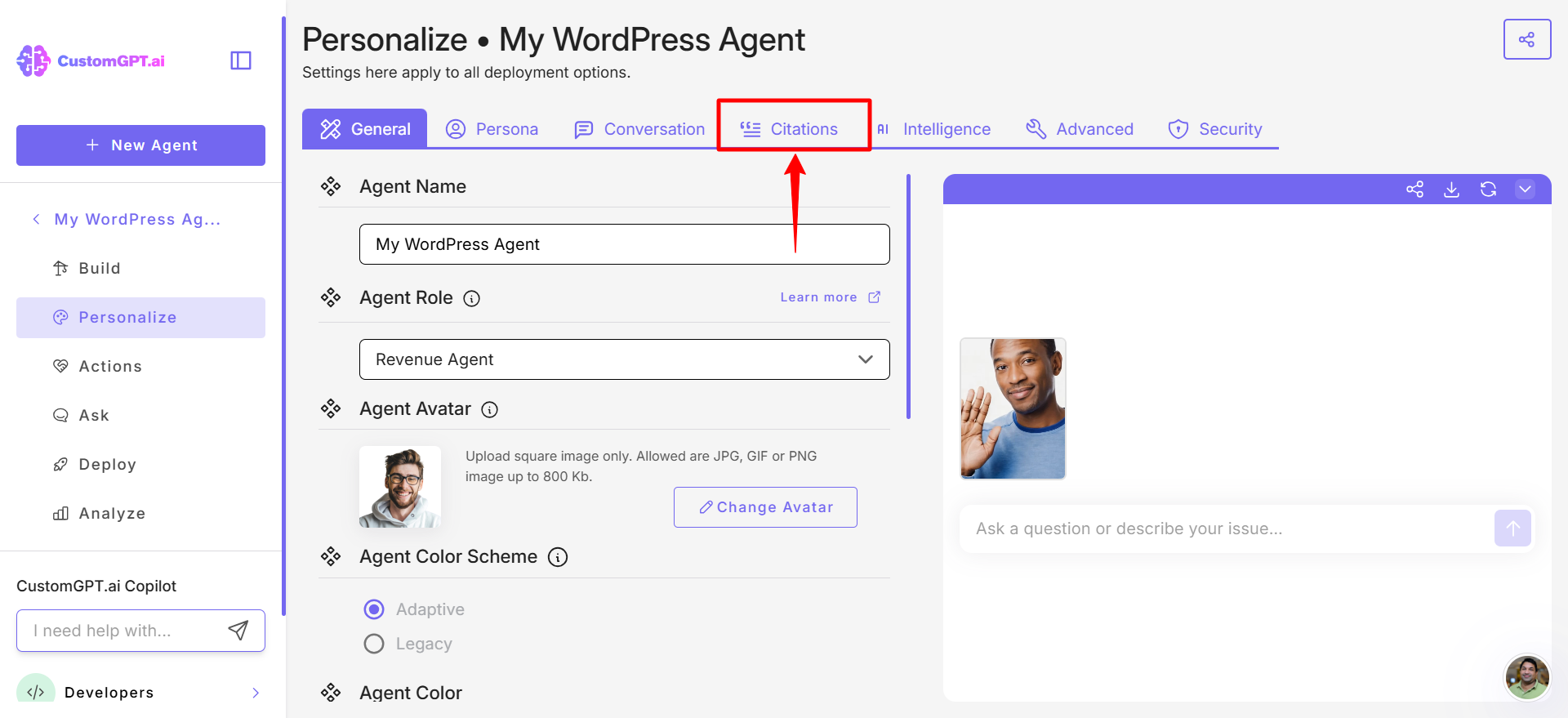
- Click Citations tab.
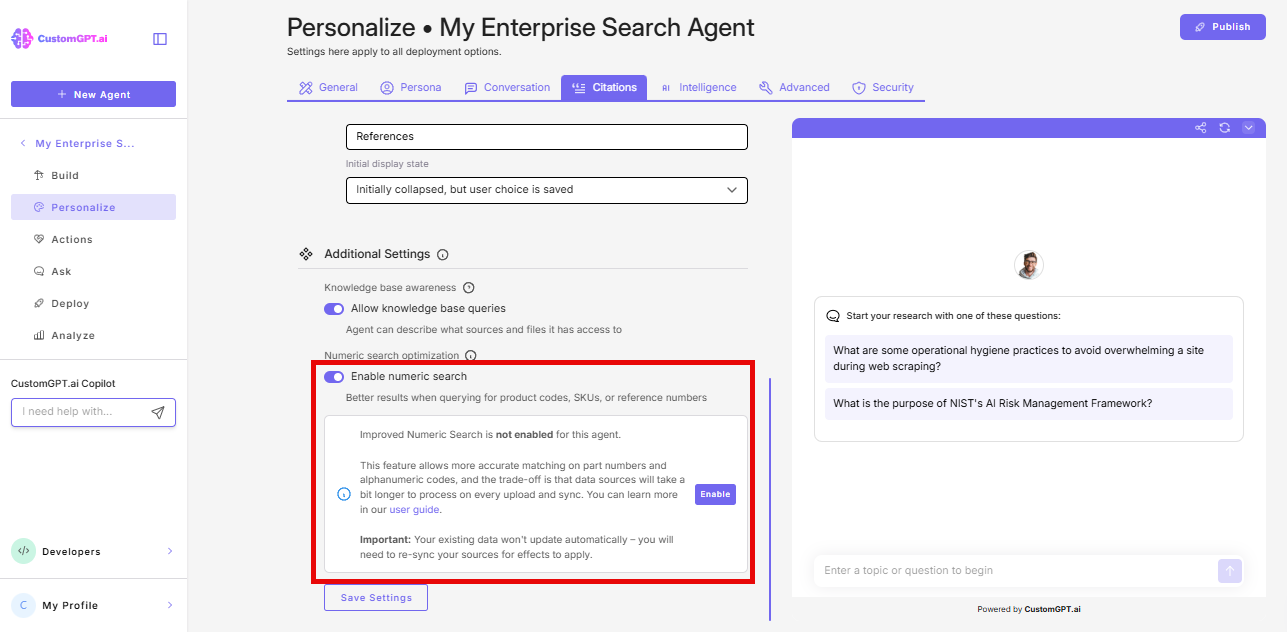
- Scroll down to Additional Settings, find the Numeric Search toggle.
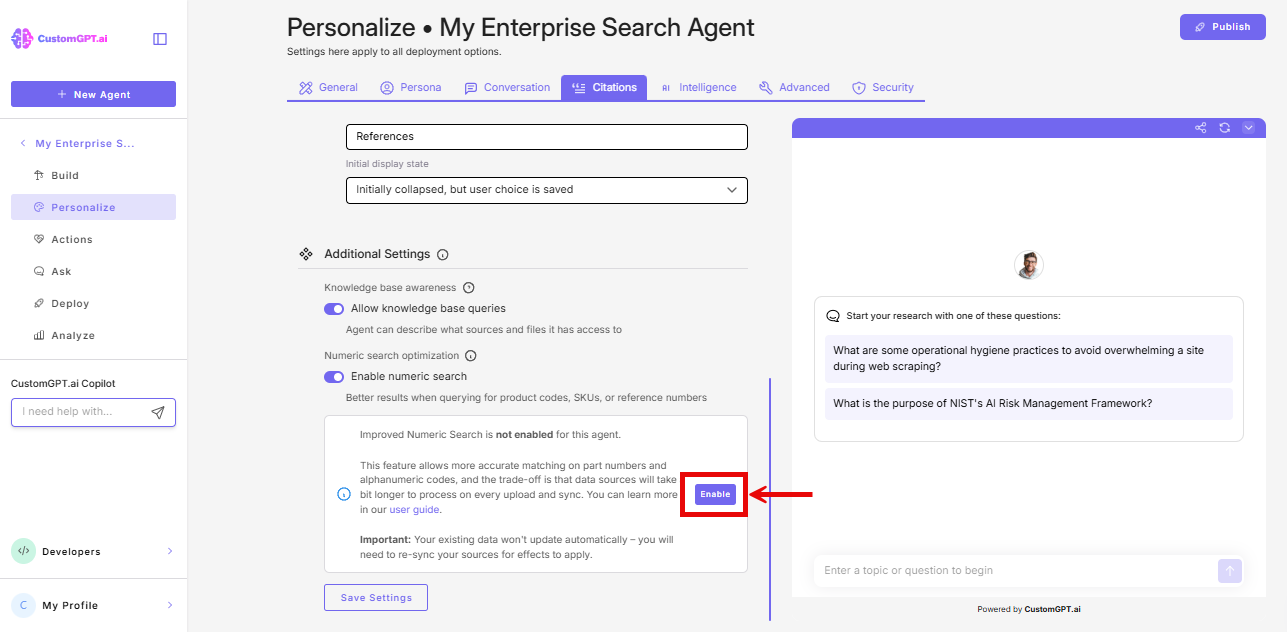
- Click Enable in the banner below the toggle.
- Click Save Settings.
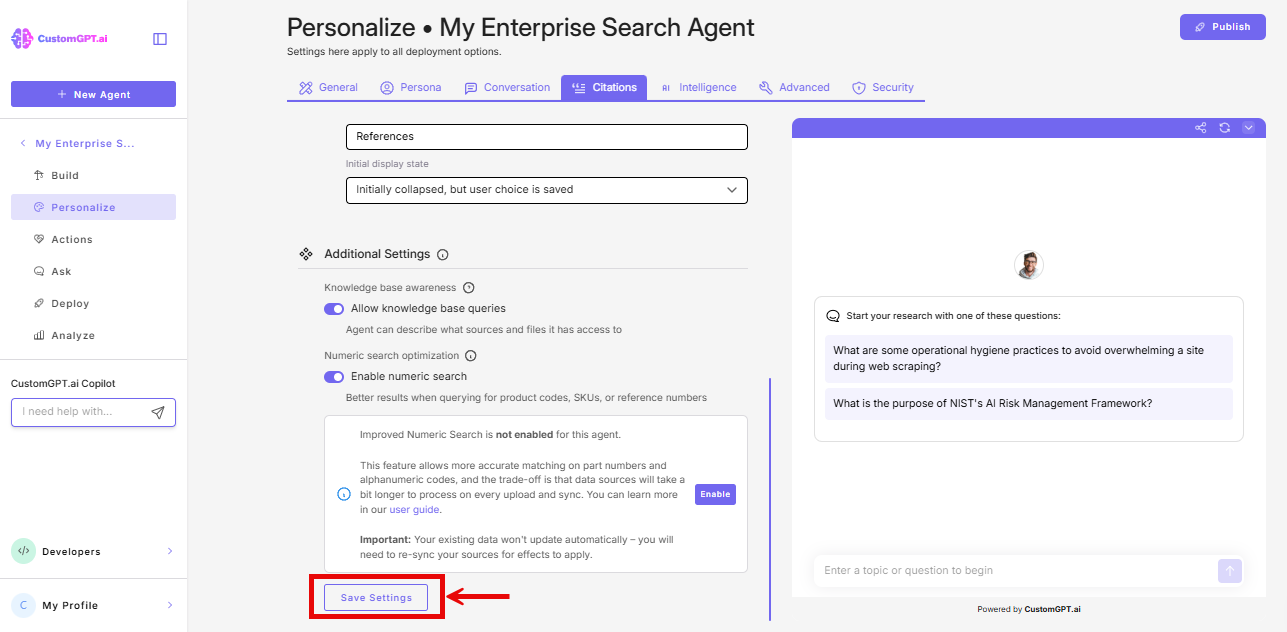
Improved Numeric Search requires the basic Numeric Search toggle to also be enabled. Check Personalize > Citations and confirm the Numeric Search toggle is on before enabling Improved Numeric Search.
Re-sync after enabling
Enabling the setting does not automatically reprocess existing documents. To apply Improved Numeric Search to documents already in your knowledge base, re-sync them:
- Re-sync the entire agent to apply the setting to all existing documents.
- Or re-sync only the files that contain the codes you need - product catalogs, price lists, parts databases, etc.
Documents added after enabling the setting are processed automatically - no re-sync needed.
If your search results don't improve right away: Your existing documents are still using the old search until you re-sync them. Enable the setting first, then re-sync.
Connected sources (SharePoint, Google Drive, etc.): Re-syncing a connected source applies Improved Numeric Search to those documents the same way it does for uploaded files.
Things to know
- Permanent once enabled: Cannot be reverted. All documents added to the agent after this point will use Improved Numeric Search.
- Agent duplication: If you duplicate an agent that has Improved Numeric Search enabled, the copy inherits the setting and all carried-over sources are automatically re-synced. Note: connected sources (SharePoint, Google Drive, etc.) are not duplicated - only static sources such as sitemaps, websites, and YouTube.
- Available to all plans: No plan restriction.
Related articles
Updated 7 months ago