
Use Vimeo videos as a knowledge source
Add any Vimeo channel, showcase, or collection as a data source for your CustomGPT agent.
Before you start
Videos must have a transcript available on Vimeo. Videos without a transcript are stored for title, description, and tags only - your agent cannot answer questions about their spoken content.
Add Vimeo to a new agent
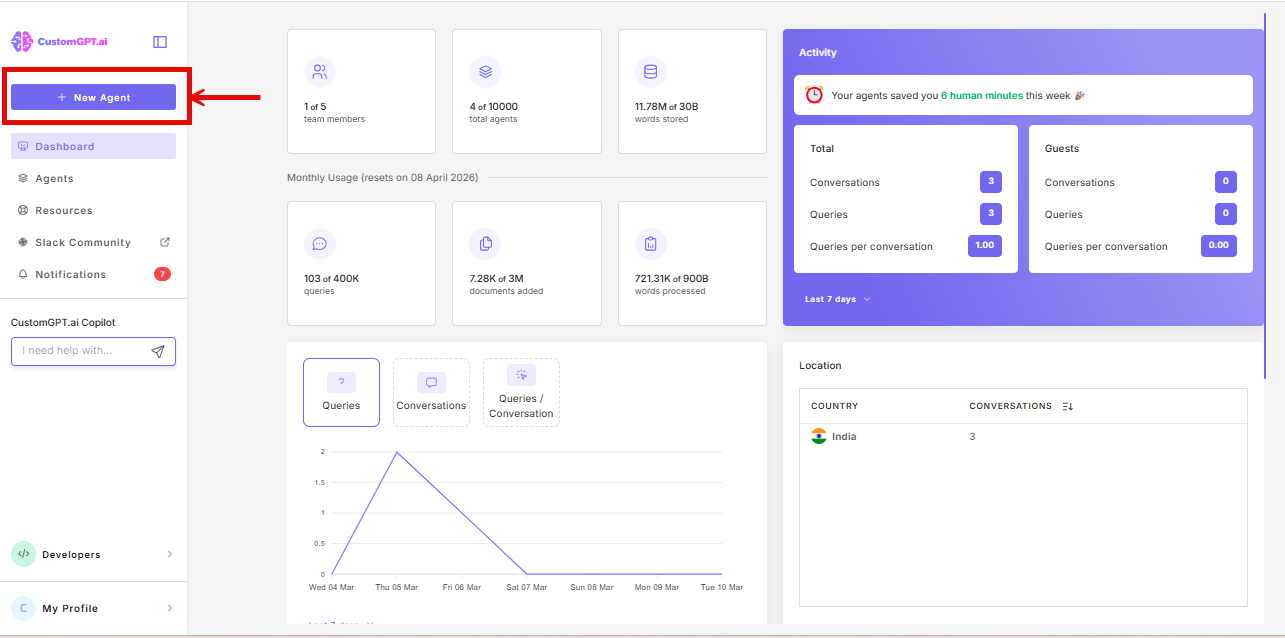
- From your dashboard, click New Agent.
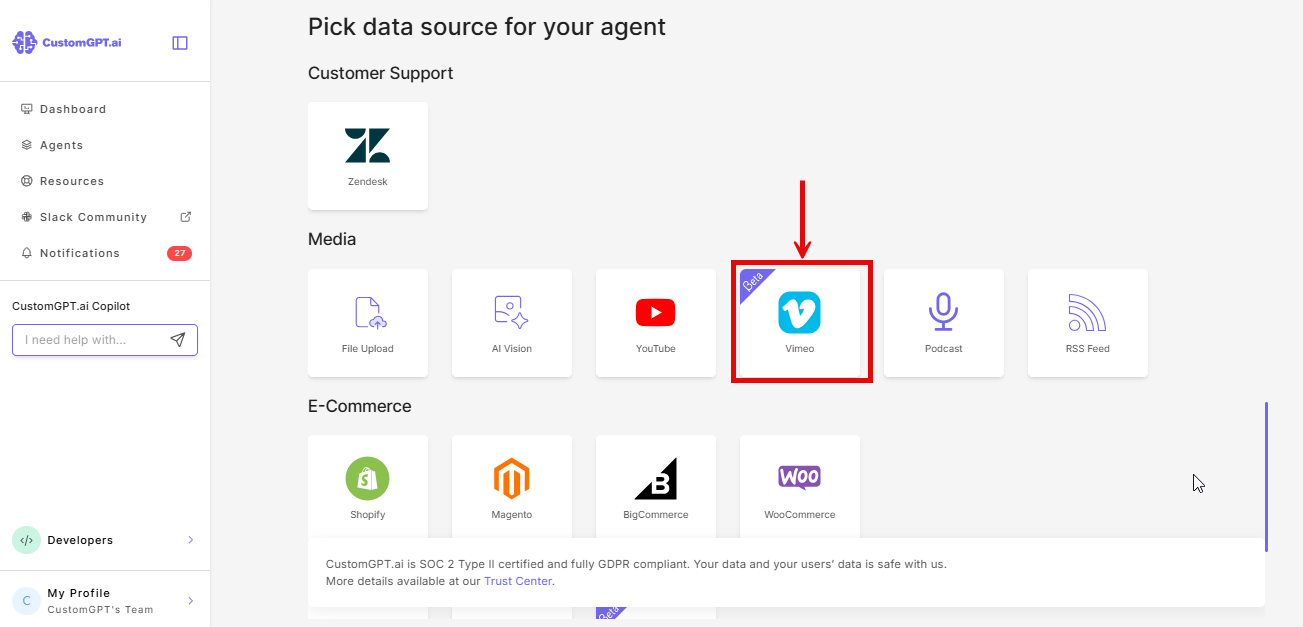
- In the data source selection screen, go to the Media section and click the Vimeo card.
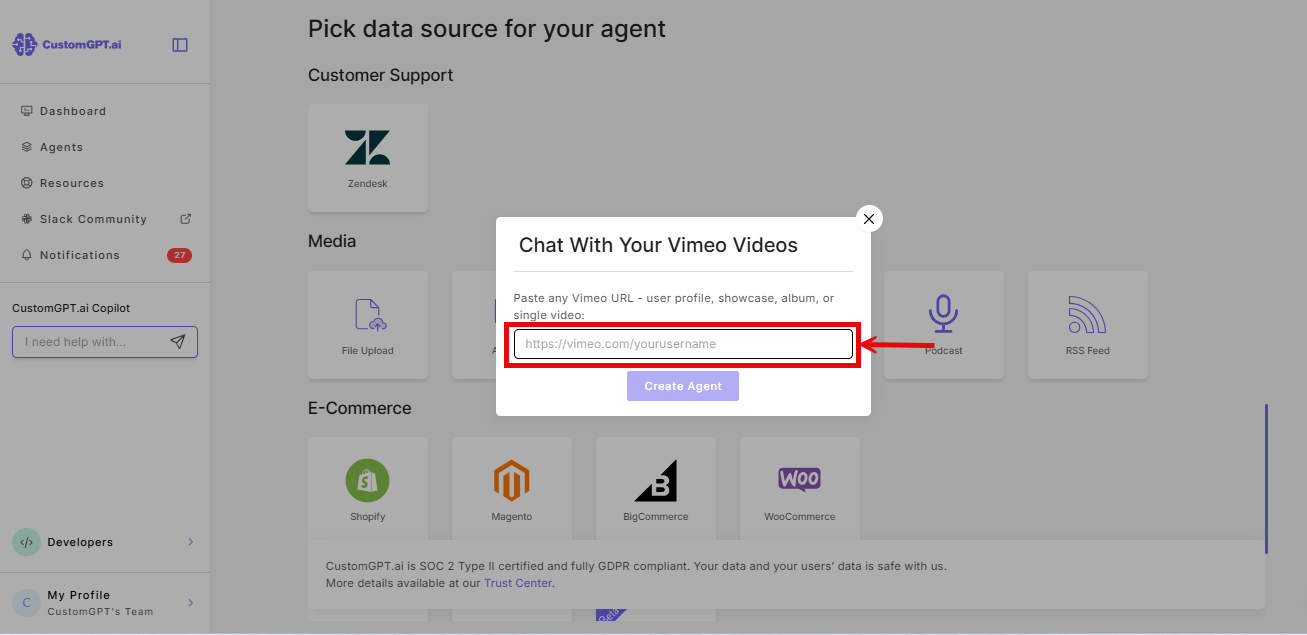
- Paste your Vimeo URL into the URL field. Refer to 👉Vimeo URL formats and sync limits for all supported formats.
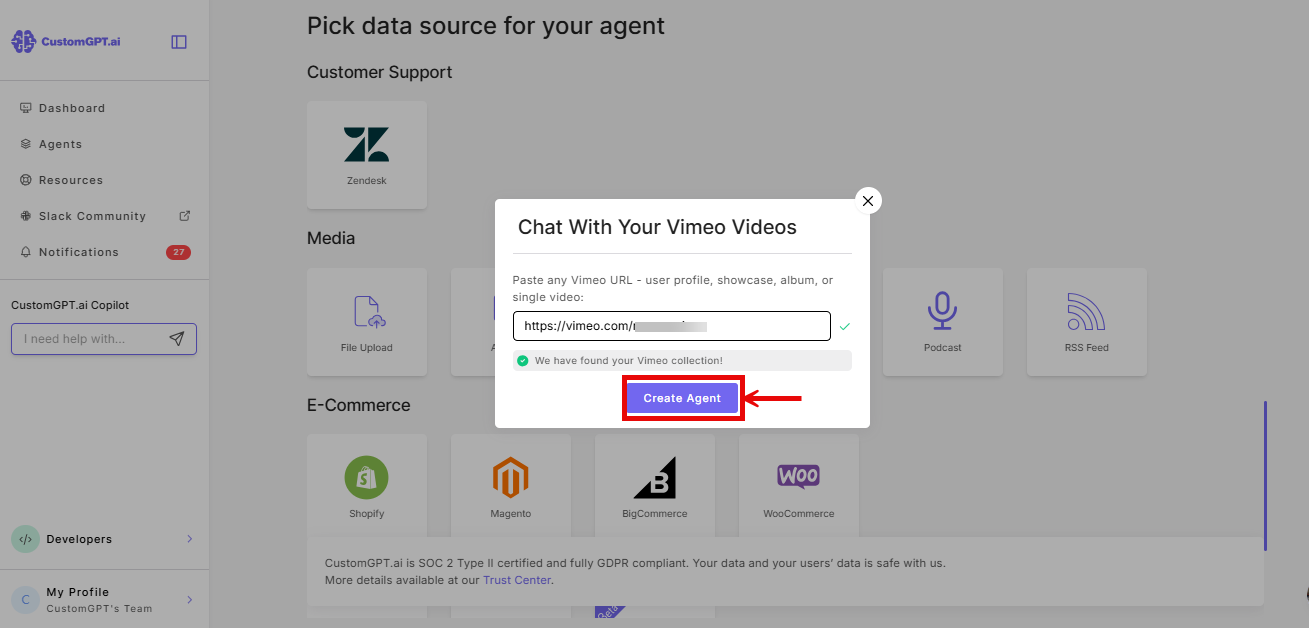
- Click Create Agent.
Add Vimeo to an existing agent
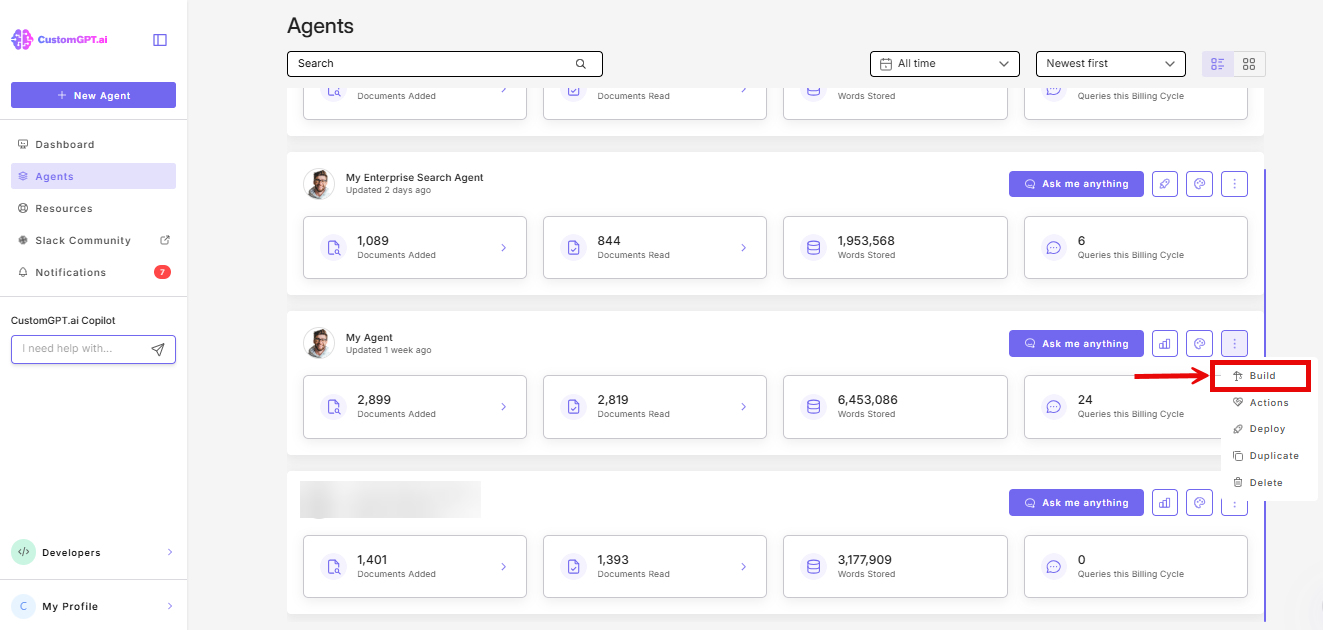
- From your dashboard, open your agent and select Build from the three-dot menu.
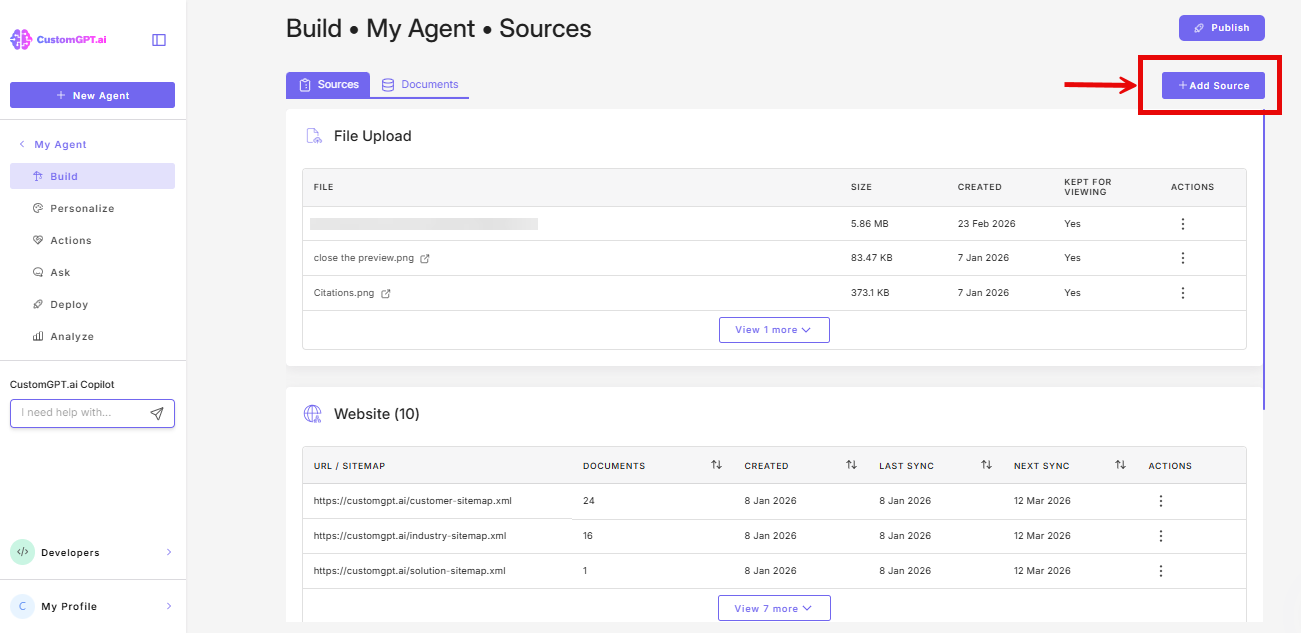
- Click Sources on the Sources page
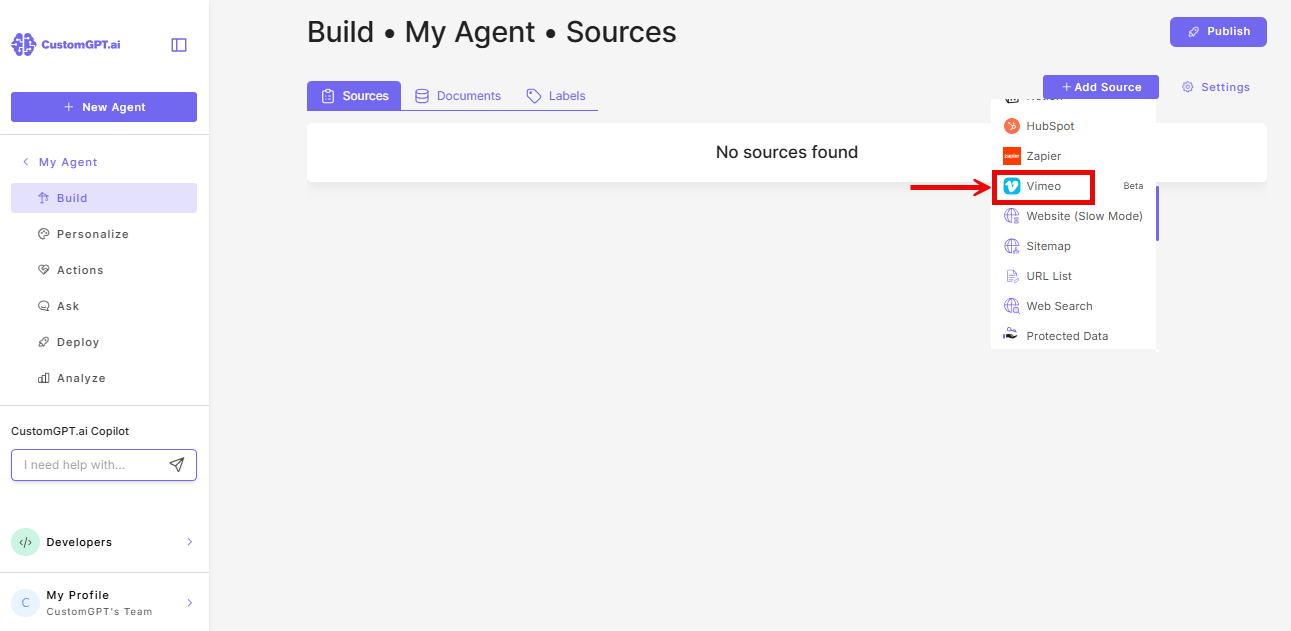
- Click on Vimeo from the dropdown menu
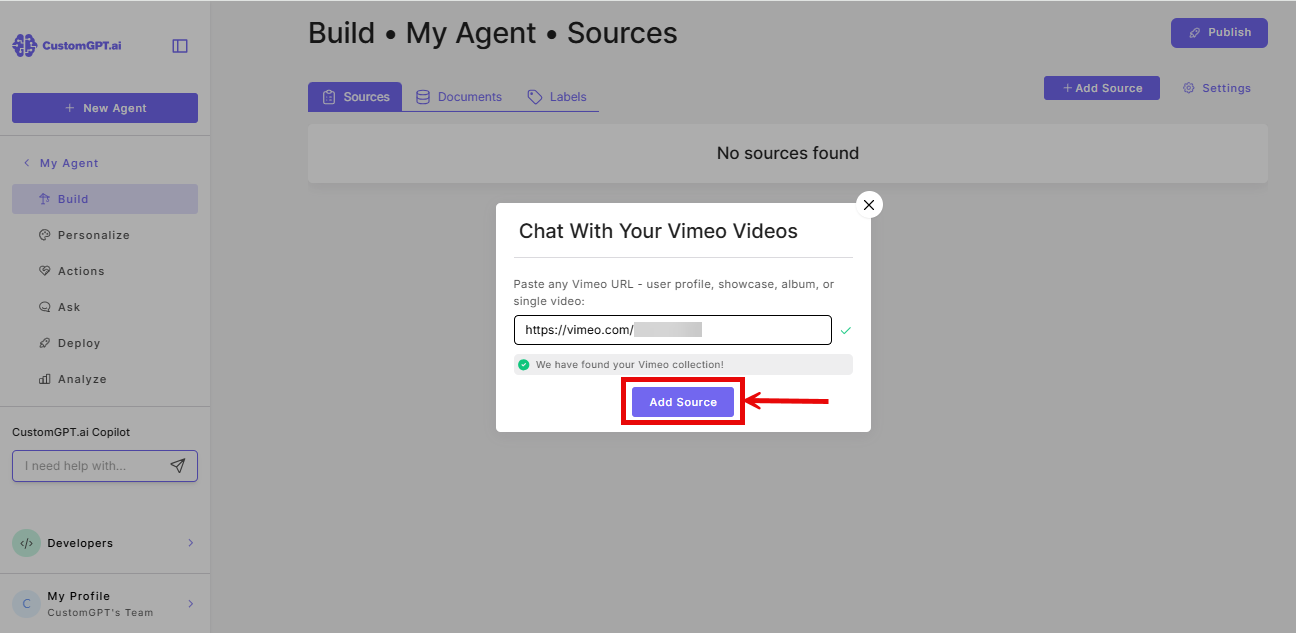
- Paste your Vimeo URL into the URL field. Refer to👉Vimeo URL formats and sync limits for all supported formats.
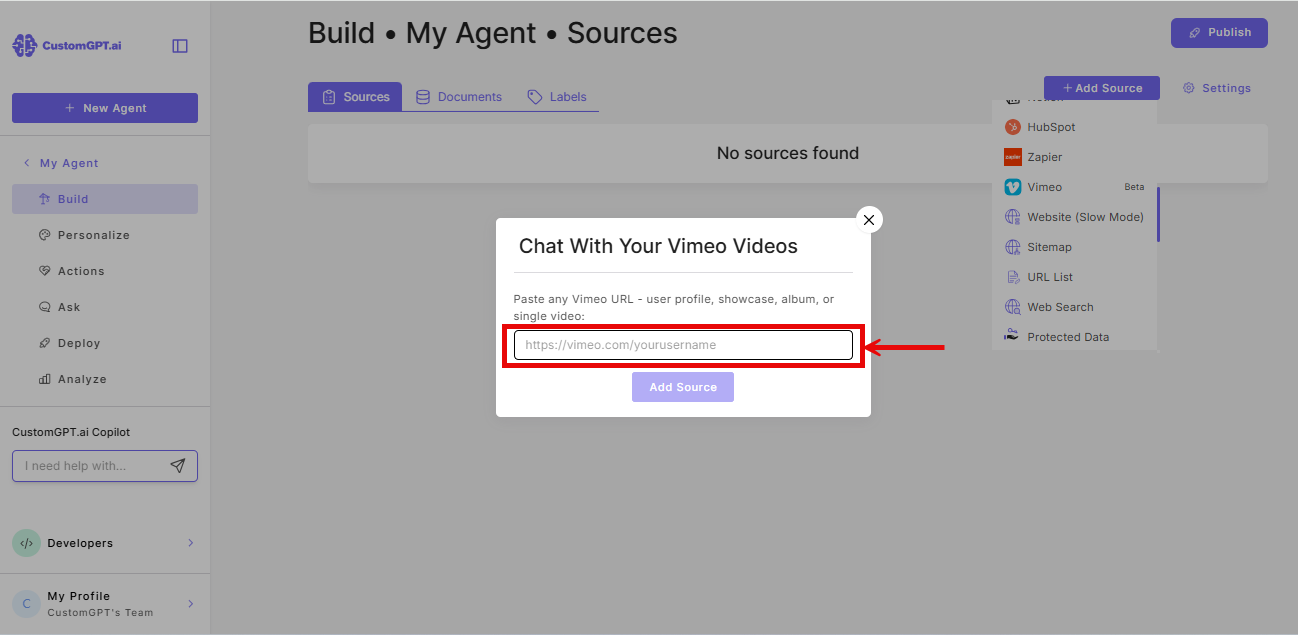
- Click Add Source.
Keep your agent up to date
To automatically sync new, updated, or deleted videos on a schedule, refer to Enable Vimeo auto-sync. Available on Premium and Enterprise plans.
Related articles
- How Vimeo integration works
- Enable Vimeo auto-sync
- Vimeo URL formats and sync limits
- Add one or more YouTube videos
- Connect to a YouTube channel
Updated 6 months ago
Did this page help you?