
Enable JWT Login for Embedded Agents
Use this when your website already authenticates users and you want them automatically signed in to an embedded CustomGPT.ai agent. With JWT auto-login configured, the chat interface opens directly- no sign-in button, no popup.
Before you start
- End-User IdP Access must already be enabled. If not, see Deploy AI Agents to Your Organization via IdP.
- You need backend access to sign JWTs. Never sign JWTs in browser JavaScript - the private key must stay on the server.
- You need a public/private key pair. RS256 is recommended.
- Role names in the JWT must match existing CustomGPT.ai team roles (case-insensitive). The matched role must have access to at least one agent.
Step 1: Enable JWT authorization in CustomGPT.ai
- Sign in as the team owner.
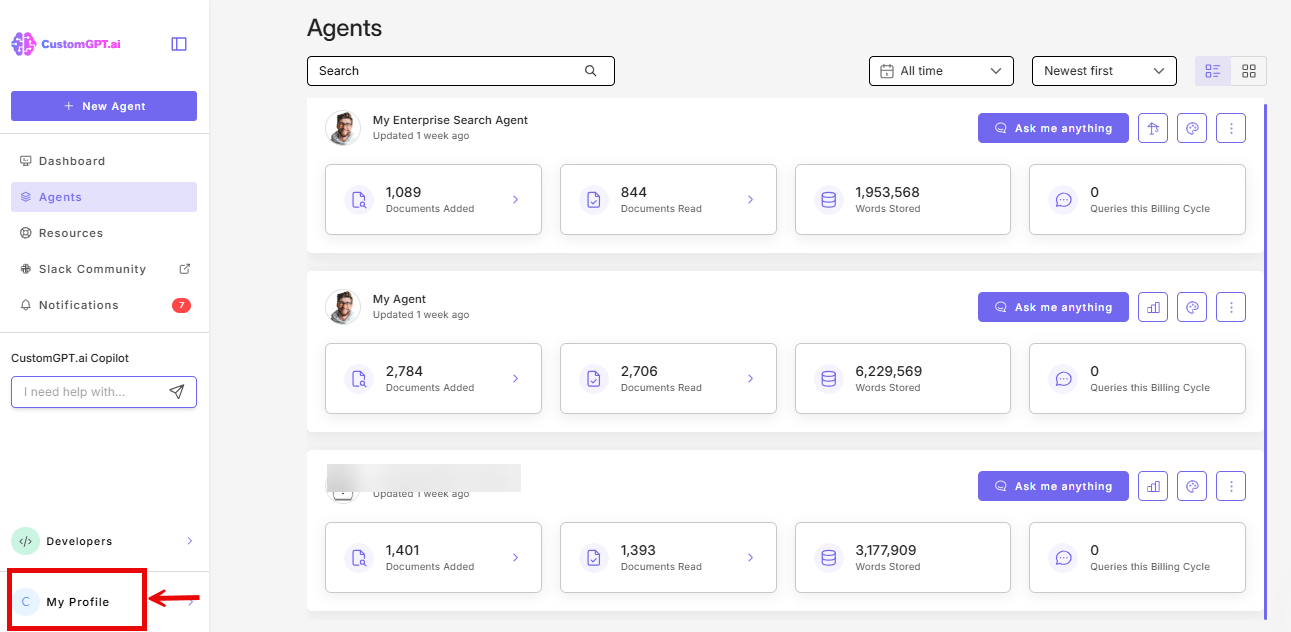
- Click the My Profile icon in the bottom-left corner.
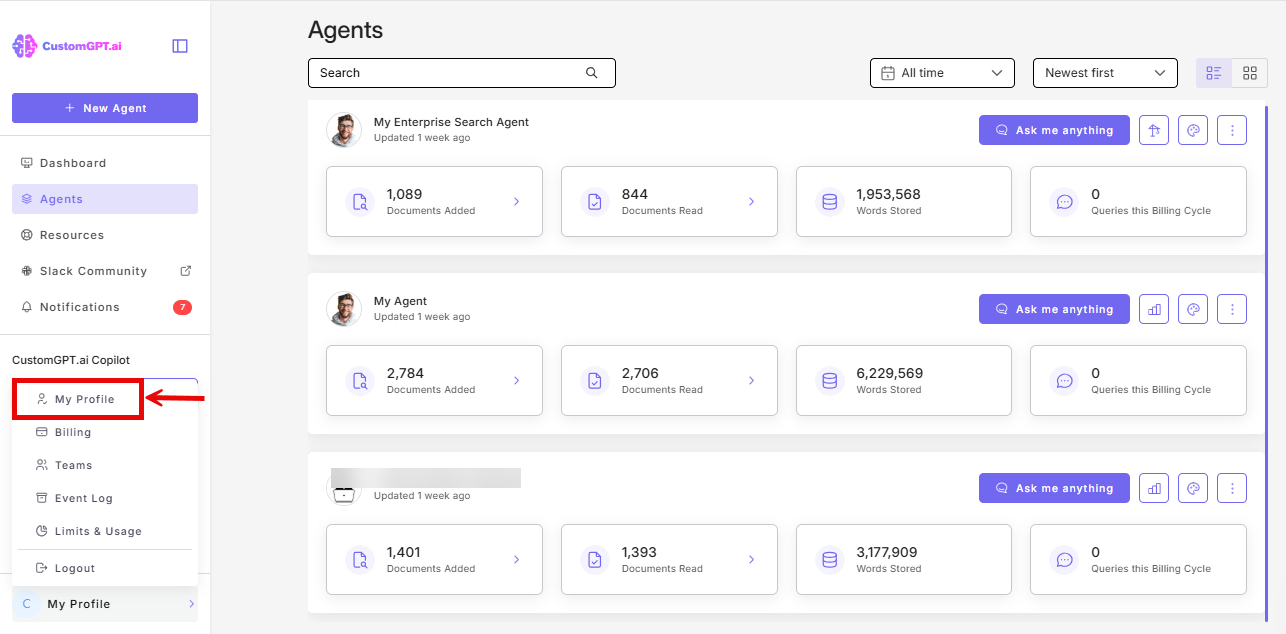
- Click My Profile from the dropdown.
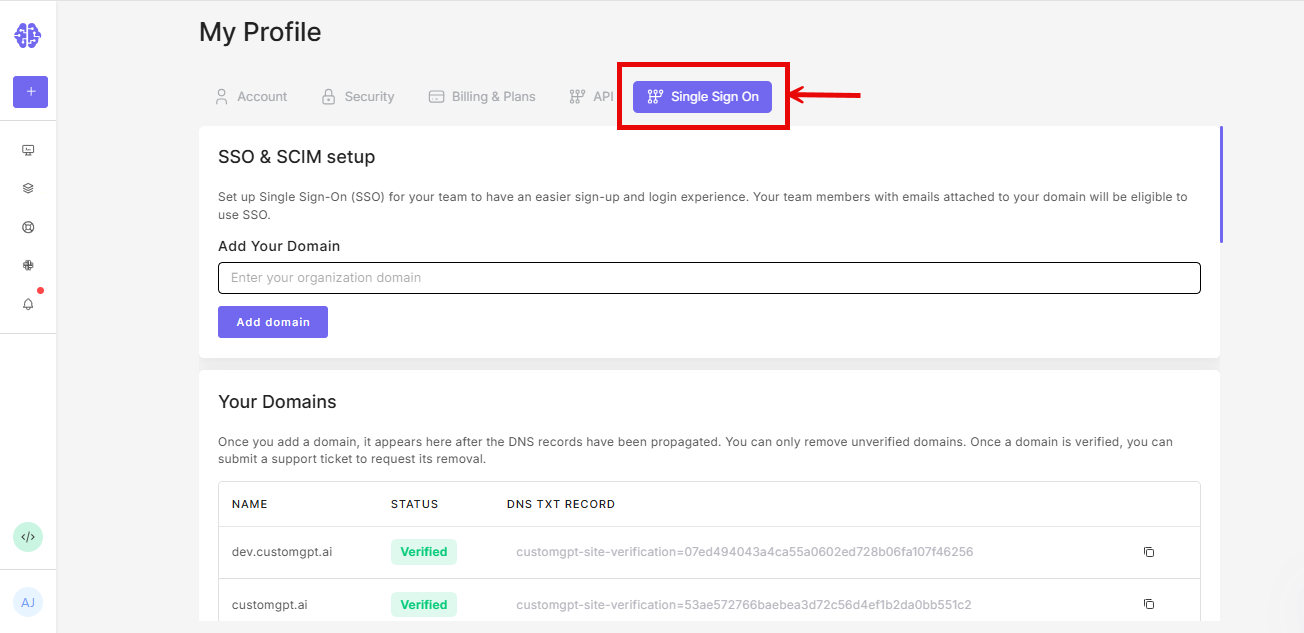
- Click the Single Sign On (SSO) tab.
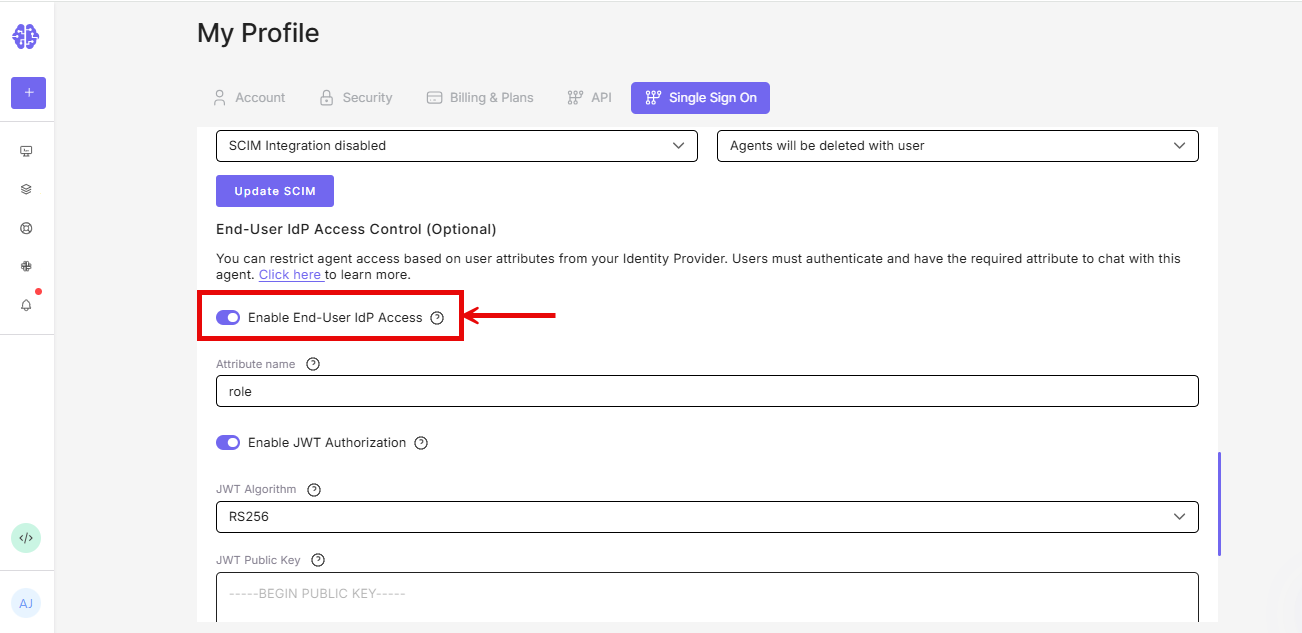
- Under End-User IdP Access Control, enable End-User IdP Access.
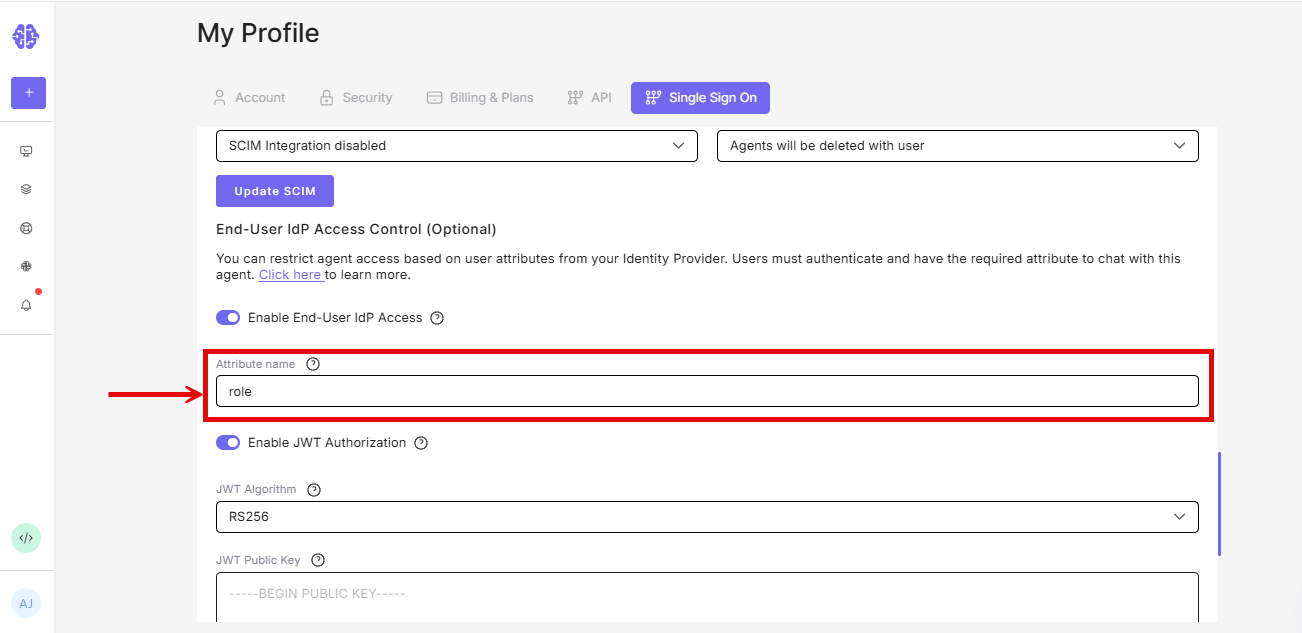
- In the Attribute name field, enter the JWT claim that carries the user's role (commonly
roles).
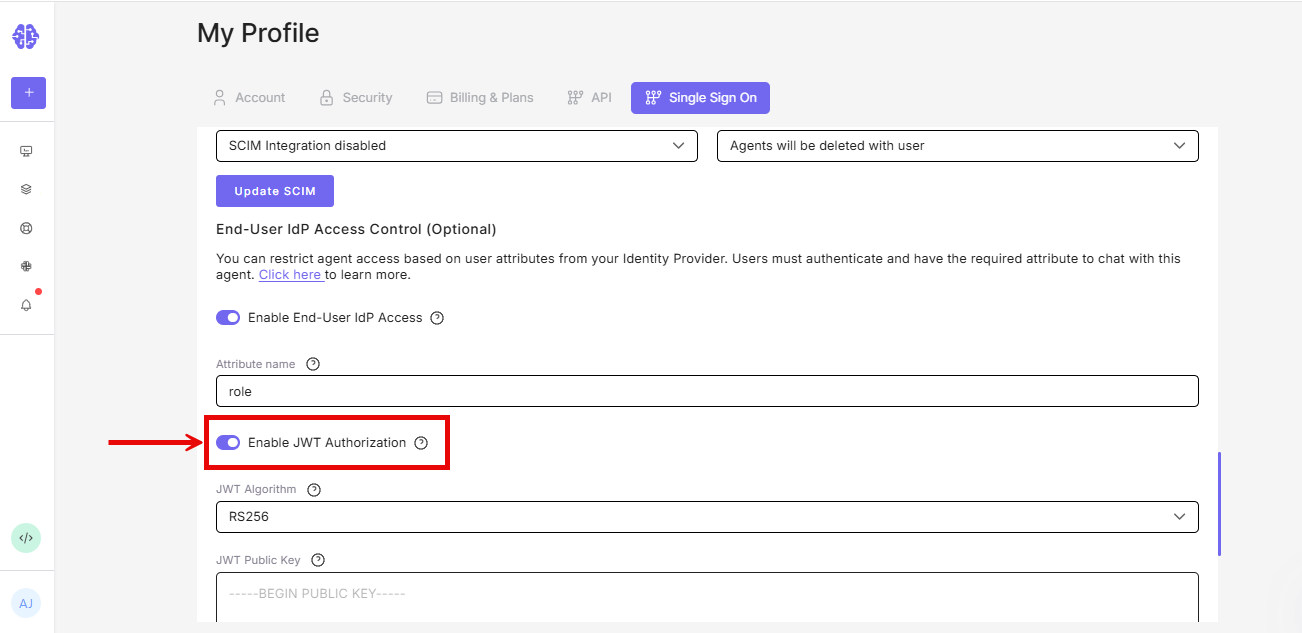
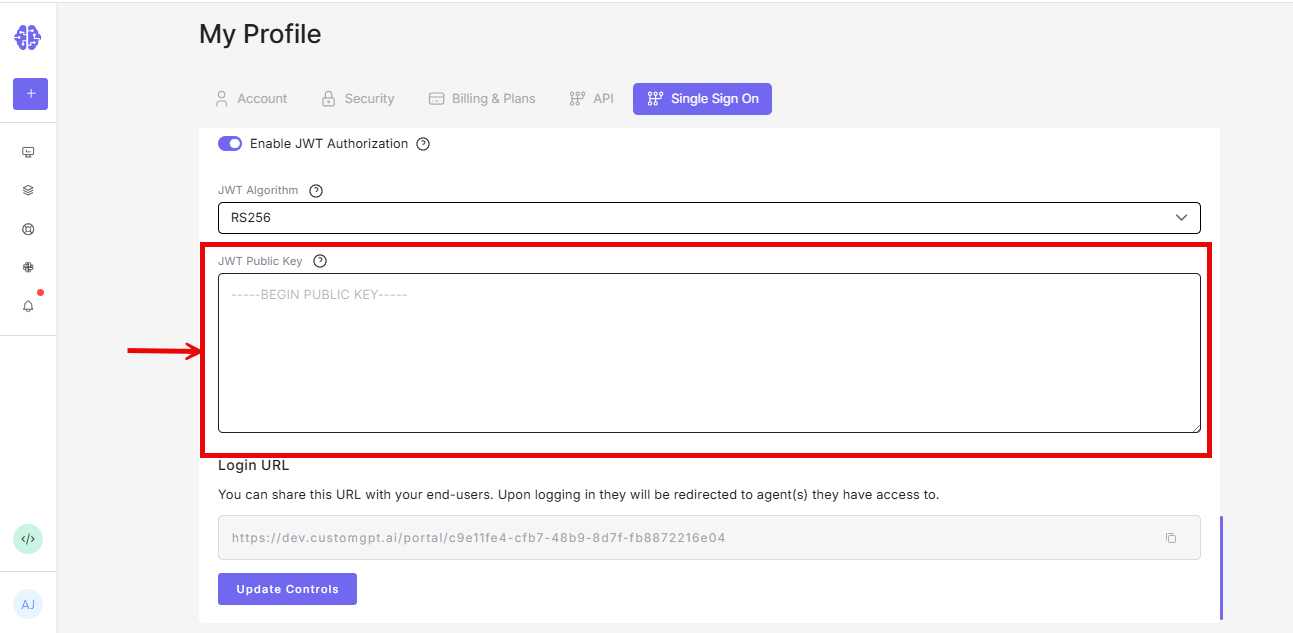
- Enable JWT Authorization.
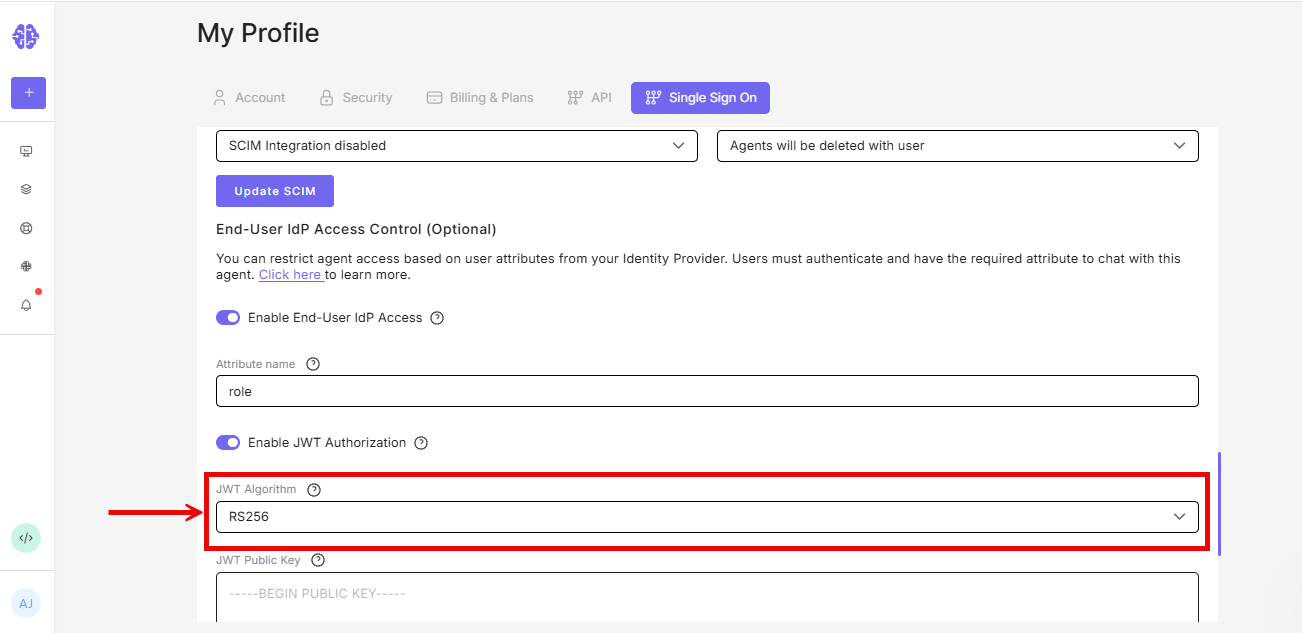
- Choose a JWT algorithm. RS256 is the recommended default.
- Paste the public key matching the private key your backend uses to sign JWTs.
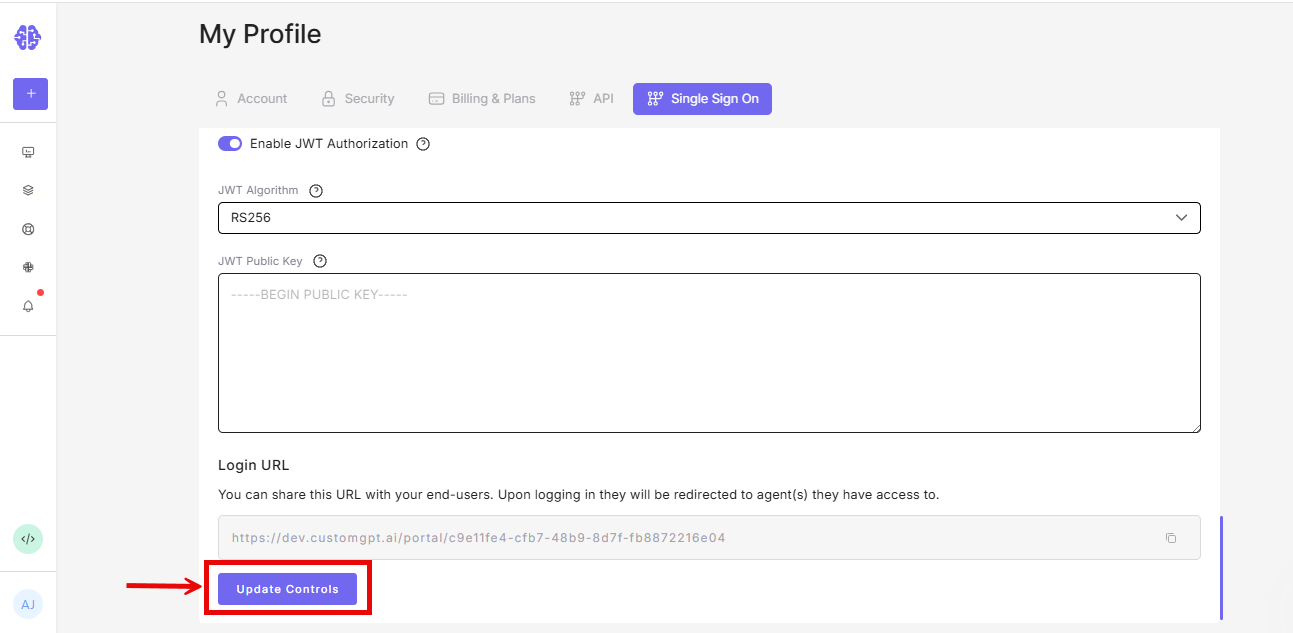
- Click Update Controls.
Note: If no agents are assigned to the matched role, users will be denied even if authentication succeeds. Assign at least one agent to the role in Teams -> Roles.
Step 2: Create the JWT on your backend
Sign the JWT on your server only. Never put the private key in browser code.
Required field:
The role claim configured in Step 1. If your attribute name is roles, the payload must include roles.
The value can be an array:
{
  "roles": ["Accounting Team", "Support Team"]
}
Or a comma-separated string:
{
  "roles": "Accounting Team, Support Team"
}
Optional identity fields: email, upn, preferred_username
CustomGPT.ai uses the first available value as the session email. The agent is accessible without them as long as the role claim is valid.
Recommended standard fields:
iat: issued-at timestampexp: expiration timestamp. Keep this short - 10 minutes is a reasonable upper limit for tokens that may be created before the iframe loads.
Example payload:
{
  "email": "[email protected]",
  "roles": ["Accounting Team"],
  "iat": 1778600000,
  "exp": 1778600900
}
PHP example (using firebase/php-jwt):
<?php
use Firebase\JWT\JWT;

$privateKey = file_get_contents(__DIR__ . '/private_key.pem');
$now = time();

$payload = [
    'email' => '[email protected]',
    'roles' => ['Accounting Team'],
    'iat'   => $now,
    'exp'   => $now + 10 * 60,
];

$jwt = JWT::encode($payload, $privateKey, 'RS256');
If your attribute name is not roles, replace roles with your configured claim name.
Node.js example (using jsonwebtoken):
import fs from 'node:fs'
import jwt from 'jsonwebtoken'

const privateKey = fs.readFileSync('./private_key.pem', 'utf8')

const token = jwt.sign(
  {
    email: '[email protected]',
    roles: ['Accounting Team'],
  },
  privateKey,
  {
    algorithm: 'RS256',
    expiresIn: '10m',
  }
)
If your attribute name is not roles, replace roles with your configured claim name.
Step 3: Pass the JWT to the embedded agent
Request a signed JWT from your backend and pass it to the widget. Method depends on which widget you use.
Standard embedded chat widget
Creates the iframe on page load, so fetching the JWT on page load is fine.
<div id="customgpt_chat"></div>
<script
  src="https://cdn.customgpt.ai/js/embed.js"
  defer
  div_id="customgpt_chat"
  p_id="PROJECT_ID"
  p_key="PROJECT_KEY"
></script>

<script>
  async function fetchCustomGptJwt() {
    const response = await fetch('/api/customgpt-jwt', {
      credentials: 'include',
    })
    if (!response.ok) {
      throw new Error('Unable to create CustomGPT.ai JWT')
    }
    return response.text()
  }

  async function loginCustomGptEmbed() {
    const jwt = await fetchCustomGptJwt()
    window.CustomGPTEmbed?.setJwtToken(jwt)
  }

  window.addEventListener('load', loginCustomGptEmbed)
</script>
Live Chat widget
The Live Chat widget (chat.js) creates the iframe only when the user opens the chat bubble. Don't fetch a short-lived JWT on page load - the token may expire before the user opens chat.
Instead, pass a JWT resolver function (returns string or Promise<string>). The widget calls it when the iframe is ready.
<script defer src="https://cdn.customgpt.ai/js/chat.js"></script>
<script defer>
  async function fetchCustomGptJwt() {
    const response = await fetch('/api/customgpt-jwt', {
      credentials: 'include',
    })
    if (!response.ok) {
      throw new Error('Unable to create CustomGPT.ai JWT')
    }
    return response.text()
  }

  function initCustomGptChat() {
    CustomGPT.init({
      p_id: 'PROJECT_ID',
      p_key: 'PROJECT_KEY',
      jwt: fetchCustomGptJwt,
    })
  }

  document.readyState === 'complete'
    ? initCustomGptChat()
    : window.addEventListener('load', initCustomGptChat)
</script>
You can also register the resolver after initialization:
window.addEventListener('load', function () {
  CustomGPT.setJwtToken(fetchCustomGptJwt)
})
Or use the widget-specific helper:
window.CustomGPTChat?.setJwtToken(fetchCustomGptJwt)Note: If generating on page load instead of on demand, use a longer expiration (10 minutes is a reasonable upper limit). On-demand is more secure - a stolen token has a shorter validity window.
AI Assistant widget
This widget creates the iframe on page load, so fetching the JWT on page load is acceptable. Pass the token string directly (not a resolver function).
window.CustomGPTAiAssistant?.setJwtToken(jwt)Instant Viewer widget
Same as AI Assistant - fetch on page load and pass the token string.
window.CustomGPTInstantViewer?.setJwtToken(jwt)What users see after setup
The chat interface loads directly. On a user's first interaction with any CustomGPT.ai widget, the browser may show an "Allow agent to access your CustomGPT.ai account information" prompt - a one-time browser permission, not an IdP login step. Subsequent visits skip it.
Troubleshooting
The agent shows: "JWT guest access is not enabled for this organization."
Check that:
- End-User IdP Access is toggled on in My Profile -> SSO
- JWT Authorization is toggled on in the same section
- The Attribute name field is not empty
- Your subscription plan includes the SSO feature
The agent shows: "Invalid JWT token."
Check that:
- The token has not expired. For page-load generation, set
explong enough to cover the gap between page load and when the user opens the agent. For Live Chat, use on-demand generation so the token is always fresh. - The public key pasted in My Profile -> SSO matches the private key your backend used to sign the token.
- Your backend is returning the complete token string without truncation or encoding.
The agent shows: "No valid roles found for SSO guest access."
Check that:
- The claim name in the JWT payload matches the Attribute name configured in My Profile -> SSO
- The role value(s) in the JWT match role names in Teams -> Roles (case-insensitive, but spelling must be exact)
- The matched role has at least one agent assigned in Teams -> Roles
Related articles
Updated 5 months ago