
Enable auto-sync for HubSpot CRM
This guide walks you through turning on Auto-sync for your HubSpot source, so your agent's knowledge base stays current without manual re-syncs.
Note:This feature is available on our Enterprise plans. If you're interested in enabling it, please contact our sales team.
How to enable the Confluence Auto-Sync feature
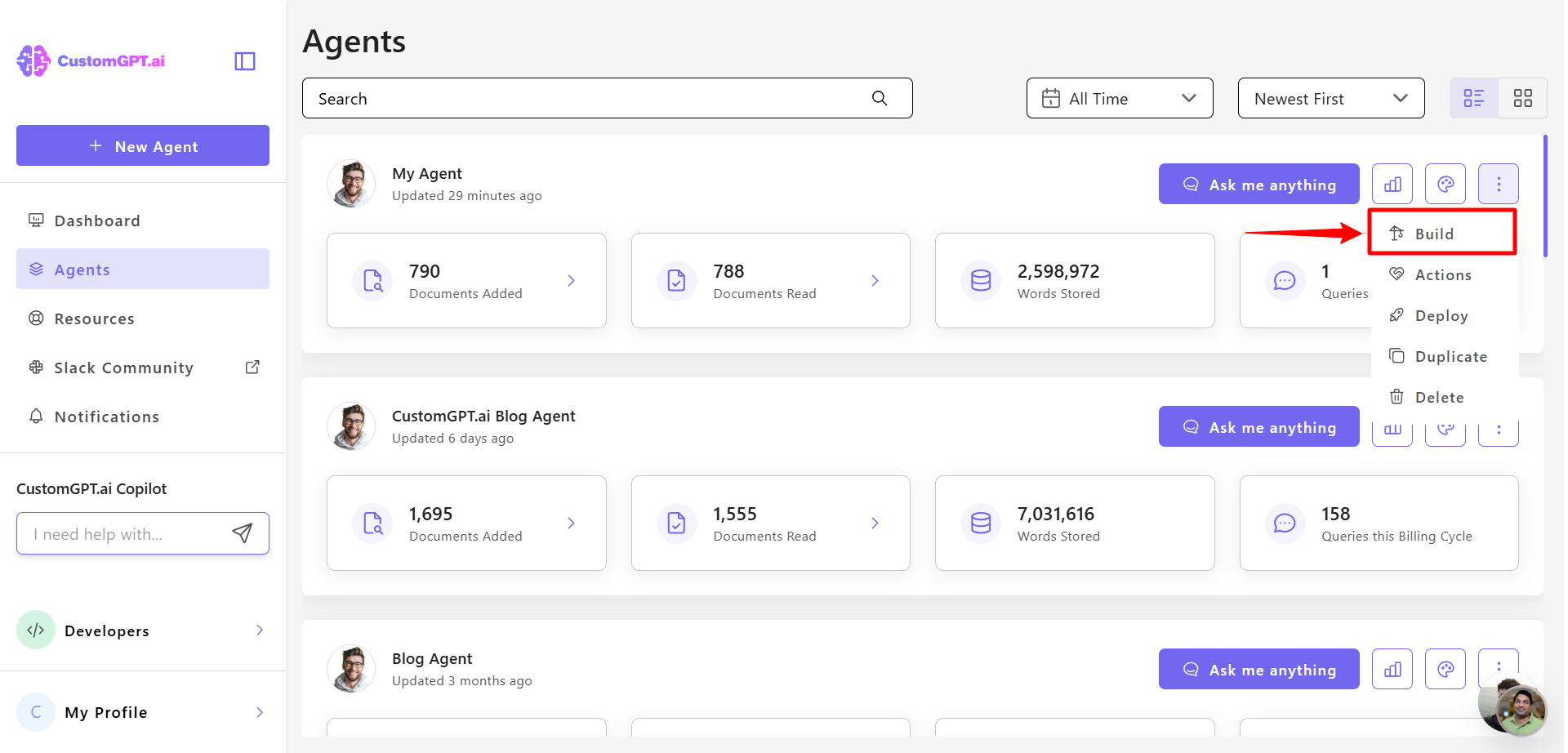
- Click the three dots next to your agent’s name, then select Build.
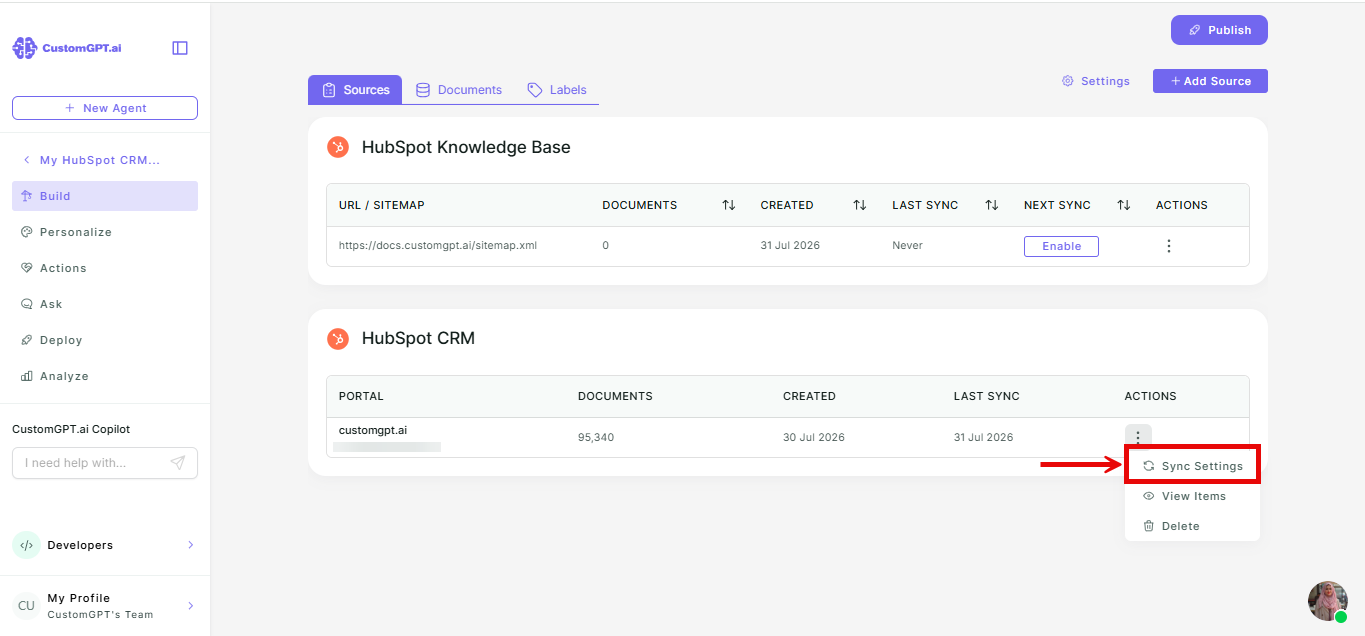
- In HubSpot section, find your connected HubSpot portal, click the three-dot menu next to it, and select Sync Settings.
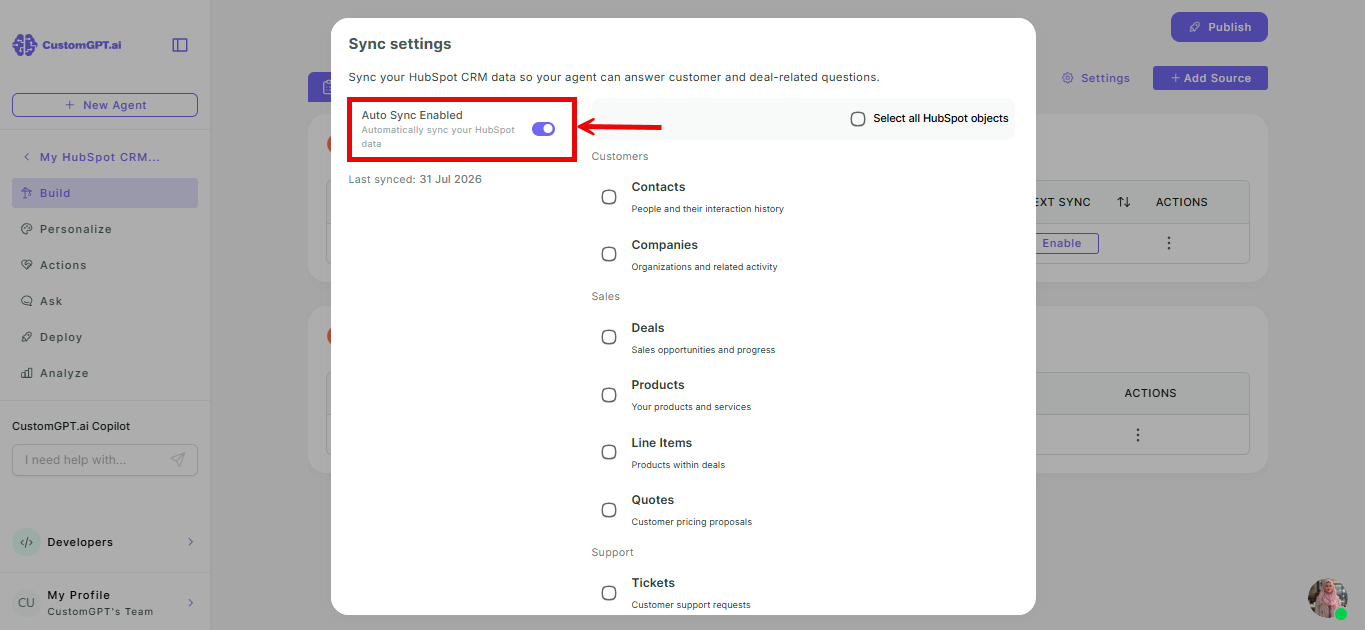
- Toggle Auto Sync to Enabled.
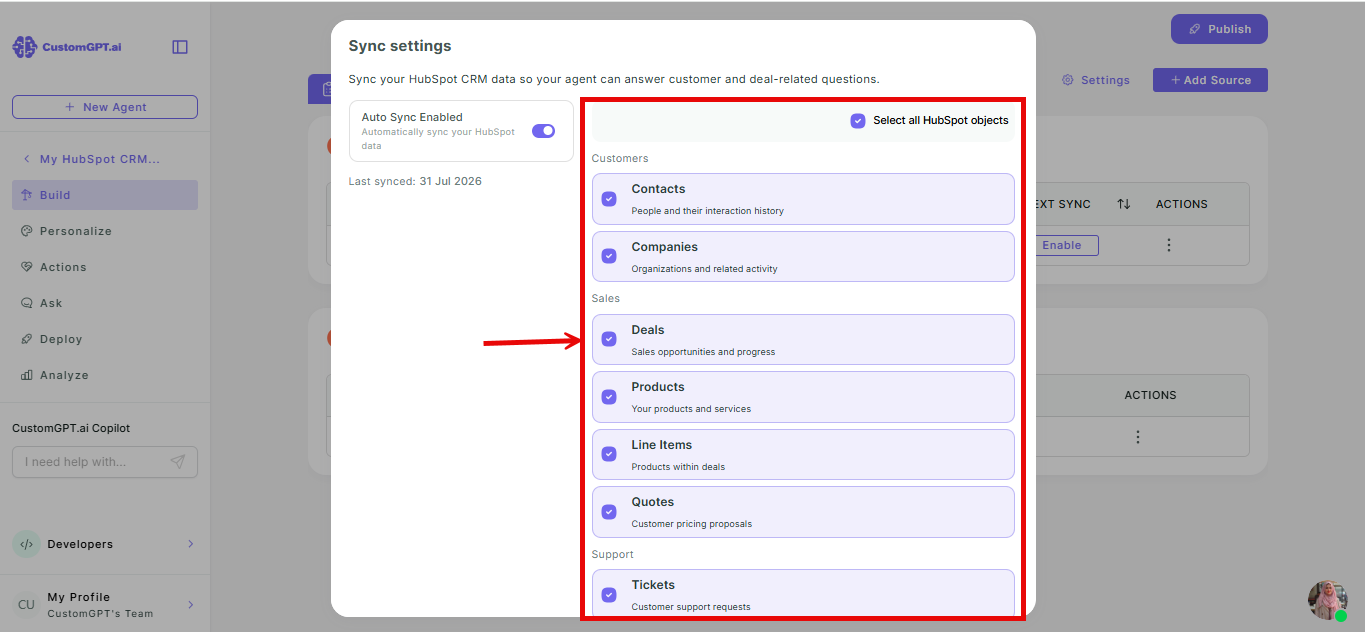
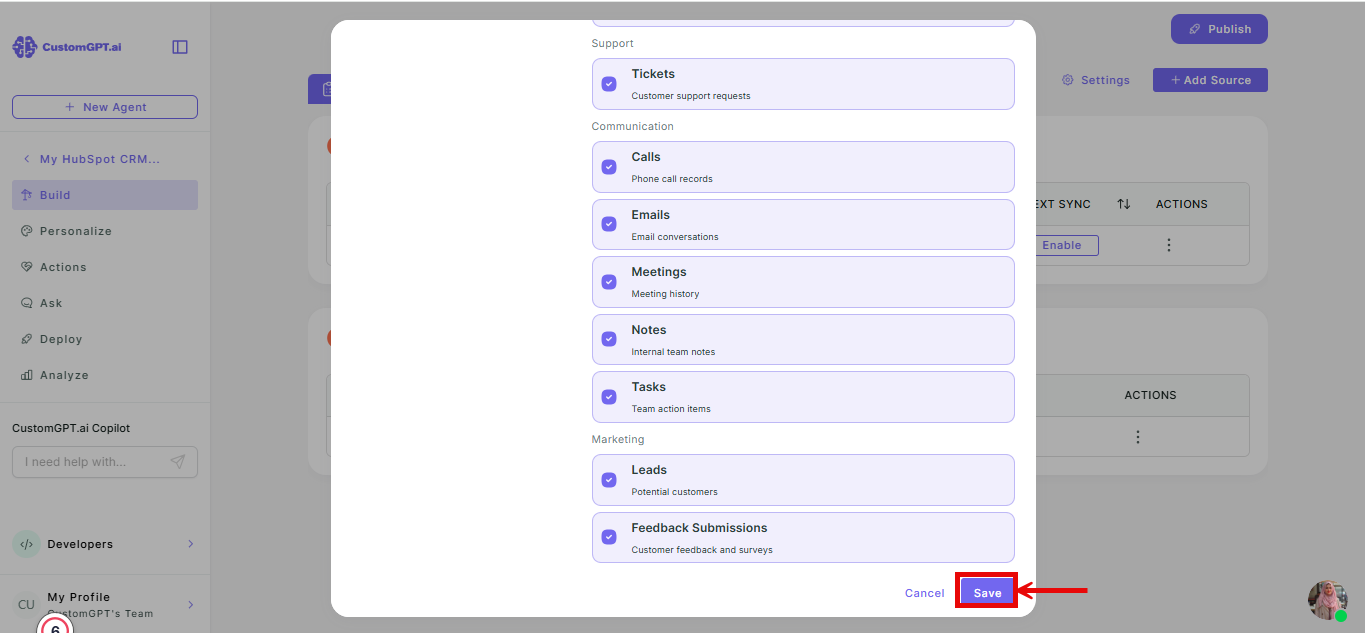
- Select which objects you want to auto-sync, or click Select all.
- Click Save to apply your settings.
Related articles
Updated 3 months ago
Did this page help you?