
Add an AI Disclaimer
This guide walks you through adding a disclaimer to your agent. Use it to show a short notice before the agent's first message- for example, to signal they are talking to an AI or to set expectations about response accuracy.
Steps
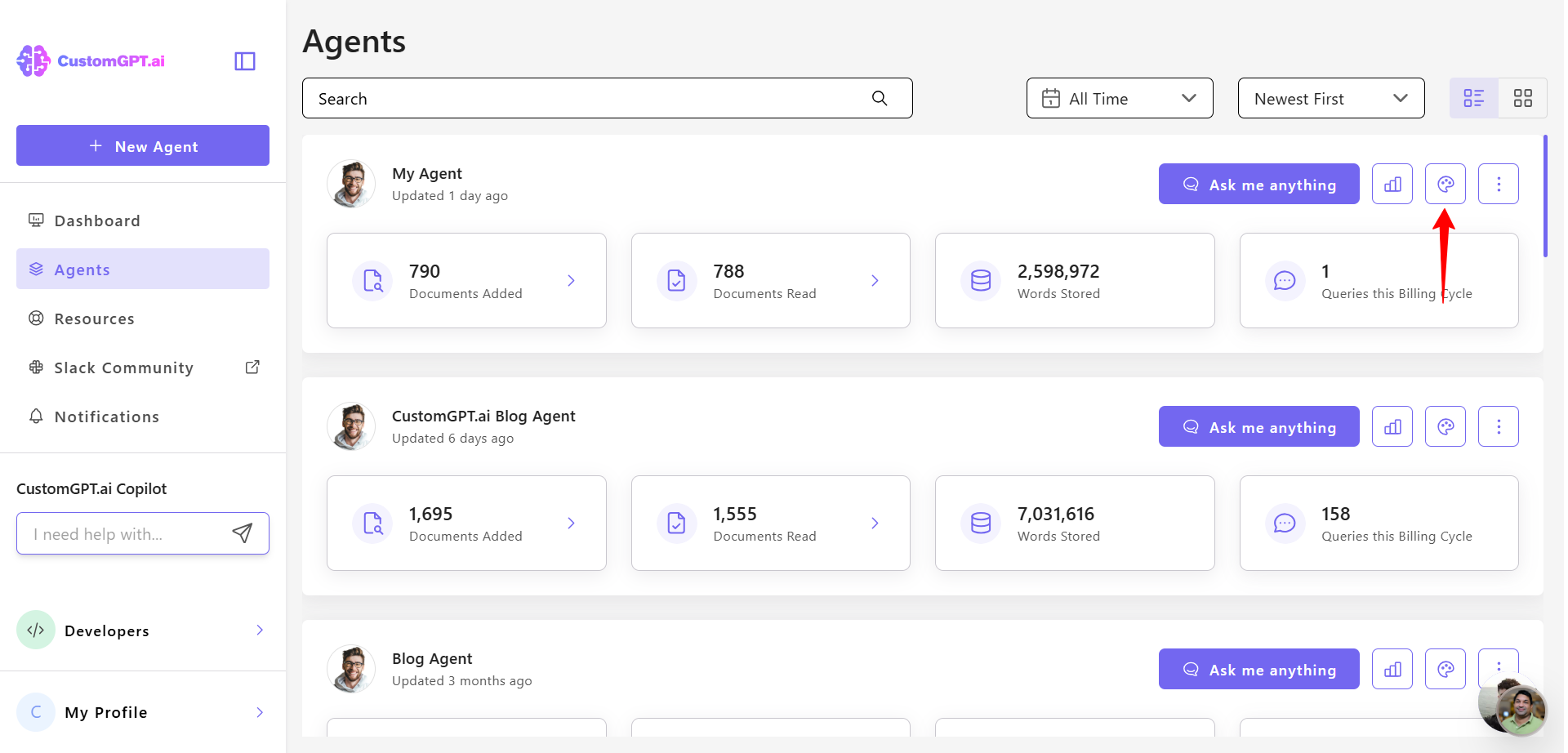
- Click the Personalize icon next to the agent you want to customize.
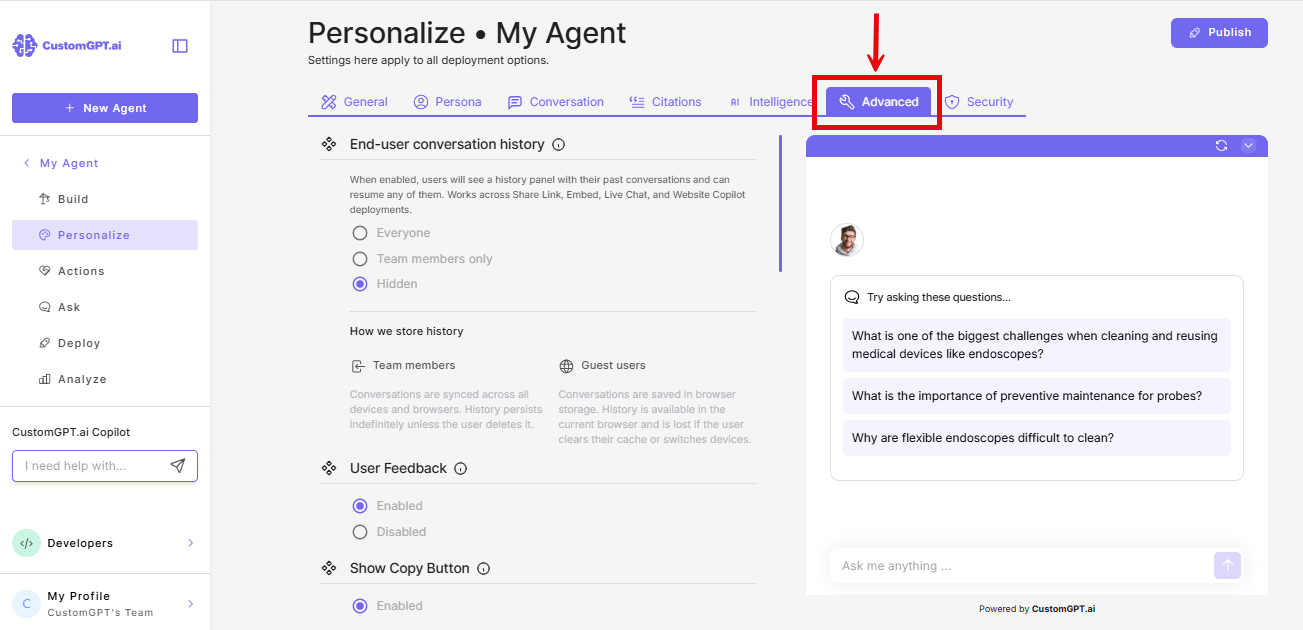
- Click the Advanced tab.
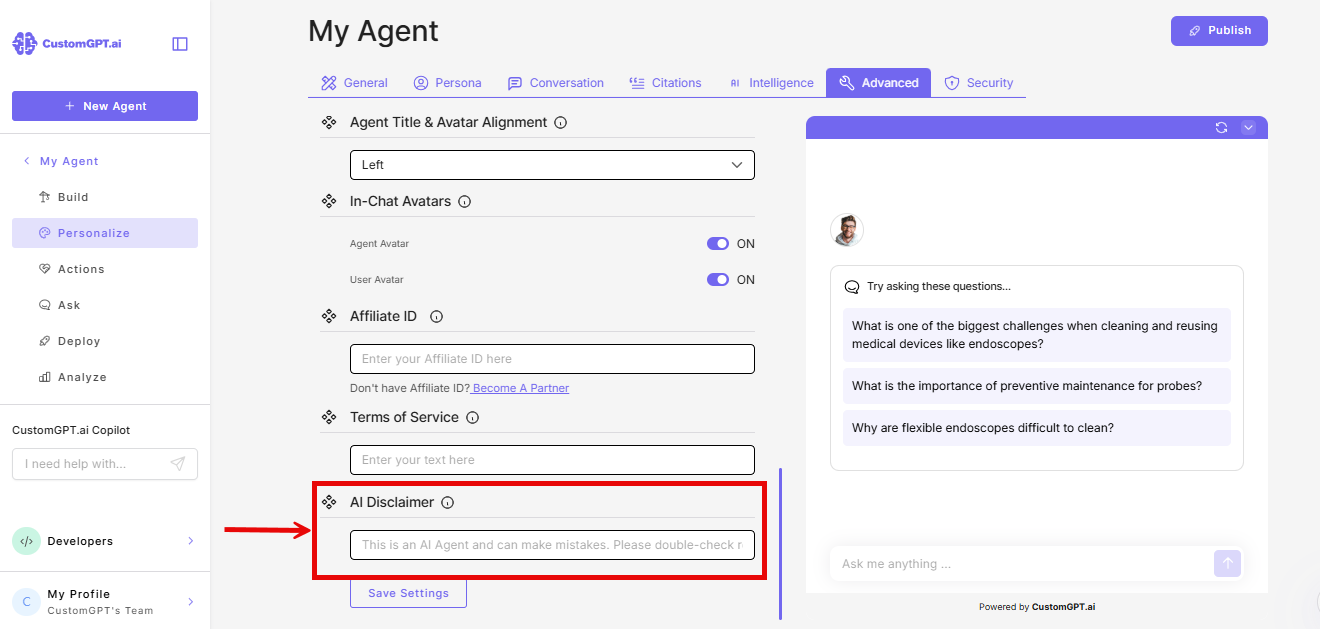
- Find AI Disclaimer and enter your disclaimer text.
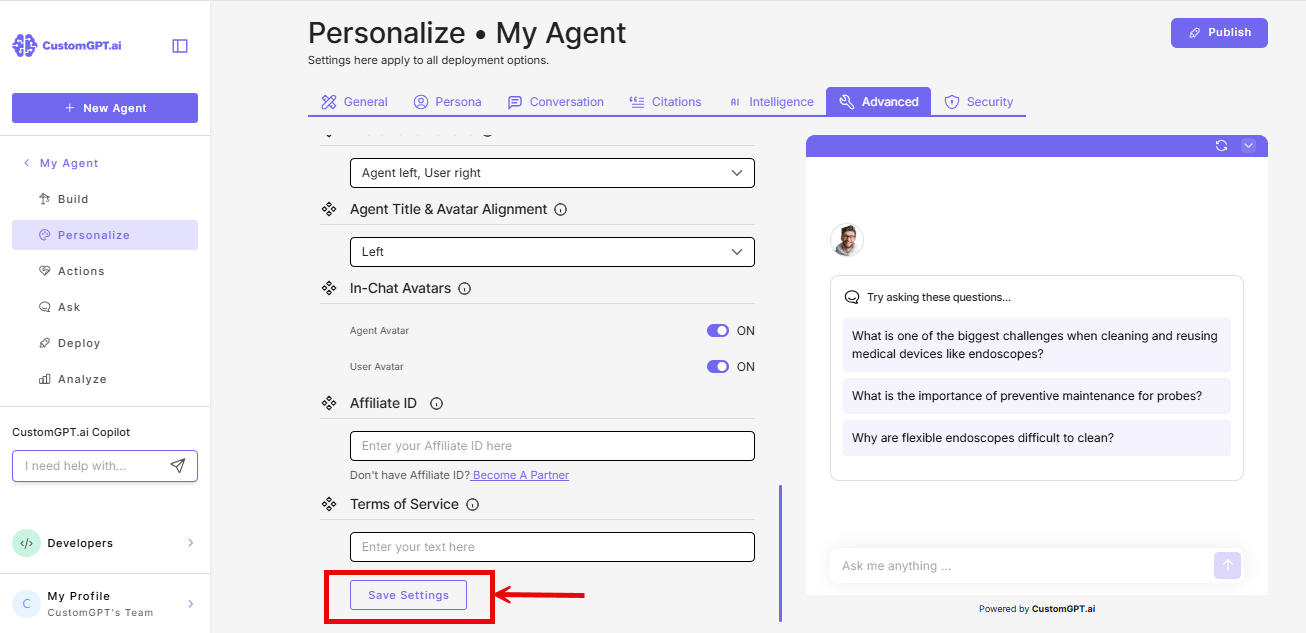
- Click Save Settings.
Note: The disclaimer appears at the start of every new conversation, before the agent's first message. It works across all devices and deployment types.
The disclaimer is limited to 160 characters and appears before the agent's first message on all devices and deployment types. Example: "CustomGPT.ai can make mistakes. Always check your answers."
This feature is available on Premium and Enterprise plans.
Related articles
Updated 4 months ago
Did this page help you?