
Export Links & Sources data
This guide walks you through exporting data from the Links & Sources tab in Analyze.
Steps
- Click the Analyze icon in the right-side menu.
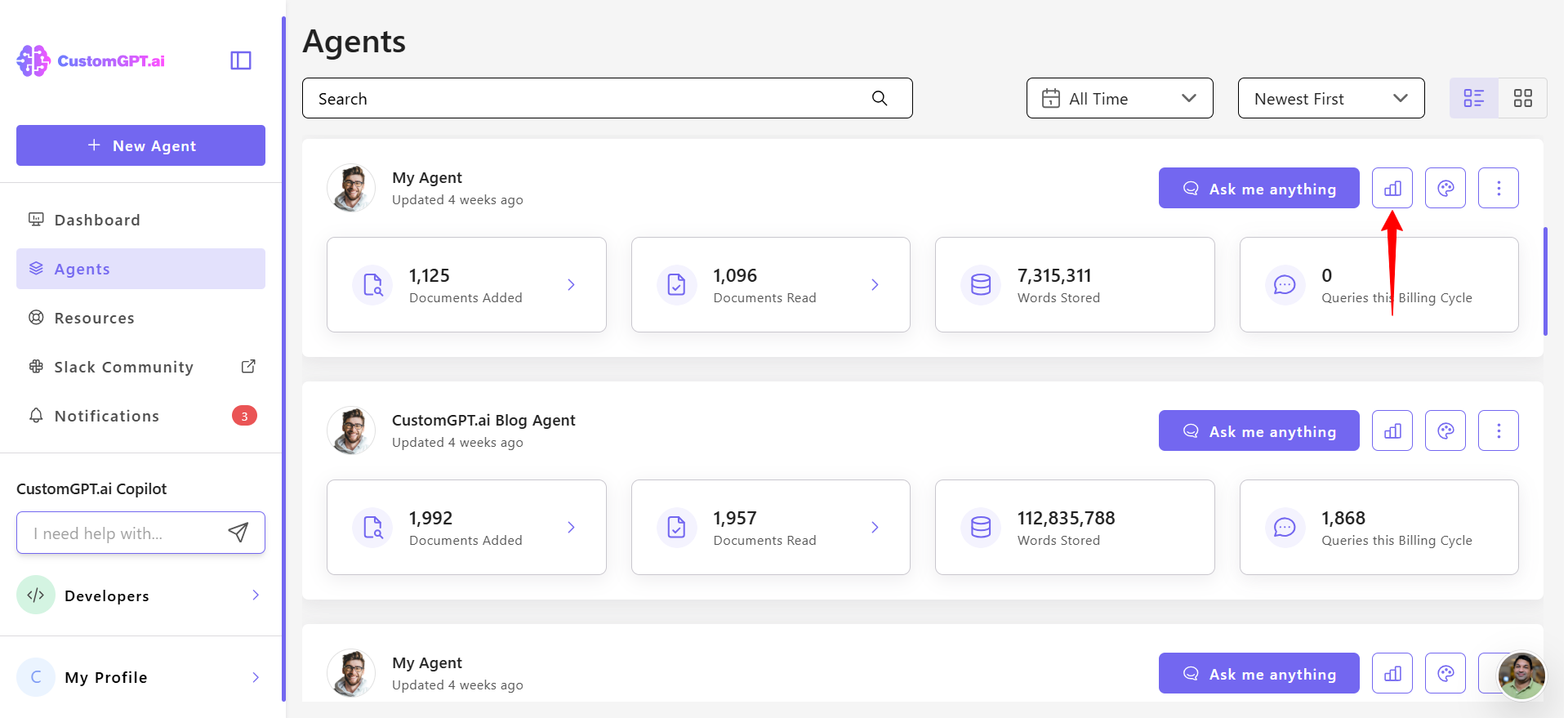
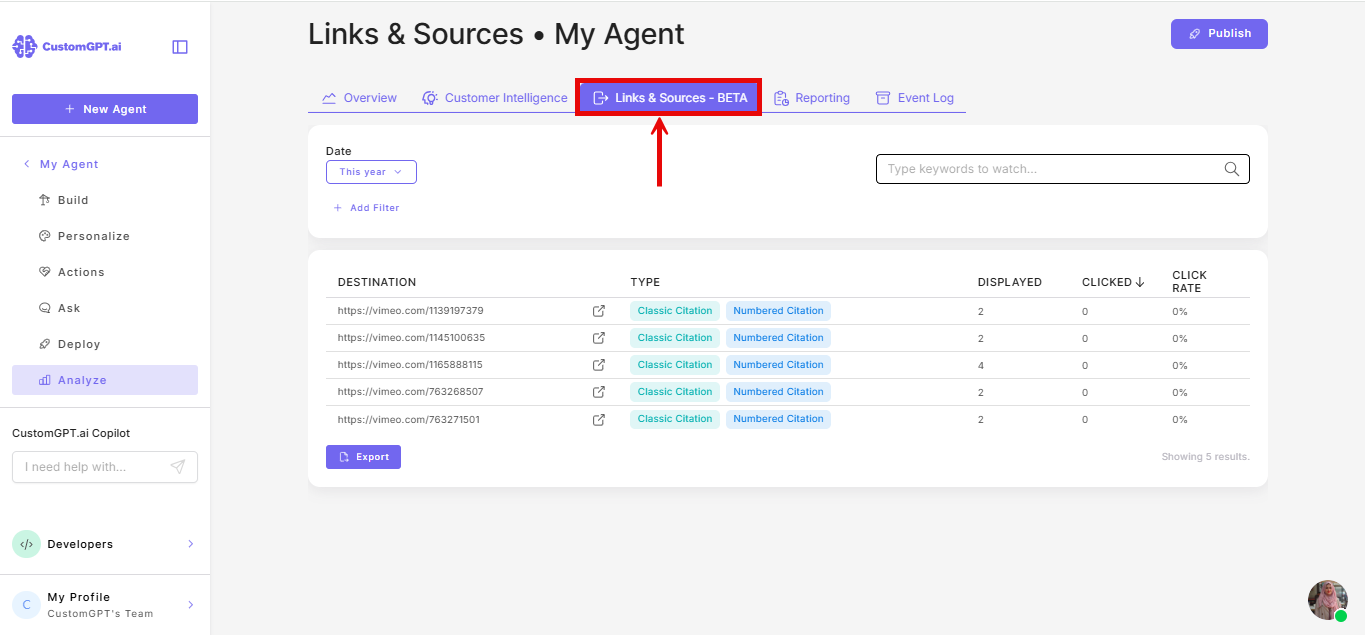
- Click the Links & Sources tab.
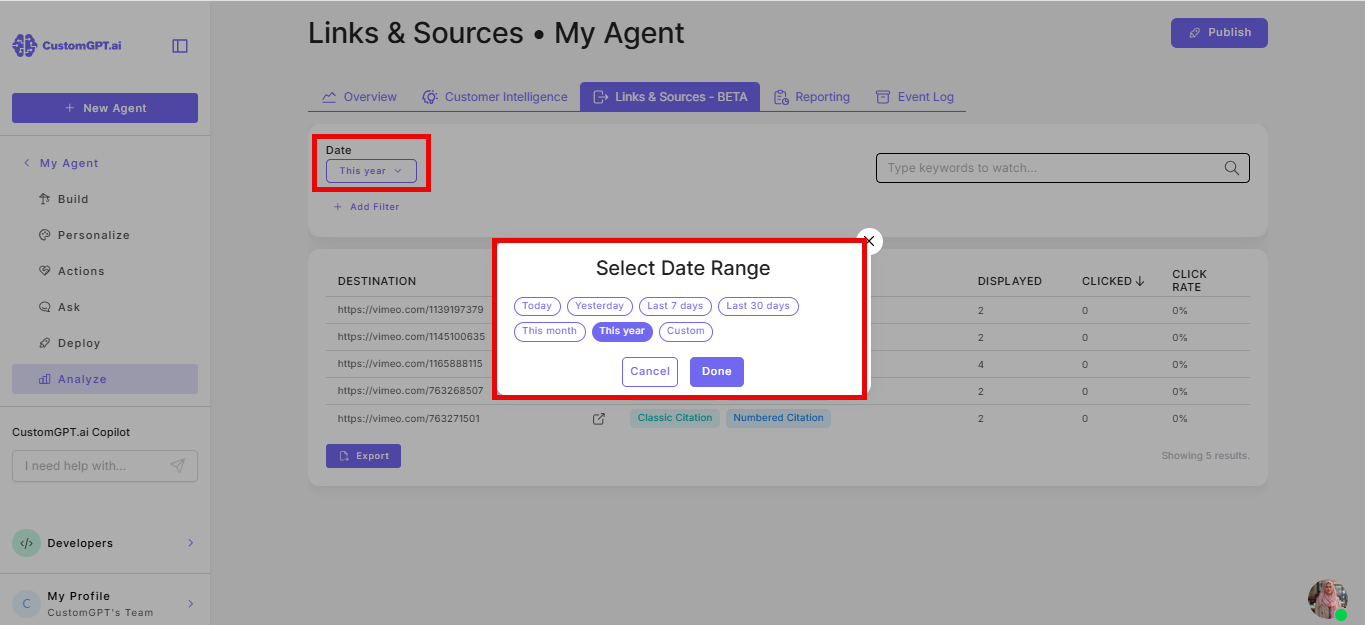
- Optional) Select a date range to limit the results to a specific period.
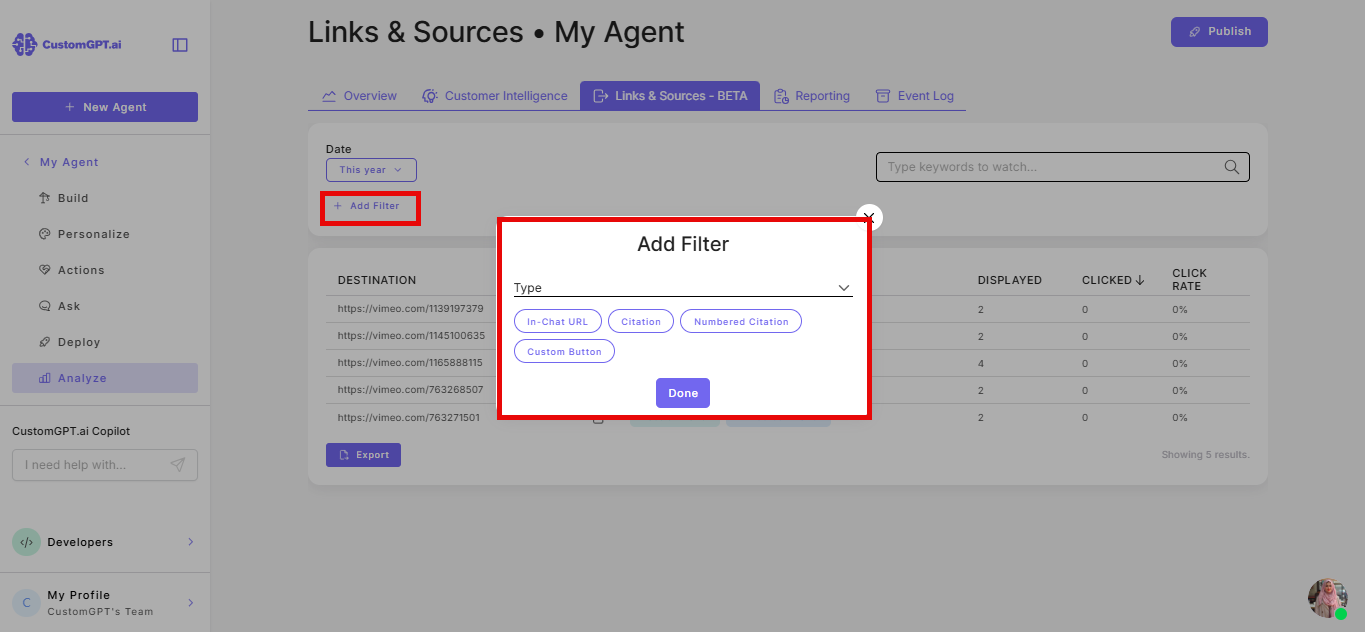
- Optional) Filter by type: Citation, Numbered citation, In-chat URL, or Custom button.
- Click Export.
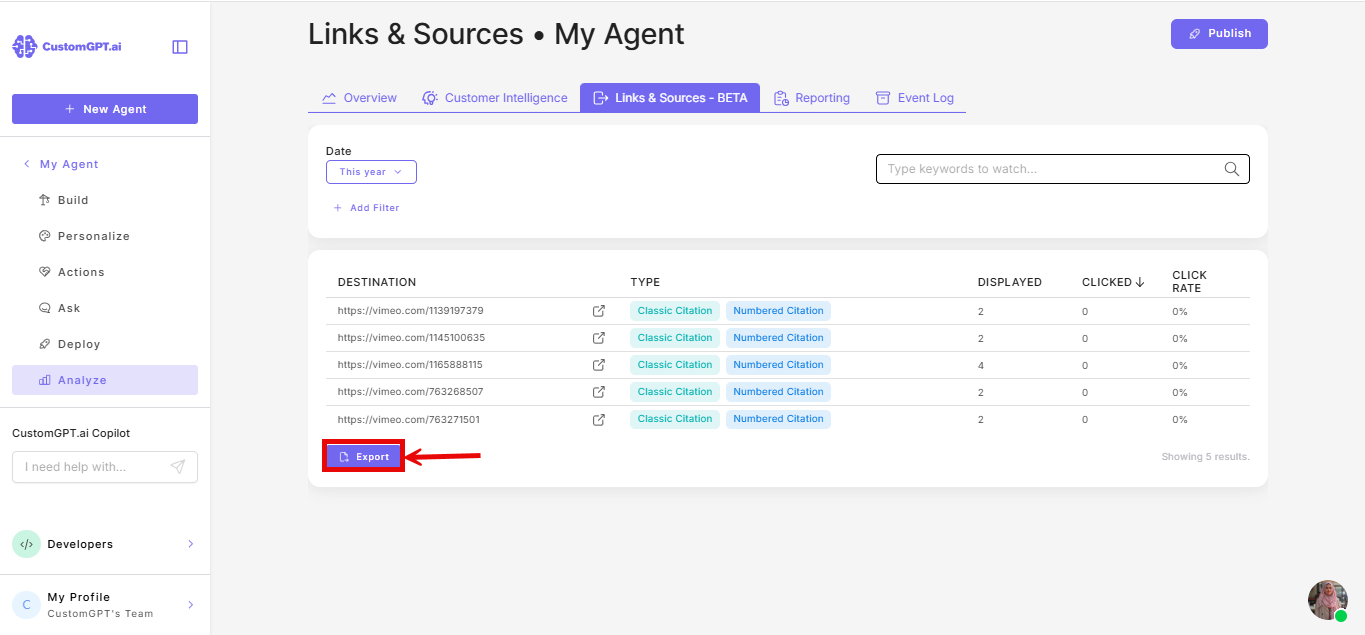
The export is sent to your account email address.
What the export contains
One row per displayed item:
| Field | Description |
|---|---|
| project_id | The ID of the agent |
| conversation_id | The ID of the conversation |
| query_id | The ID of the specific query |
| name | The display name of the link or citation |
| target | The destination URL, with UTM tags removed |
| type | The item type: link, classic_citation, or numbered_citation |
| clicks | Number of times this item was clicked for that query |
Note: The target URL in the export has UTM tags stripped. This is intentional - the export shows the clean destination URL regardless of whether UTM tagging is enabled on the agent.
Related articles
Updated 3 months ago
Did this page help you?