
Edit or delete an API integration
This guide walks you through updating or removing an external API integration from your agent.
Steps
In the External APIs - Beta tab, find the integration in the list. Under the Actions column, click the three vertical dots (⋮) on the right side of the integration row.
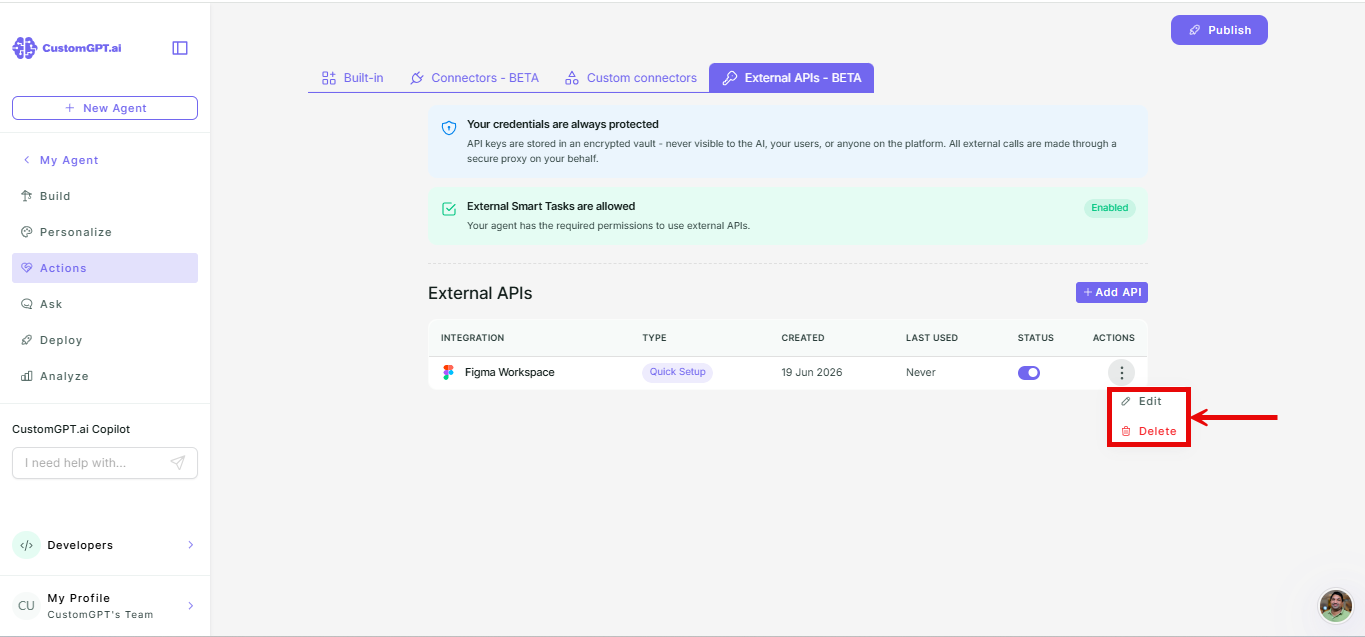
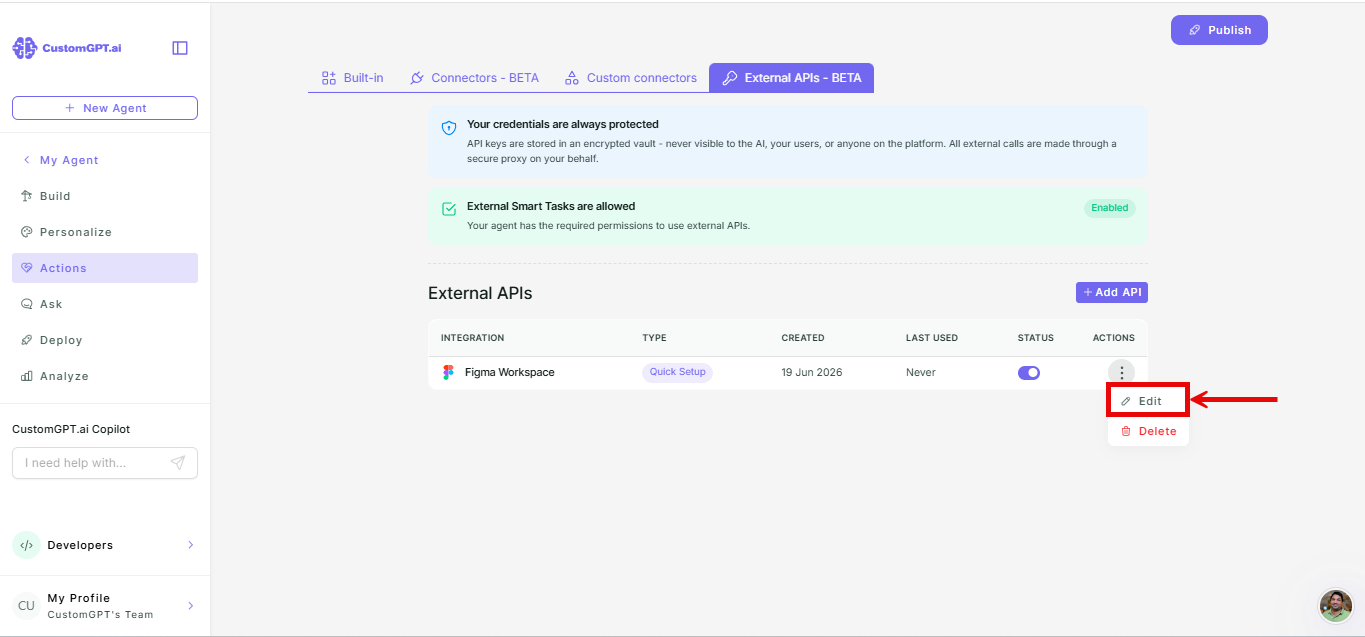
To edit:
- Select Edit.
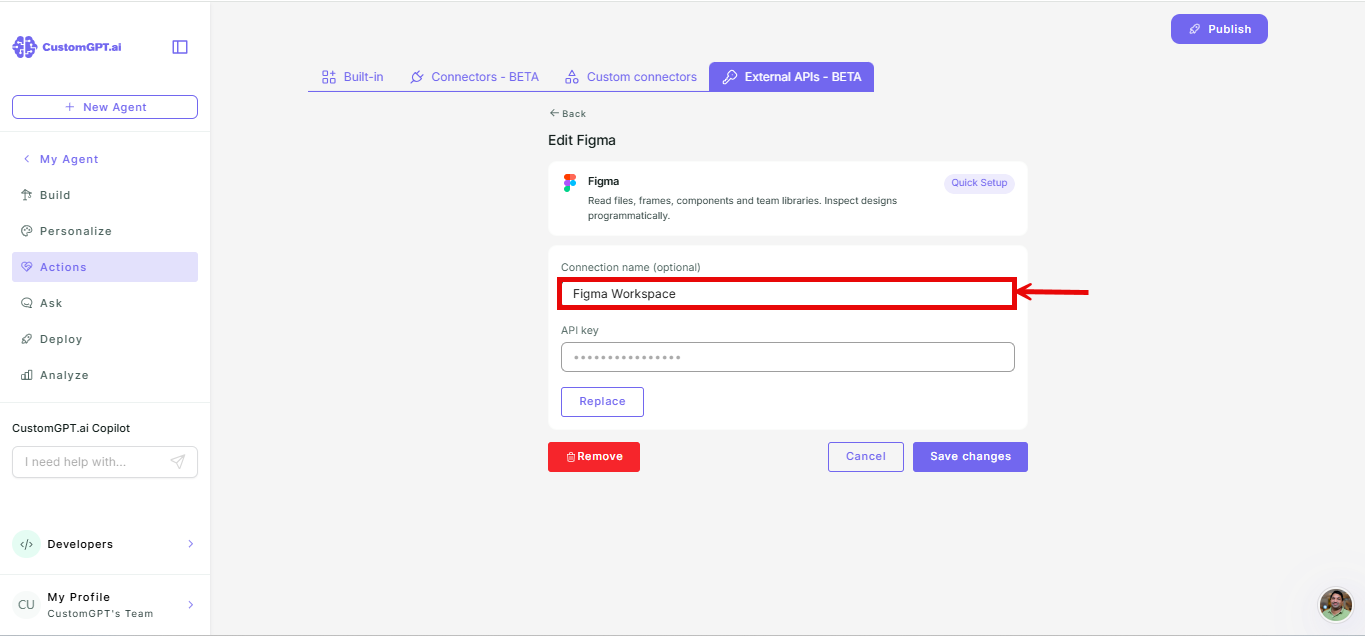
- Update the connection name if needed.
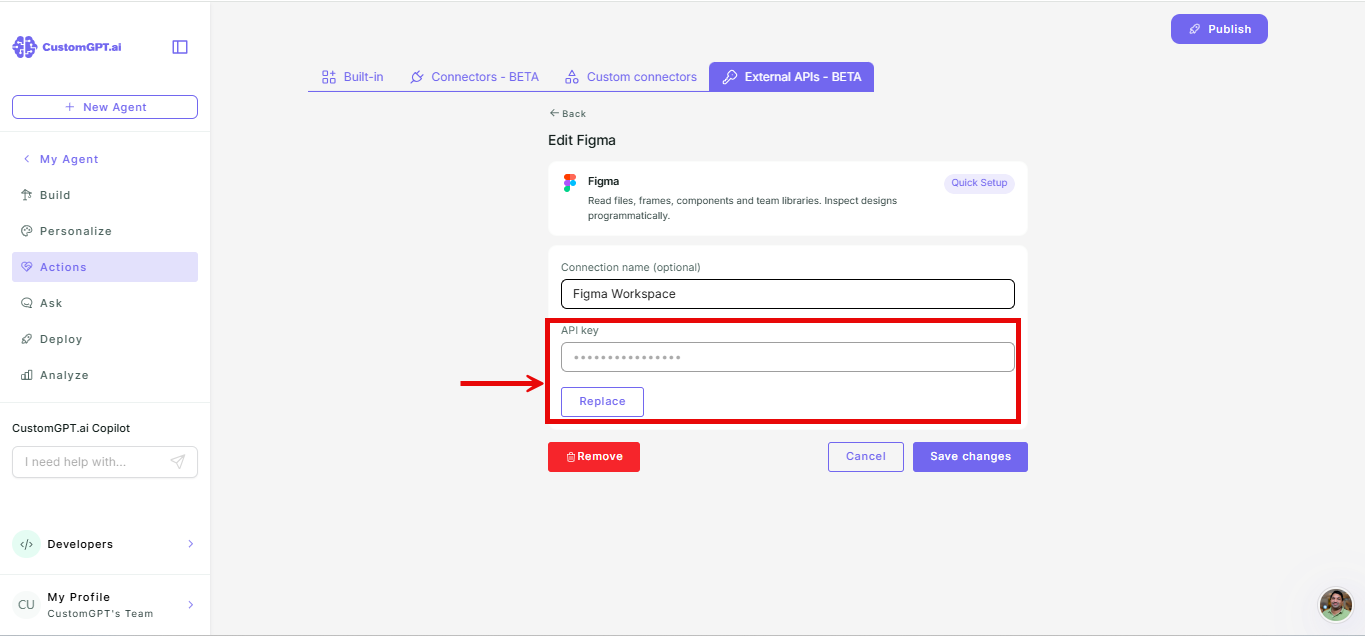
- To update the API key, enter the new key and click Replace.
To delete:
- Select Delete.
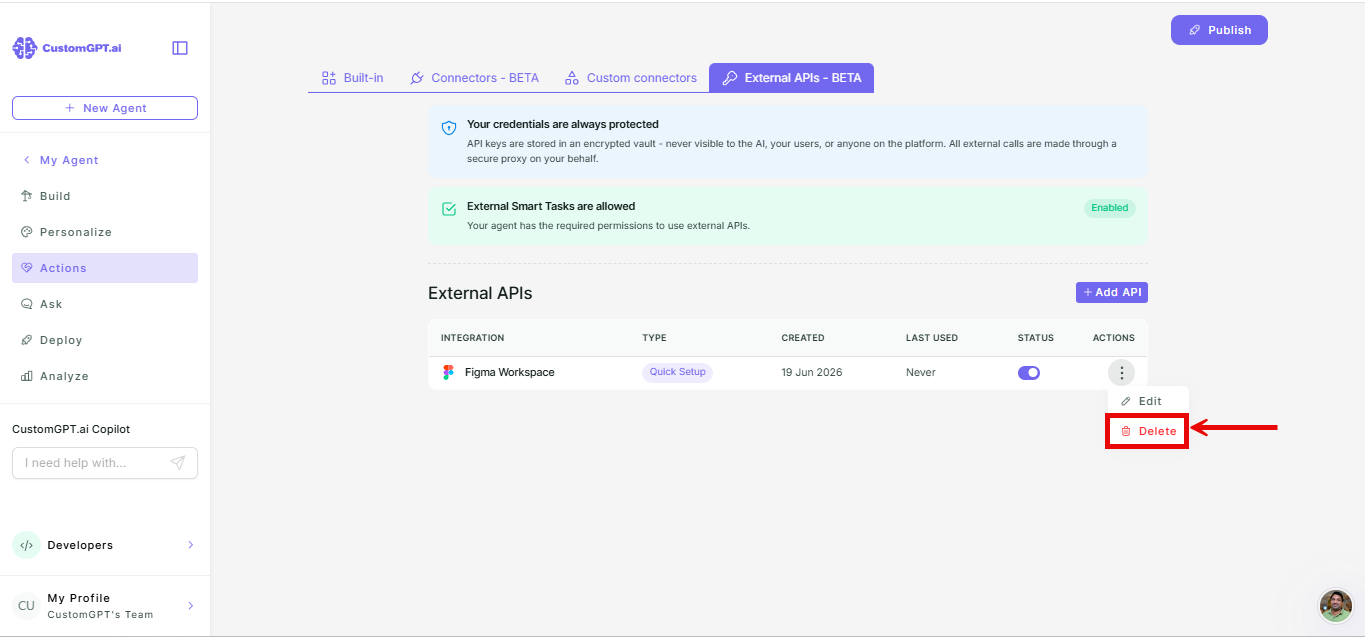
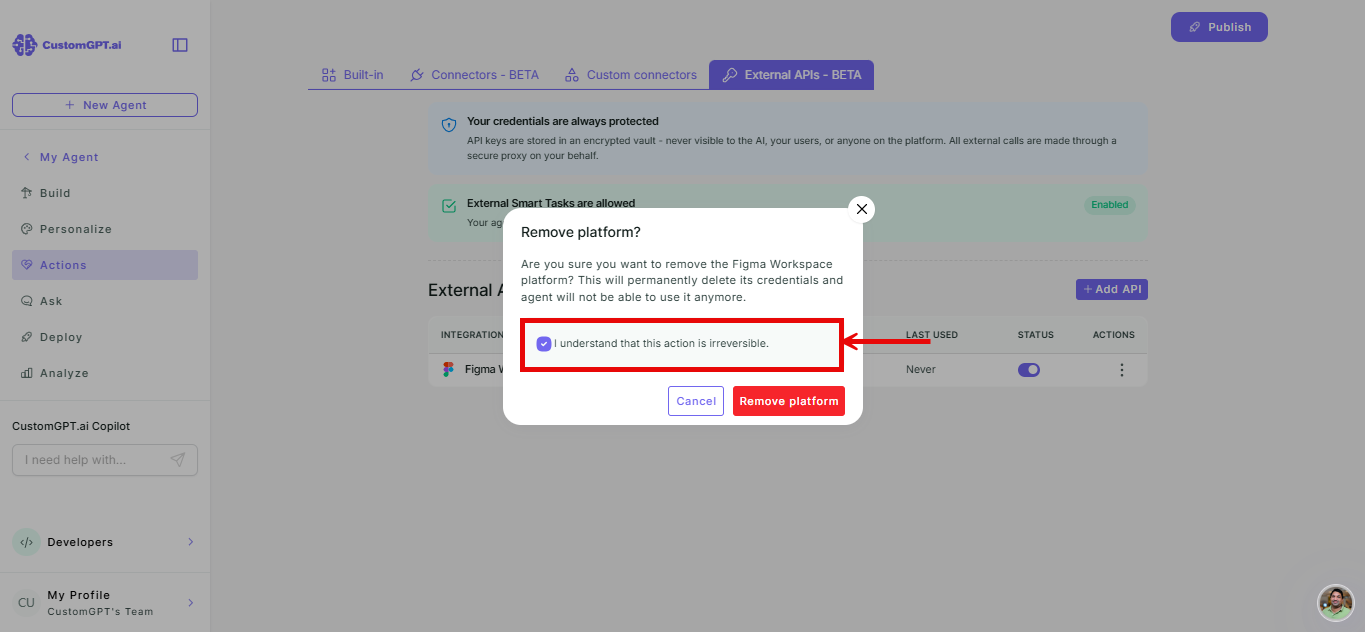
- Confirm the deletion in the confirmation dialog.
- Click Remove platform to confirm.
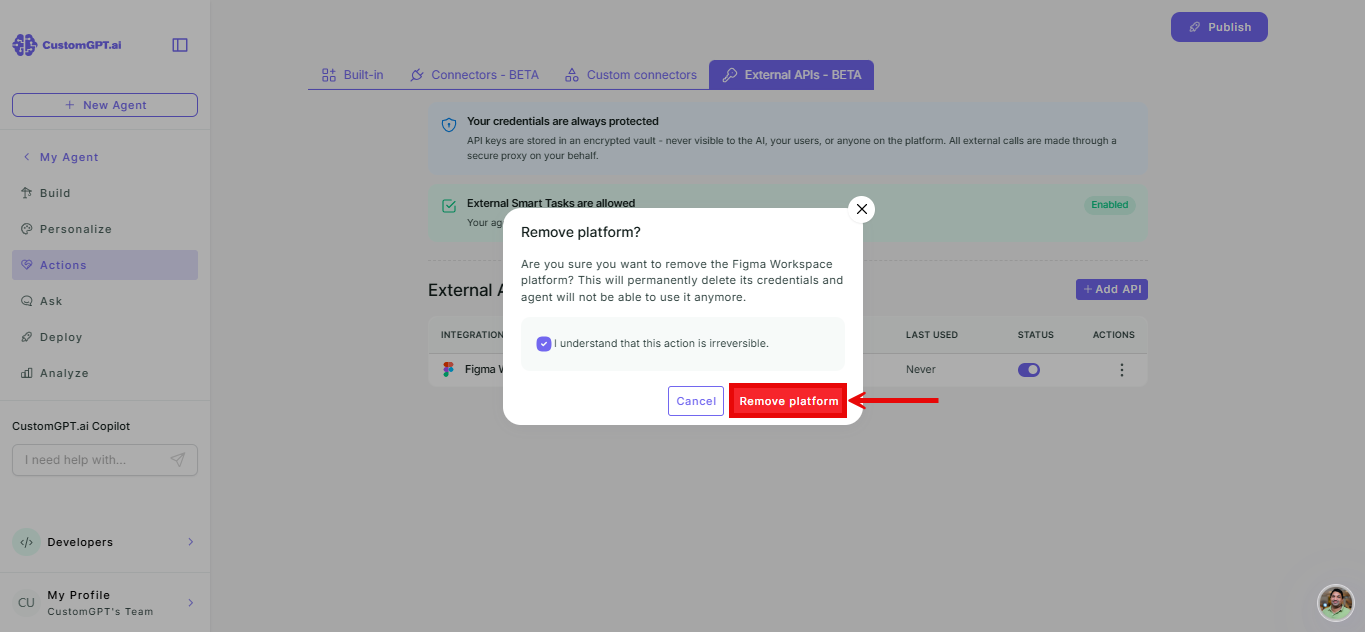
You can also remove an integration from inside the Edit window using the Remove button.
Note:
Deleting an integration removes the agent's ability to call that service.
Integrations work within a single conversation. Actions taken using an integration are not carried over to a new conversation.
Related articles
Updated 3 months ago
Did this page help you?