
Set routing instructions for your multi-Agent
This guide covers writing routing instructions that Smart Routing uses, alongside the conversation, to decide which child agent should answer.
Routing instructions tell Smart Routing how to interpret requests when deciding which child agent should answer. Use this once Smart Routing is already turned on. Refer to Enable and configure Smart Routing first if it isn't.
Before you start
- Smart Routing is on for your Multi-Agent. Routing instructions have no effect while Smart Routing is off - you'll see a notice reminding you of this until you turn it on.
- This is separate from any individual child agent's own persona. Each child agent keeps its own persona and instructions unchanged.
Steps
- Open your Multi-Agent.
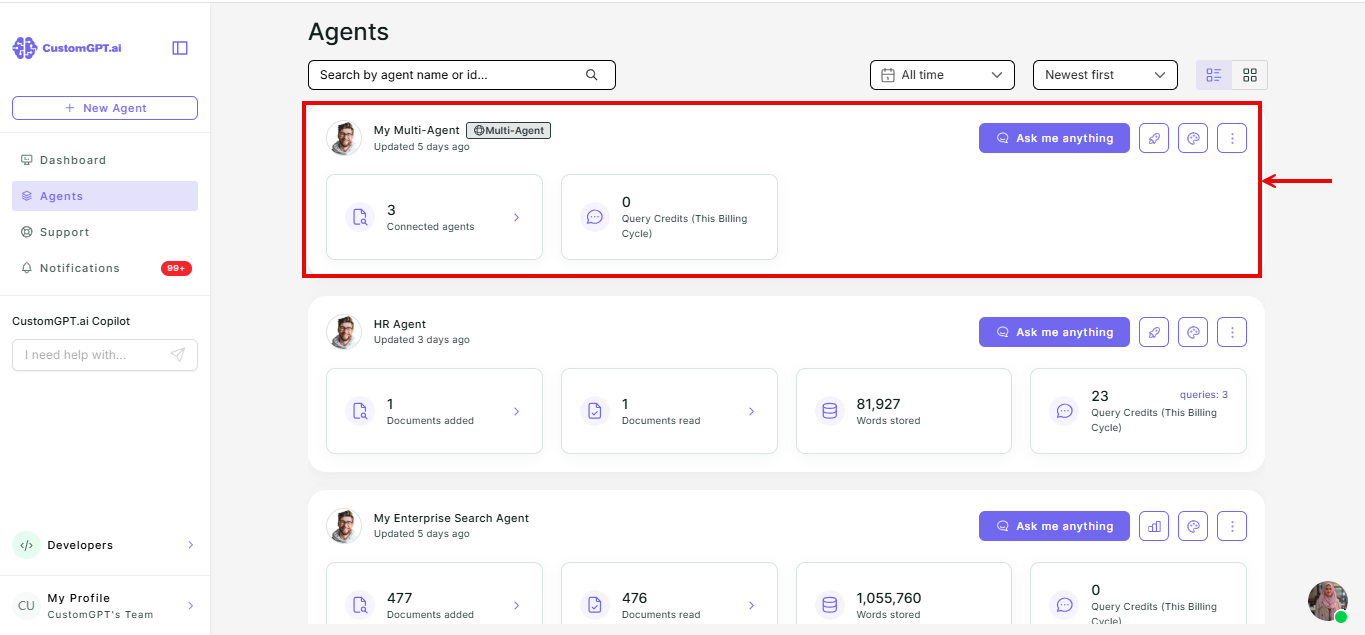
- Click Personalize.
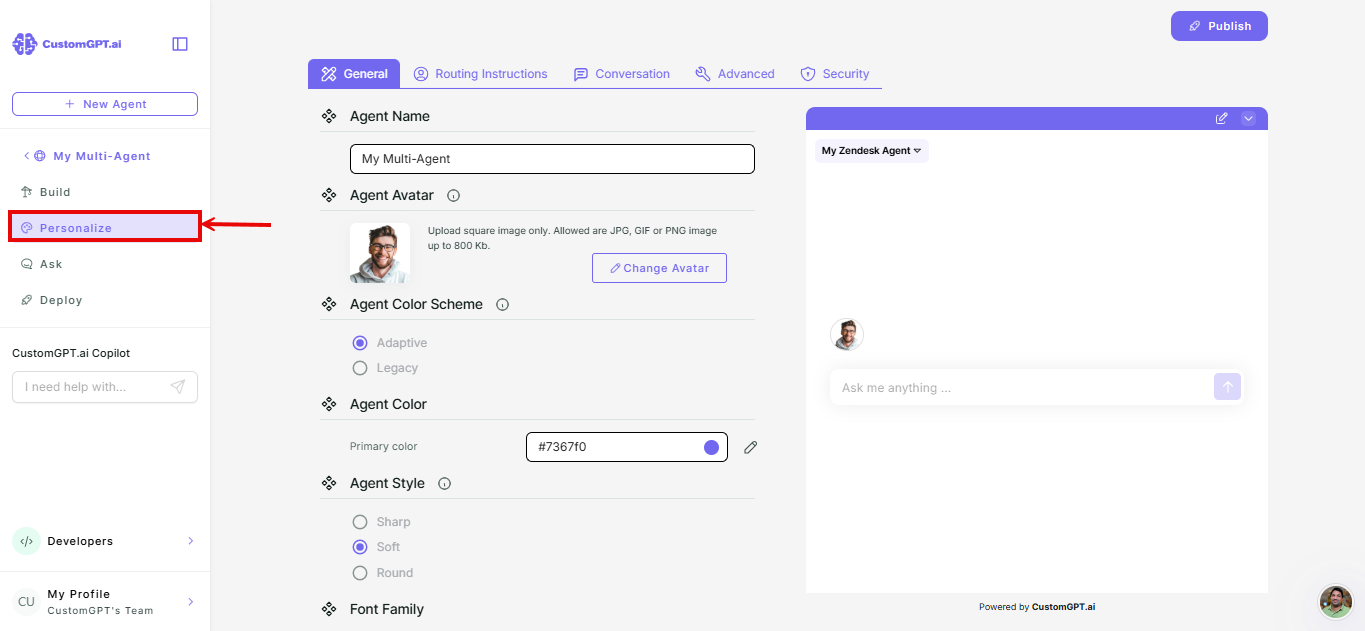
- Go to the Routing Instructions tab.
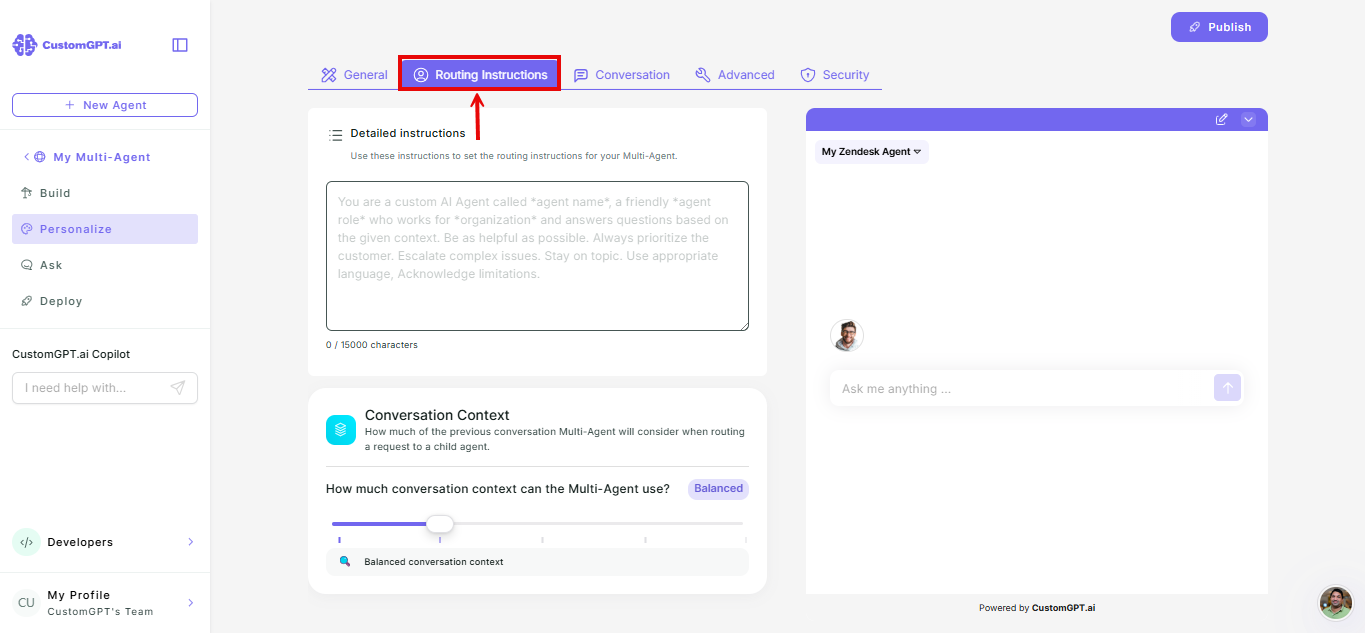
Note: If Smart Routing is off, you'll see a notice explaining that these instructions have no effect until it's turned on. Turn Smart Routing on first if you want your instructions to take effect - refer to Enable and configure Smart Routing
- Write your routing instructions.
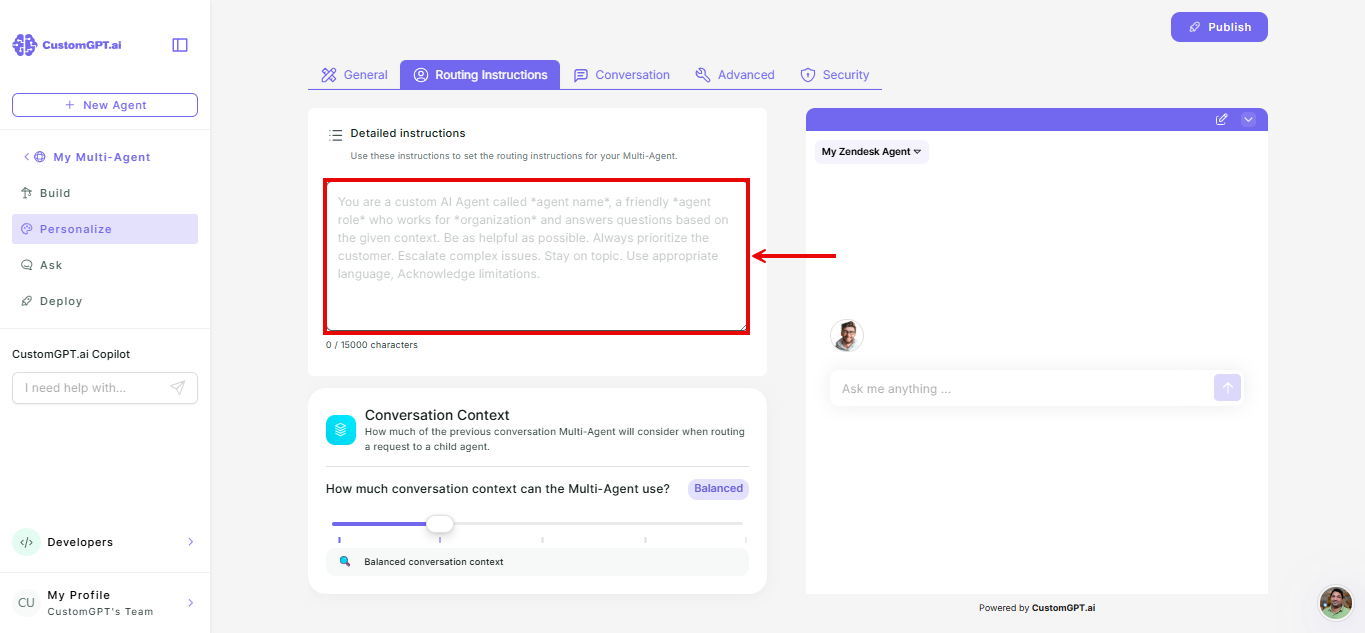
Note: A new Multi-Agent starts with this box empty. There's no default text filled in for you.
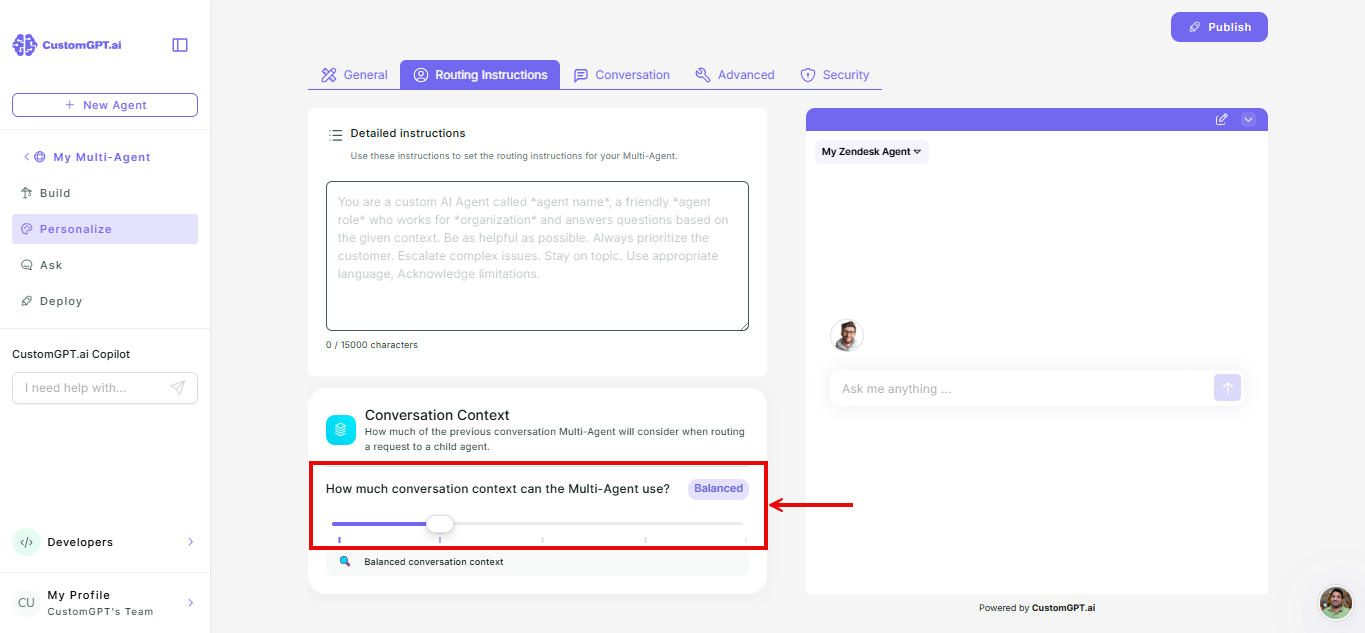
- Set Context Depth. Refer to How context depth works for details.
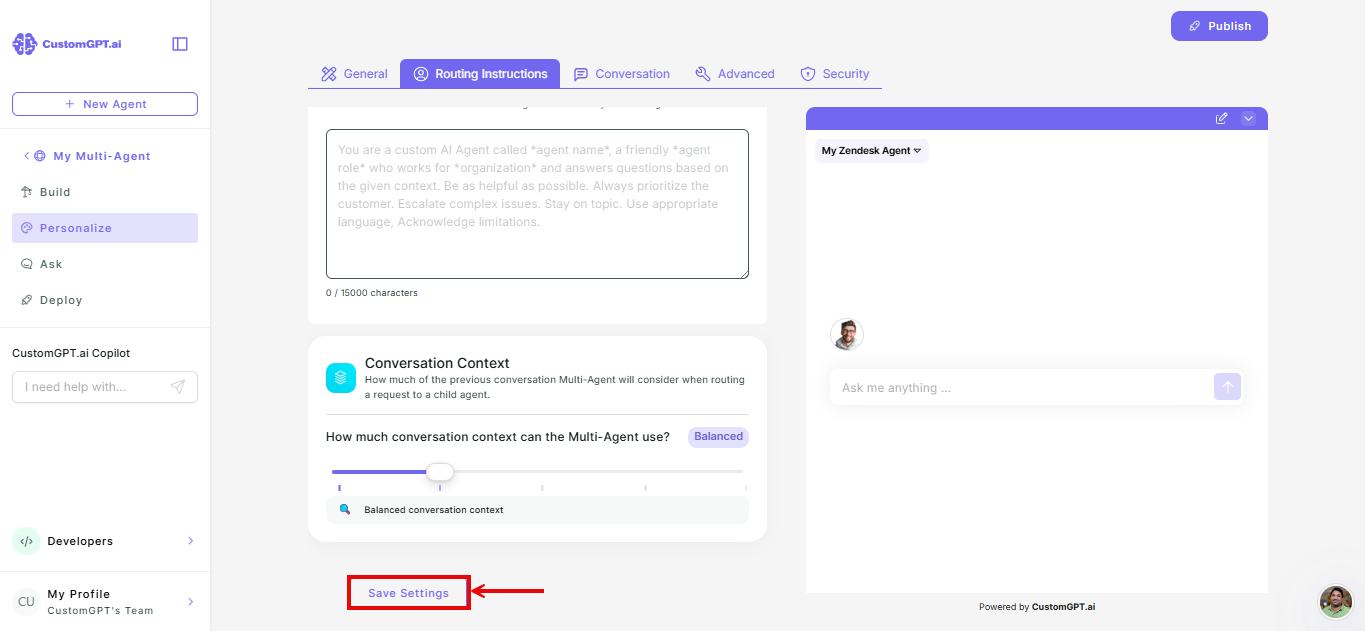
- Click Save Settings.
Things to know
- Routing instructions guide Smart Routing's decisions. They don't change how any child agent itself responds once it's chosen.
- Longer Context Depth levels let Smart Routing look further back in a conversation before deciding.
Related articles
Updated 2 months ago
Did this page help you?