
Set a primary agent
Choose which child agent is primary in your Multi-Agent.
This guide walks you through setting which child agent is primary.
Before you start
- You have a Multi-Agent with at least one child agent attached.
Steps
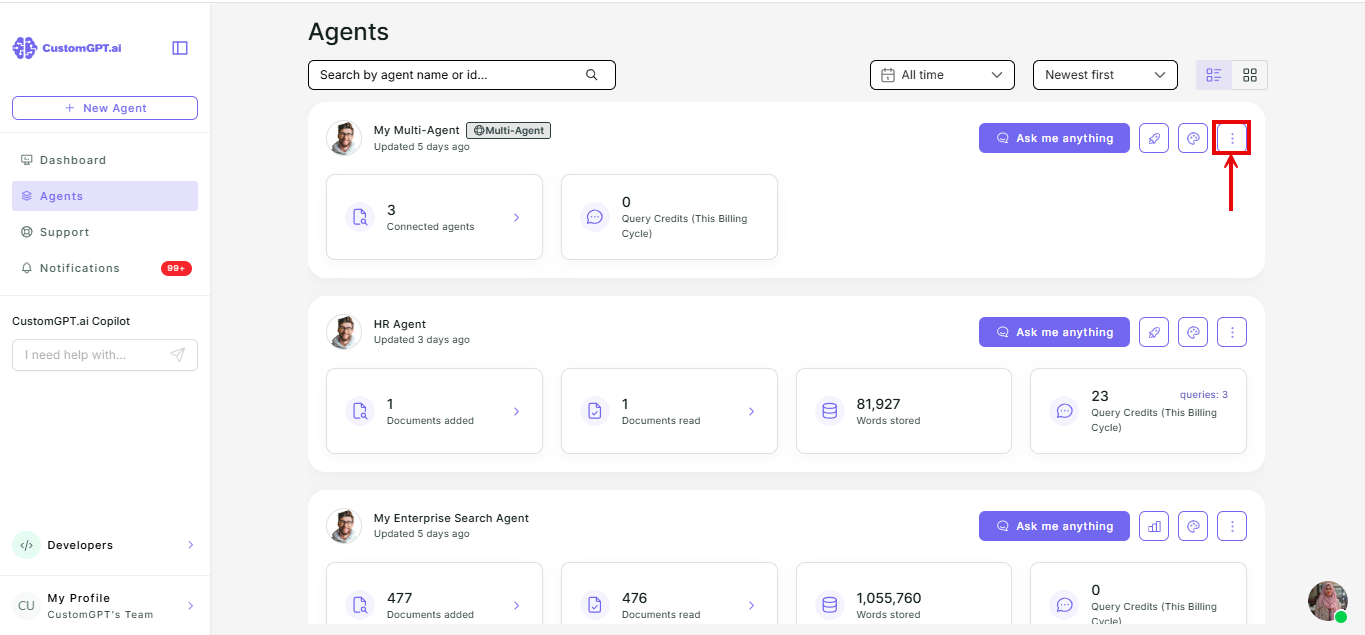
- On your Multi-Agent, click the three dots.
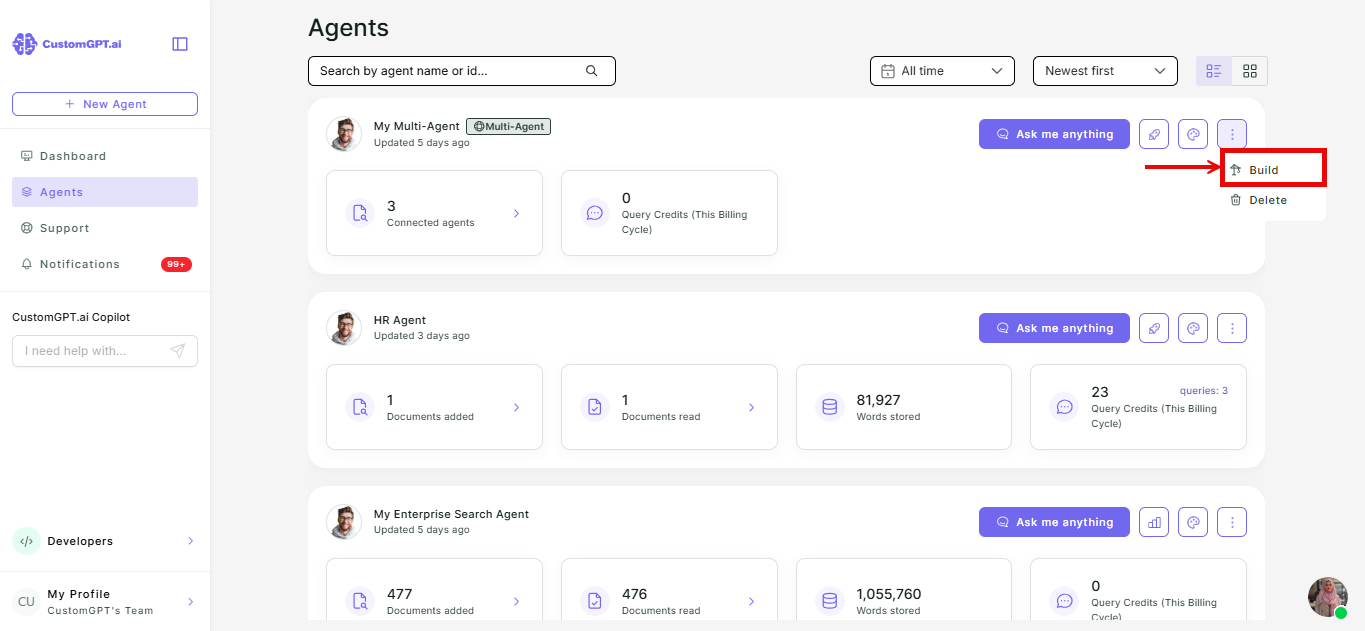
- Select Build.
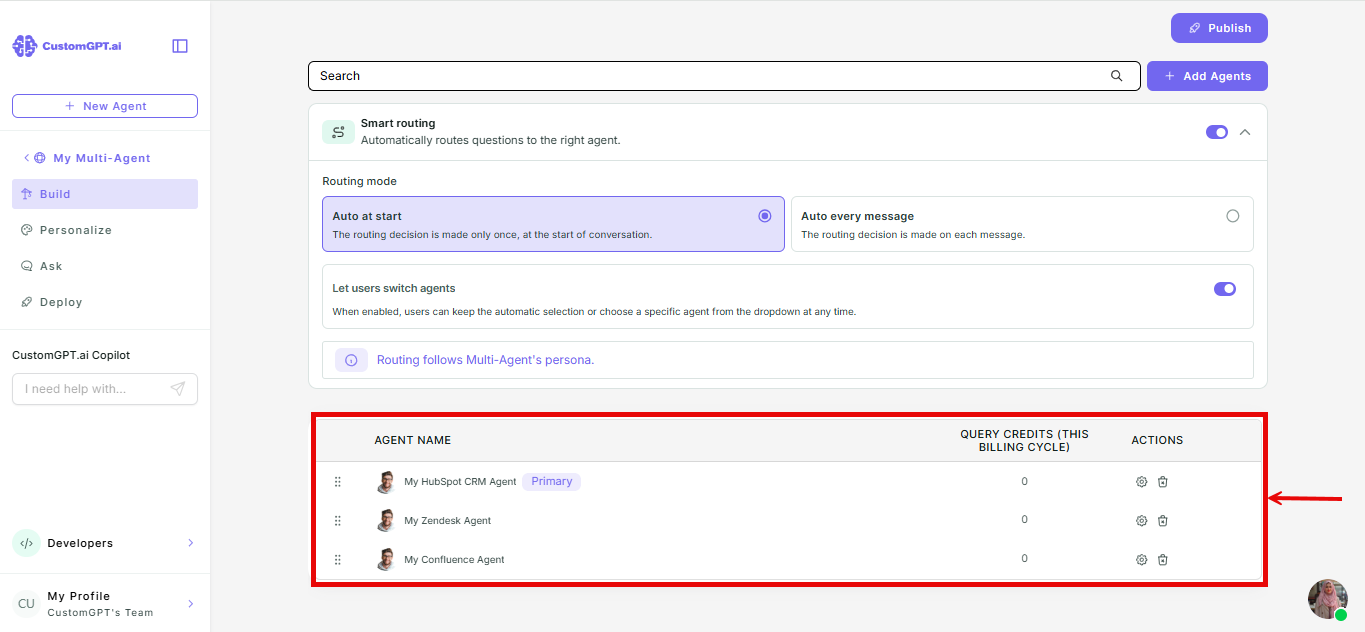
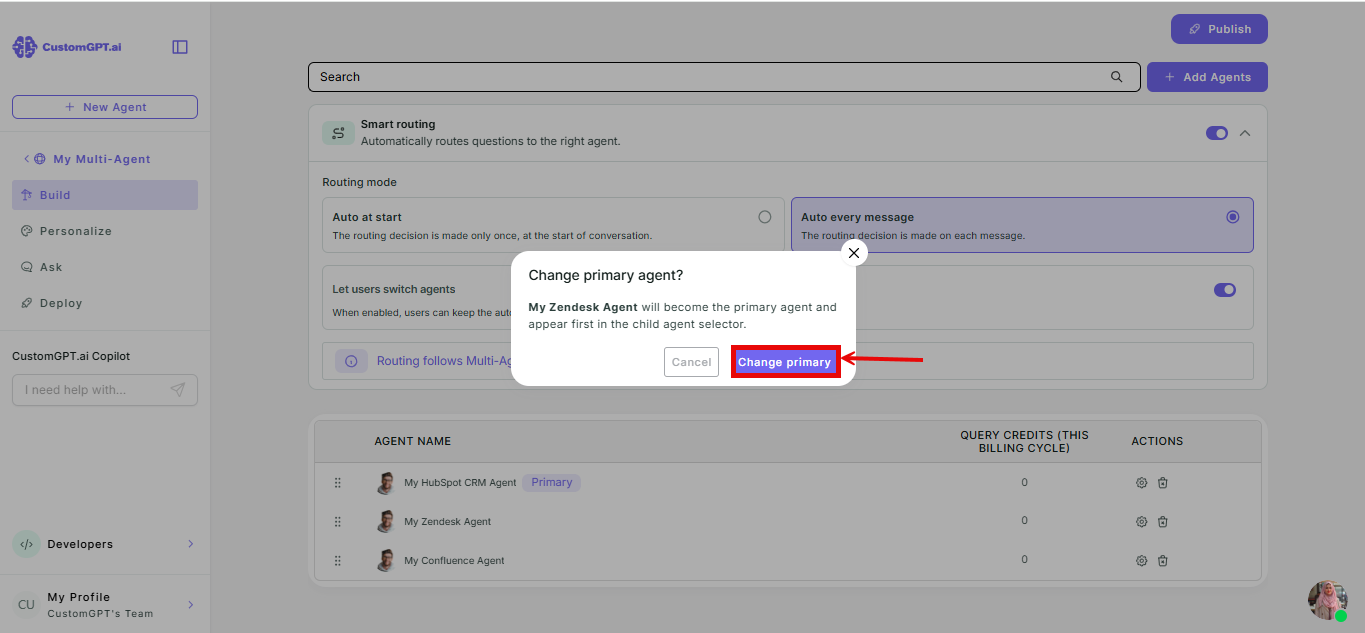
- Below the Smart Routing settings, find the list of child agents. The first agent in the list is Primary by default.
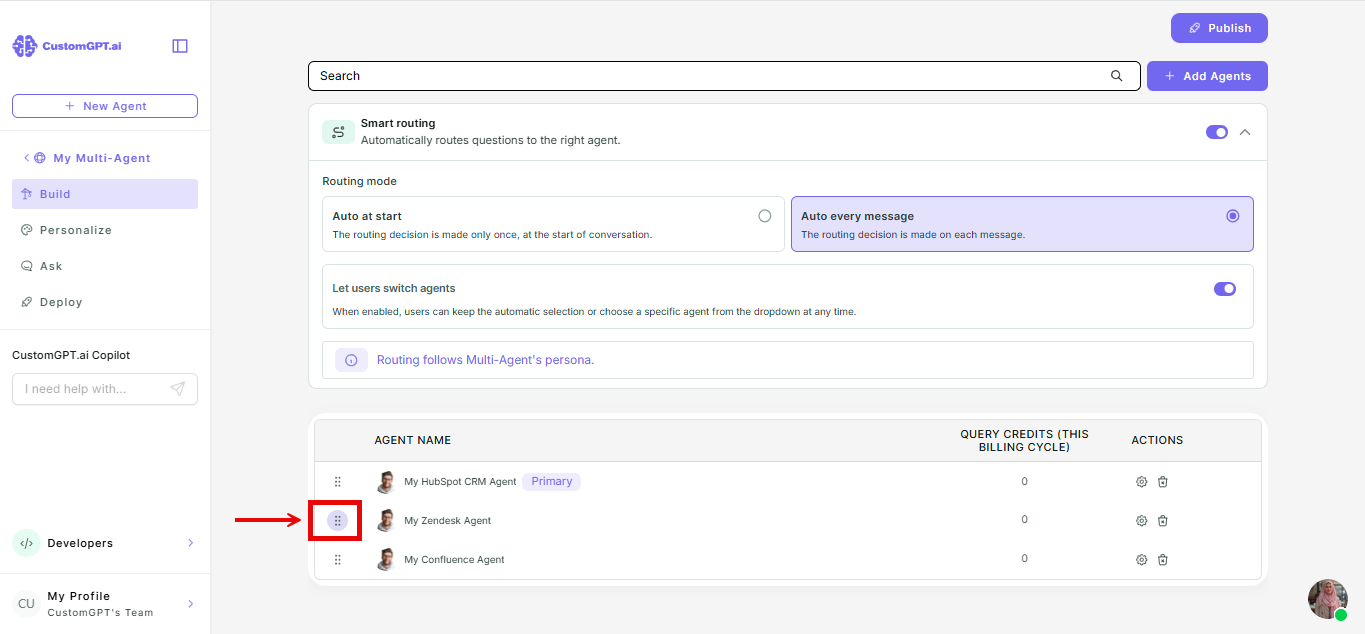
- Drag a different agent to the top of the list to make it primary.
- Click Change Primary in the confirmation dialog that appears.
Note: newly added child agents are always placed at the bottom of the list. Reorder them afterward if you want a different one to be primary.
Related articles
Updated 3 months ago
Did this page help you?