
Connect a platform using Quick Setup
This guide walks you through connecting a pre-configured platform to your agent using Quick Setup.
Quick Setup includes 60+ curated platforms. Select a platform logo, provide your API key, and the agent will know how to use it. Refer to Platforms available in Quick Setup for the full list.
If your platform is not listed, use Custom API instead.
Before you start
- Plan & Act mode is enabled on your agent.
- Smart Tasks is enabled with the External Tasks permission.
If the Add API button appears grayed out, Smart Tasks with the External Tasks permission is not enabled. Refer to Enable Smart Tasks for more details.
Steps
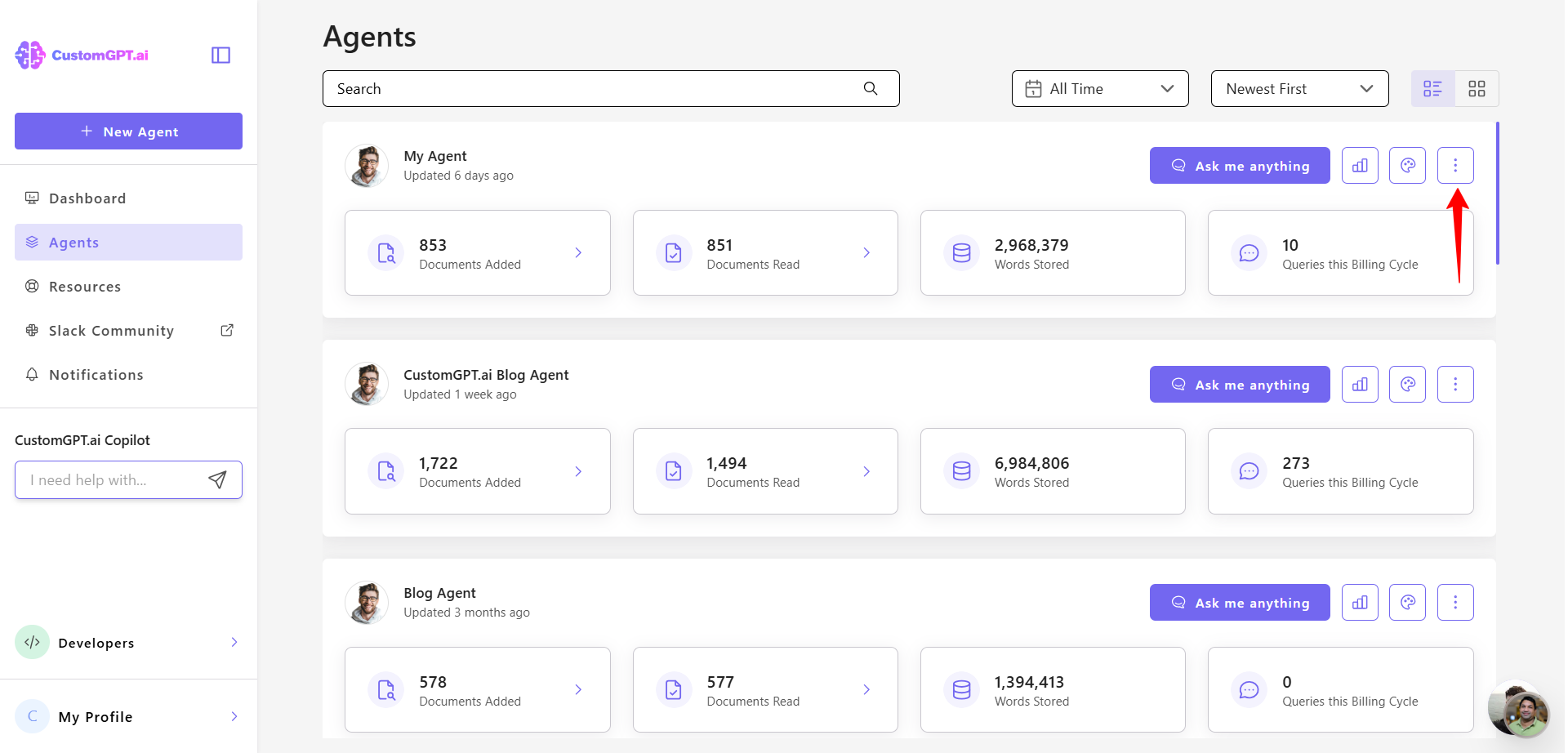
- Click the three dots next to the agent you want to configure.
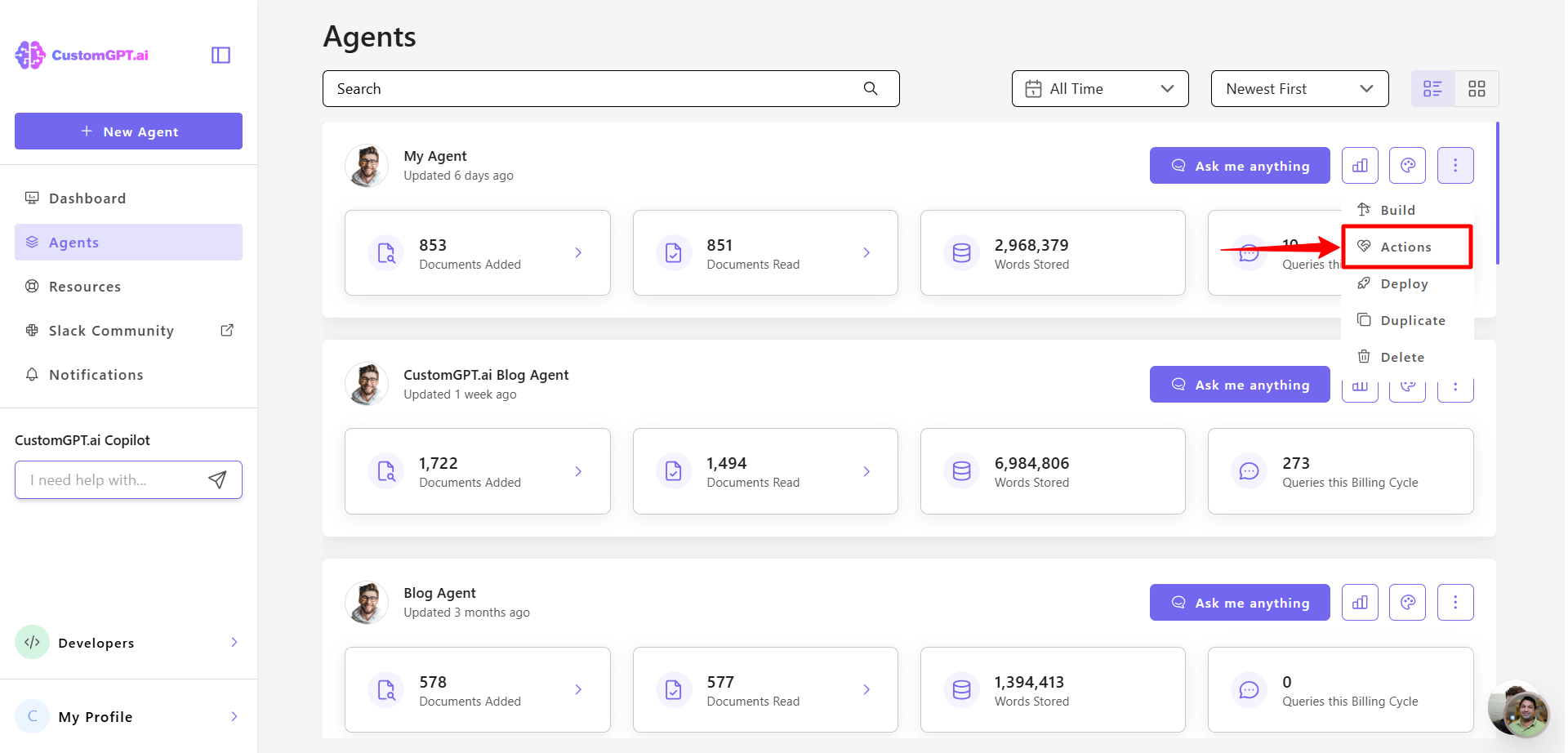
- Select Actions from the dropdown menu.
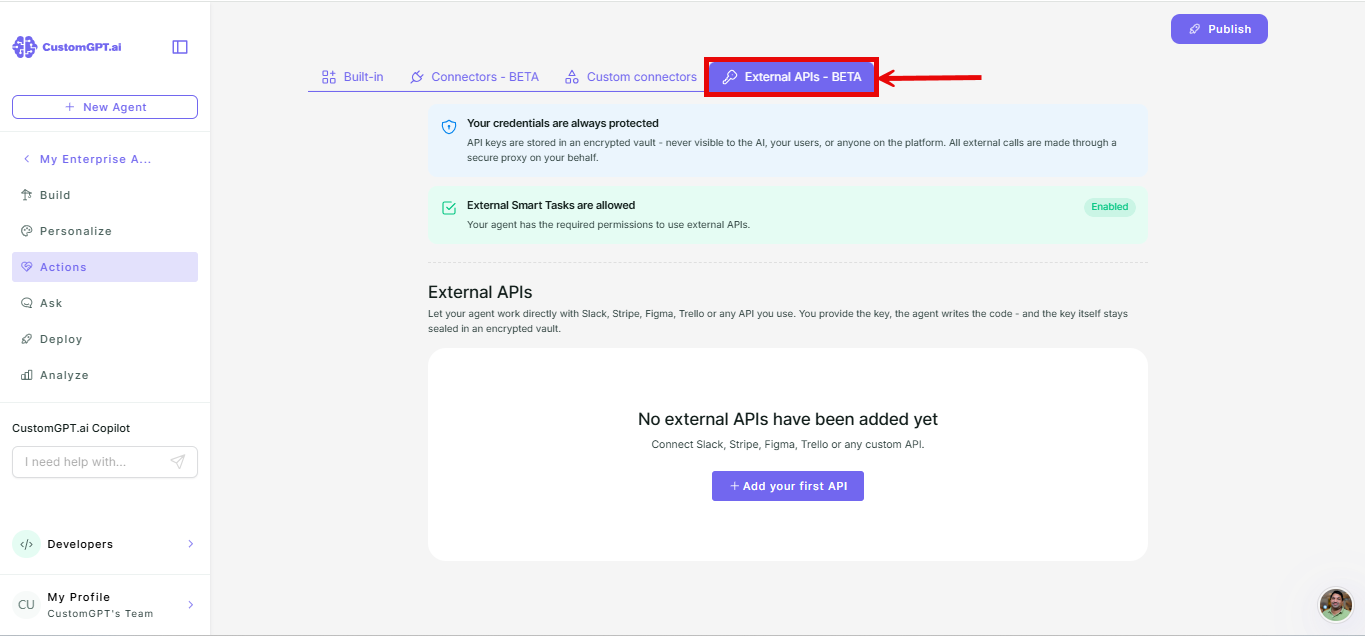
- Select the External APIs - Beta tab.
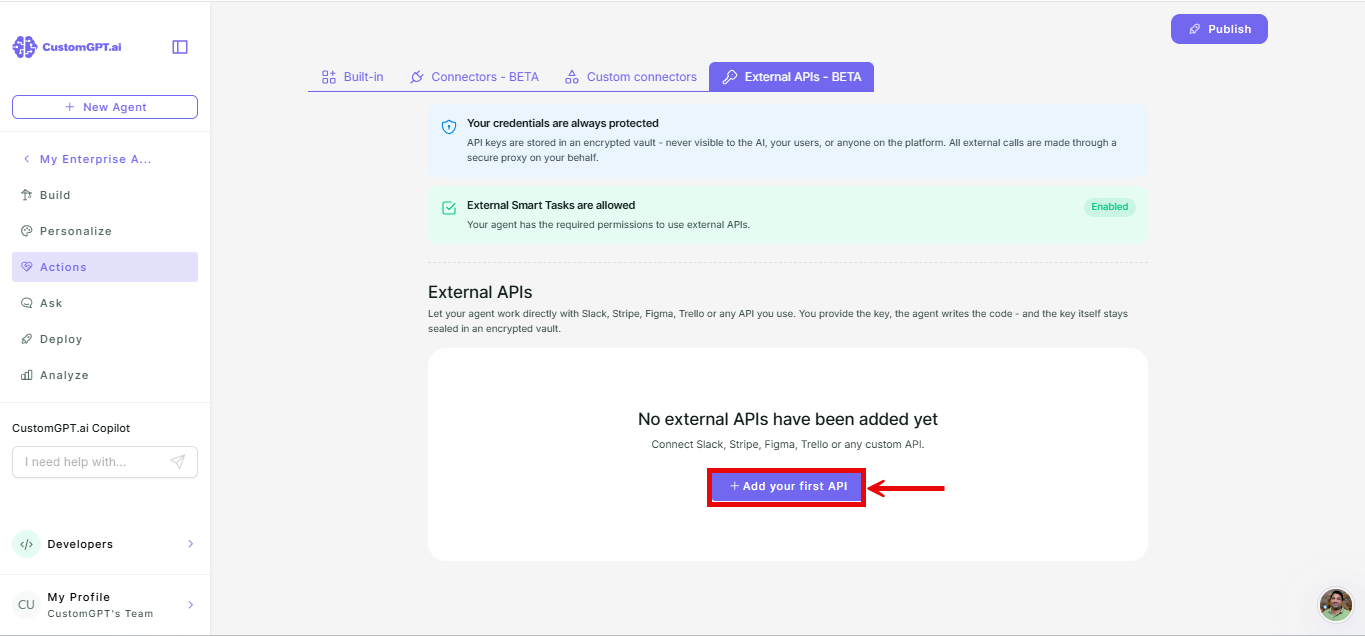
- On the External APIs - Beta tab, click Add your first API (or Add API if you already have integrations listed).
- Select Quick Setup.
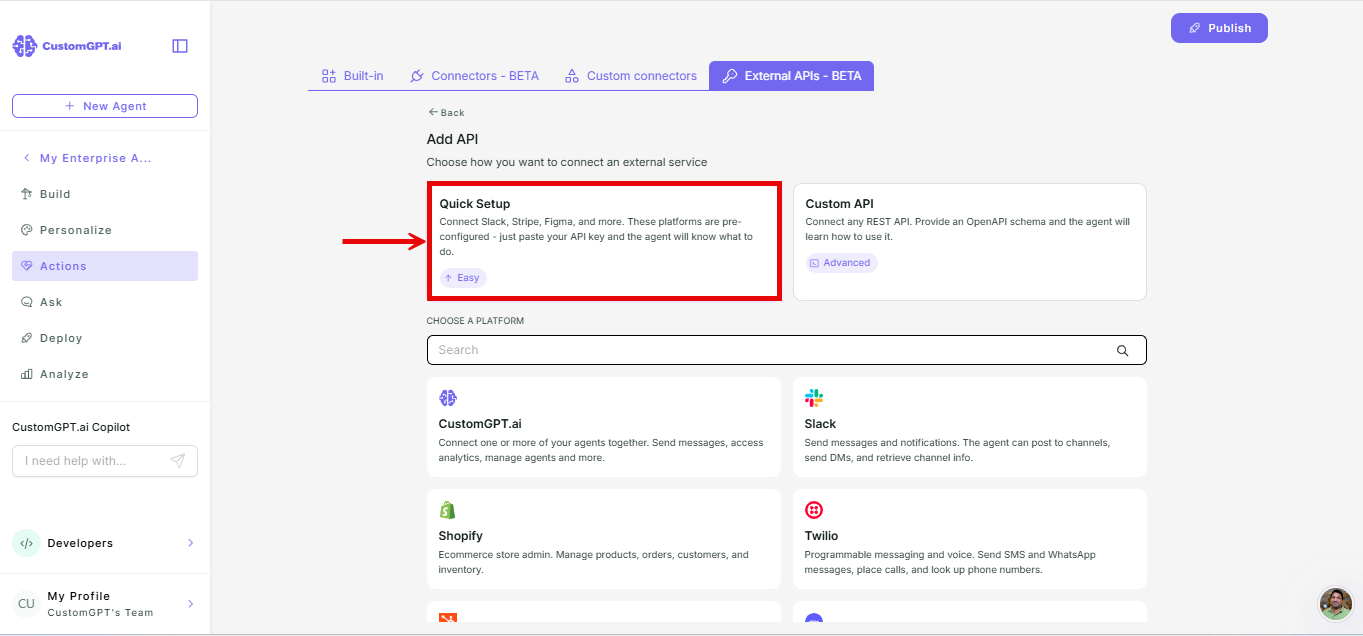
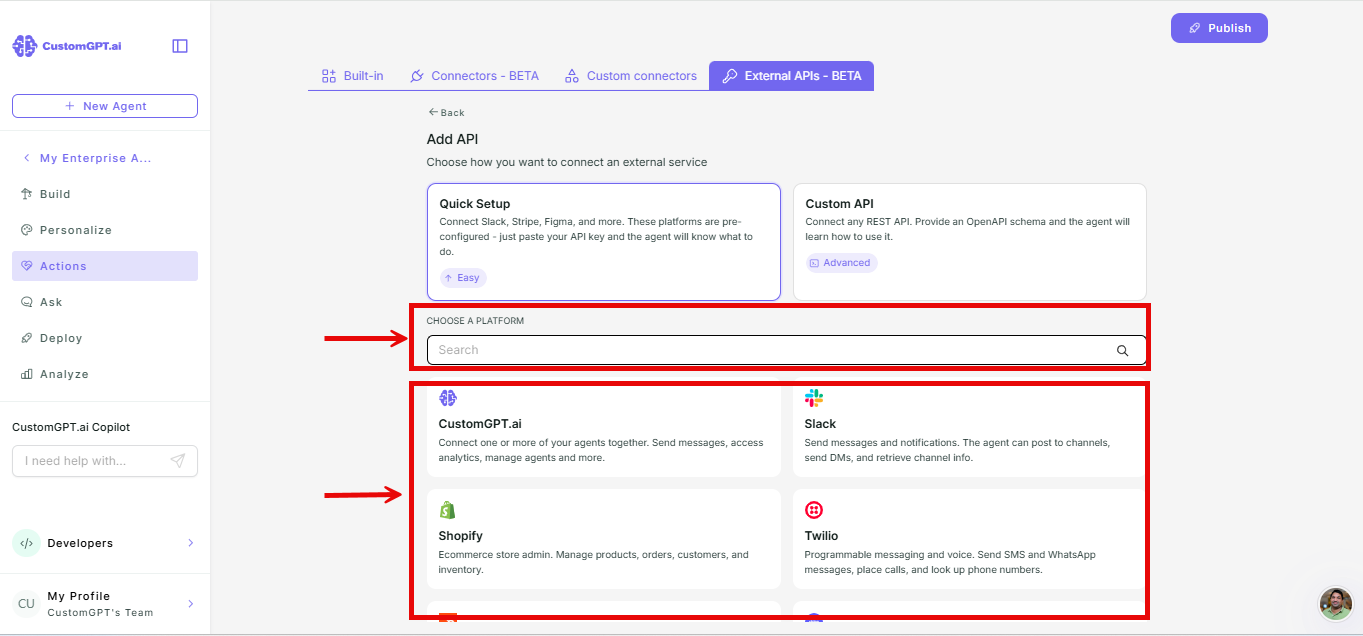
- Search for your platform or choose from the default list.
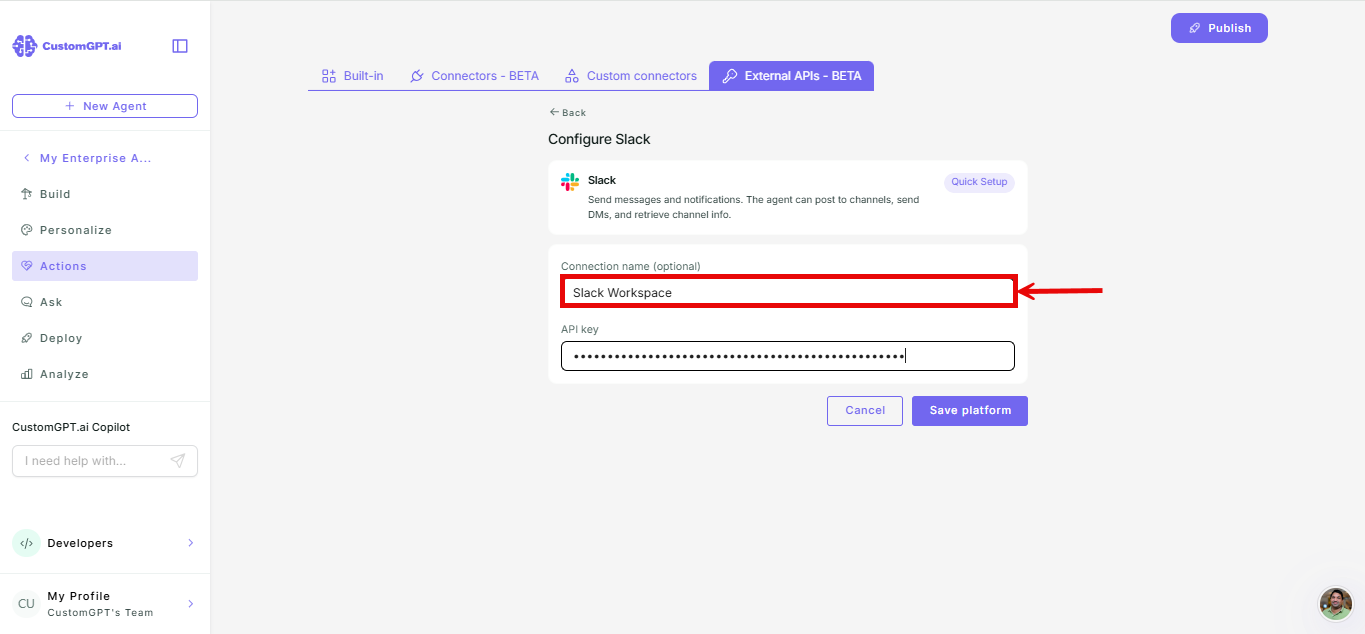
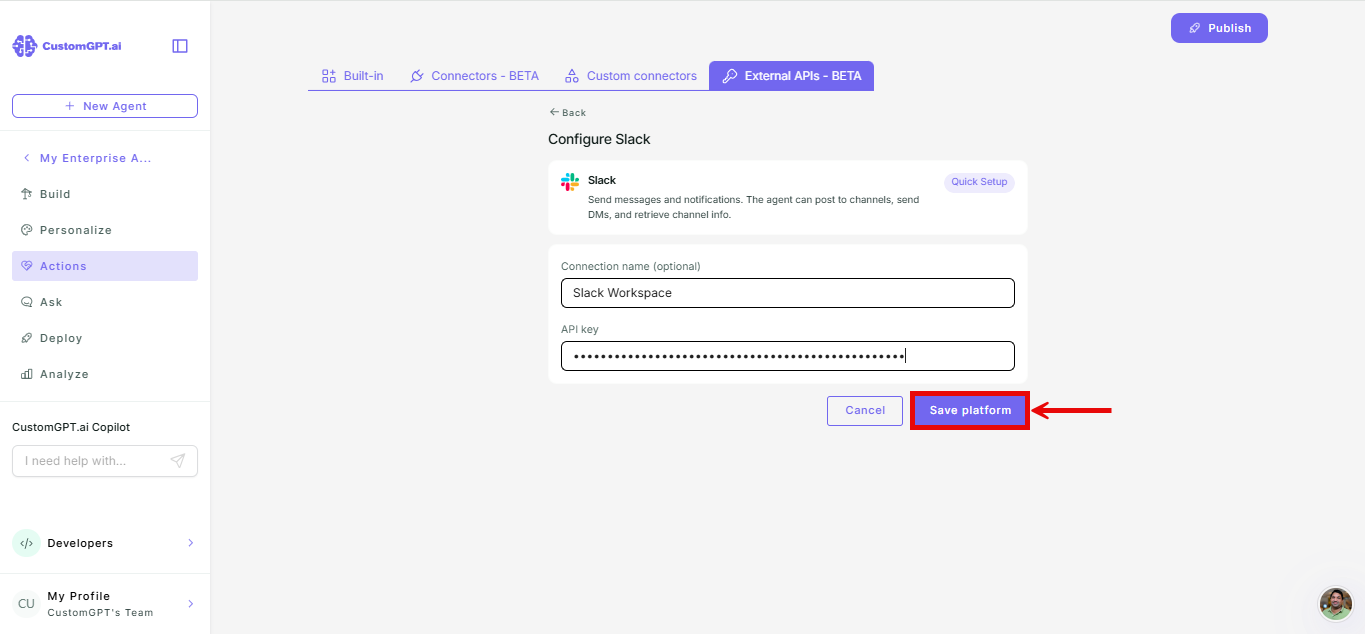
- Enter a connection name.
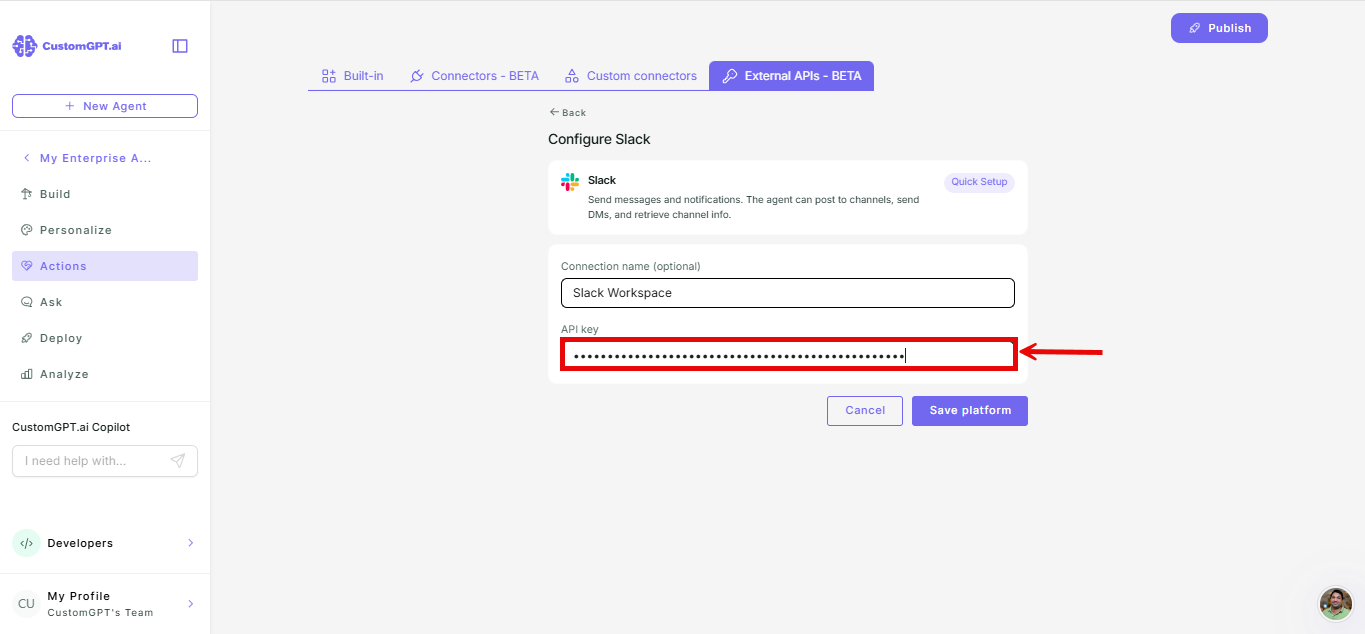
- Enter your API key.
- Click Save platform.
Things to know
- You can configure as many integrations as you want, but only 5 can be active at a time. This limit helps manage your agent's context and query credit usage. To increase the limit, contact support.
- The agent can use integrations within a single conversation only. Each new conversation starts fresh.
Related articles
Updated 2 months ago
Did this page help you?