
Set context depth on your agent
This guide walks you through changing the context depth setting on your agent.
Context depth is set per agent and can be changed at any time from the Intelligence tab in Personalize.
Context depth options
| Option | Available on | Context window (tokens) | History window (tokens) | Query credits |
|---|---|---|---|---|
| Compact | All plans | 2,000 | 1,000 | 1 query credit |
| Balanced | All plans | 3,000 | 1,000 | 1 query credit (2 on Standard) |
| Extended | All plans | 6,000 | 2,000 | 2 query credits (3 on Standard) |
| Rich | Premium and above | 12,000 | 4,000 | 3 query credits |
| Max | Enterprise | 24,000 | 8,000 | 4 query credits |
| Custom | Enterprise (account-enabled) | Set by your account team | Set by your account team | Set by your account team |
Standard plan agents default to Compact and can select up to Extended. Premium agents can select up to Rich. Enterprise agents have access to all options including Max and Custom. You can always select a lower option than your plan allows.
Note: Standard plan users pay 1 more query credit than Premium and Enterprise users for Balanced and Extended. See How context depth affects query cost for the full breakdown.
Steps
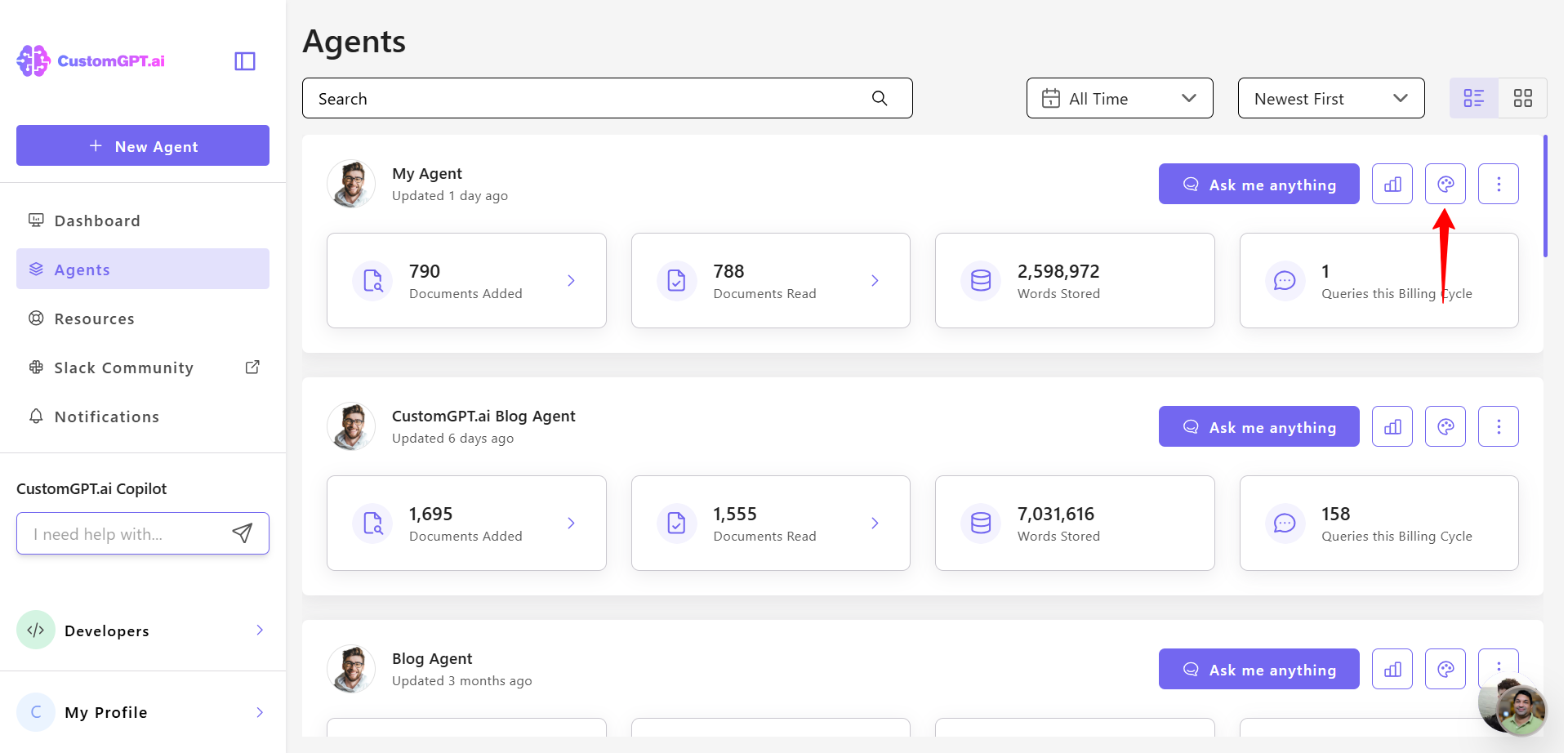
- In the CustomGPT.ai app, go to Personalize from the left menu.
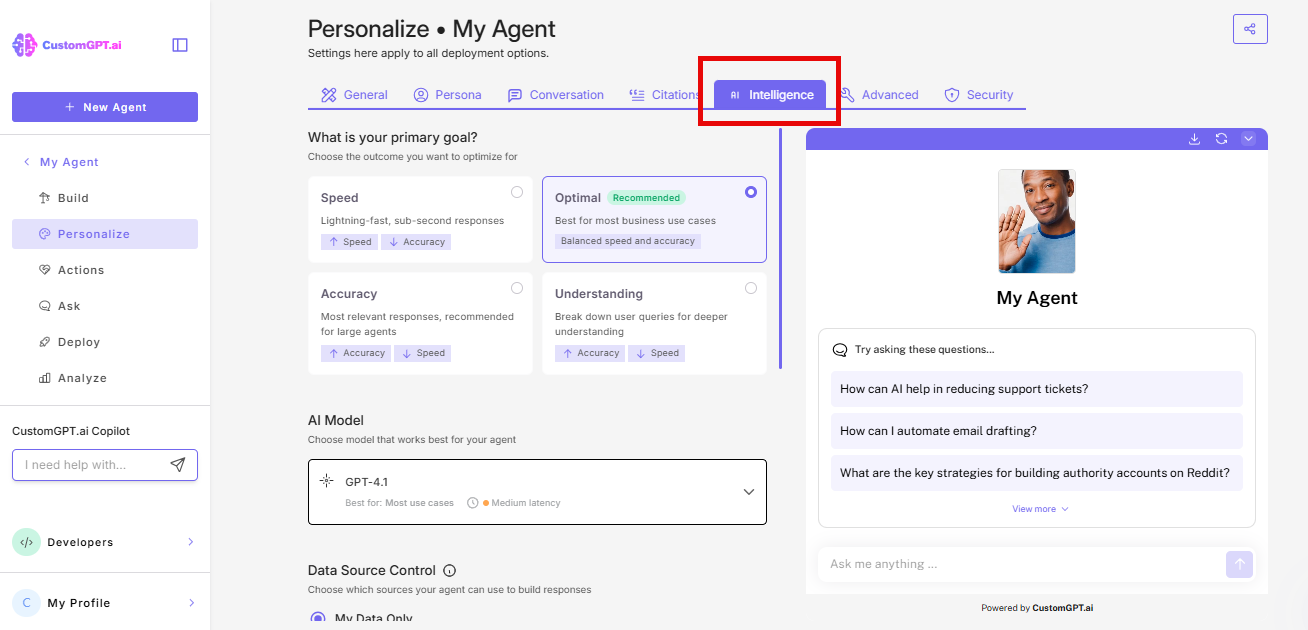
- Select the Intelligence tab.
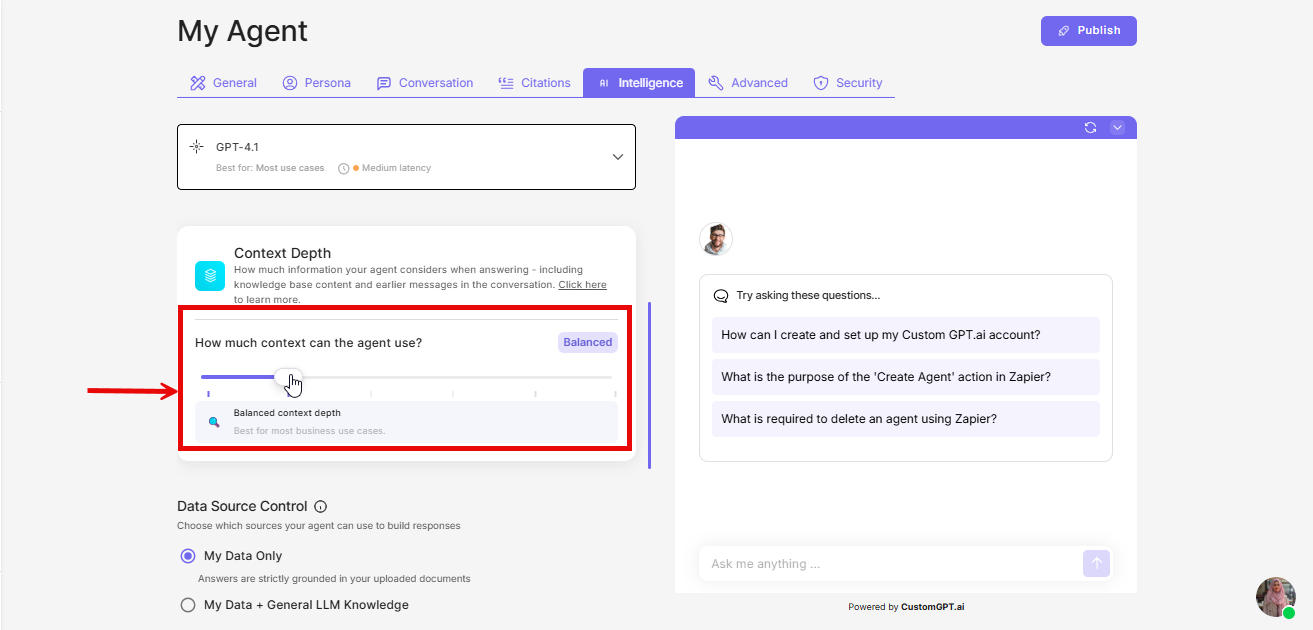
- Under Context Depth, drag the slider to select a tier.
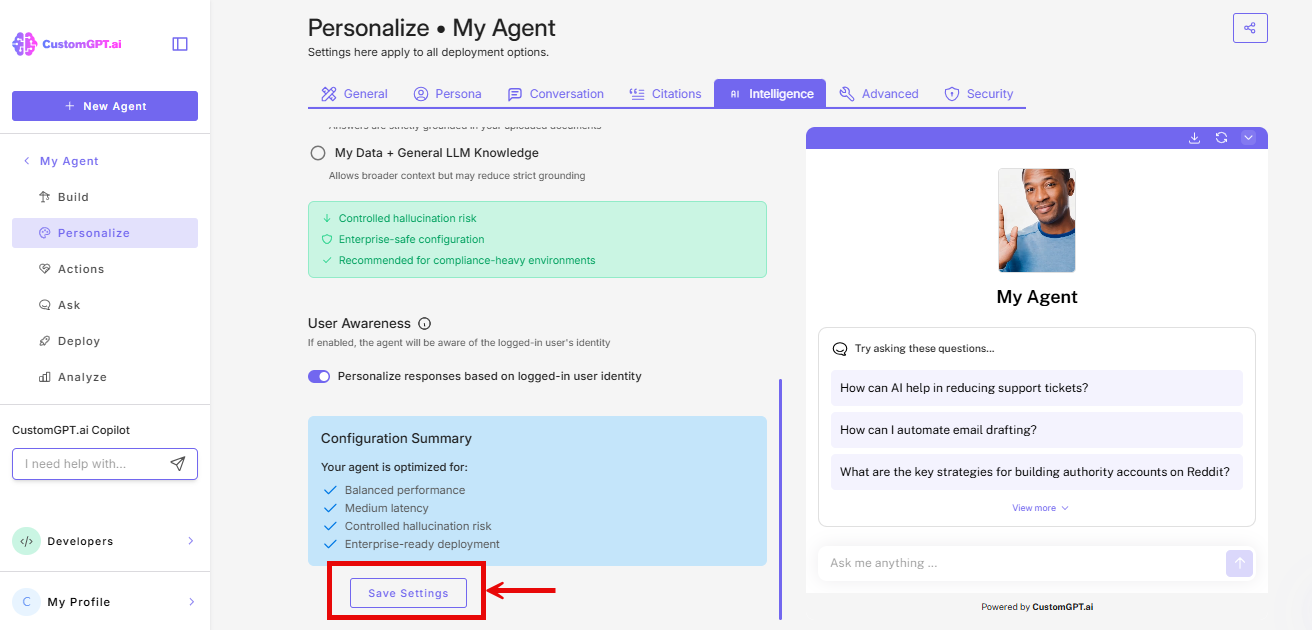
- Click Save Settings to apply the changes.
Note: Higher context depth uses more query credits. See How context depth affects query cost before moving away from the default.
Related articles
- How context depth works
- How context depth affects query cost
- Choose the right context depth for your use case
Updated 4 months ago
Did this page help you?