
Add a website in low performance mode
When to use this
If pages from your website are failing to load into your agent, Low Performance mode may help. This can happen when your server struggles to keep up during a sync - some pages load successfully while others don't.
It takes longer than a standard sync, but more pages will make it into your agent.
When creating a new agent
- Click New Agent.

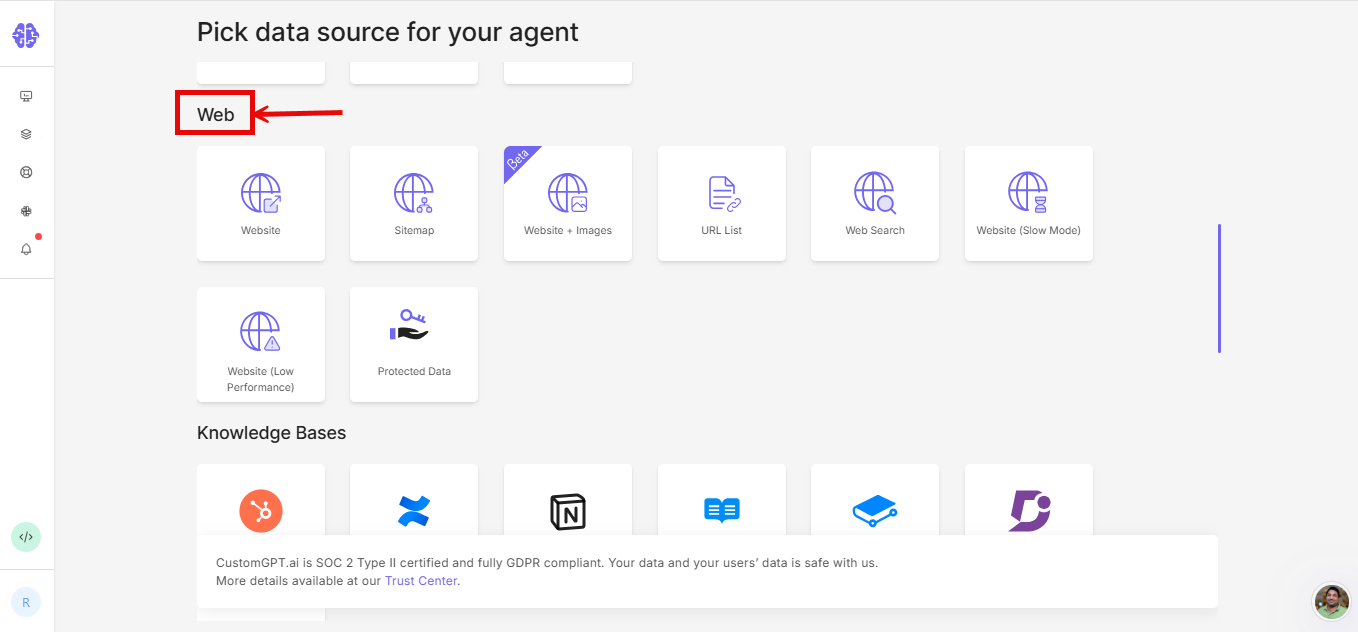
- On the Pick data source for your agent page, scroll down to the Web section.
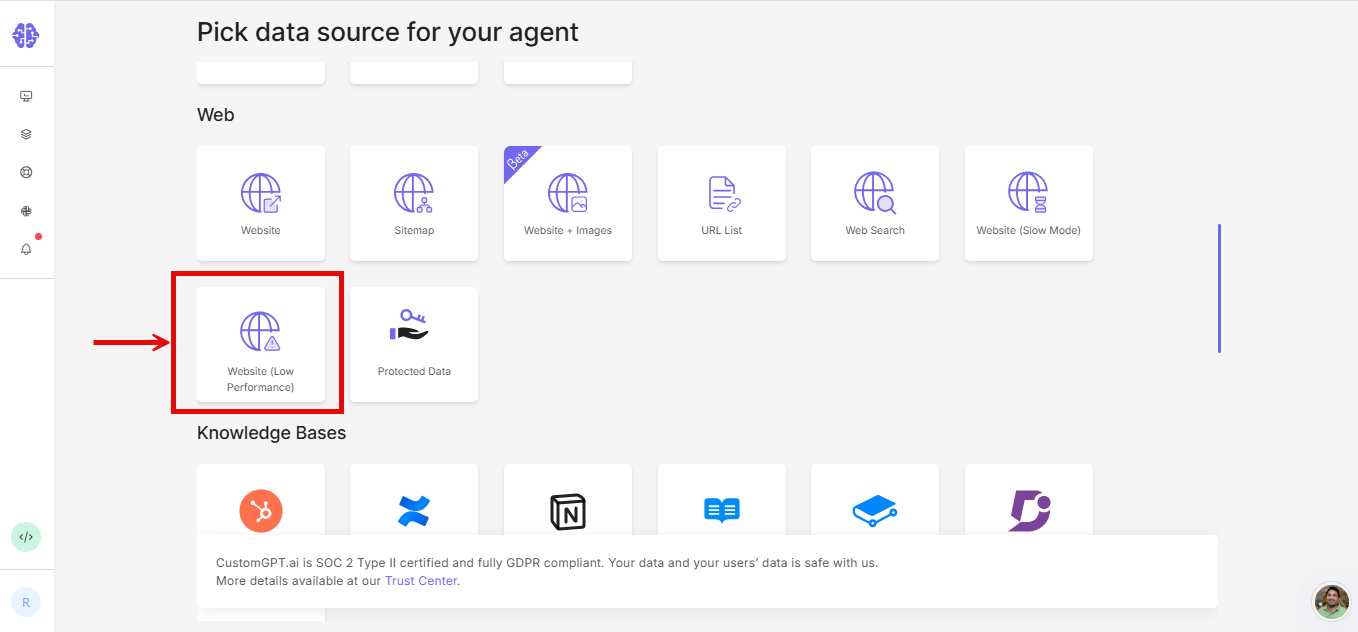
- Select Website (Low Performance).
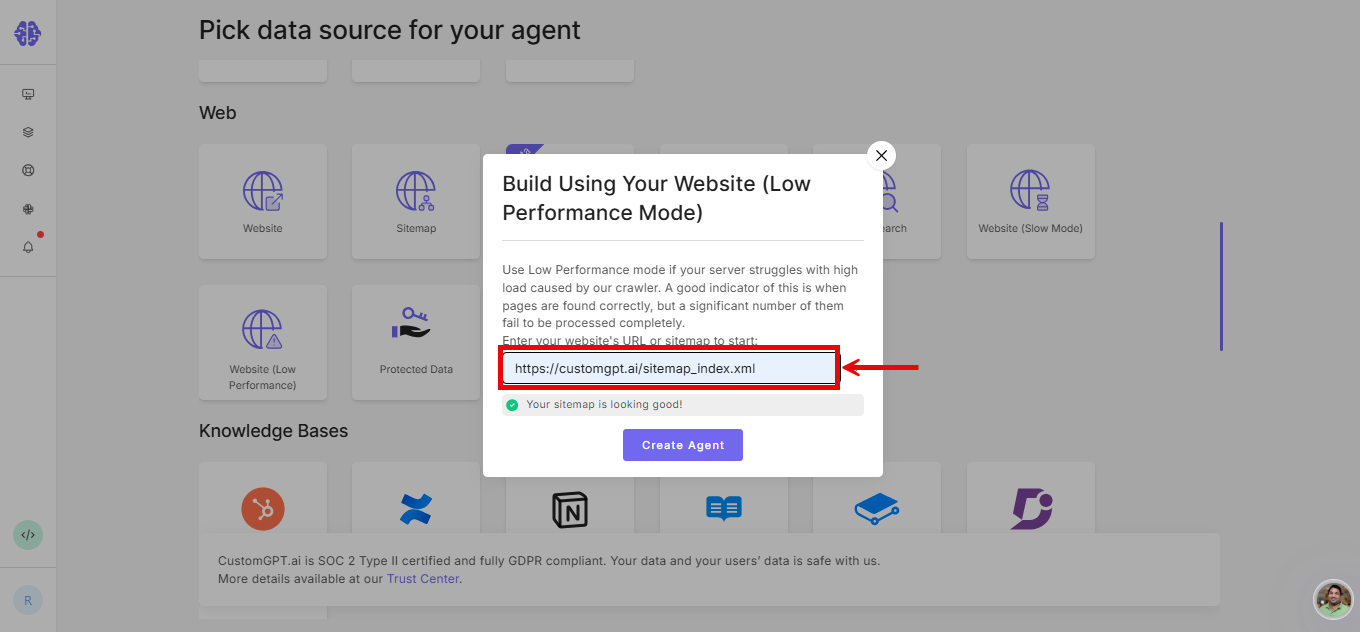
- Enter your sitemap or website URL.
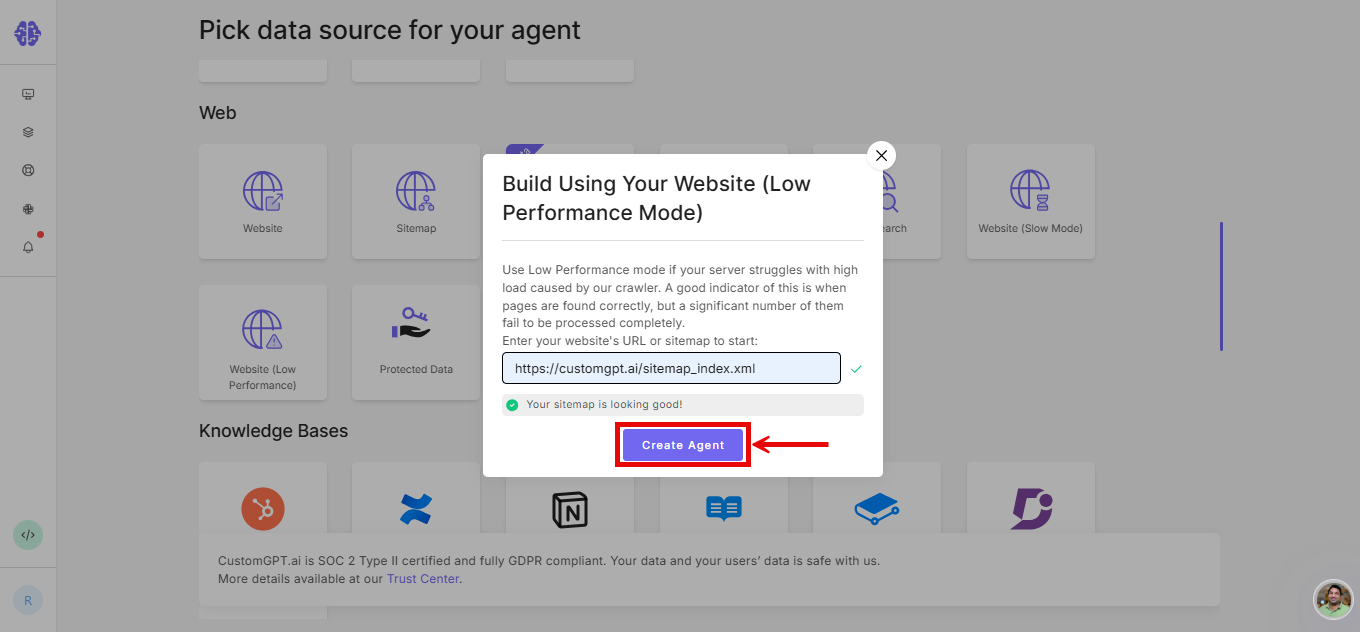
- Click Create Agent.
When adding to an existing agent
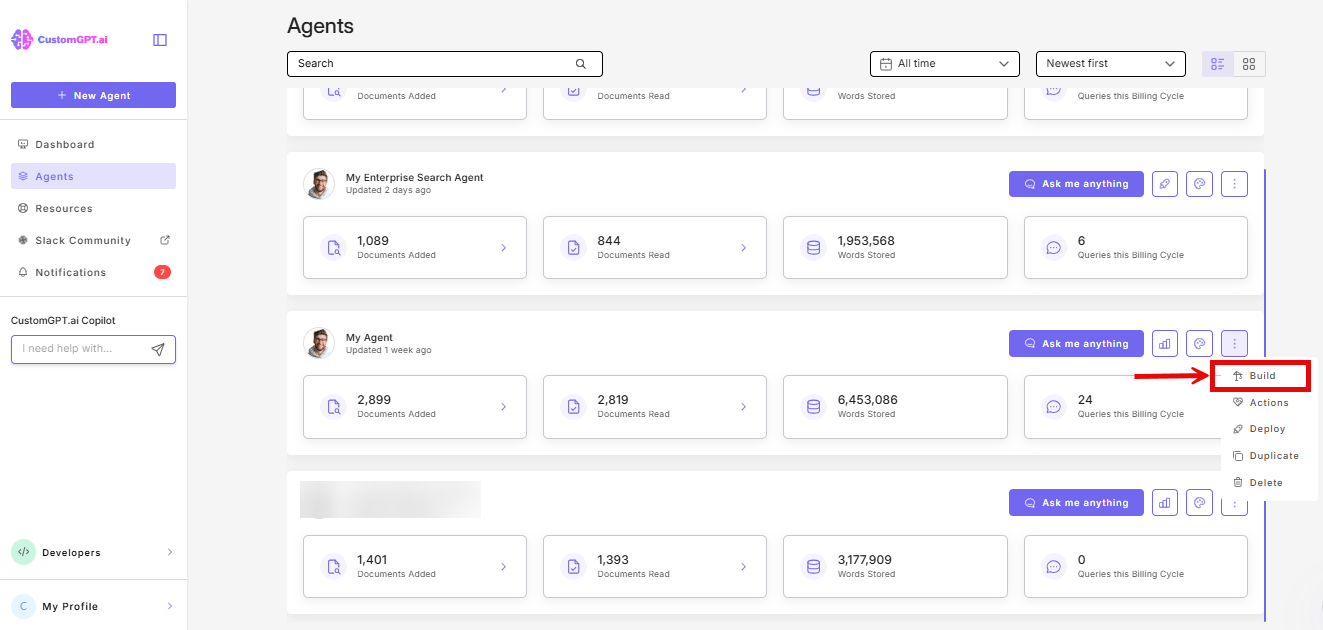
- Click the three-dot menu (⋮) next to your agent and select Build.
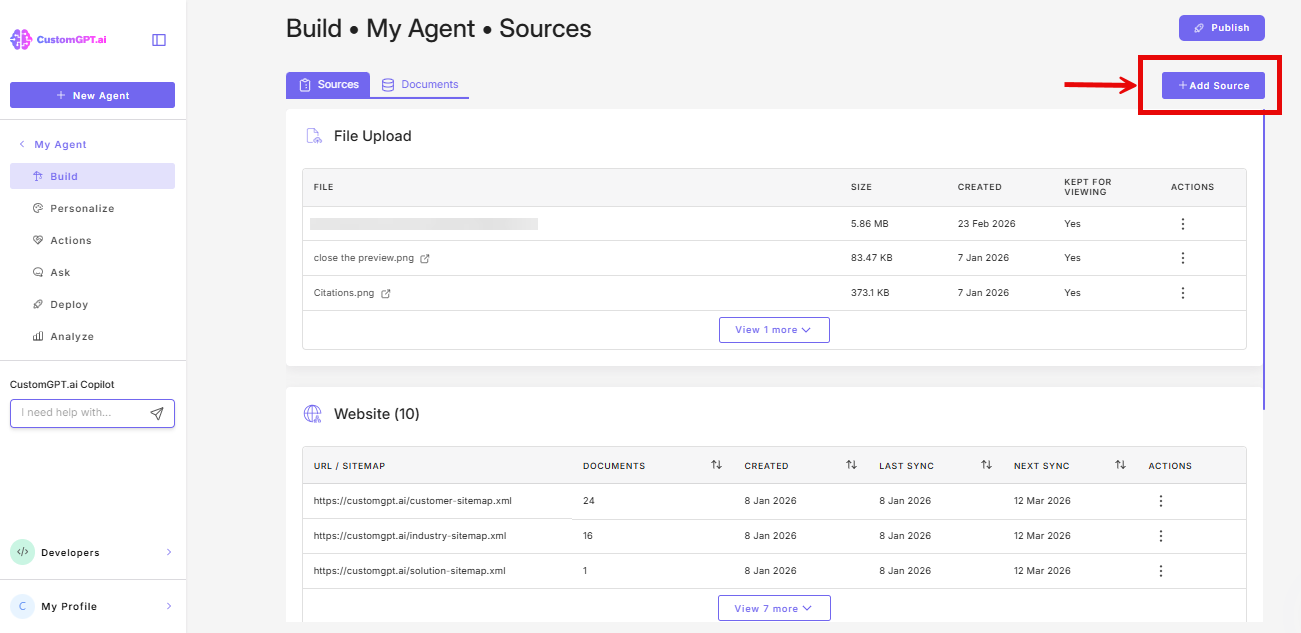
- Click Add Source.
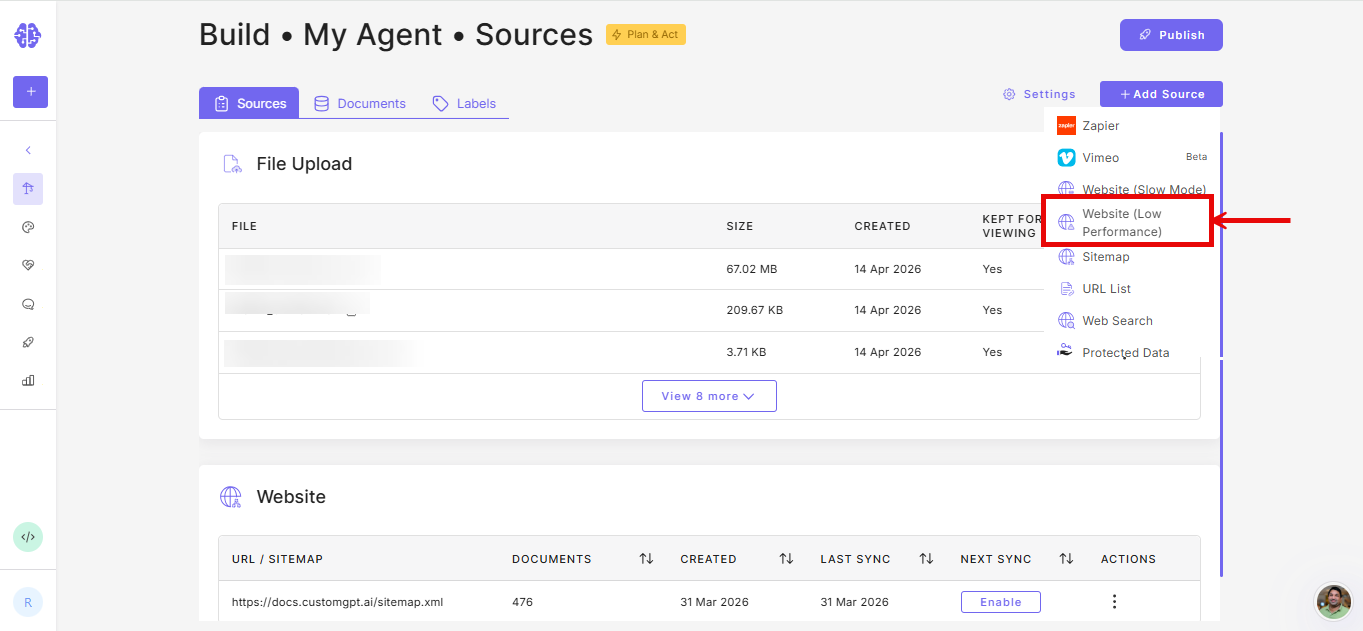
- Select Website (Low Performance) from the dropdown list.
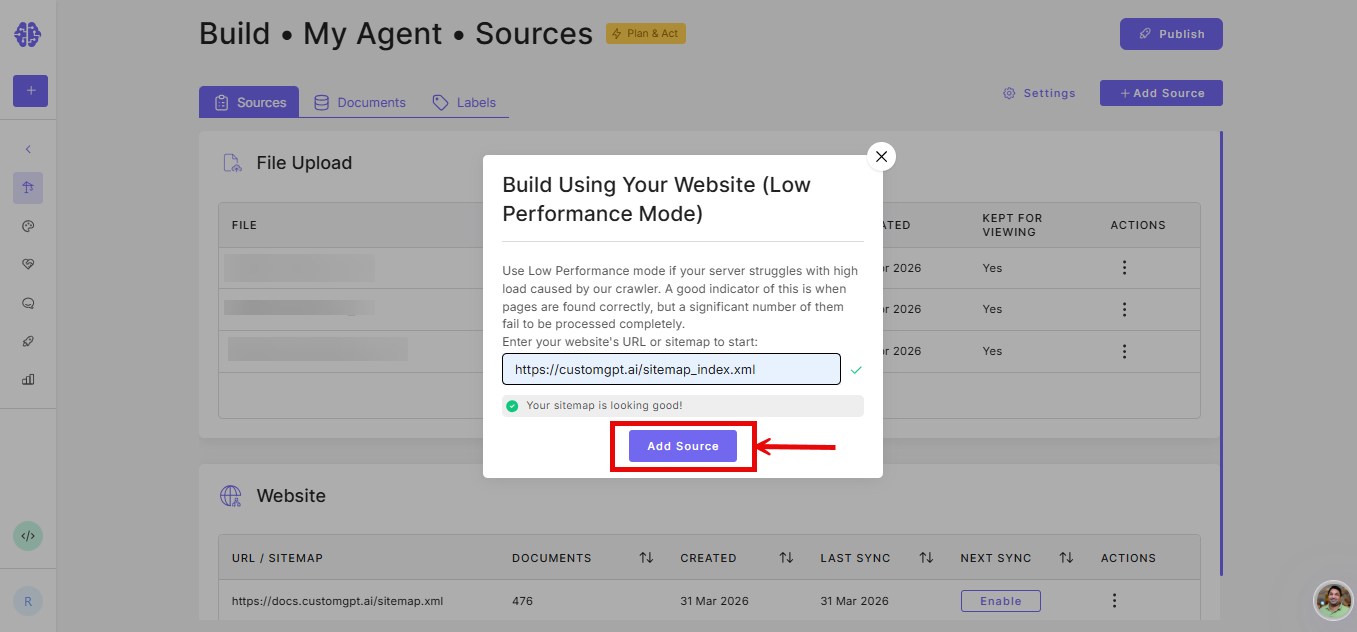
- Enter your sitemap or website URL.
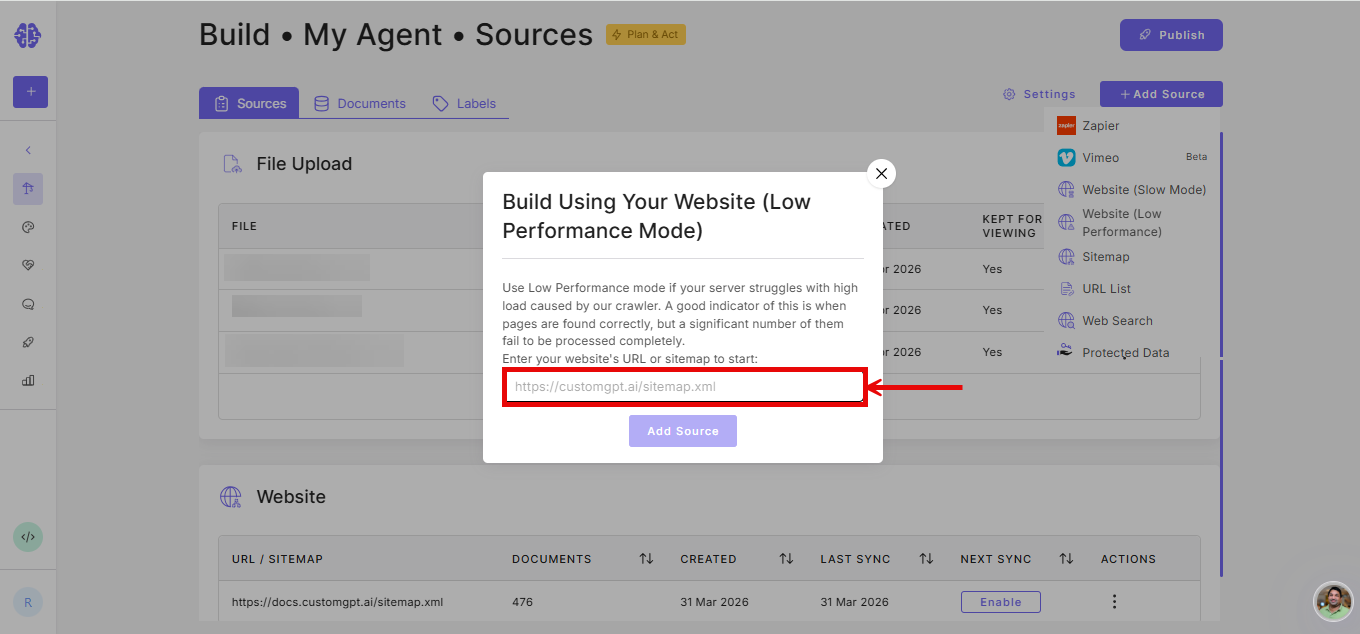
- Click Add Source.
Note: If pages from your website exist but are not making it into your agent, Low Performance mode may help. If the problem persists after trying this, contact support.
Related articles
Updated 5 months ago
Did this page help you?