
Manage full document reading
This guide shows you how to turn full document reading on or off for your agent.
New agents have full document reading on by default. If your agent was created before this feature shipped, turn it on from Citations.
Enable full document reading
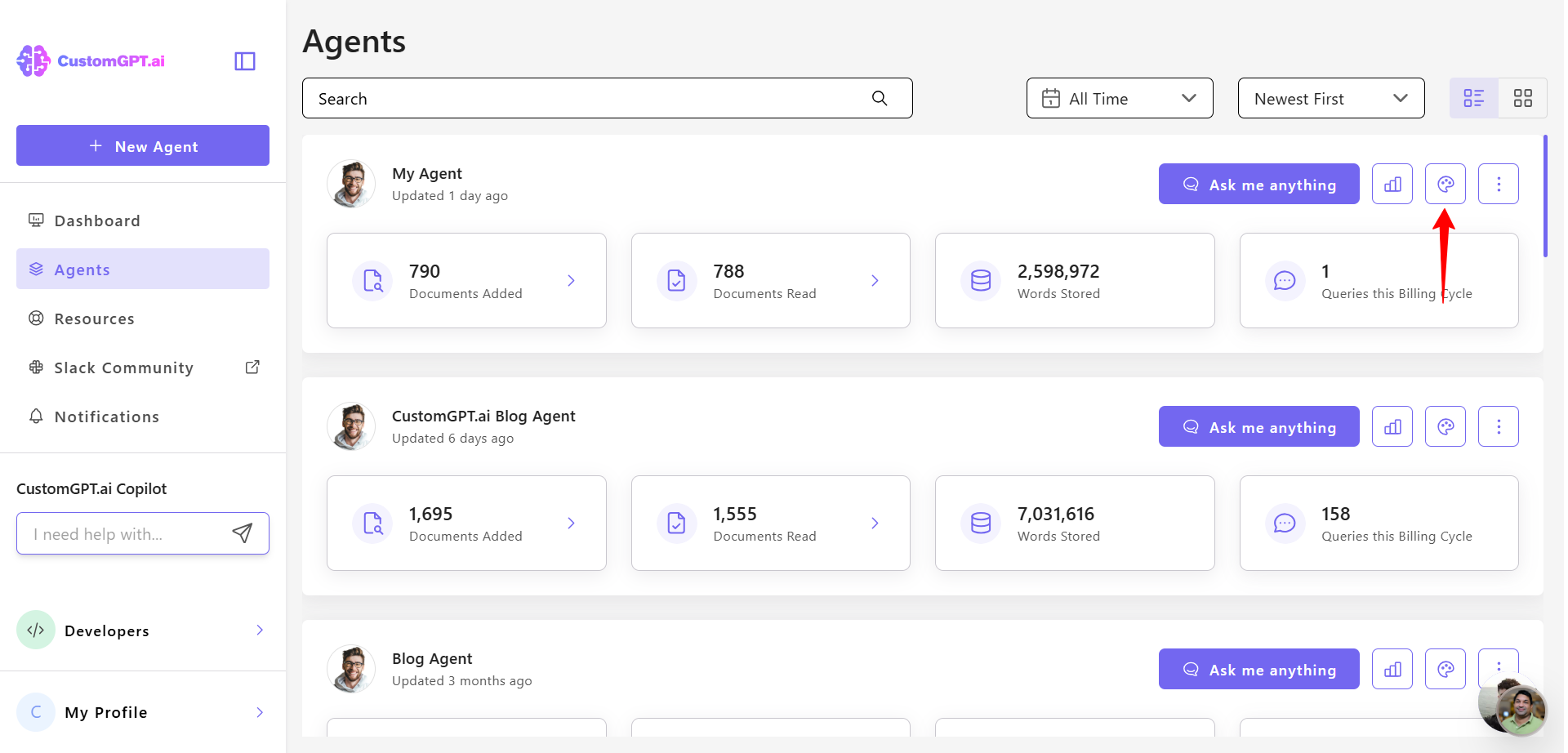
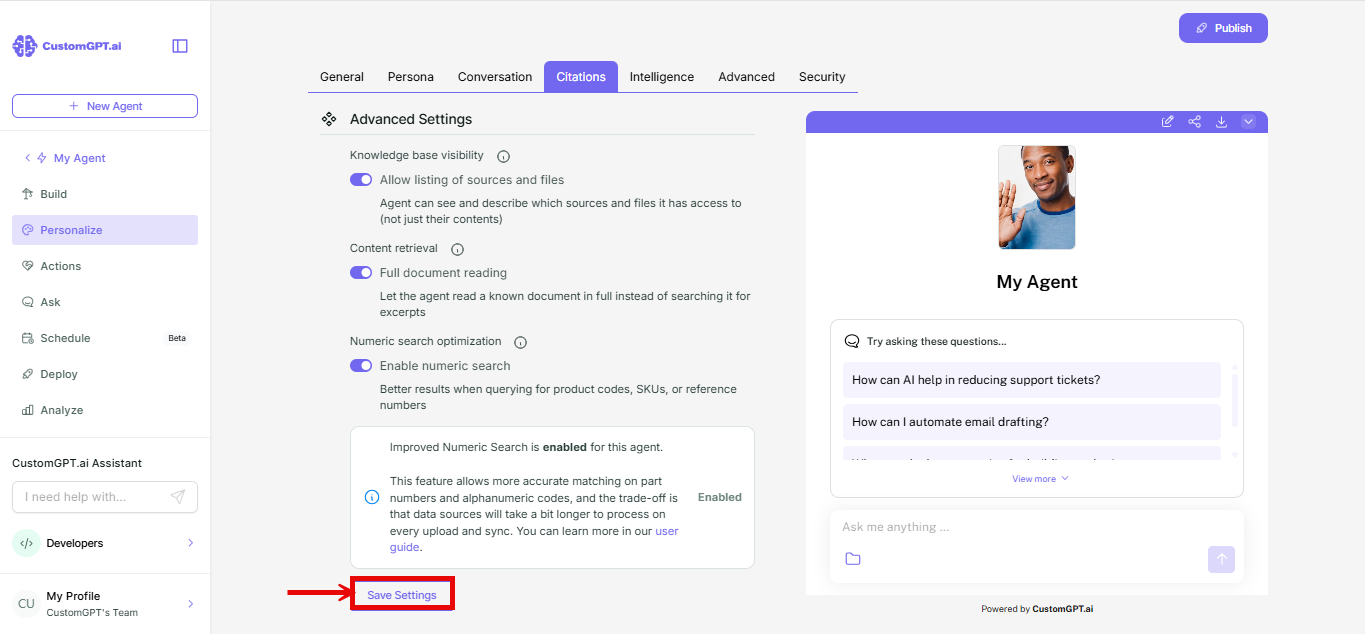
- Go to your agent and click Personalize.
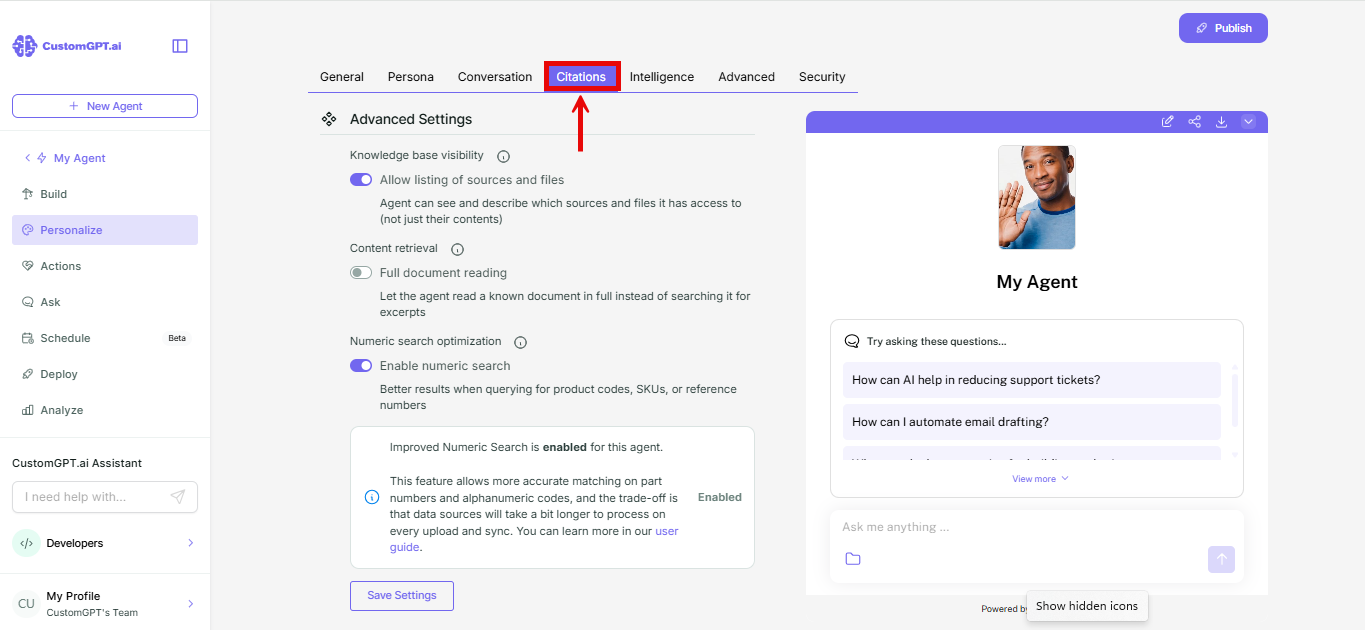
- Select the Citations tab.
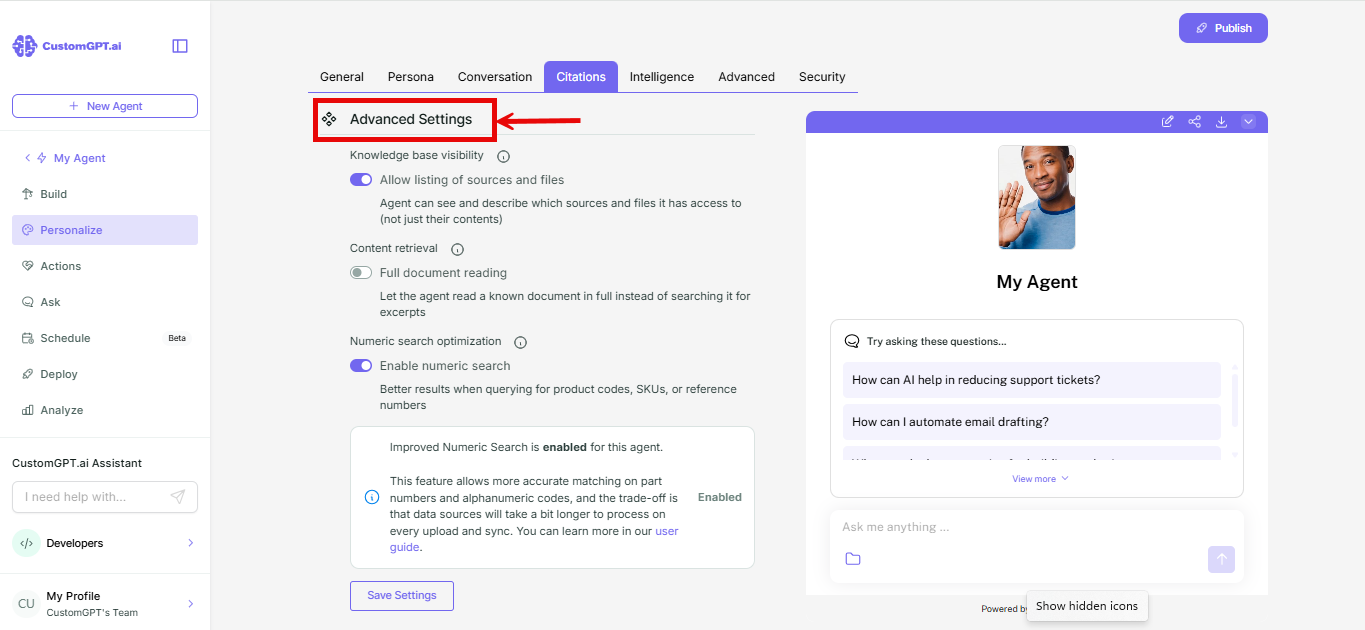
- Scroll down to Advanced settings.
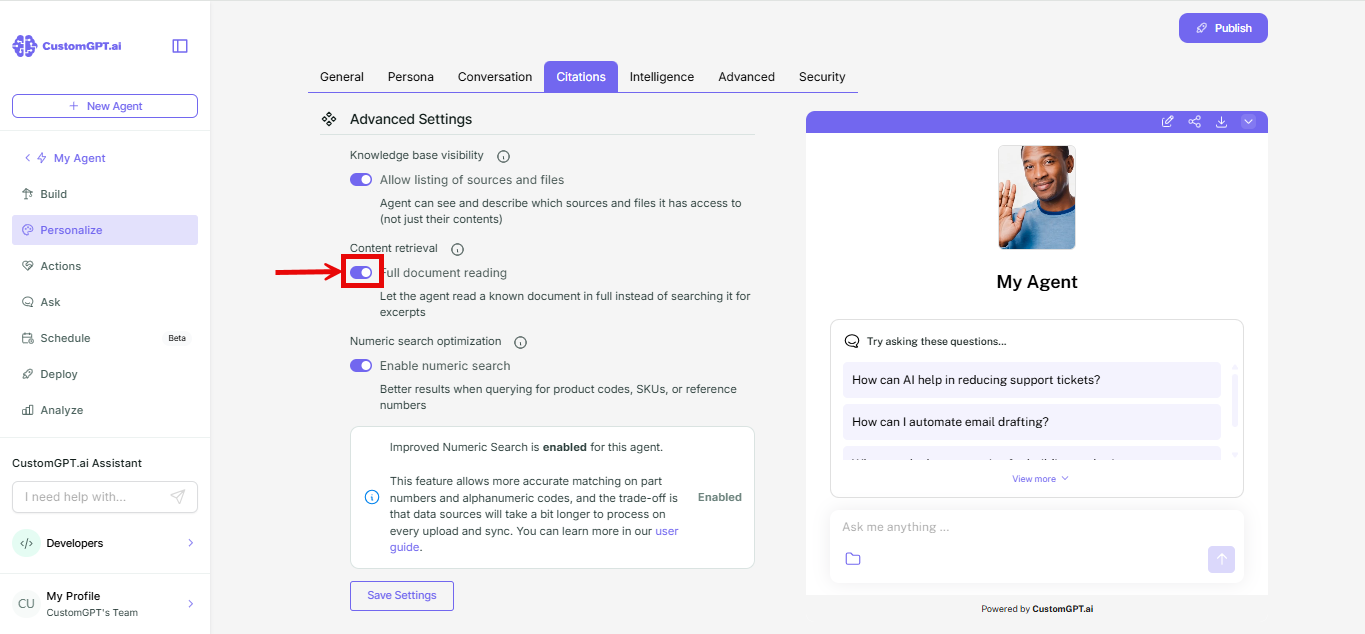
- Find the Content retrieval section and toggle on Full document reading.
- Click Save settings.
Things to know
- Full document reading still runs within your agent's context depth setting. If a document is too long to fit, your agent stops once it reaches that limit. Refer to How context depth works to see the limits for each option.
- This only changes how your agent reads a document it already knows about. Open-ended questions across your knowledge base still use normal search. Refer to How full document reading works for the difference.
Related articles
Updated about 1 month ago
Did this page help you?