
Connect Freshdesk to your agent
Connect your Freshdesk help desk so your agent can answer from your ticket history.
Connect your Freshdesk help desk as a source so your agent can answer from your ticket history.
Before you start
- Available on all plans.
- You need your Freshdesk helpdesk domain (
yourcompany.freshdesk.com) and an API key from your Freshdesk profile settings. - Your API key inherits your Freshdesk user's permissions. Connect with an admin account if you want everything synced.
Add Freshdesk to a new agent
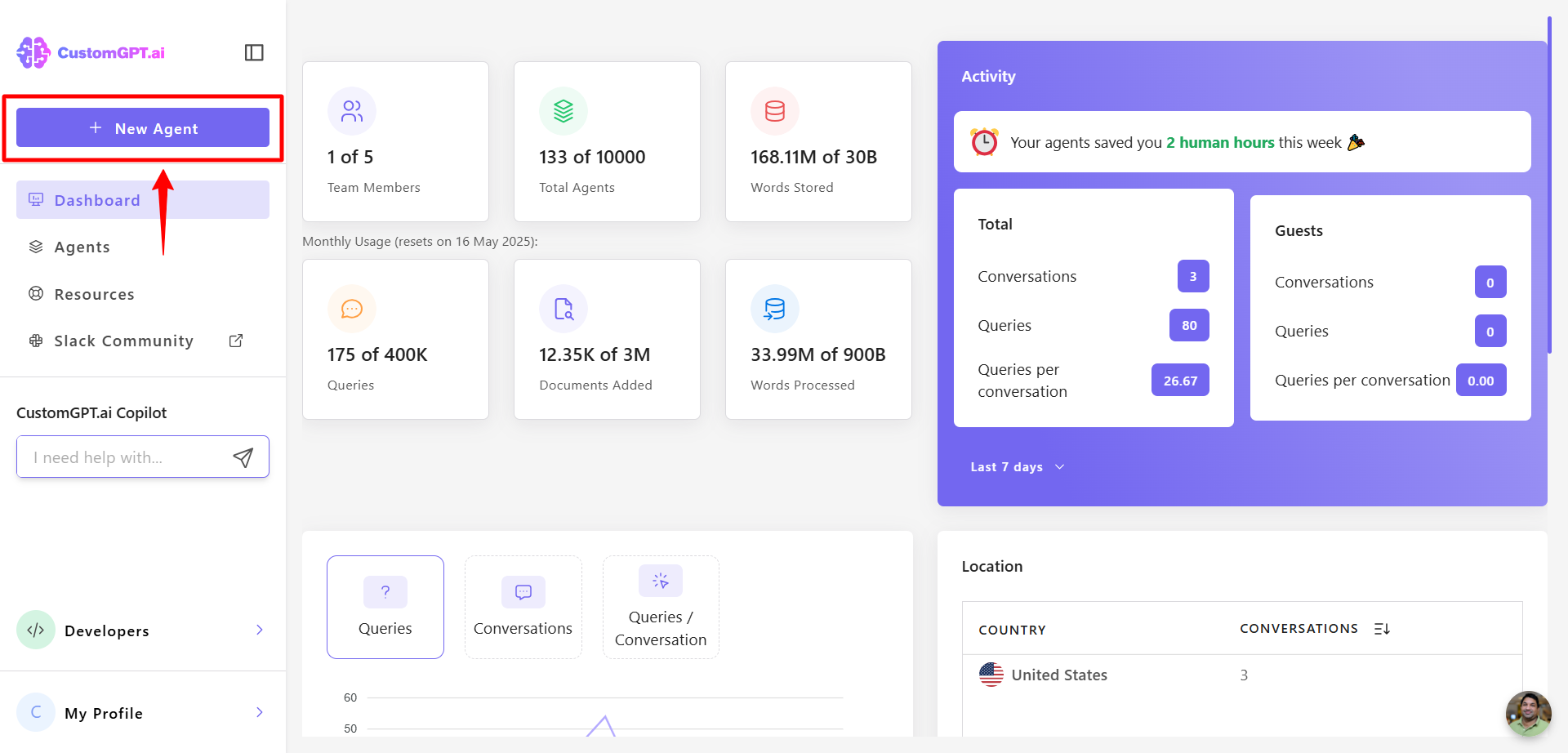
- Click New Agent
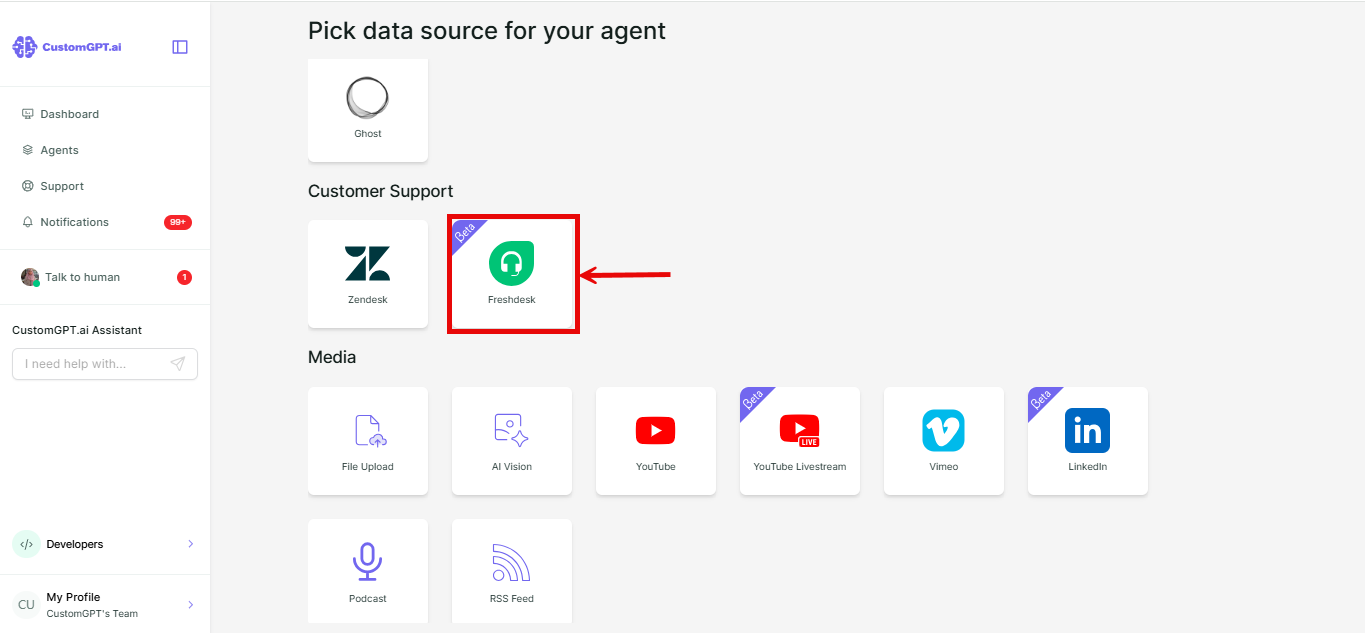
- Under Customer Support, click Freshdesk.
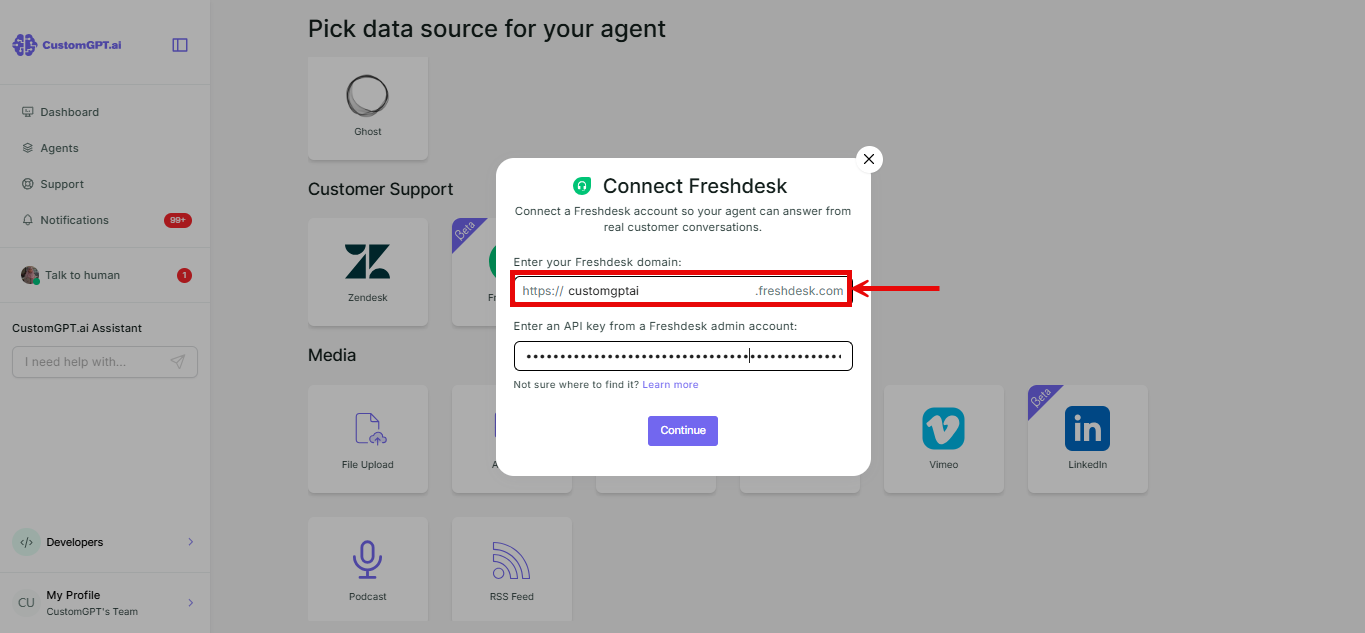
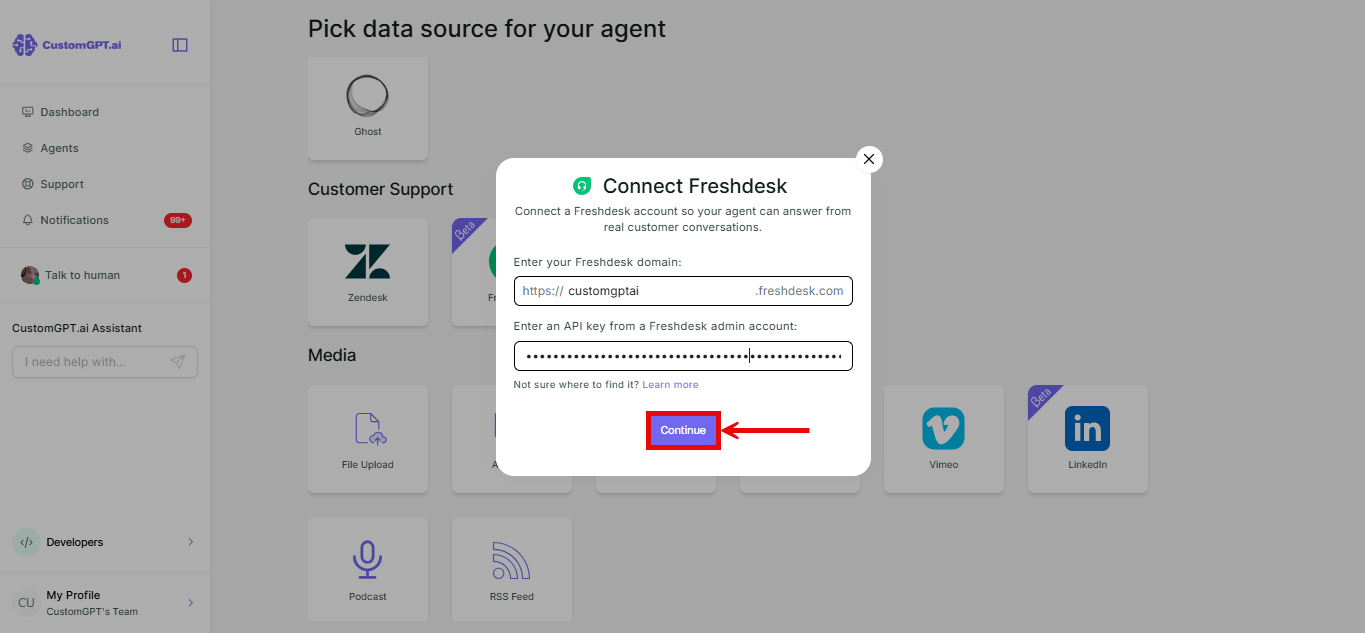
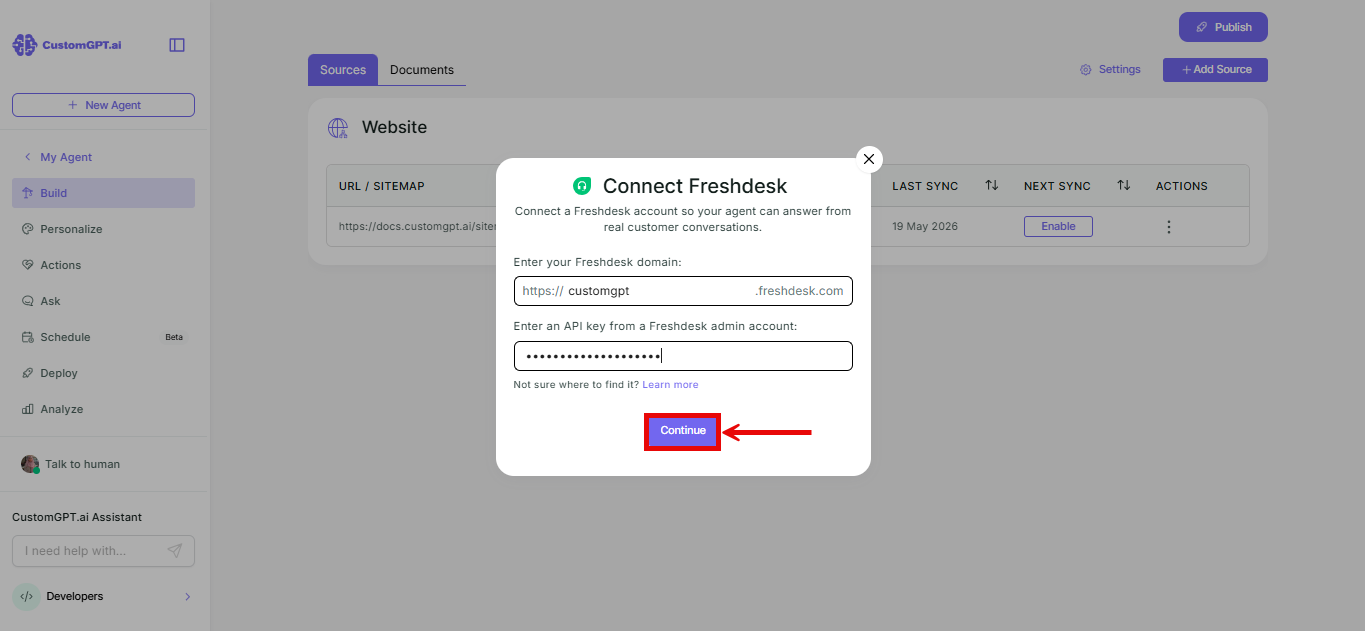
- Enter your Freshdesk domain.
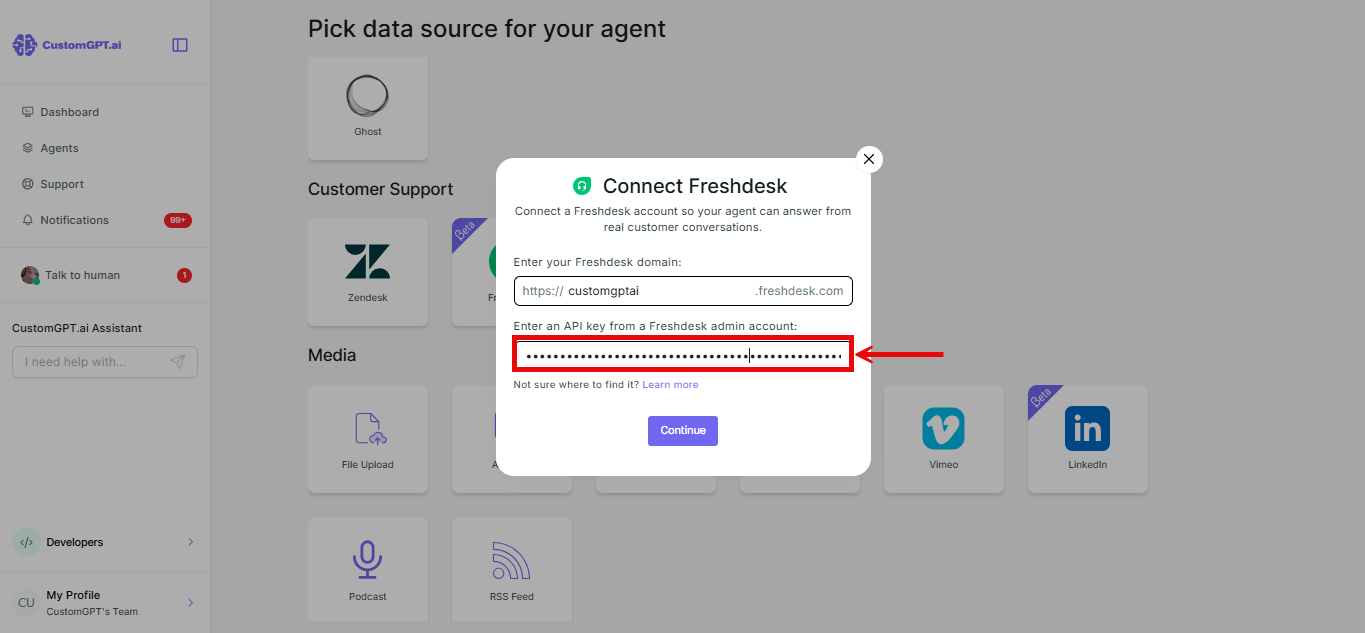
- Enter your API key.
- Click Continue. Your domain and API key are validated before you can continue.
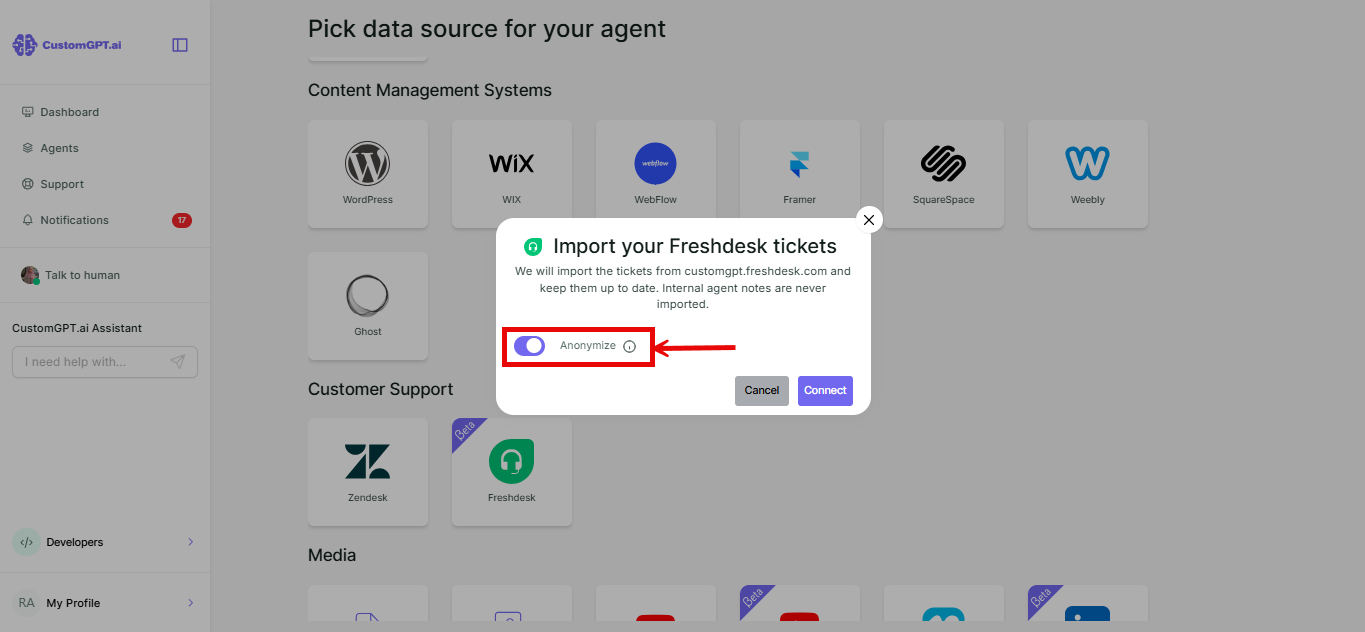
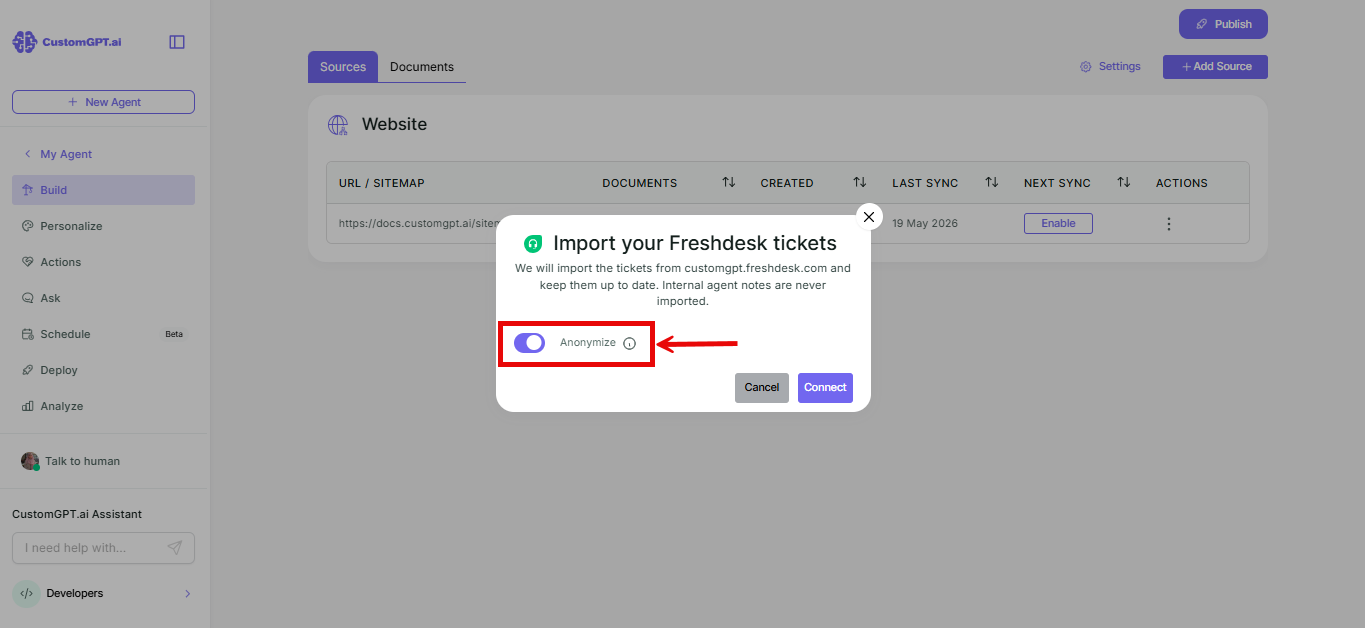
- You'll see a message confirming your tickets will be imported, along with an Anonymize toggle for ticket content. It's off by default.
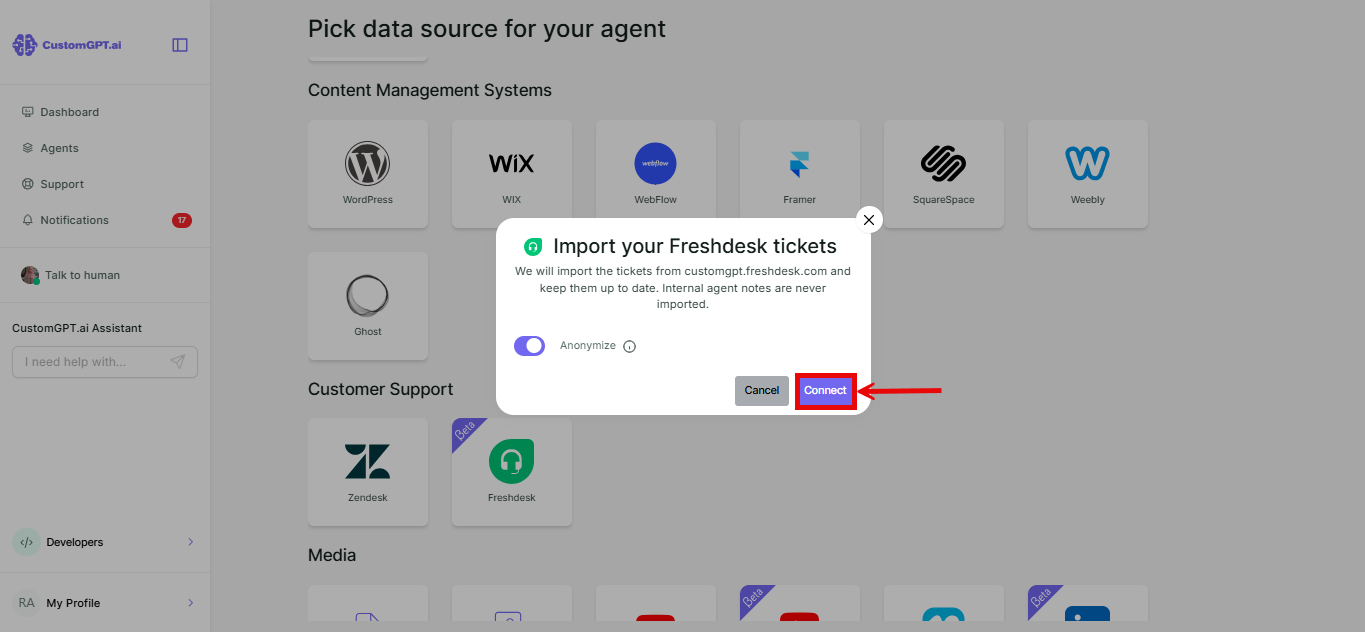
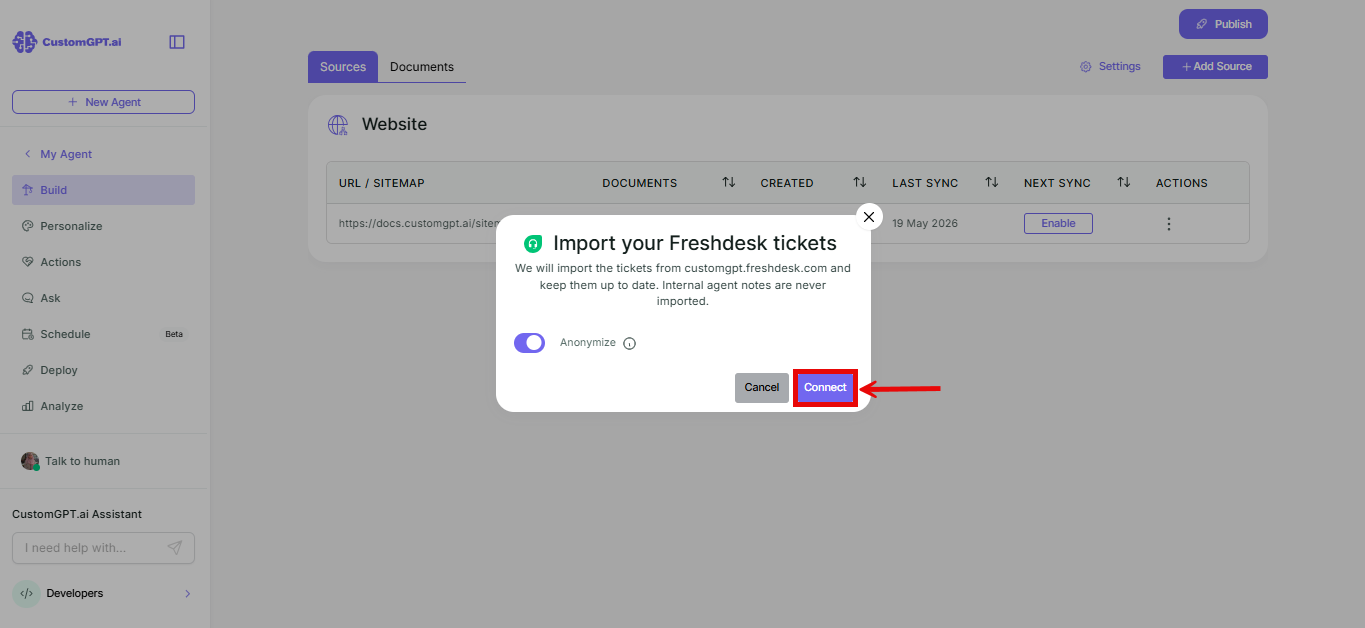
- Click Connect.
Add Freshdesk to an existing agent
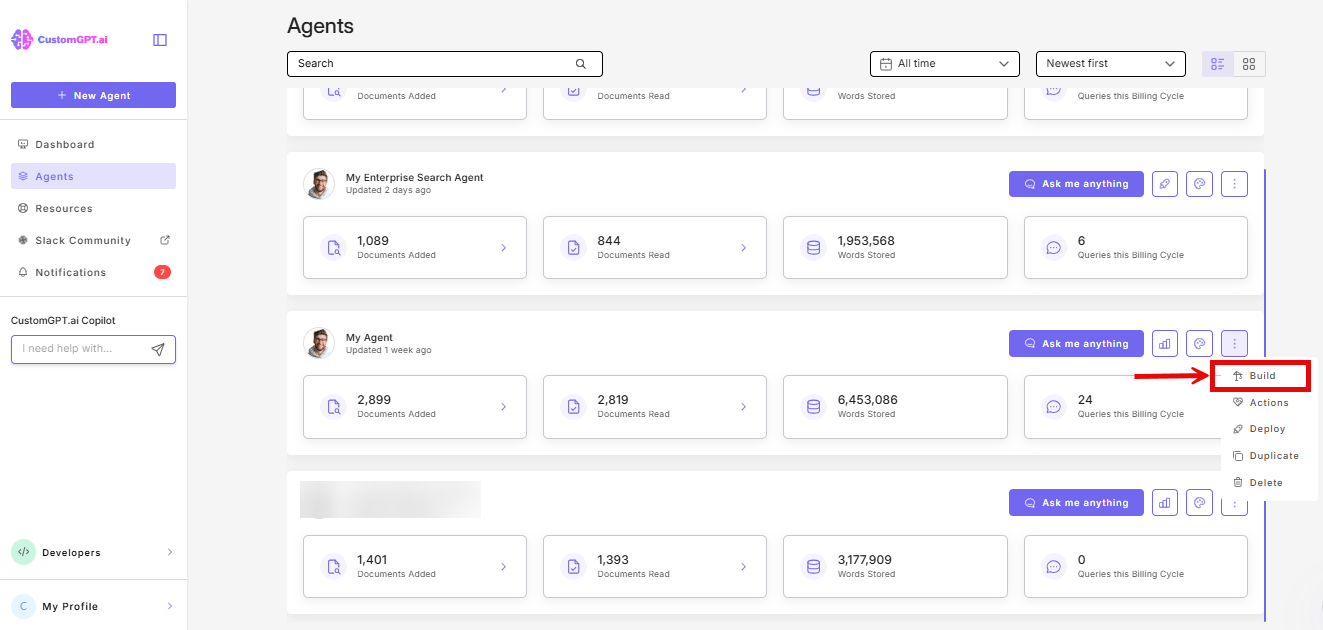
- On the agent you want to add Freshdesk to, click the three dots and select Build.
- Click Add Sources.
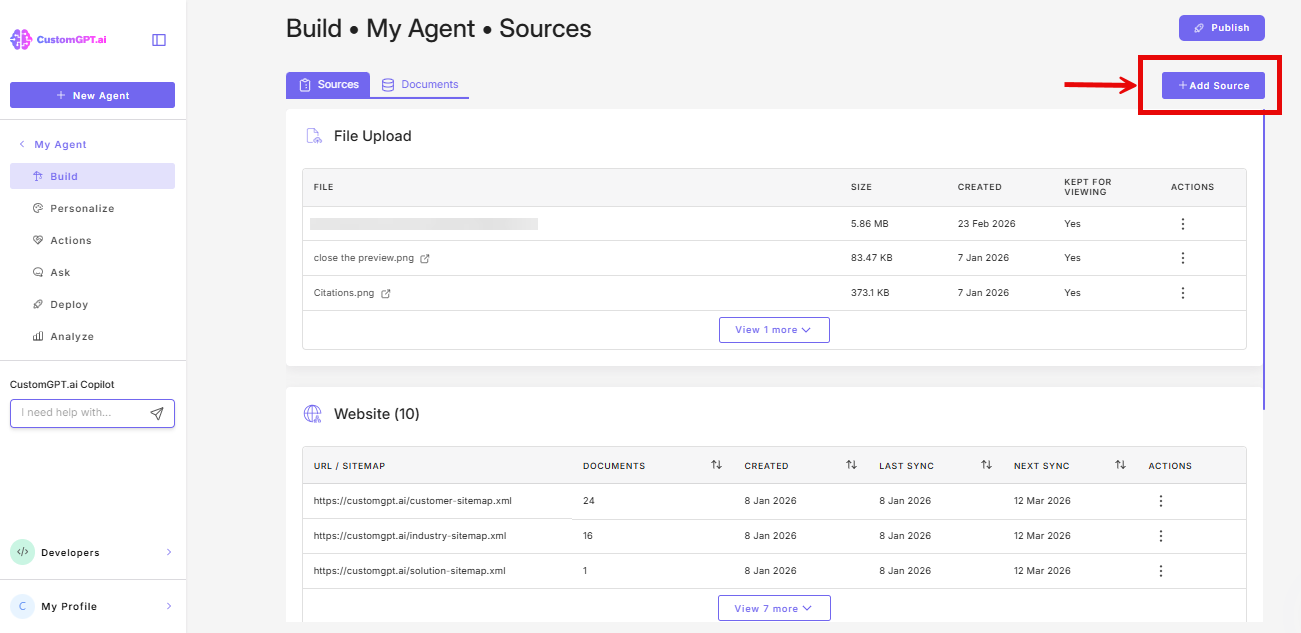
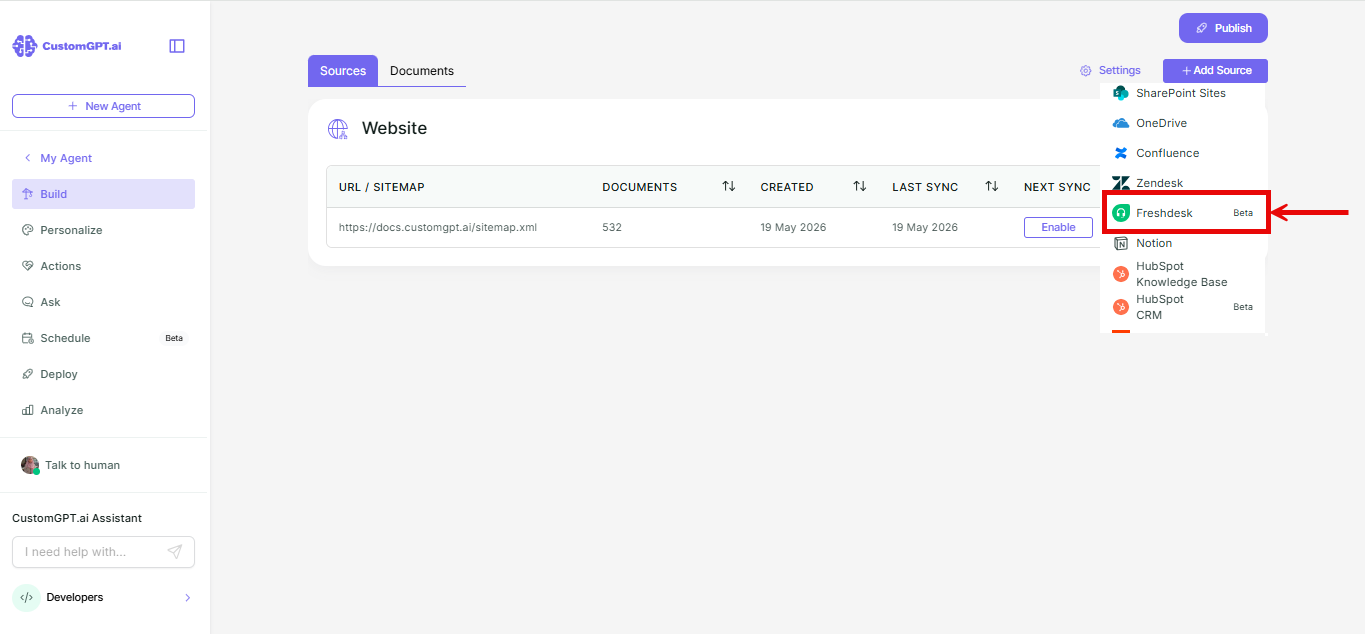
- In the dropdown, select Freshdesk.
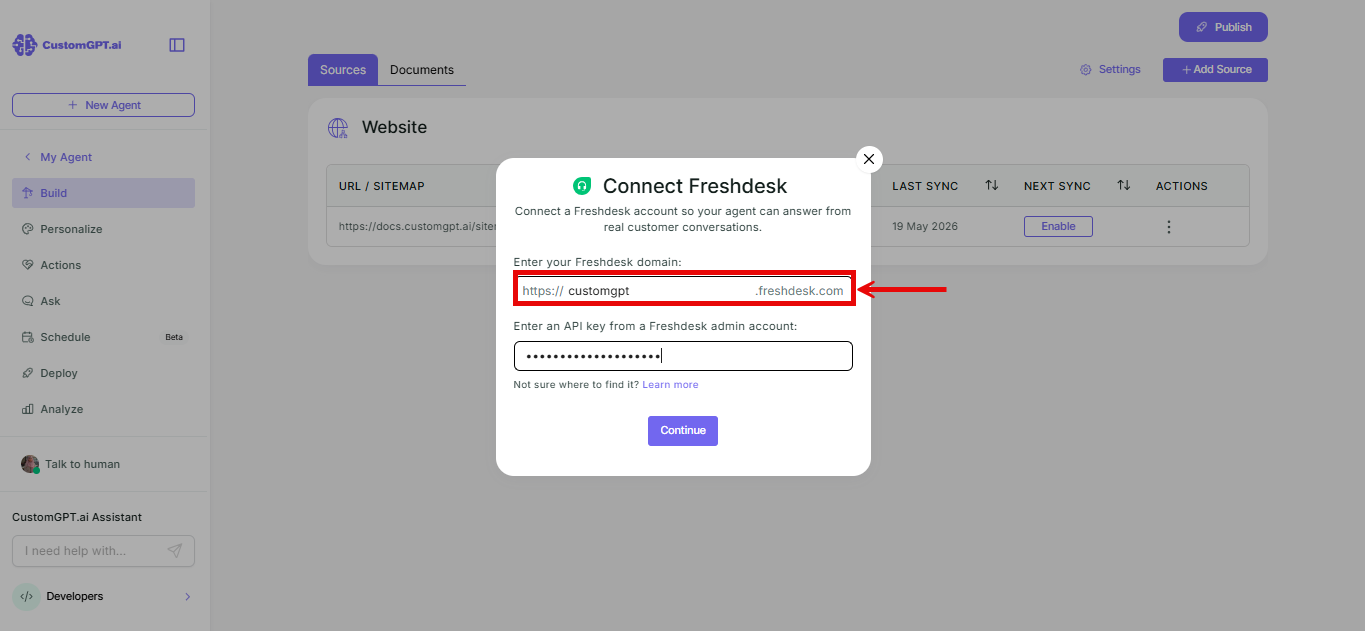
- Enter your Freshdesk domain.
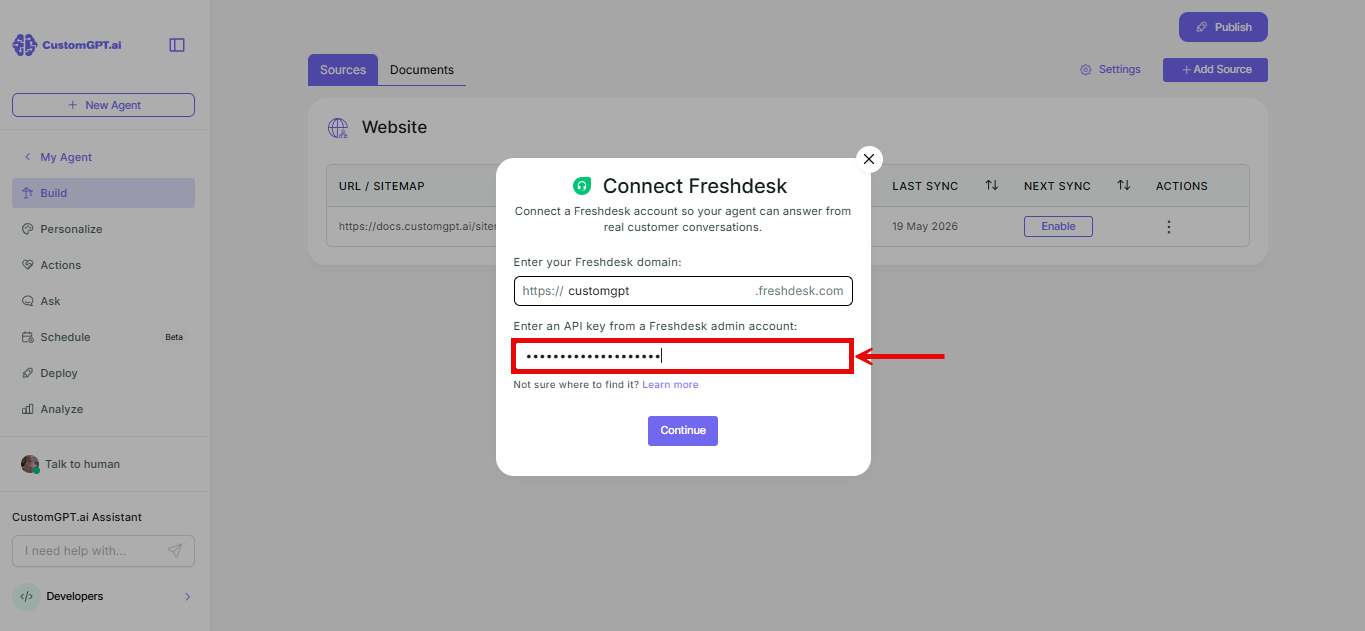
- Enter your API key.
- Click Continue.
- You'll see a message confirming your tickets will be imported, along with an Anonymize toggle for ticket content. It's off by default.
- Click Connect.
Things to know
- Internal agent notes on tickets are never imported.
Related articles
Updated 20 days ago
Did this page help you?