
Control when the login button appears
This guide walks you through the End-User Login Button setting, so you control when guests see the login button in your public agent's toolbar.
Decide whether guests always, sometimes, or never see a login button in your agent's toolbar. Use it when you want to keep the toolbar clean or make logging in easy to find.
Note: The End-User Login Button setting only appears for public agents.
Change the End-User Login Button setting
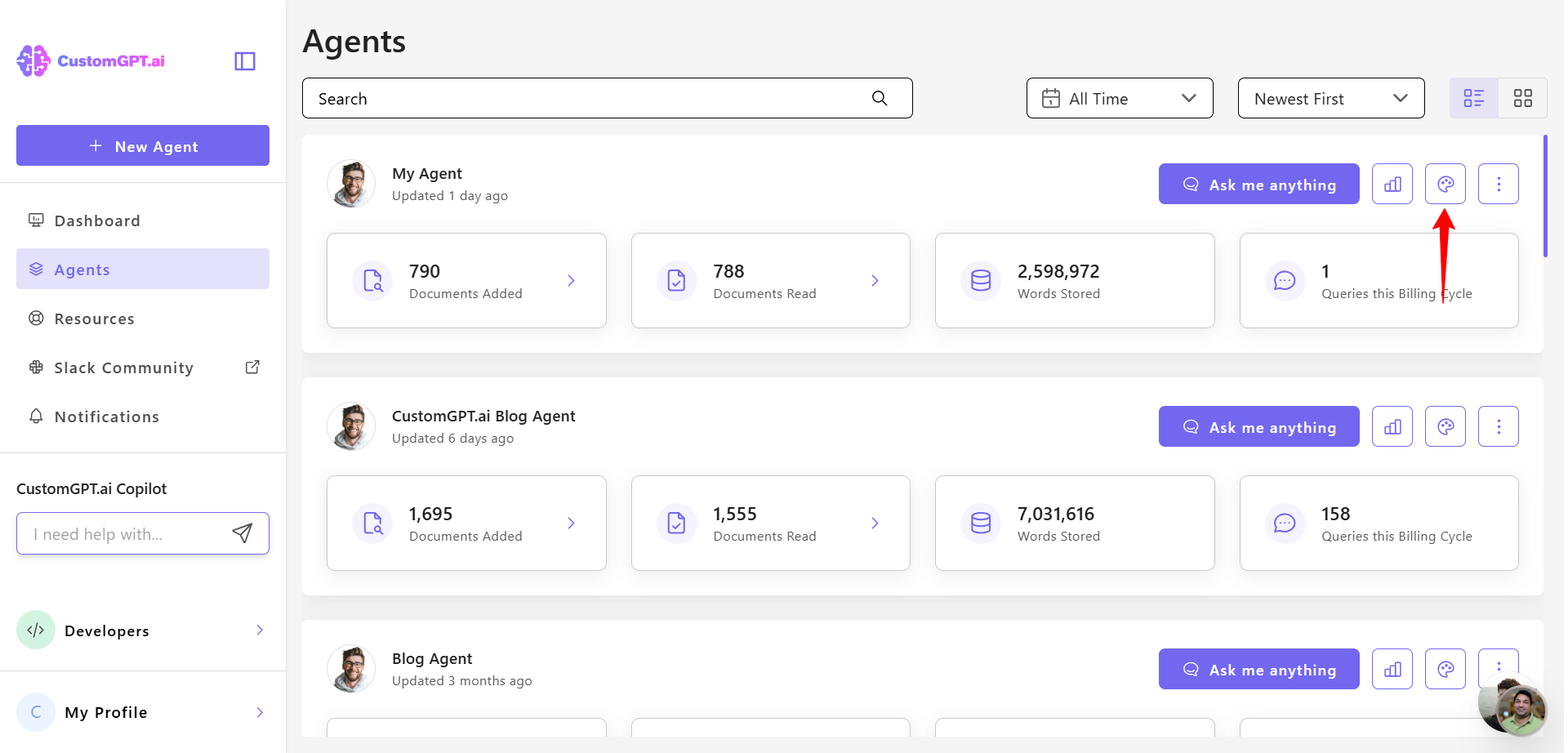
- Click the Personalize icon next to the agent you want to customize.
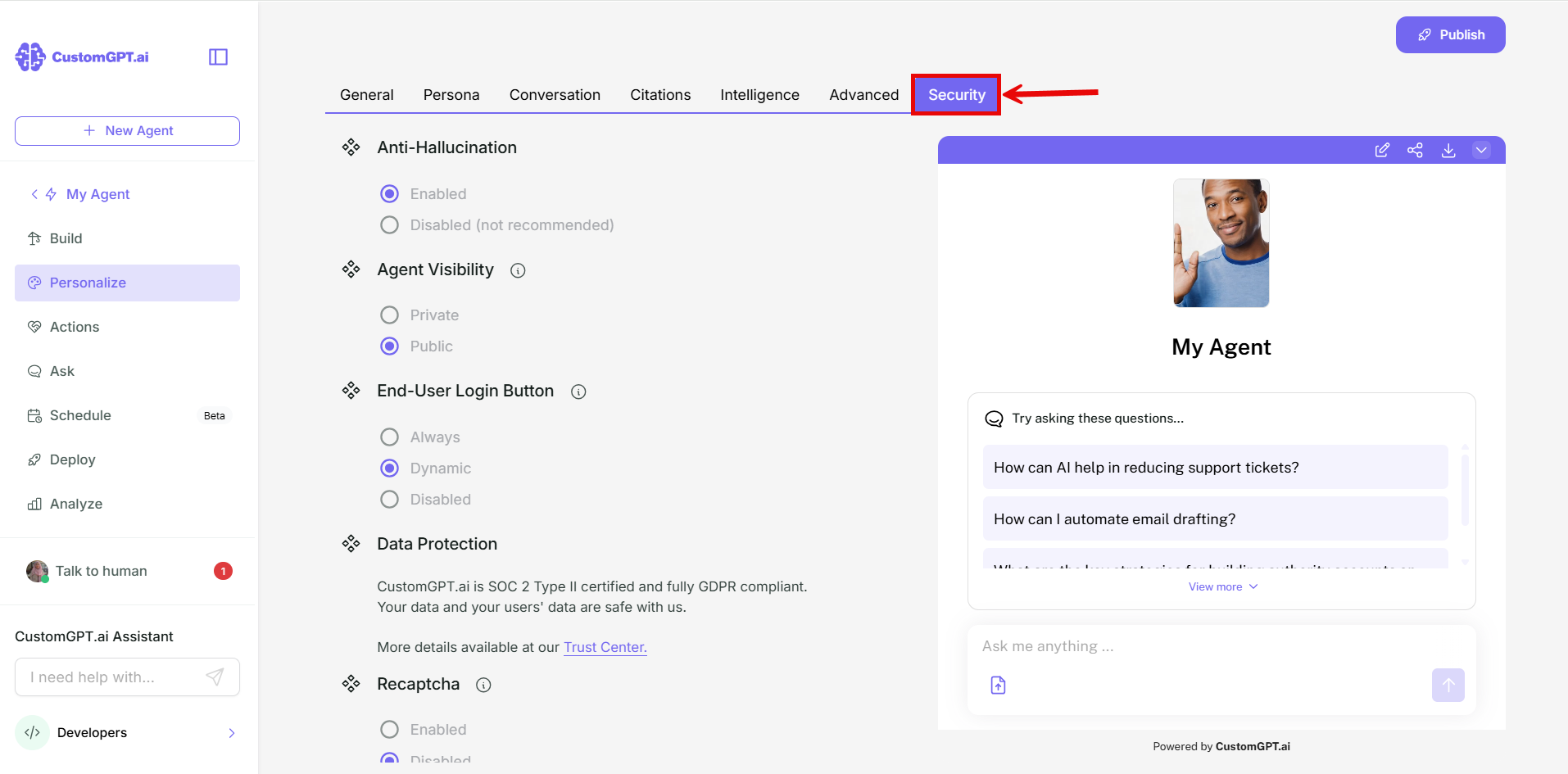
- Navigate to the Security tab.
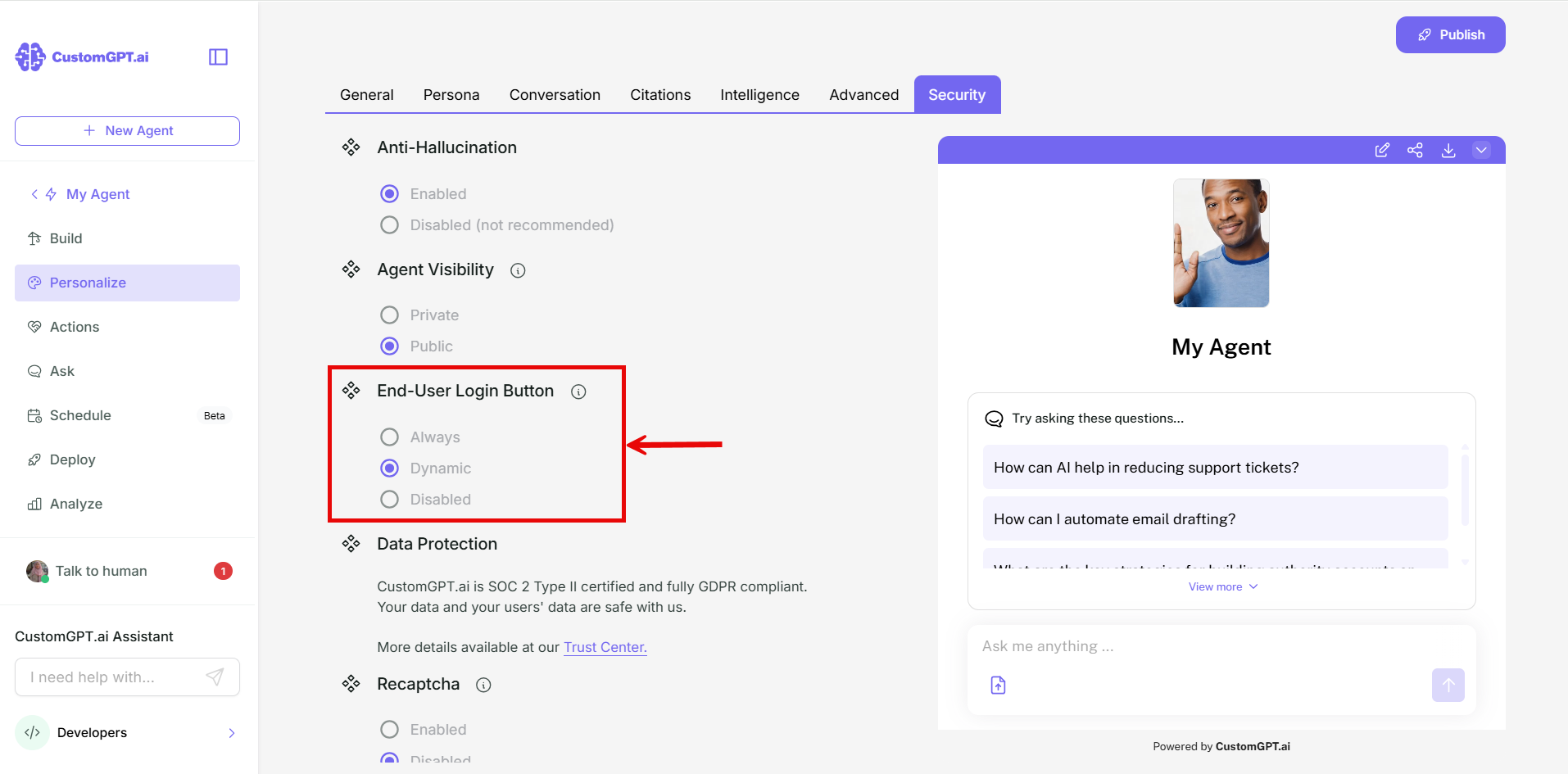
- Scroll to End-User Login Button and select the option you want:
- Always: the login button always appears in the toolbar for guests.
- Dynamic: the login button appears only when end-user conversation history is enabled or guest usage limits apply. This is the default for all agents.
- Disabled: the login button never appears in the toolbar.
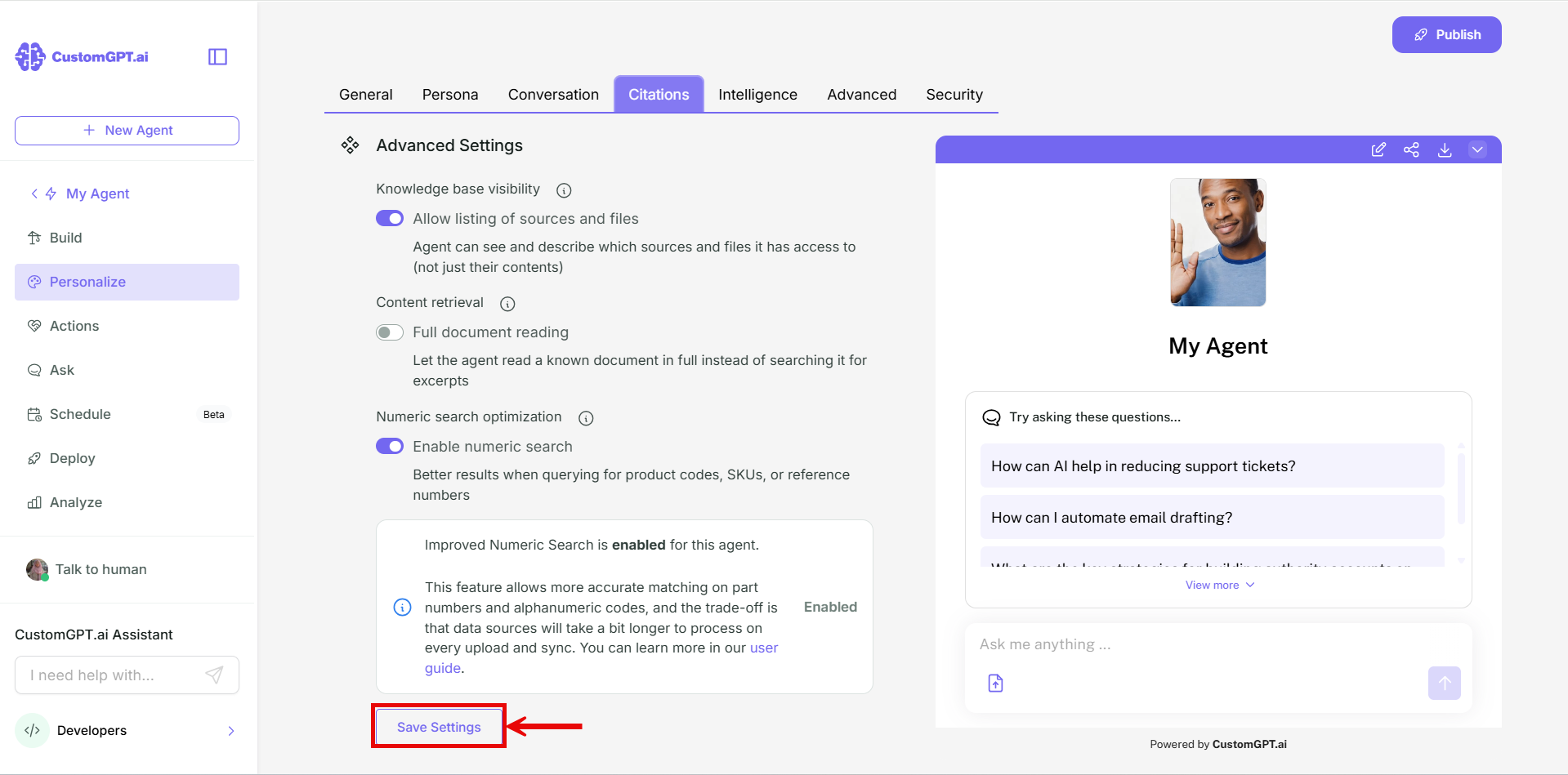
- Click Save Settings.
Notes
- The log out button always stays. This setting doesn't affect it.
Updated about 2 hours ago
Did this page help you?