
Customize your agent's share link
Change the auto-generated prefix of your agent's CustomGPT-hosted share link to a custom, memorable one.
This guide shows you how to change the prefix of your agent's CustomGPT-hosted share link, so it's easier to recognize and share. Use it when you want a link like my-agent.customgpt-agents.com instead of the randomly generated one your agent starts with.
Before you start
This isn't a custom domain feature - you're not connecting your own domain or doing any DNS setup. Only the prefix before .customgpt-agents.com changes.
Requirements
Your new prefix must:
- Be 1-63 characters long
- Start with a letter (a-z) or a digit
- Contain only letters, digits, and hyphens after that
- Case doesn't matter
Steps
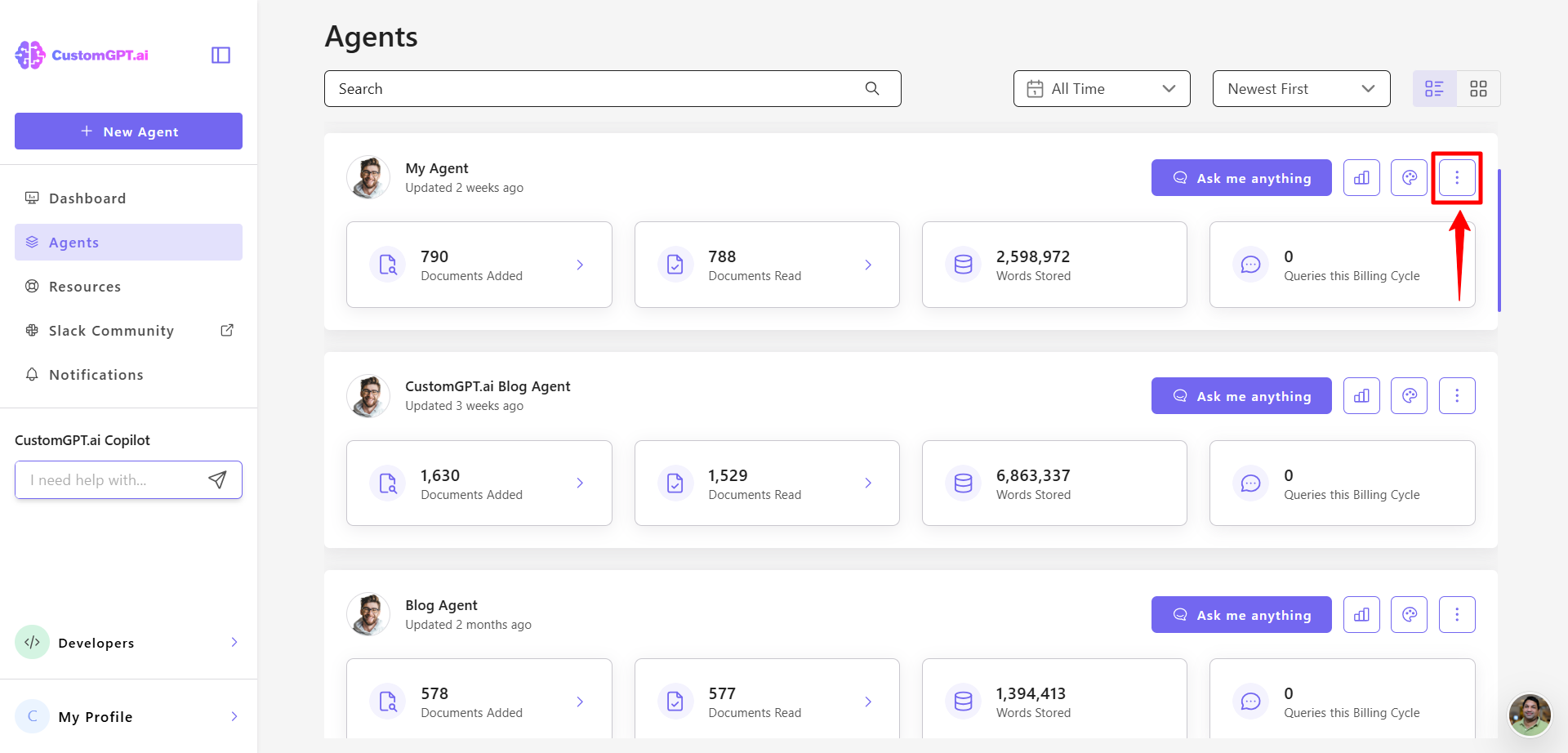
- On your CustomGPT.ai dashboard, click the three dots menu.
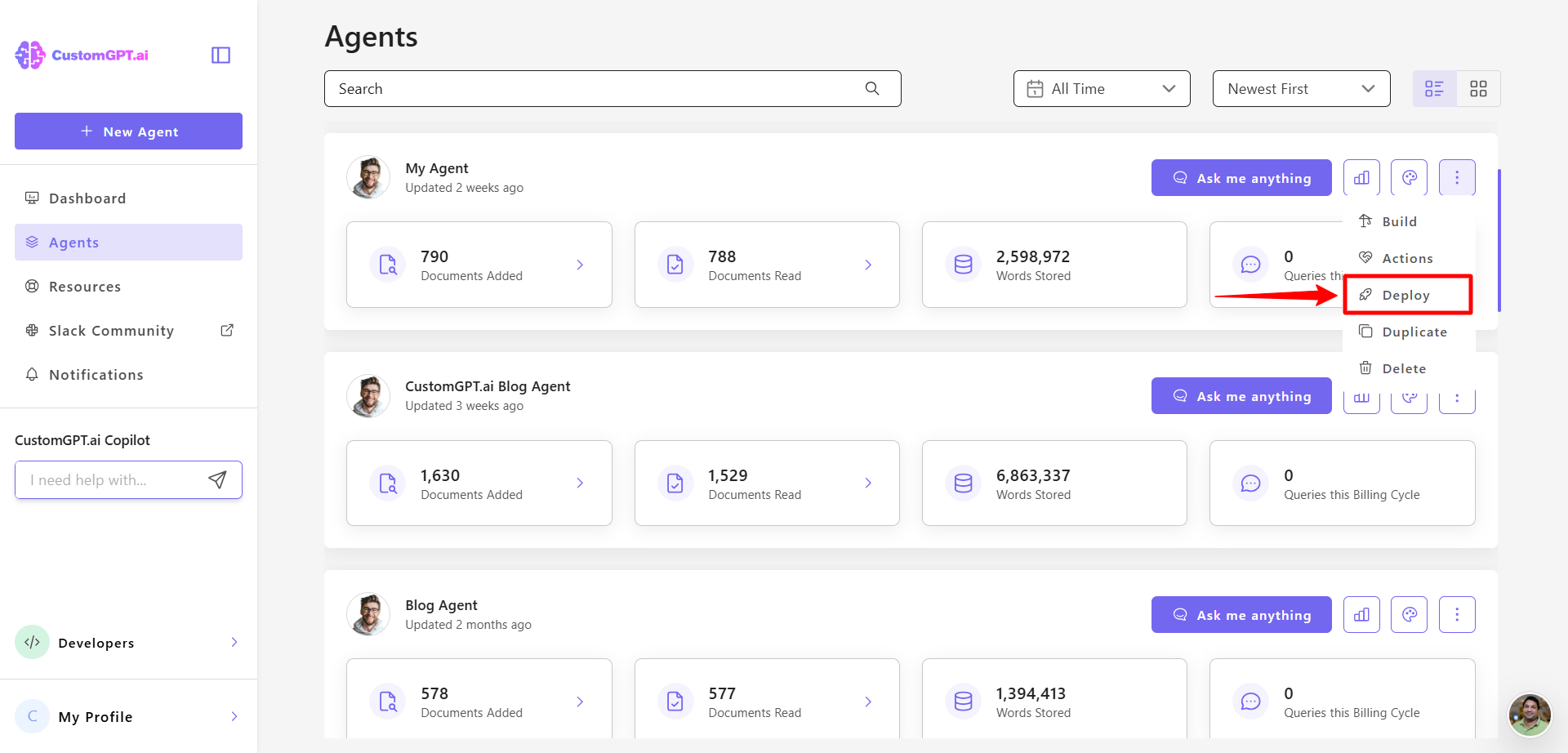
- Click on Deploy in the menu
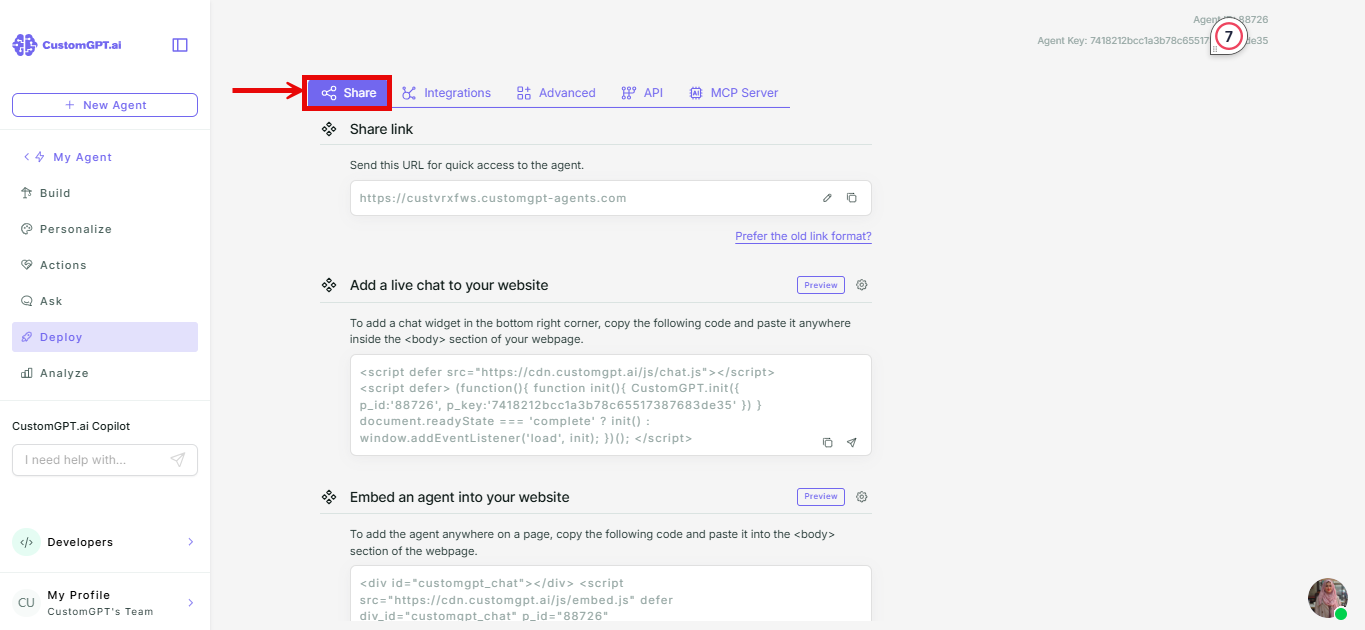
- Click the Share tab.
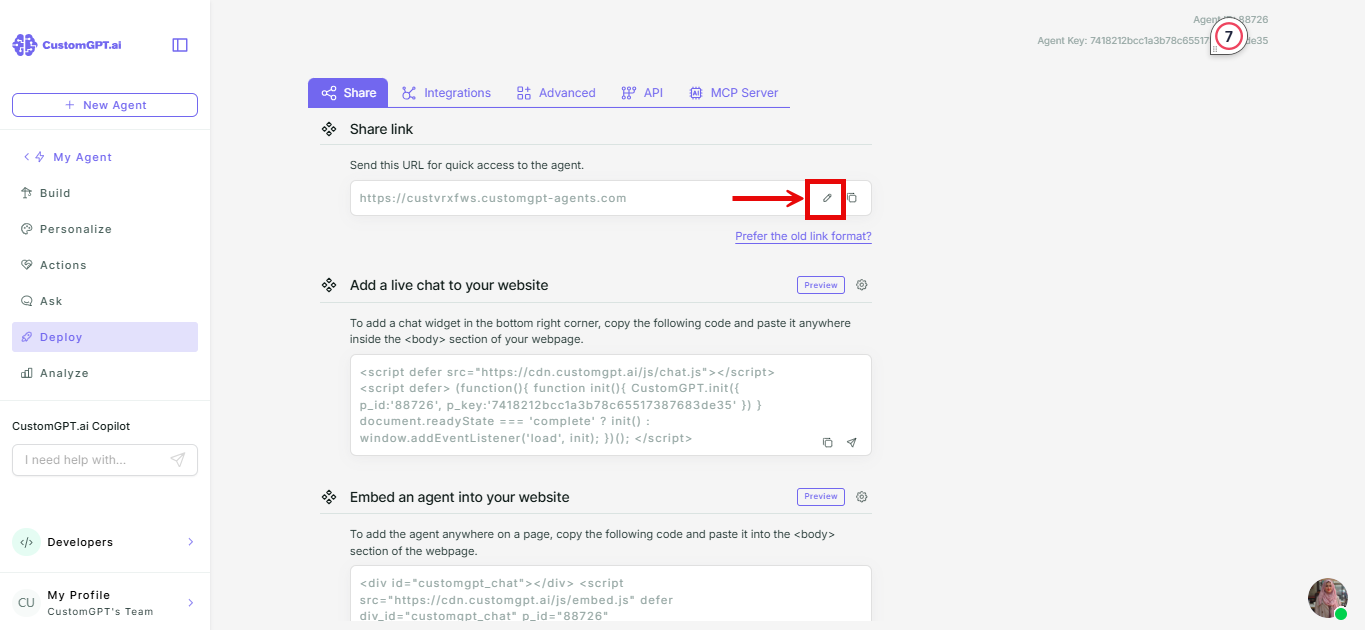
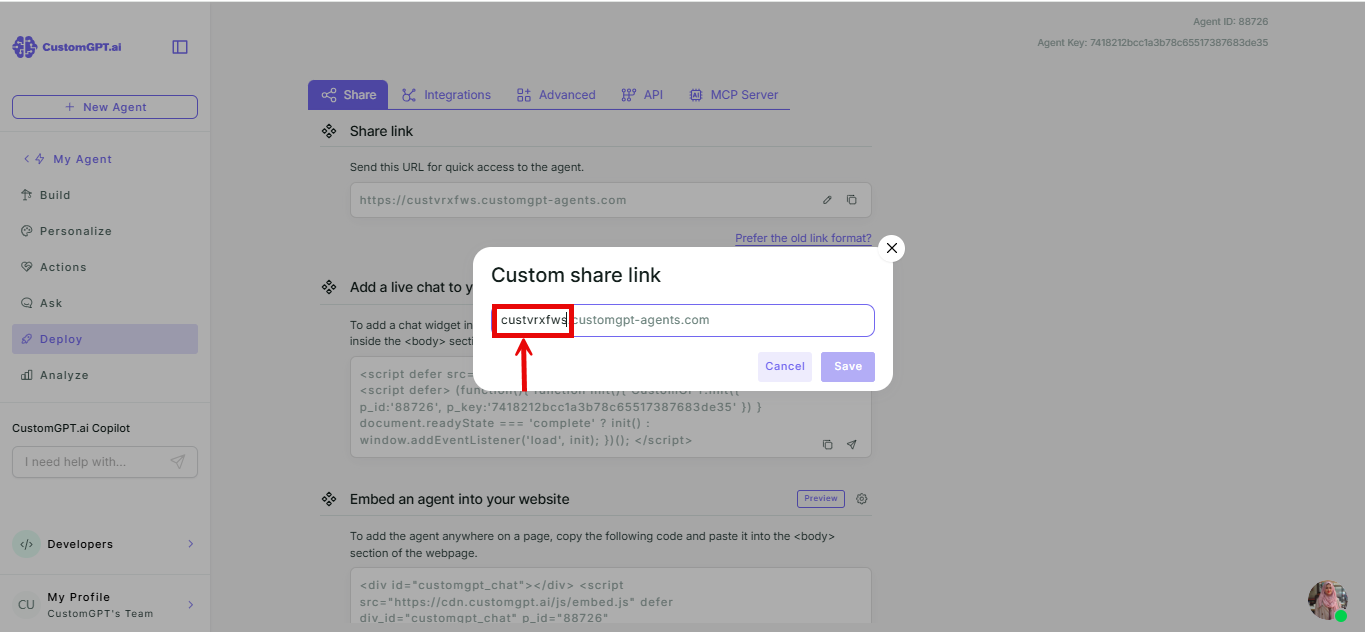
- Click Edit next to the Share link field.
- In the pop-up, replace the highlighted prefix with your own text.
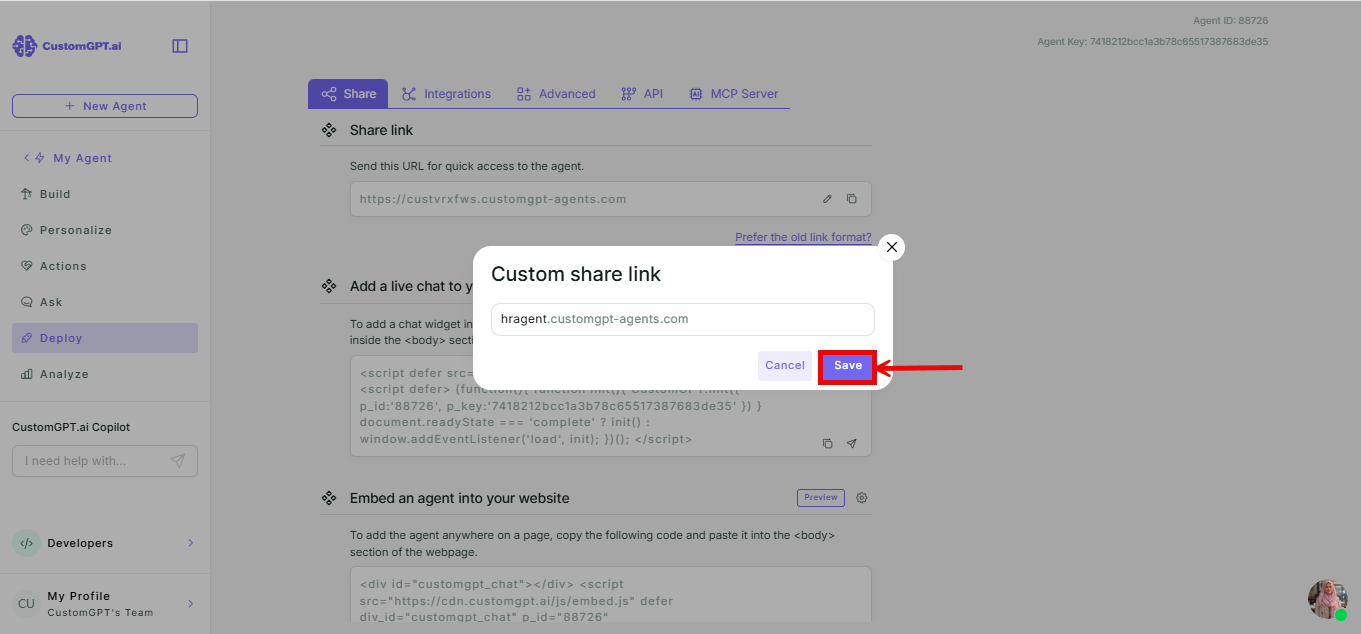
- Click Save.
Things to know
Once a prefix has been used on an account, it's reserved for that account permanently, even if it's not active anymore. Pick a prefix that belonged to another account and you'll see an error below the input field and won't be able to save. Pick one your own agent used before, and it's yours to reuse.
Changing your prefix breaks any share links and iframe embeds built with the old one - anyone using the old URL sees a broken link as soon as you save. The old prefix follows the same reservation rule: no other account can ever take it, but it's yours to come back to later.
This only affects the Share Link and iframe embed methods, since both use this hosted URL directly. Embed (JS widget), Live Chat, Website Copilot, and Instant Viewer identify your agent by its ID instead, so they keep working after you change the prefix.
Related articles
Updated 2 months ago