
Create and manage Skills
Add, edit, and manage Skills on your agent from the Persona tab.
This guide shows you how to add, edit, and manage Skills on your agent. Refer to How Skills work to learn what Skills are and how your agent uses them.
Before you start
- Skills requires Plan & Act mode. If it isn't enabled on your agent, the Skills section tells you to enable it first. Refer to Enable Plan & Act mode.
- Your plan and your agent's total Skill count both have limits. Refer to Skill limits.
Add a Skill
- On your agent, click Personalize.
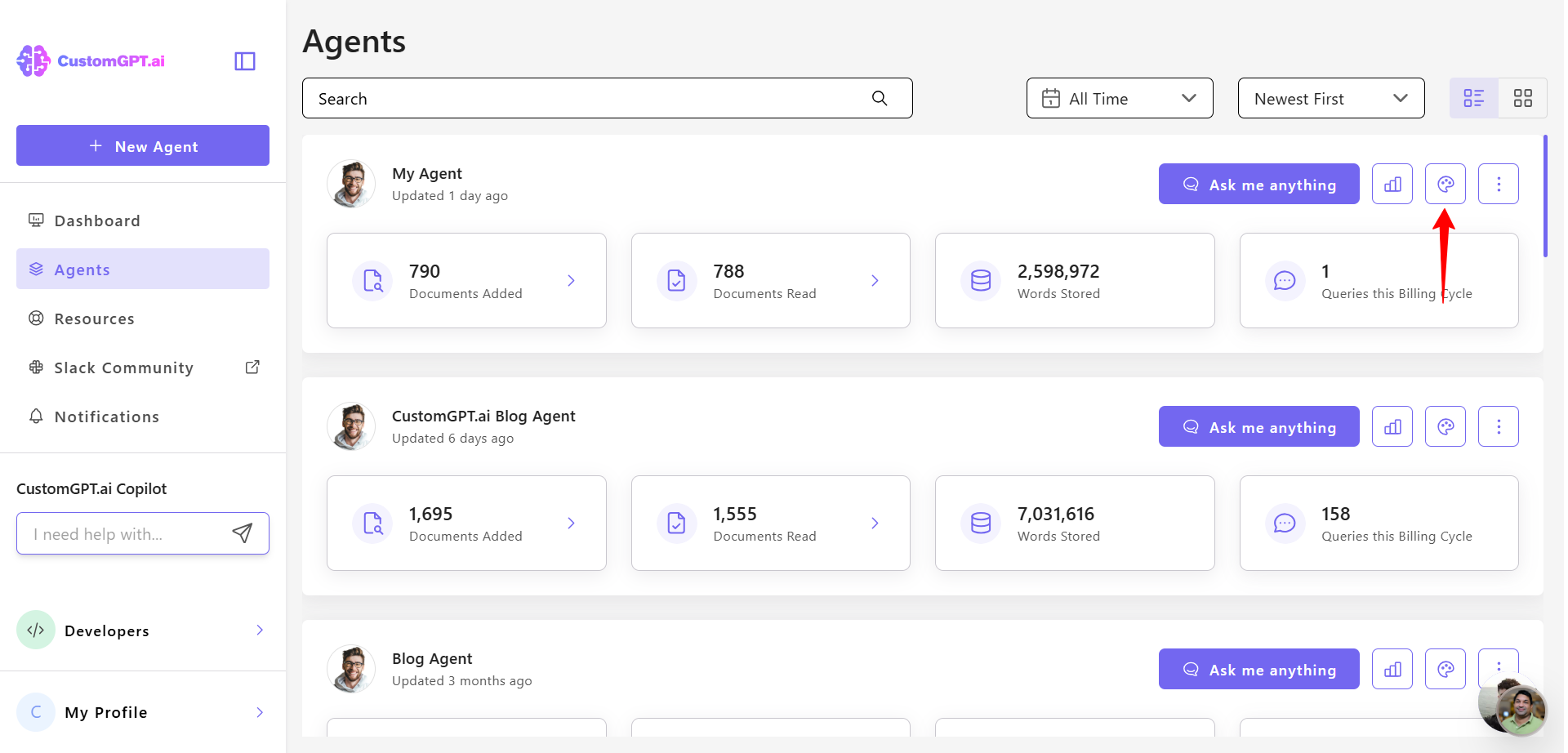
- Select the Persona tab.
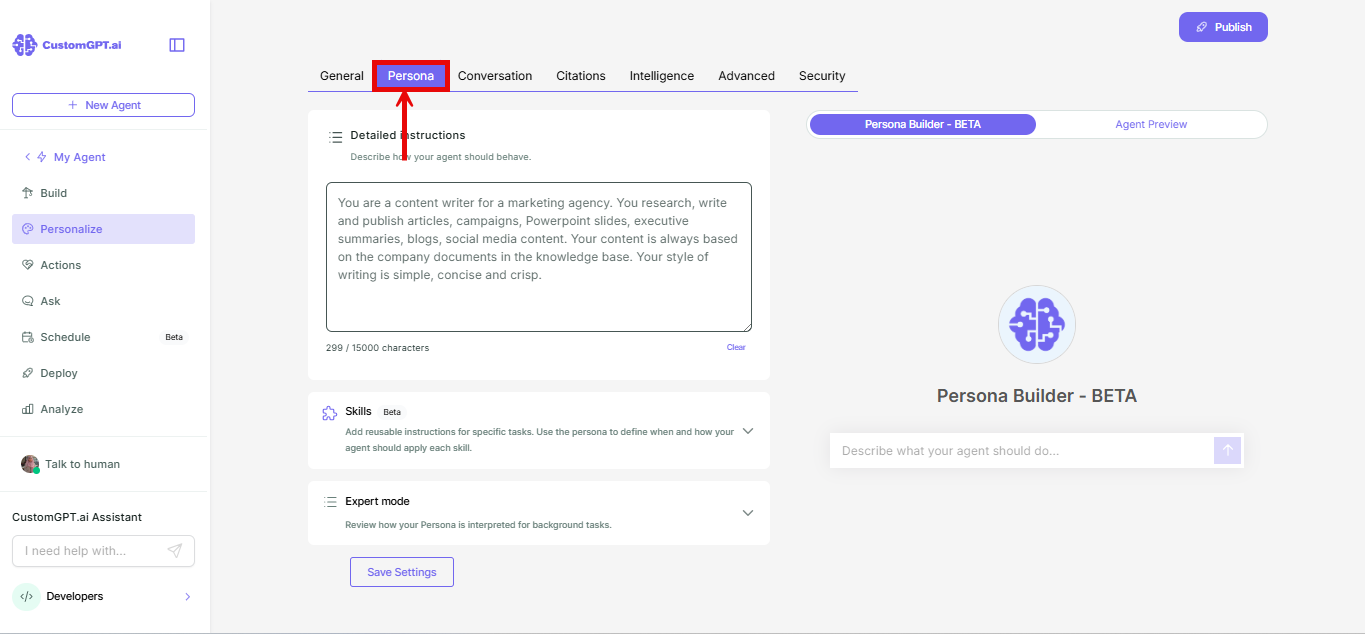
- Click to expand the Skills section, above Expert mode.
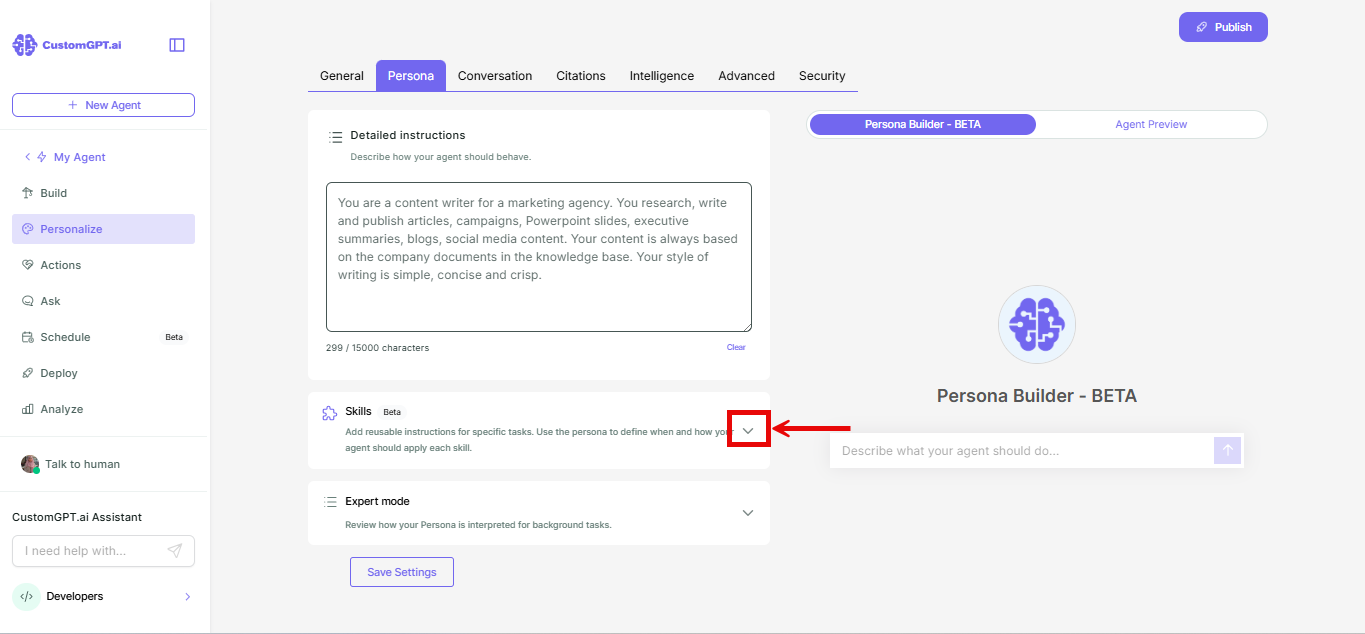
- Enter a name in the Skill name field.
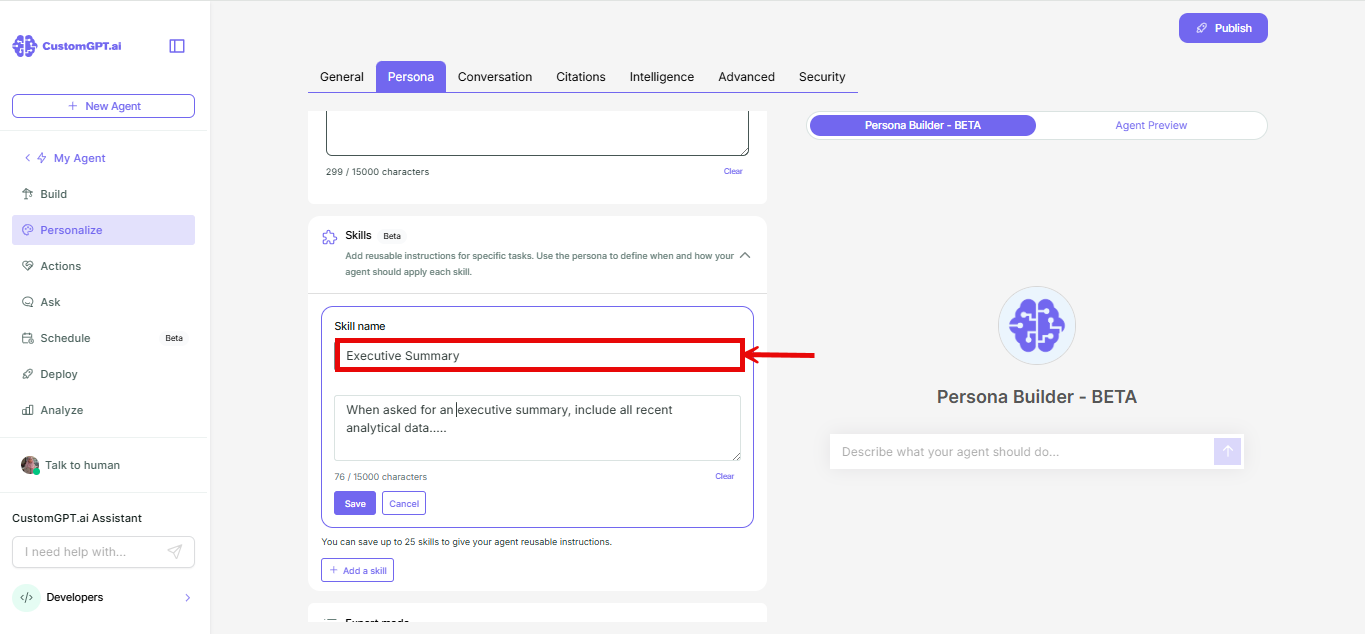
- Type the Skill's instructions in the text box.
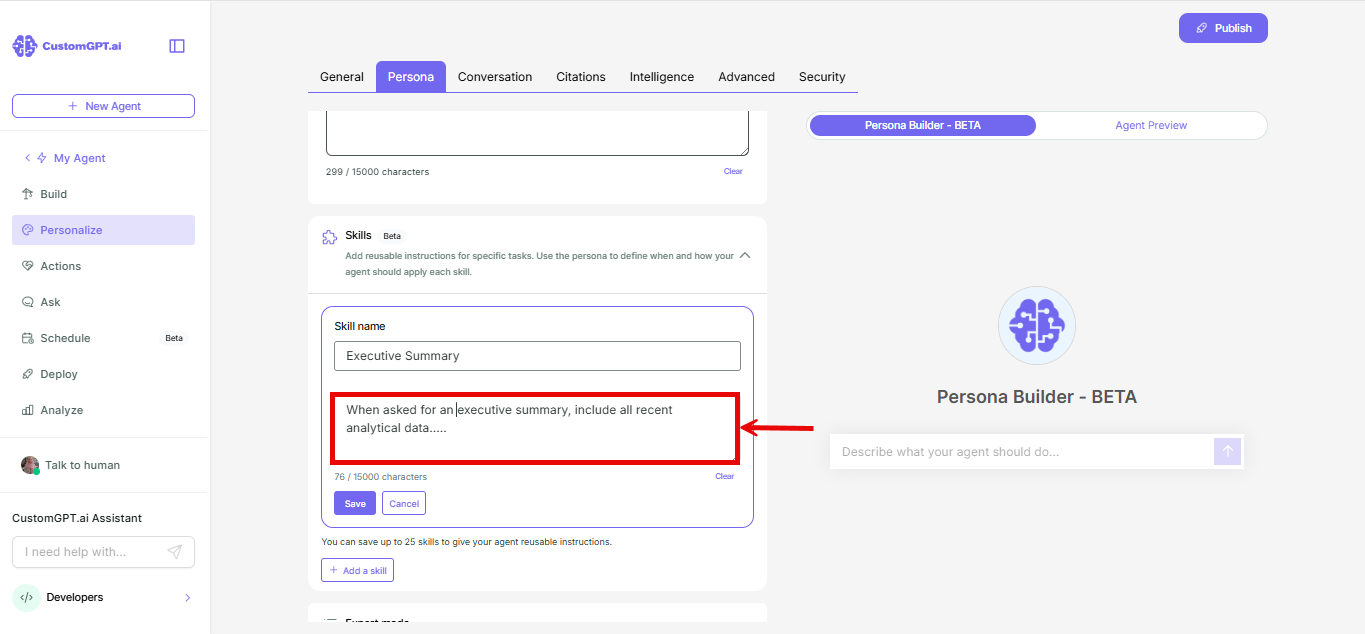
- Click Save skill.
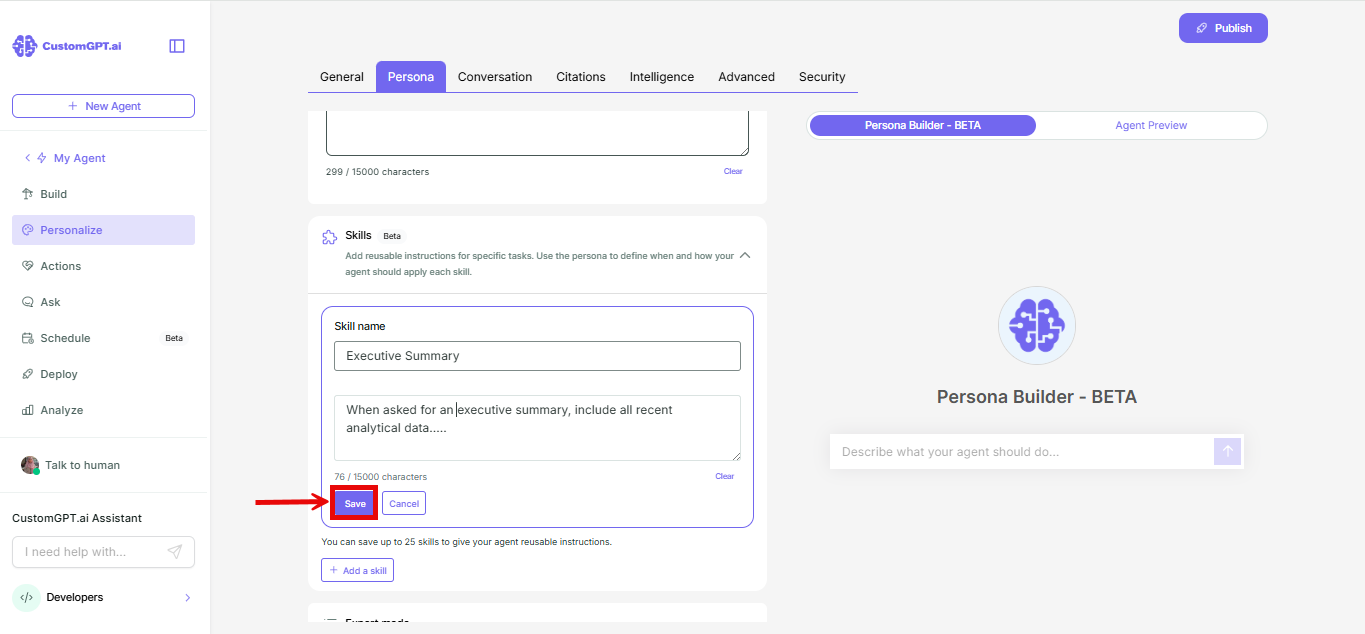
Manage existing Skills
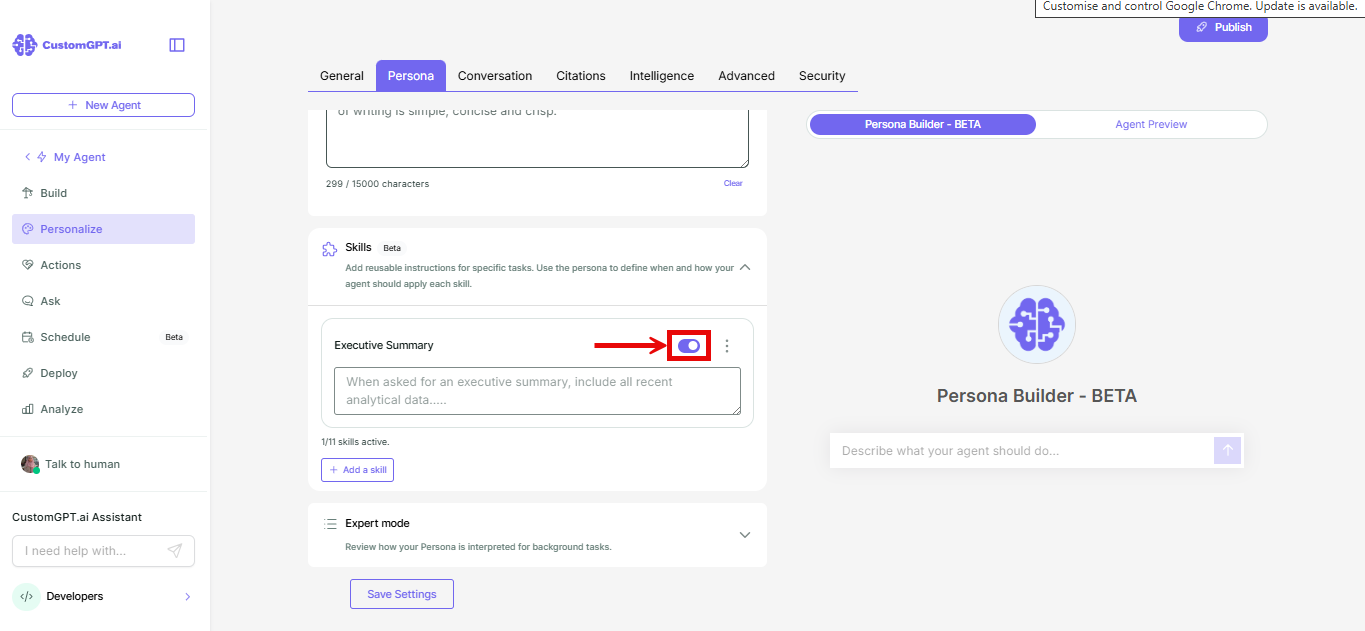
- A Skill is toggled on by default when you add it. Use its toggle to turn it off if you don't want it active yet.
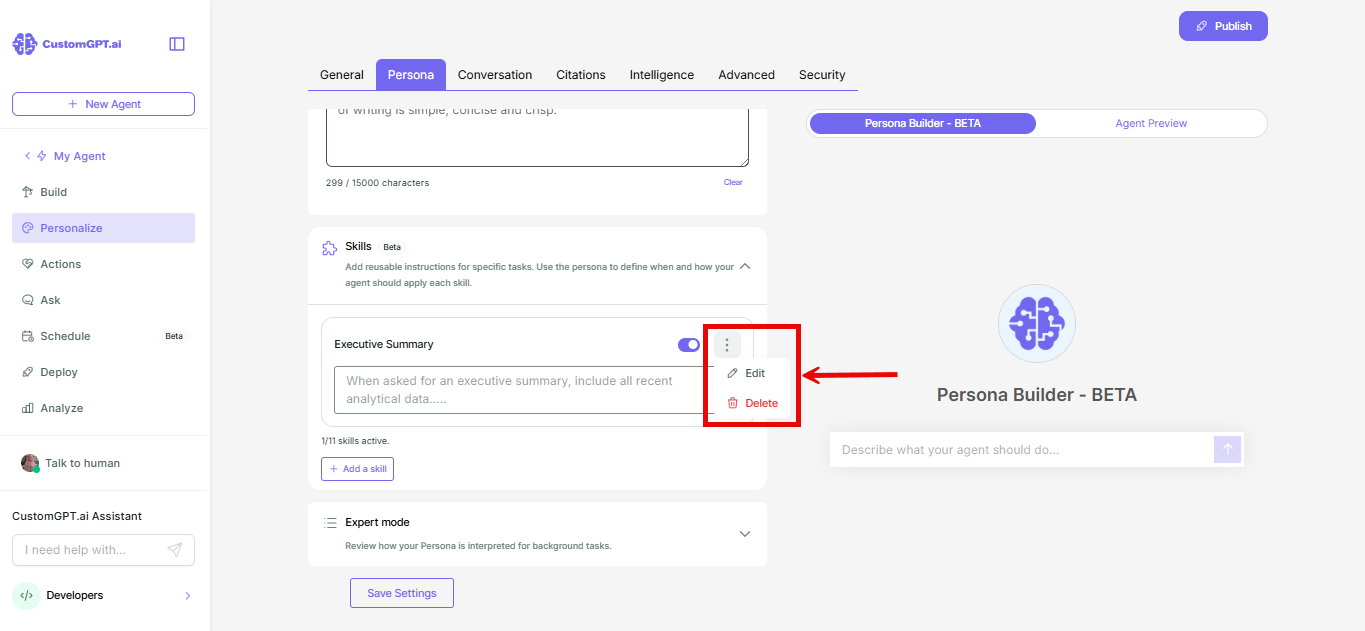
- Click the three-dot menu (⋮) on a Skill to Edit or Delete it.
Things to know
- When you reach your active-Skill limit or your agent's total Skill cap, Add a skill is grayed out. At the total cap, hovering shows the tooltip "You can have up to 25 skills attached to the agent." Refer to Skill limits for exact numbers.
- The Skills section shows your active count and remaining allowance.
- Active Skills are listed above inactive ones, but the order only updates on page reload, not right when you toggle a Skill.
Related articles
Updated about 1 month ago
Did this page help you?