
Add an RSS feed to your agent
This guide walks you through adding an RSS feed to your agent from a single link.
Paste one link and your agent learns every entry of an RSS feed. Use it when you want an agent that can answer from your blog, news, newsletter, or product feed.
Before you start
- You need the link to your RSS feed.
- RSS Feed sources are available on every plan - Standard, Premium, and Enterprise.
- Auto Sync is available on Premium and Enterprise.
Add an RSS feed to a new agent
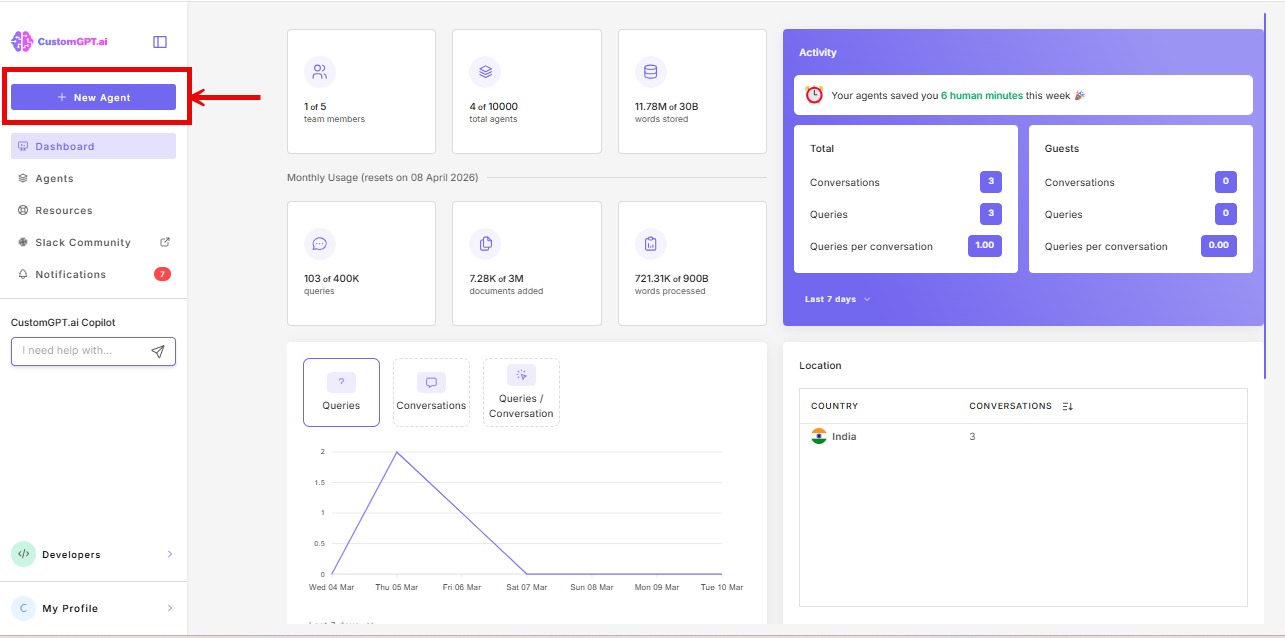
- Click New Agent.
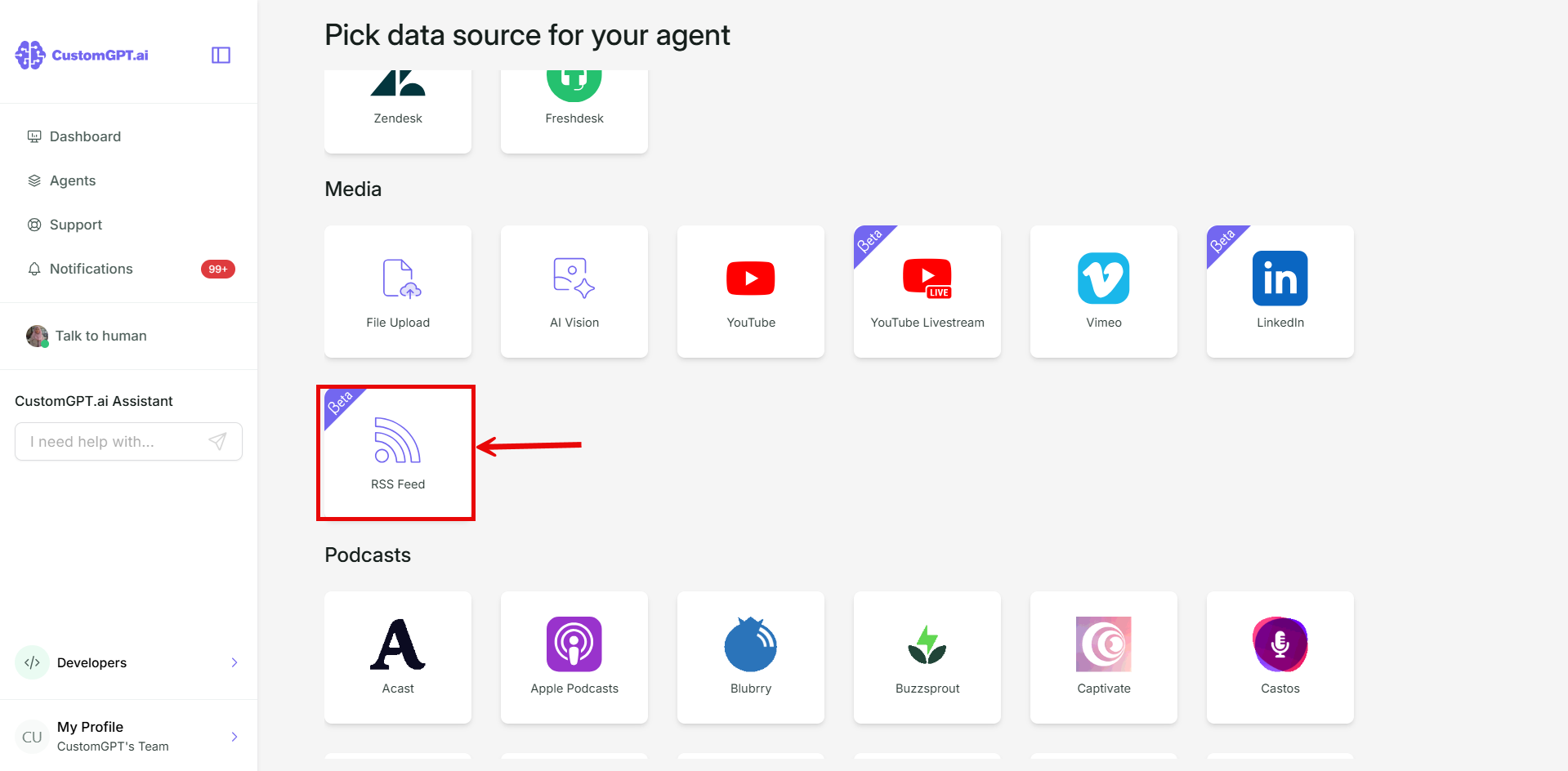
- In the Media section, click RSS Feed.
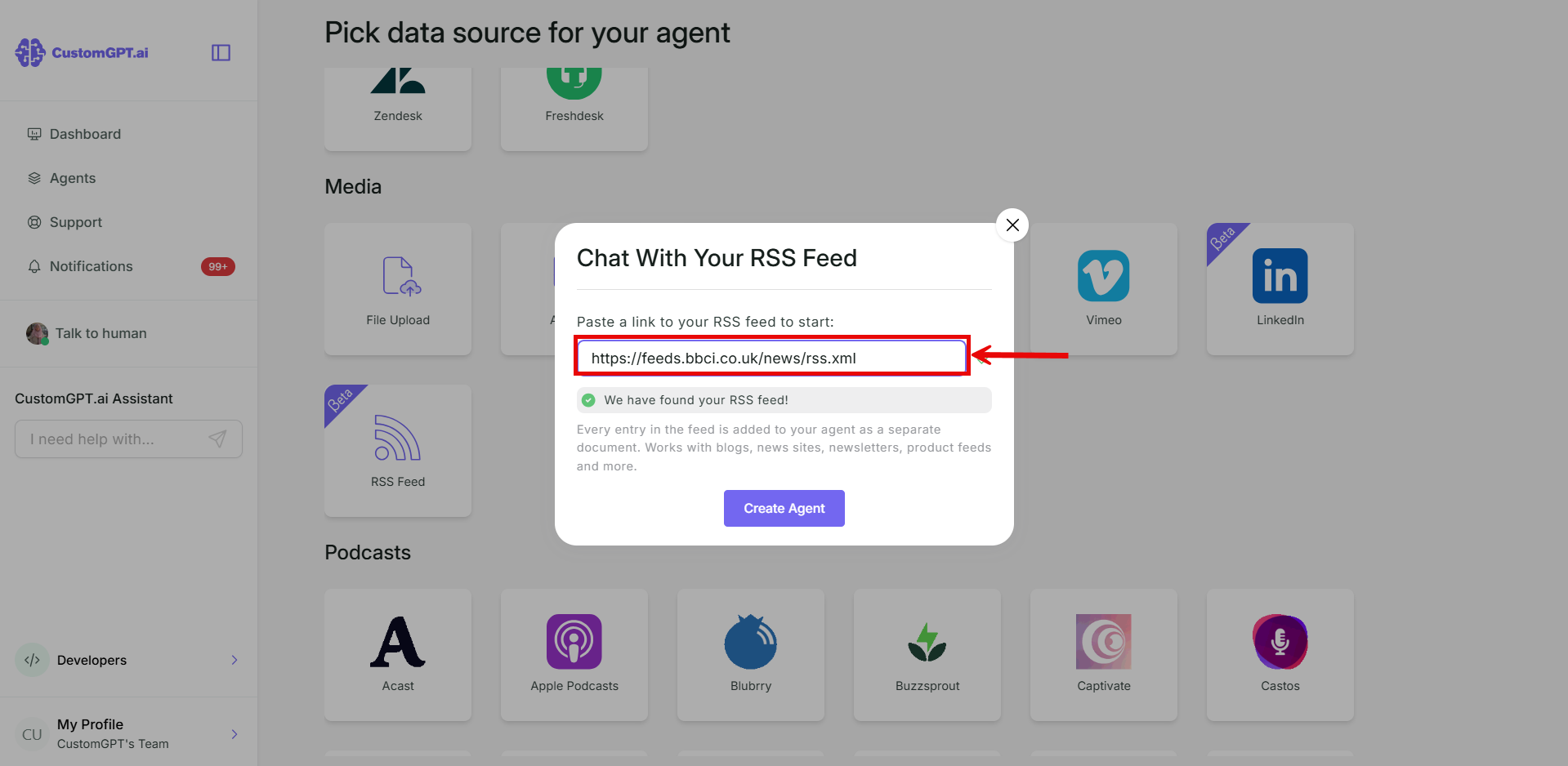
- Paste your RSS feed link.
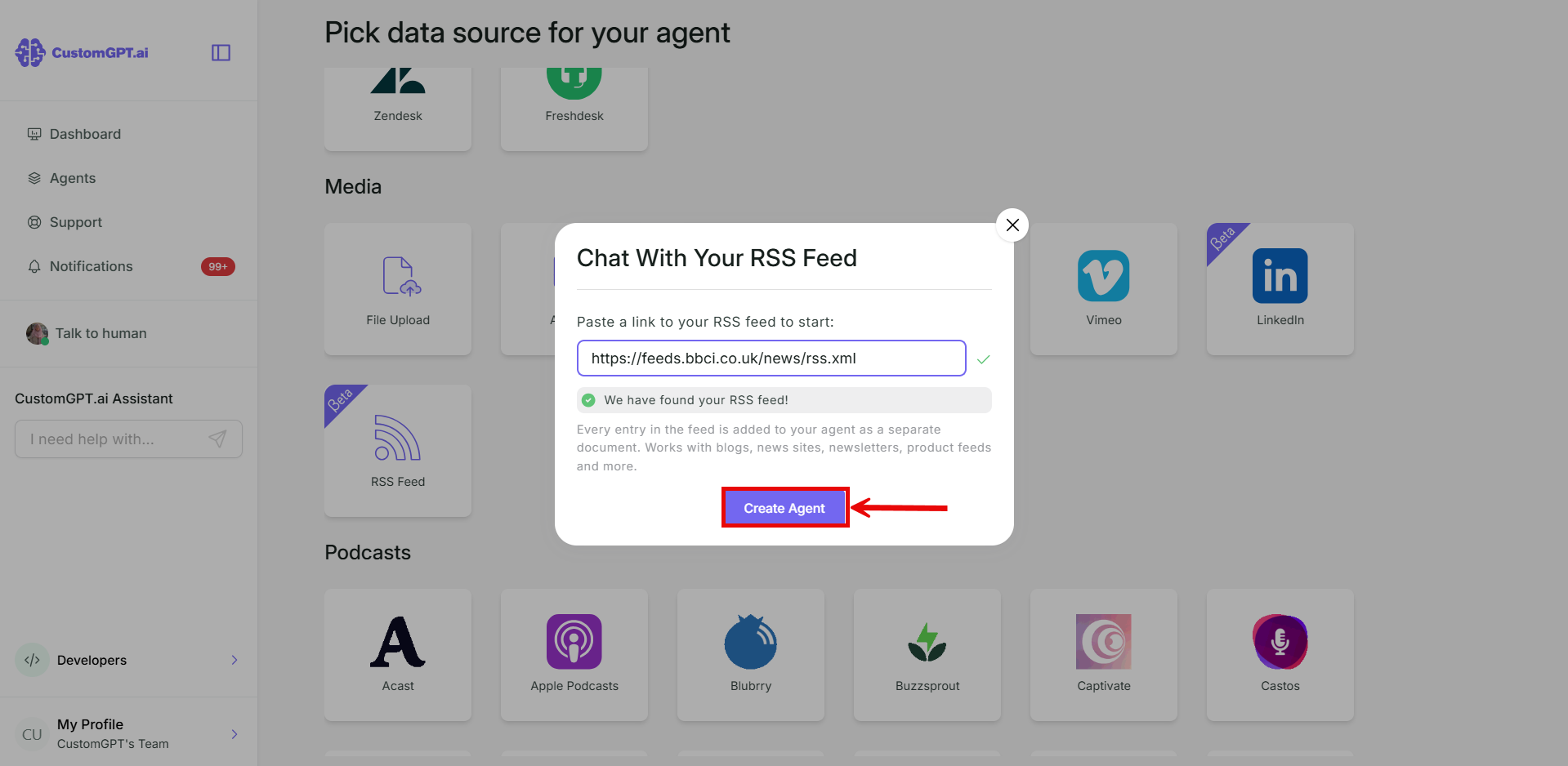
- Click Create Agent.
Add an RSS feed to an existing agent
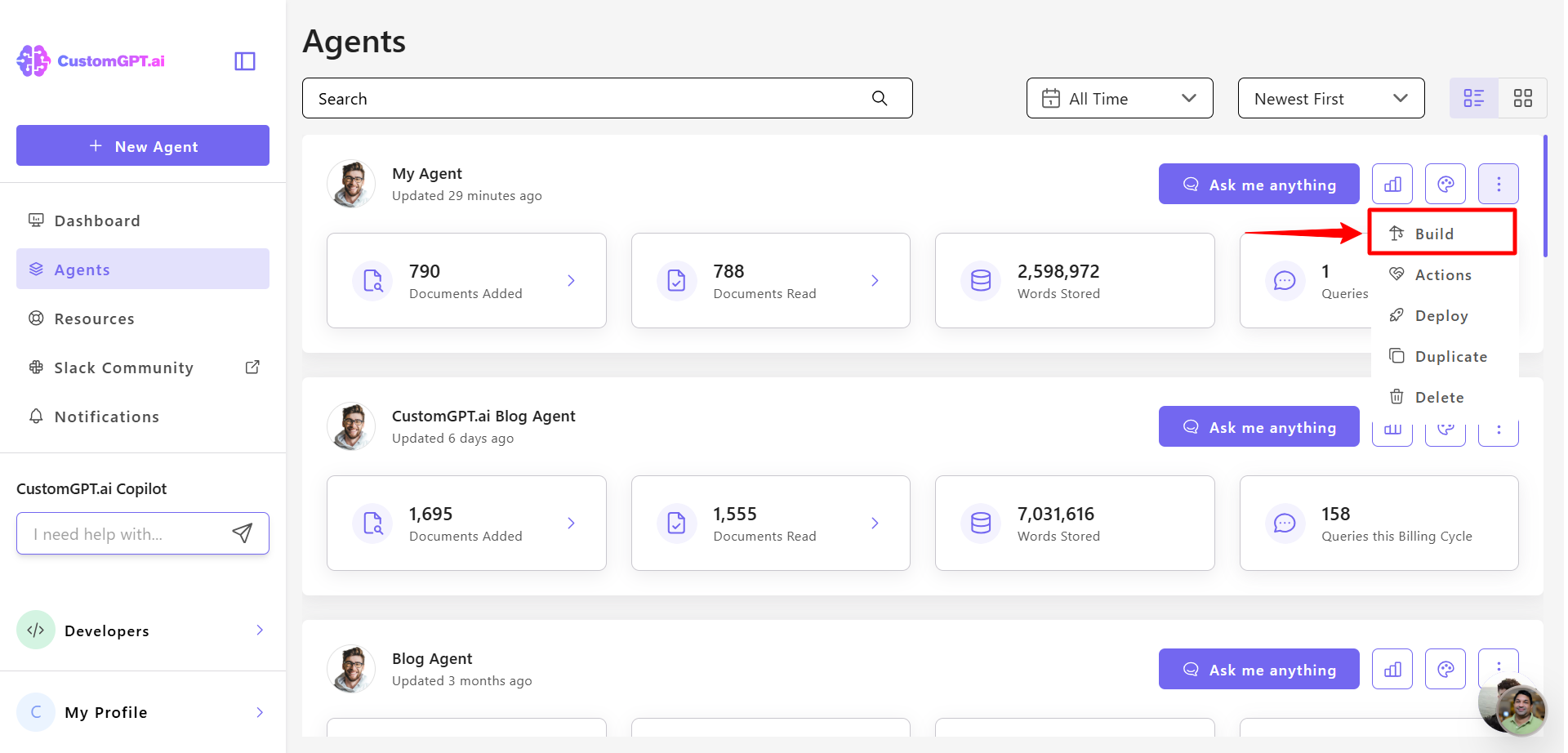
- On the agent you want to add it to, click the three dots and select Build.
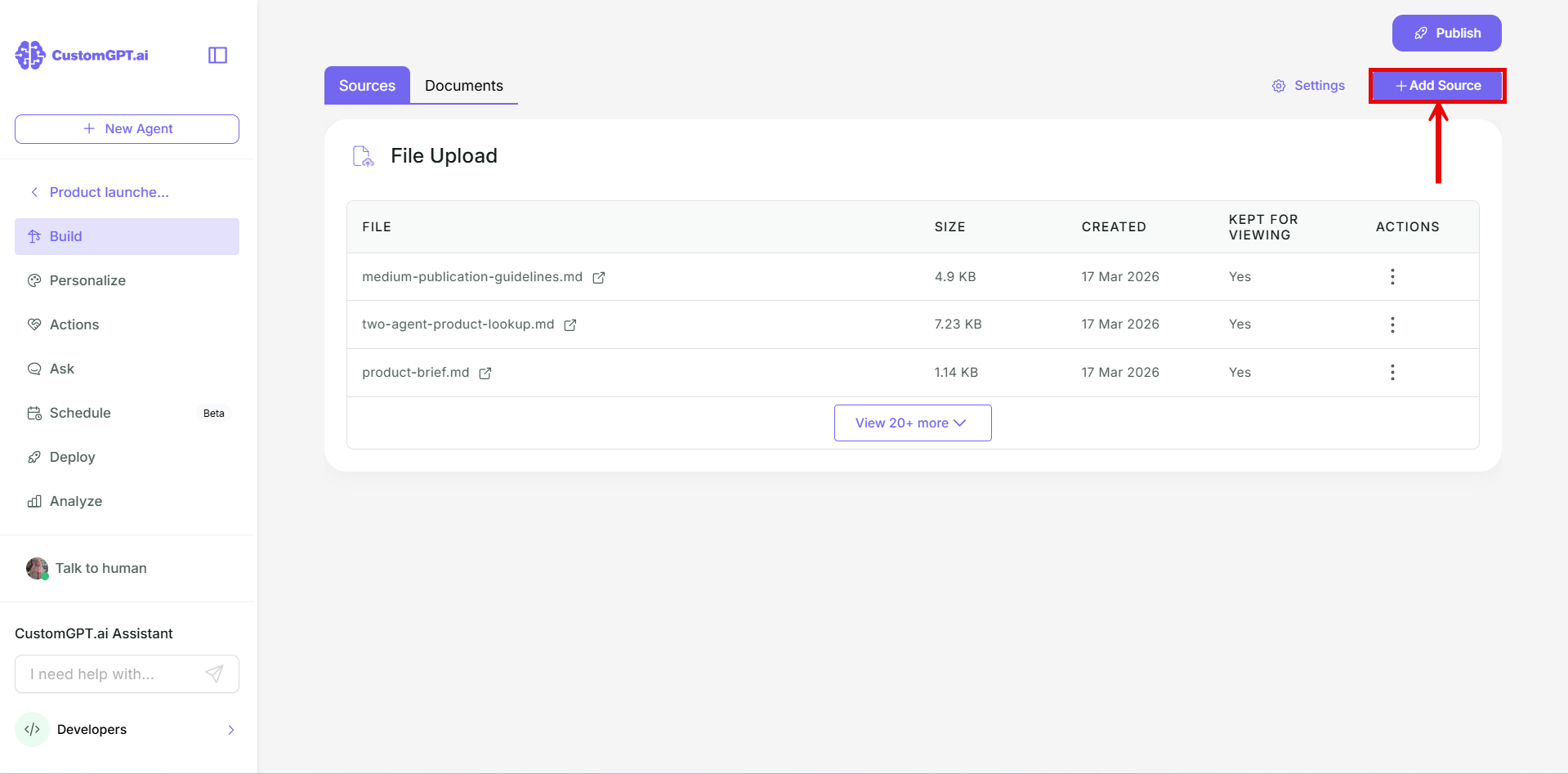
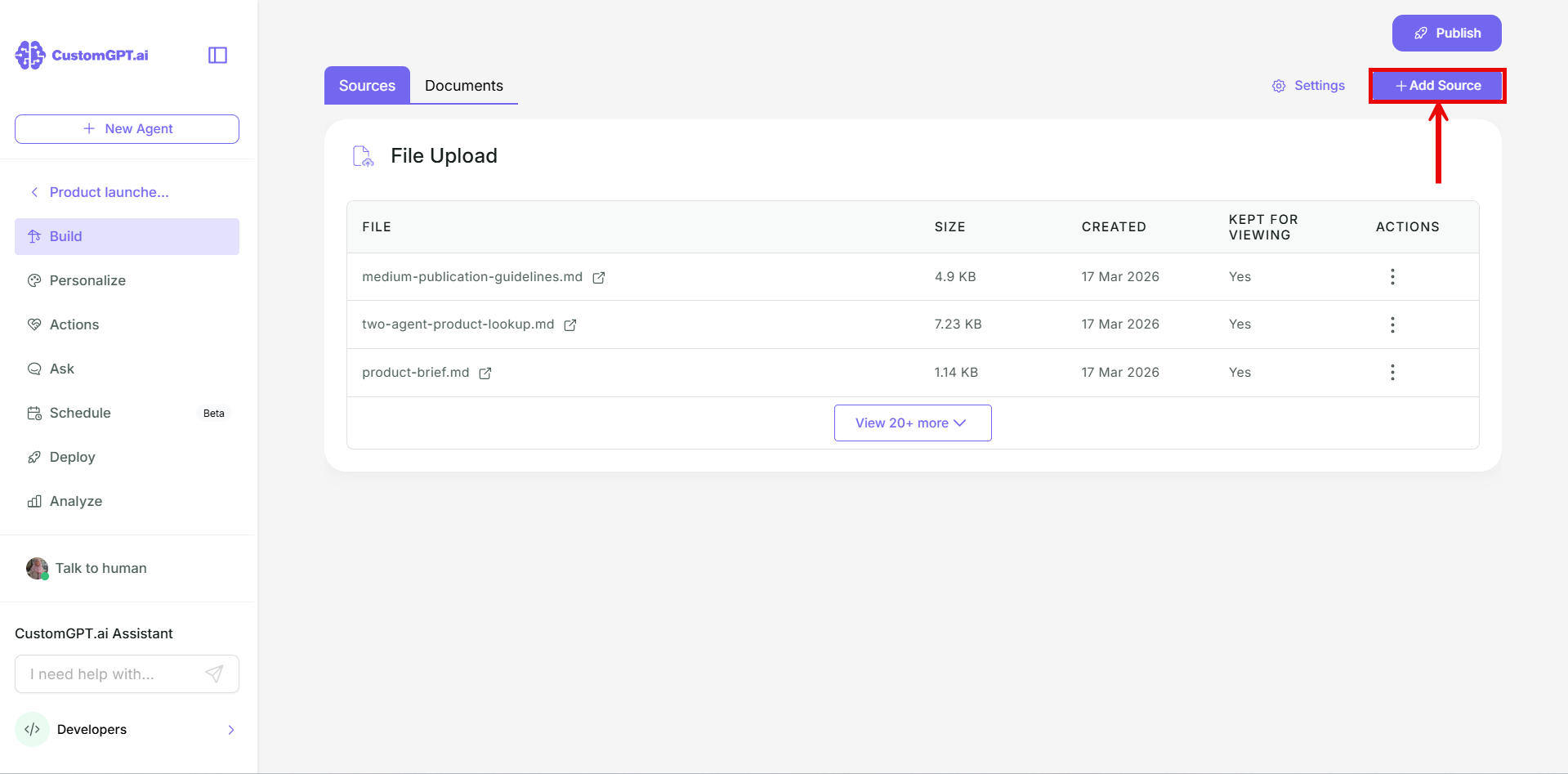
- Click Add Sources.
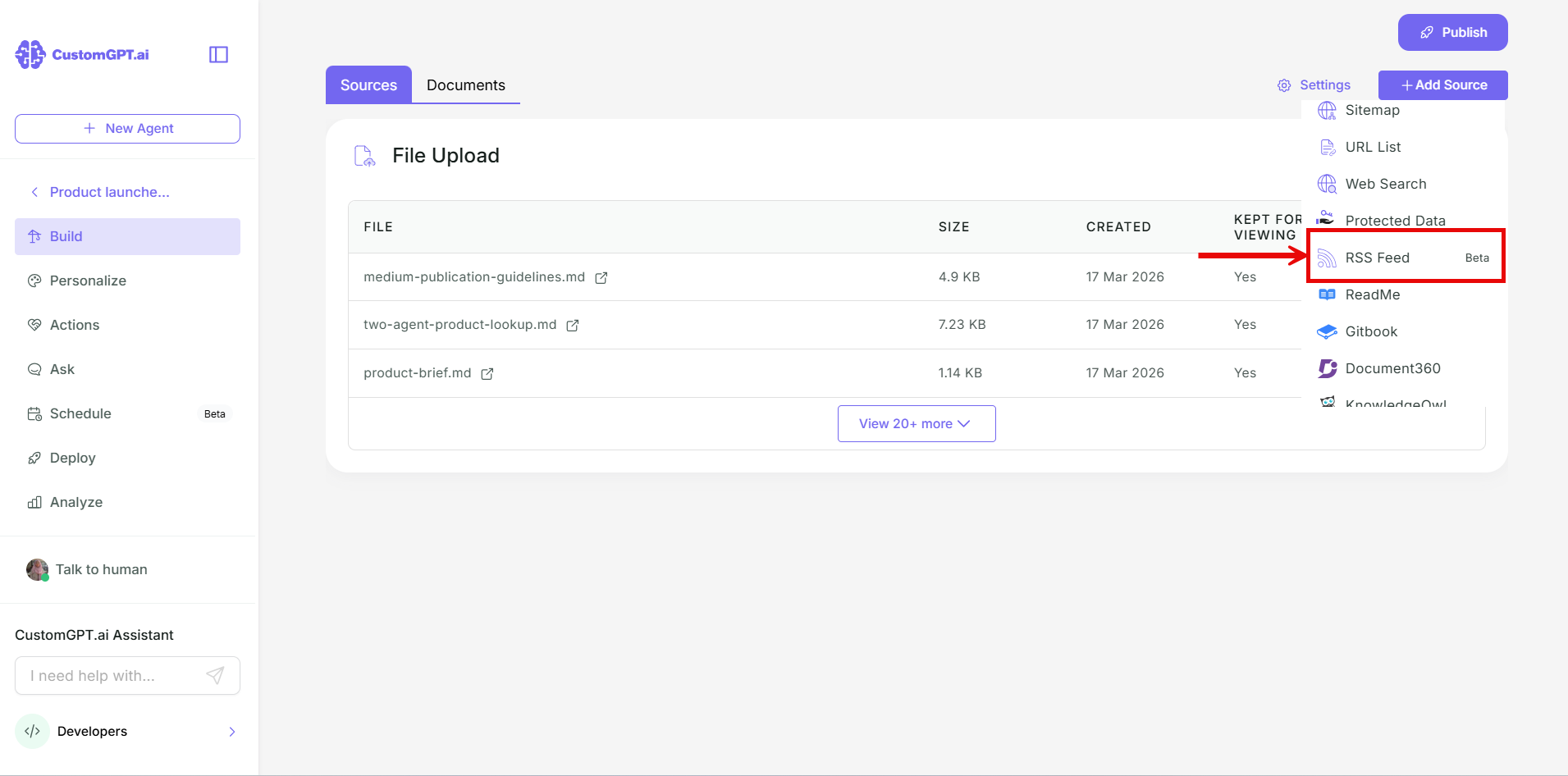
- In the dropdown, select RSS Feed.
- Paste your RSS feed link.
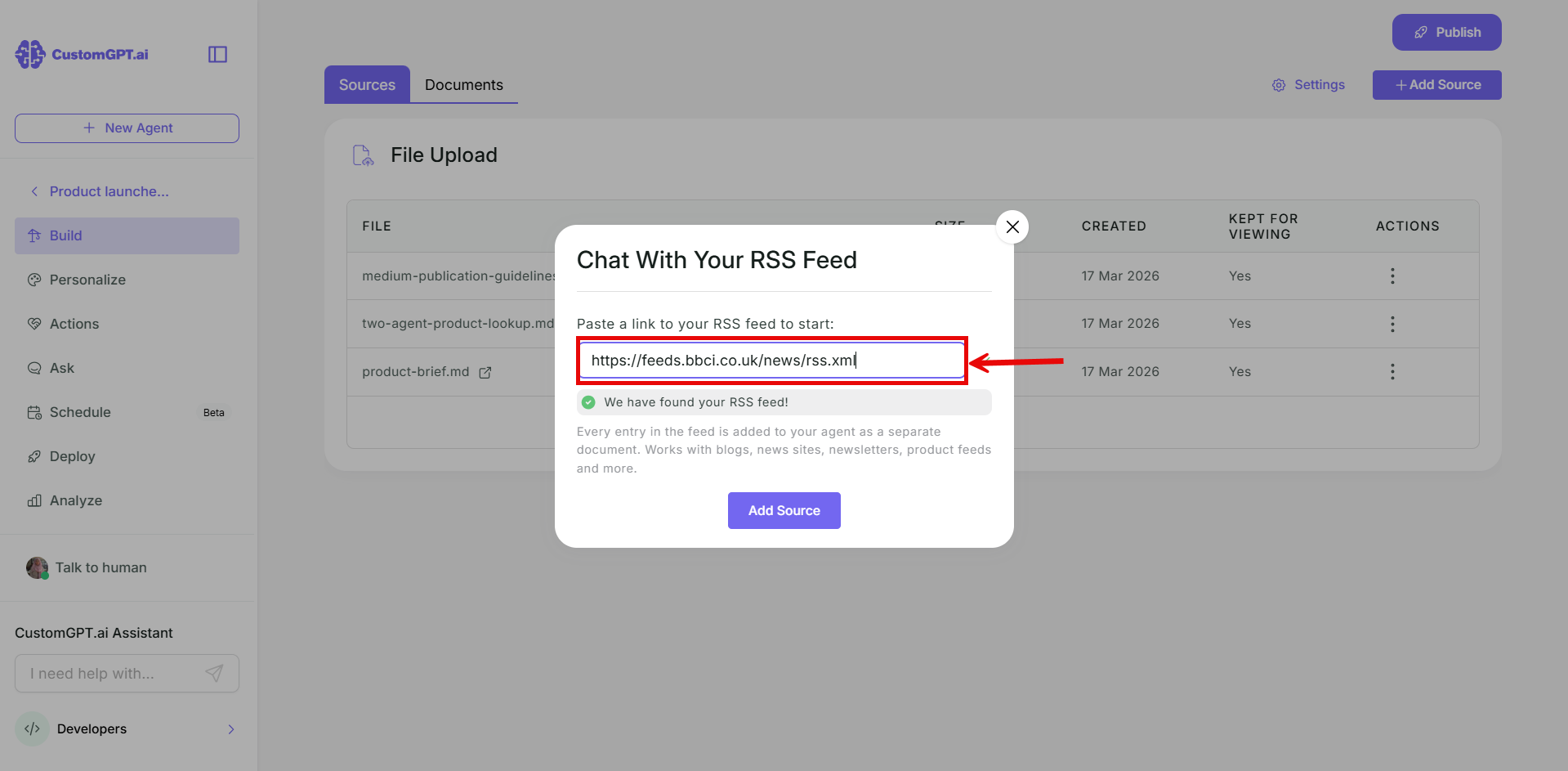
- Click Add Sources.
Keep your agent up to date
Turn on Auto Sync to keep new entries coming in. Refer to Enable auto-sync for podcasts and RSS feeds.
Related articles
Updated about 3 hours ago
Did this page help you?